REVIEW · NAPLES
Naples Audioguide – TravelMate app for your smartphone
Book on GetYourGuide →Operated by MyWoWo Srl · Bookable on GetYourGuide
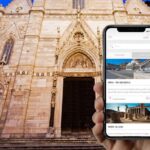
Naples sounds better with your phone in hand. This TravelMate audioguide turns your day in Campania into a choose-your-own-walk adventure, with no paper tickets to collect and offline listening when you need it.
I also like the simple, replay-friendly setup: you can use the guide again and again during your Naples stay and beyond, with professionally made audio and optional on-screen text. The one real catch is practical—your phone needs enough battery, because you’ll be living off the screen and audio for the whole experience.
In This Review
- Key takeaways (so you know what you’re buying)
- Why this Naples audio guide feels right for wandering
- Price and value: what $7 really means here
- Setting up TravelMate: activation and starting without a meeting point
- How to use the 175 minutes without feeling rushed
- Naples Introduction, local cuisine, and how the app helps you orient fast
- Street-level Naples: Spaccanapoli and Via Toledo
- Churches and chapels: Cappella Sansevero, Santa Chiara, and more
- Big landmarks and major galleries: Piazza Plebiscito and Galleria Umberto I
- Museums and viewpoints: Archaeological Museum, Capodimonte, Certosa San Martino
- Royal power and side trips inside the audio: Pompeii and Caserta
- Underground Naples: using audio to handle narrow, unfamiliar spaces
- Best ways to listen: offline, text view, earphones, and replay
- Who should book this Naples audio app
- Should you book this Naples Audioguide (TravelMate app)?
Key takeaways (so you know what you’re buying)
- 59 audio contents, 175 minutes total lets you sample Naples in bite-sized stops, not one long lecture
- Offline or online audio means fewer worries about signal in museums, churches, or narrow streets
- No meeting point: you download, activate, and start wherever you are
- Replay for 1095 days after first activation, so you can revisit at your pace
- Quiz section adds a bit of recall practice as you go
Why this Naples audio guide feels right for wandering

Naples is the kind of city where a fixed-group tour can feel too fast, too loud, or too strict about timing. This TravelMate app gives you what you actually want when you’re walking streets and popping into sights: control. You decide when to press play, when to pause, and when to skip ahead if you’re just trying to get oriented.
The audio is designed like a tour guide beside you. It’s built to explain what you’re seeing, plus the history and curiosities that make monuments feel less like postcard backdrops. The narration is credited to a team of high-level authors, interpreted by professionals from TV and radio fields—so the voice work tends to feel smooth and clear, not like a rushed script recorded in a closet.
You also get options that help different travel styles. Want more structure? Follow the stops in the app. Prefer to wander randomly? You can start at any section, then jump around later. And if you’re the type who likes reading while standing in front of a façade or doorway, the app lets you view the text tied to the audio files.
You can also read our reviews of more tours and experiences in Naples.


Price and value: what $7 really means here

At $7 per person, the big value isn’t that it’s cheap—it’s that it’s low-pressure and long-lasting. The app stays valid for 1095 days from first activation, and the guide doesn’t expire in the middle of your trip. That changes how you use it: you can treat it like a travel companion, not a one-time ticket.
Think about what you’re paying for:
- 175 minutes of audio (59 separate content items), which you can replay as many times as you want
- Multiple languages (Italian, English, Spanish, French, German, Chinese, Russian)
- Offline capability, so you’re not hostage to mobile data
- No paper logistics—no collection, no return, no printed pass
If you’re going to hit several of the sights in the app—churches, museums, squares, street sections, plus the Underground Naples content—this is a strong cost-to-time ratio. If you’re the kind of visitor who only peeks at one or two places, you might not use much of the 175 minutes. Still, you can listen selectively and spend the rest of your day doing what Naples does best: walking and choosing.
Setting up TravelMate: activation and starting without a meeting point

This experience has no meeting point, which sounds obvious, but it’s genuinely useful in Naples. You don’t need to find a kiosk, stand around, or coordinate with a group. You download first, then you start wherever you are.
After booking, you’ll get an activation code by email:
- Open the email and choose Show activity details (or Show your tickets here)
- Find the barcode in the orange frame
- The activation code is the 10-digit small number under the barcode
If you use the GetYourGuide app, you can access the ticket there too:
- In the email, tap Show ticket in the App
- The app will show the barcode screen
- The activation code is the 10-digit small number under the barcode
For downloads:
- Android: search for the app called TRAVELMATE in the Play Store
- iOS: search for TRAVELMATE TM in the App Store
Practical tip: set up and test your headphones before you head out. It’s the easiest way to avoid that annoying moment when you reach a church door and realize your audio isn’t playing the way you expected.
How to use the 175 minutes without feeling rushed

The Naples audioguide is made up of 59 audio content pieces, totaling 175 minutes. That’s long enough to cover real variety, but short enough to use in sections.
Your best strategy is to match audio length to how you actually move through a day:
- Use one audio track during a museum stop or church visit
- Use a track while walking between two areas (streets like Spaccanapoli and Via Toledo work well for this)
- Save longer listening for slower moments, when you’re standing still anyway
A nice bonus: there’s a quiz section that keeps you learning with short questions. It works best if you do it at a natural pause—like after a museum or when you’re sitting down for a coffee—so you can connect the audio you just heard to something you’re trying to recall.
Also, you can choose to listen online or offline. If you’re planning a long day, I’d download for offline use ahead of time if the app lets you do that on your phone. Then you can focus on the walking, not the loading.
Naples Introduction, local cuisine, and how the app helps you orient fast

The guide starts with a Naples Introduction and a section on the Wonders of local cuisine. Even if you’re already familiar with Naples, these tracks are useful because they set expectations for how to read the city.
Here’s what I like about starting there: you get a framework before you get distracted by everything that makes Naples Naples. Markets, street energy, and layered neighborhoods can scramble your mental map. A short intro track helps you stop feeling like you’re just moving from sight to sight, and instead start understanding why each area matters.
Then the cuisine content gives you something practical: a way to notice what people are doing with food culture. You don’t need to treat it like a checklist. Use it like a filter. When you see a menu, a bakery window, or a crowded counter, the audio helps you connect the choice to the bigger story.
If you like planning, listen to the Introduction first. If you like spontaneity, listen to cuisine at midday—when your choices start to matter most.



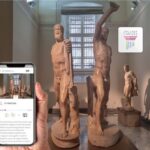

Street-level Naples: Spaccanapoli and Via Toledo

Two of the stops listed in the guide are Spaccanapoli and Via Toledo. These aren’t just names to add to a list; they’re “move through the city” experiences.
Spaccanapoli is the kind of spine street where you can hear the city happening while you walk. Via Toledo works as a longer corridor for shifting neighborhoods without feeling like you’re trapped on a single block. The audio sections tied to these areas are meant to keep your walk from turning into pure wandering.
My practical way to use this:
- Press play while you’re walking, not when you’re stuck at a crowd or doorway
- If you miss a section, don’t rewind endlessly—jump ahead to the next part
- Use your own pace. Naples doesn’t reward rushing
This is where the “autonomy” promise becomes real. A group tour might herd you through streets like these. With an app, you can stop to look, keep moving when you’re ready, and still have narration waiting when you’re back in motion.
Churches and chapels: Cappella Sansevero, Santa Chiara, and more

The app includes a strong set of religious sites: Cappella Sansevero, Santa Chiara, Basilica of the Friars, Church Of Monteoliveto (Sant’Anna Dei Lombardi), and Church Of Pio Monte Della Misericordia.
Even without turning this into a technical art lecture, this portion of the guide helps you slow down. Churches and chapels can feel like “just buildings” if you don’t know what kind of story the guide is trying to explain. The app is built for history plus curiosities, which is exactly what helps you look longer and understand what you’re seeing.
A balanced approach works best:
- Listen to the beginning of a track before you step in
- Then keep the audio volume low enough that you can still notice what’s happening around you
- If the space requires quiet, pause the audio and read the text view instead
Also, don’t underestimate how helpful the option to read the text can be. In a church environment, it can be easier to absorb information visually than to follow spoken audio the whole time.
Big landmarks and major galleries: Piazza Plebiscito and Galleria Umberto I

Naples has a “grand and formal” side, and the app includes the key stops that reflect that mood: Piazza Plebiscito, Galleria Umberto I, and Doge’s Palace.
When you reach these areas, the audio does two jobs for you:
- It frames why these places feel ceremonial or important
- It helps you notice context—what’s around them and how they fit into the city’s layout
If you’re walking in the heat, these are also good targets for short pauses. You can spend time at one major spot, take a break, and then continue with the next content item once your legs and phone battery both feel happy again.
And yes, I’d suggest earphones. With spoken audio in open, busy areas, ambient noise can swallow details unless you’re using headphones.
Museums and viewpoints: Archaeological Museum, Capodimonte, Certosa San Martino

The guide includes Archaeological Museum and Museo Di Capodimonte, plus the hilltop-feeling Certosa San Martino.
Museums are where an audio guide can genuinely change your experience, because you’re surrounded by information without guidance. Even if you don’t want to study every display, the narration helps you pick up the main thread instead of scanning aimlessly. Capodimonte is also a place where you can take breaks and reset between listening segments.
Certosa San Martino works well in a self-guided format because it pairs naturally with walking and pauses. The app’s role here is to keep you connected to why this site matters, so the viewpoint moments don’t feel like just a photo stop.
My tip: for museums, don’t try to finish everything in one go. Use a single track, walk a bit, and then decide whether you want another section or to move on.
Royal power and side trips inside the audio: Pompeii and Caserta

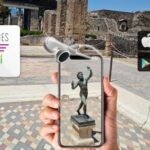
The list includes Pompei and the Royal Palace Of Caserta. Because this is an audio app for Naples, you should think of these sections as flexible. You can use them if you’re planning to go there during your trip, or if you want the context for when you’re nearby.
What’s valuable is that the guide doesn’t force you into one itinerary. If you decide to add a day trip, you already have narration ready. If you don’t, you can still enjoy Naples without feeling like you missed a required stop.
Royal sites and bigger day-trip locations are often tiring for independent travelers. An audio guide helps reduce decision fatigue: you’re not spending your energy figuring out what to look for. You can listen while you move and save your thinking for the actual walking choices.
Underground Naples: using audio to handle narrow, unfamiliar spaces
Underground Naples is listed as one of the content sections, and that’s important. Underground spaces can be confusing, and they’re the kind of place where you may not want to rely on guesswork.
Here’s how I’d use it:
- Start the track right before you enter, so you’re oriented as you go
- Keep the audio loud enough to hear clearly, but not so loud you lose awareness of your surroundings
- If you get turned around, pause audio and re-check the order of stops in your head, then resume
This is also a great place for the text view. If you need to read while moving slowly, the app gives you that option instead of forcing you to rely only on audio.
Best ways to listen: offline, text view, earphones, and replay
The audio guide works online or offline, and the app also offers the text of the audio files. That combo matters more than it sounds.
- Offline listening is huge in places where signal is weak
- The text view helps if you’re in a quiet interior where audio would be distracting
- Replay is the practical superpower: you’re not “using it once and losing it”
Earphones are recommended, and I agree. Without headphones, it’s easy to miss details, especially in Naples where street noise can be relentless.
Replay also makes the app better over multiple days. You can listen once to get oriented, then revisit a stop later after you’ve seen the rest of the city. That turns the guide into something like a memory tool, not just a first-time briefing.
If you care about mobility, the activity is marked wheelchair accessible, which is good to know as you plan your walking route.
Who should book this Naples audio app
This is a great fit if you:
- Want to explore Naples with total autonomy
- Like having information on demand, not a fixed schedule
- Prefer using your own smartphone and want to avoid paper-ticket hassles
- Plan to visit multiple sites over several hours
It’s also a good choice if you’re traveling with someone who has different interests. You can both listen in the same area while staying flexible—no need to match the exact timing of a group.
Who might struggle:
- If you don’t want to manage phone battery and headphones
- If you prefer a human guide who can answer questions on the spot
Given the audio is usable for 1095 days, you can also justify it even if you’re unsure how much of the city you’ll cover on day one.
Should you book this Naples Audioguide (TravelMate app)?
If you want a Naples audio guide that’s affordable, flexible, and built for self-paced walking, I’d say yes. For $7, you get 59 audio sections, 175 minutes total, offline support, and a long validity window that lets you revisit the city without extra cost.
Book it if your travel style matches autonomy: you like deciding where to go next, you’re happy using headphones, and you want your information to appear when you need it.
Skip it if you’re the type who really needs live answering and strict structure. In that case, a guided tour may feel less work and more comfortable.
If you want a low-stress way to understand Naples while you walk, this app is one of the simplest ways to do it.