REVIEW · NEW YORK CITY
An Epic Scavenger Hunt: New York City Central Park Adventure
Book on Viator →Operated by Let's Roam · Bookable on Viator
Central Park turns into a game. This app-led hunt lets you roam between major sights, answer clue questions found on plaques and statues, and earn bragging rights with photo challenges. You’re not locked into a tour time or a guide’s script, which makes the whole thing feel flexible and a bit playful.
I like the self-guided flexibility most. You can start when you want and move at your own pace with your group. I also like how the experience builds in group energy through texted, interactive photo tasks where each person can play a role and score points.
The main drawback to plan for is app setup. If your phone isn’t ready or you miss the start point details, the hunt can stall or you may not get going smoothly—so come prepared and give yourself a little extra time.
In This Review
- Key things to know before you go
- Central Park in 90 minutes: what this hunt actually is
- Price and timing: does $14.99 buy real value?
- What’s included vs. what you’re on the hook for
- How the self-guided flow works (and where people can get stuck)
- The route: from Swedish Cottage to Central Park’s best-known landmarks
- Stop-by-stop: what to do at each landmark
- Stop 1: Swedish Cottage Marionette Theatre
- Stop 2: Alice in Wonderland Statue
- Stop 3: The Dakota
- Stop 4: Belvedere Castle
- Stop 5: Bethesda Fountain
- Stop 6: Strawberry Fields
- Stop 7: Balto Statue
- Stop 8: Central Park
- Photo challenges that keep your group from drifting
- Practical tips: avoid the two common headaches
- Who should book this Central Park hunt?
- Should you book this Central Park scavenger hunt?
- FAQ
- How long is the Central Park scavenger hunt?
- Can we start at any time?
- What is the price?
- Where do we meet, and where does it end?
- What do we need to use the hunt?
- Is anything included besides the app access?
- What is the cancellation policy?
Key things to know before you go
- Start anytime, self-guided: No fixed guided departure; you work through the course in your own rhythm.
- Photo challenges with points: Each person has an interactive role and can score for their photos.
- Clues you can only find in person: Expect answers hidden on plaques, statues, and park features.
- A tight Central Park loop: Eight themed stops designed for an approx. 1.5–2 hour experience.
- Mobile ticket + Let’s Roam app: You’ll redeem tickets in the app to get navigation and challenges.
Central Park in 90 minutes: what this hunt actually is

This is a phone-led scavenger hunt through Central Park built around landmark stops and clue-based looking. Instead of walking the park like a checklist, you’re prompted to notice specific things up close—often the kind of details you’d normally glide past. The payoff is that you get both the sight-seeing and the sense of accomplishment that comes from solving mini-challenges along the way.
You’ll be in control of your pacing. The hunt is listed at about 1.5–2 hours, and you can start at any time you choose. That freedom matters in a big city park where your day can change fast—weather shifts, energy levels change, kids need breaks, coworkers want more photo time, and you don’t need to ask permission to slow down.
It’s also clearly designed for groups. The hunt uses interactive roles so that the experience doesn’t become one person reading clues while everyone else waits. Even if your group is mixed—family plus friends, or coworkers plus partners—it gives everyone a job to do.
You can also read our reviews of more tours and experiences in New York City.



Price and timing: does $14.99 buy real value?

At $14.99 per person, this is priced like an activity you can add without wrecking your budget. The value comes from what you get for that price: app access and a structured route through eight major park stops, plus texted challenges you complete on your phone.
Compared to paying for a traditional guided tour, you’re saving money and buying flexibility. You don’t have to coordinate a group around a specific guide start time, and you can keep the experience private for your own group. That can be a big deal if you’re traveling with people who have different walking speeds or attention spans.
Compared to doing Central Park on your own with a random map, the hunt buys motivation. It gives you a plan for where to go next and why you should stop there. It also turns the park into an activity, not just scenery.
A quick practical note: it’s commonly booked about 8 days in advance on average, so if you’re going on a popular weekend or around holidays, don’t wait until the last minute.
What’s included vs. what you’re on the hook for
Here’s the clean split:
Included
- Let’s Roam app access
Not included
- Parking and parking fees
- Admission tickets to entrances
- Food and beverages
- Personal expenses
- Transportation costs
- Any additional paid attractions or activities
Why this matters: Central Park has areas that are sometimes tied to entrances or separate attractions. The hunt takes you to well-known spots, but this experience doesn’t include any ticketed entry costs. If you’re hoping to add paid access at any stop, you’ll want to budget for that separately.
Also, this is a walking experience, so factor in your own transit costs getting to the meeting point. And if you’re doing this with kids or you’ll be outside for long breaks, plan your own water and snacks. The hunt is designed for the game, not for feeding your group.
How the self-guided flow works (and where people can get stuck)
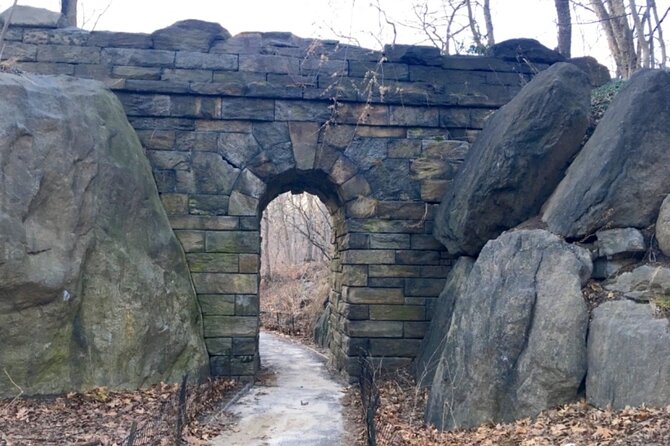
This is self-guided and private for your group. You can start at 72 E 72nd St, New York, NY 10021, and the activity ends back at the meeting point.
The key steps:
- Purchase tickets on the website.
- Download the Let’s Roam app from the app store.
- Register and redeem your tickets inside the app.
- Let the app guide you through the hunt and the on-screen challenges.
Two practical details that really affect whether your hunt feels smooth:
- Your phone must be ready. The instructions specifically stress that your smartphone should be fully charged, and to bring a power bank if you need one.
- You’ll need to follow the start information carefully. The experience is designed so you can start without a tour guide, but that also means there’s less margin for confusion.
One of the provided low-star comments points to a real risk: if you can’t find the start area and there’s no clear guidance you can follow at the moment, you could end up missing the hunt. So I’d treat the meeting point like a real appointment—even though it’s self-guided.
The route: from Swedish Cottage to Central Park’s best-known landmarks
The hunt is structured around eight themed stops. While you can start at any time, the experience is designed to move you through a compact loop that works for about 1.5–2 hours of walking and puzzle-solving.
Stops:
- Swedish Cottage Marionette Theatre
- Alice in Wonderland Statue
- The Dakota
- Belvedere Castle
- Bethesda Fountain
- Strawberry Fields
- Balto Statue
- Central Park
Because the clues are designed to be answered in person, each stop is likely where the app expects you to pause, look closely, and complete a challenge. Some tasks will be quick photo moments, and some will take longer if your group likes to read and compare details.
A drawback to keep in mind: Central Park’s most famous sights can draw crowds, especially at peak times. The hunt won’t stop those realities, so if you’re sensitive to waiting for a clear angle or a photo spot, plan a time of day when you can move smoothly.






Stop-by-stop: what to do at each landmark
The fun of this hunt is the way it turns landmark spotting into a mini mission. At every stop, you’re doing the same core things: look for the clues the app references, answer questions you can only get by being there, and complete photo challenges tied to the scenery.
Stop 1: Swedish Cottage Marionette Theatre
This is your launchpad. You’ll arrive, get oriented, and start the scavenger momentum right away. If your group tends to need a warm-up, this first stop is where you can test how the app wants you to move—without feeling like you’re already behind.
Potential drawback: if the app prompts you quickly and you’re still getting started, you may feel rushed. Give yourself a few minutes at the meeting point to confirm your phone is charged and you’re redeemed in the app.
Stop 2: Alice in Wonderland Statue
Here’s where the hunt becomes more playful. Expect the challenge style to lean into photos and quick observation. It’s a good moment to assign roles: one person scans the app prompts while others coordinate photos so no one gets stuck waiting.
Potential drawback: statues are popular photo targets. If your group wants ideal angles, you may need patience before taking your best shot for points.
Stop 3: The Dakota
This stop keeps the mix of park and city energy. You’ll be prompted to look at what’s in front of you and answer a clue tied to being physically there. For many groups, this is one of those moments that adds variety because the view reads differently than the garden-and-water areas.
Potential drawback: depending on how you group up, you might lose time if everyone is trying to frame their own photo independently. One coordinator helps.
Stop 4: Belvedere Castle
This is a classic Central Park landmark stop in the middle of your route. At this point, you’ll likely be in a good rhythm: your team knows how to read the prompts and how the scavenger format works.
Potential drawback: if your group is tired, this is where pacing decisions matter. If you’re behind schedule, don’t overstay; the hunt’s point is to keep moving and complete the challenges without turning it into a long detour day.
Stop 5: Bethesda Fountain
Fountains tend to create a natural gathering spot, and the hunt’s structure makes you stop and engage rather than just pass by. This stop is ideal for group photos and for completing any clue task that benefits from lingering.
Potential drawback: if you’re chasing the best photo, you may end up splitting your group. Try to stay together for clue-based questions so no one has to backtrack.
Stop 6: Strawberry Fields
This stop keeps the emotional and visual variety of Central Park in play. You’ll follow the app prompts and tackle your challenge using what you see around you.
Potential drawback: if your group prefers quiet over activity, you may want to pick a time slot with fewer interruptions, since this area can draw attention.
Stop 7: Balto Statue
This one is a great morale boost late in the route. The hunt still has energy here because you’re close to finishing, and photo challenges at recognizable points can spark the most laughs.
Potential drawback: by now, you’ll likely want to speed up. Don’t let speed erase the observation step—these clues are designed to be found by looking in person, not guessing from memory.
Stop 8: Central Park
The final stop ties the experience together. The hunt ends back at the meeting point, so your last stretch is where you wrap up your final tasks and head back.
Potential drawback: don’t treat the last stop as a casual walk-through. If you want points for photos and to finish cleanly, keep the same attention you had earlier.
Photo challenges that keep your group from drifting
One of the best parts of this kind of hunt is that it turns wandering into shared momentum. In this one, you’ll get texted photo challenges and fun activities tied to the rest of your group. You earn points for the best photos, and that simple scoring system helps even non-photographers feel involved.
Here’s how I’d use that feature to your advantage:
- Assign one “photo scout” for each prompt so the group isn’t scrambling.
- If your group is mixed ages, give younger participants the job of capturing shots while an adult focuses on the app clue reading.
- Build in a quick team rule: everyone takes their photo at the same moment for points, then you move on.
This also helps with the self-guided nature. Without a guide to redirect, groups sometimes drift. Photo tasks act like built-in stoplights.
Practical tips: avoid the two common headaches
The reviews you provided highlight two problems: trouble finding the start point and frustration with the app experience. You can’t control everything, but you can reduce your odds of a rough start.
1) Get phone-ready before you leave
- Make sure your smartphone is fully charged
- Bring a power bank if you think you’ll use lots of photos
- Download the Let’s Roam app ahead of time so you’re not fighting your connection at the start
2) Treat the meeting point like a real rendezvous
The meeting point is listed as 72 E 72nd St. If you show up late or confused, there’s less help than you’d get with a traditional guided tour. Arrive with time to orient yourself, and confirm you’re redeemed in the app before you start walking.
3) Dress for Central Park walking
This isn’t a sit-and-read experience. Comfortable walking shoes are recommended, and you should check the weather forecast. This is especially important because the hunt is meant to be completed outdoors over that 1.5–2 hour window.
4) Plan for signals and attention
Your phone is your guide. So keep it accessible, keep the sound on if you use it, and keep your group focused. If your group spreads out too far, you’ll spend more time regrouping than solving.
Who should book this Central Park hunt?
This works best for:
- Groups of coworkers who want something different than a standard “walk and talk”
- Families looking for a private activity that feels like a game
- Friends who like taking photos and competing lightly for points
- Anyone who prefers no tour guide and wants control over timing
It may not be ideal if:
- Your group hates using apps during travel
- You want a fully explained narrative tour with set talking points
- You’re traveling with limited walking ability, since the format assumes moderate physical fitness and real walking between stops
The private format is also a plus. Only your group participates, which helps when you want a calmer, self-paced experience.
Should you book this Central Park scavenger hunt?
If your goal is to experience Central Park while staying active and keeping the group engaged, this is a strong choice for the money. $14.99 isn’t much for an organized, stop-based activity that mixes landmark sightseeing with app challenges and photo points.
I’d book it if you’re comfortable using a smartphone during the walk and you can follow a start-point plan. And if you’re traveling with a group that enjoys light competition, the photo scoring adds a fun layer.
Skip it if you’re worried about tech glitches or if your group would be stressed by self-guided navigation. The hunt can be great, but it depends on you starting smoothly and keeping your device ready.
FAQ
How long is the Central Park scavenger hunt?
It’s listed as approximately 1 hour 30 minutes, with the hunt time generally running about 1.5 to 2 hours.
Can we start at any time?
Yes. This is self-guided, and you can start at any time you wish. Your group can work through the hunt without a tour guide.
What is the price?
The price is $14.99 per person.
Where do we meet, and where does it end?
The start is at 72 E 72nd St, New York, NY 10021, USA. The activity ends back at the meeting point.
What do we need to use the hunt?
You’ll use the Let’s Roam app. After purchasing, you’ll redeem your mobile ticket in the app to get the guidance and challenges.
Is anything included besides the app access?
Included is Let’s Roam app access. Parking, entrance/admission tickets, food and beverages, transportation, and other personal expenses are not included.
What is the cancellation policy?
Free cancellation is available. You can cancel up to 24 hours in advance for a full refund, and changes within 24 hours are not accepted.