REVIEW · FLORENCE
Florence Self Guided Audio Tour
Book on Viator →Operated by Vox City International Ltd · Bookable on Viator
Florence can be a little overwhelming. This self-guided audio tour app helps you turn wandering into a structured day, with 70 points of interest and offline maps. I like that you get practical routing (walking and bus options) plus built-in photo-spot guidance and free Wi‑Fi tips. The main drawback to keep in mind is that the audio can feel dry to some people, and the app map can be awkward on certain phones.
Here’s the real appeal: you travel at your pace. You can pause for a museum stop, then hop back into the route when you’re ready, without joining a group or waiting for anyone. If you’re the type who likes to read the city in small chapters—church, square, market, then another viewpoint—this format fits.
In This Review
- Key things you’ll care about before you go
- How the offline Florence app keeps you moving (and from getting lost)
- Price and value: what you get for about $12.09
- Your Florence routing: walking vs bus without losing the plot
- Bargello to Basilica di San Lorenzo: early stops that set the tone
- Campanile di Giotto and Duomo: turning viewpoints into a mini photo mission
- Piazza della Signoria: where audio works best with an intentional pause
- Giardino di Boboli and Palazzo Pitti: a shift from streets to outlooks
- Mercato Centrale: practical guidance when you want a livelier break
- Ponte Vecchio: closing with the river views
- The map experience: navigation tips when the app gets finicky
- Audio quality and pacing: when the recordings feel dry
- Does this feel like a private tour?
- Who should book this Florence self-guided audio tour
- Should you book? My practical call
- FAQ
- What language is the Florence audio tour offered in?
- How many points of interest are covered?
- Does the app work offline?
- Are walking and bus routes included?
- Are earphones included?
- Is this a private experience?
- Is this experience refundable?
Key things you’ll care about before you go

- Offline-first planning: the app can work completely offline, so you can avoid expensive roaming charges.
- Geo-tagged guidance: it tracks your location as you move, helping you stay on course.
- Routes, not just narration: you’ll choose walking or bus itineraries depending on your legs that day.
- Photo-ops with Wi‑Fi: you get spots for pictures and locations with free Wi‑Fi included in the experience.
- Flexible length: the tour is listed as 1 to 8 hours, so you can stretch or shrink it.
- Not always device-smooth: some people report app issues (like map behavior or Android crashes), so have a backup plan.
How the offline Florence app keeps you moving (and from getting lost)

The core of this experience is a mobile app with a downloaded route in English. The big win is that it can operate completely offline, which matters in Florence where signals can be patchy and roaming charges can get silly fast. You’re also geo-tagged, which means the app is designed to keep you oriented instead of guessing your next turn.
The tour is built around two layers: audio stops and navigation. So even if you’re not trying to “follow a strict itinerary,” you still get a rhythm—play the next segment, walk to the next landmark, then move on. This works especially well if you’re traveling independently and don’t want to study maps for every block.
One practical tip: keep an eye on your phone battery. Offline is great, but audio plus GPS still draws power. If you know you’ll be out for hours, bring a charger or battery pack, and consider lowering brightness to stretch your day.
You can also read our reviews of more tours and experiences in Florence.



Price and value: what you get for about $12.09

At $12.09 per person, you’re paying for a digital guide—not a branded walking group or a live driver. That price makes sense if you’ll actually use the navigation features and all those built-in extras.
Here’s what’s included, in plain terms:
- Mobile app with 70 points of interest
- Offline digital maps
- Walking itineraries and bus itineraries
- Best photography locations
- Free Wi‑Fi spots
What’s not included is equally important:
- Earphones (you’ll need your own)
- Audio devices (use your phone)
- Hotel pickup/drop-off (you start at the meeting point and return to it)
In other words, you’re buying convenience and guidance, not hardware. If you already own decent headphones and you like independent pacing, this is a solid deal. If you prefer live narration or you know you hate phone-based maps, you might want to think twice.
Your Florence routing: walking vs bus without losing the plot
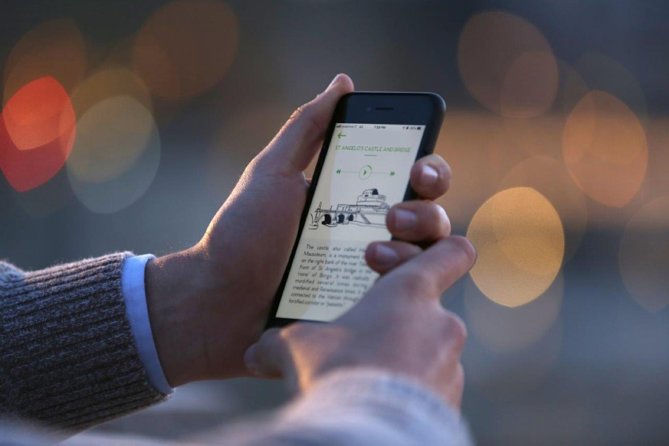
The tour lists both walking and bus itineraries. That’s not a small detail in Florence. Some landmarks sit close enough to chain together, while others can mean long stretches on foot—especially if you’re also hopping into museums or pausing for photos.
The experience runs for 1 to 8 hours (approx.), and that flexibility is the point. You can string together major monuments for a longer loop, or do a shorter hit-and-run through the most photogenic stops. Either way, the app is designed to help you keep going stop to stop, rather than reverting back to map-chasing.
Also note the flow: the activity starts at Metropolitan City of Florence, Italy and ends back at the meeting point. Your actual starting marker will be in the app. The start time is listed as 12:00 am, which usually signals a flexible “start when you’re ready” format rather than a strict clock schedule.
Bargello to Basilica di San Lorenzo: early stops that set the tone

One of the nice things about audio tours is that they can turn familiar buildings into story prompts. This route starts with Bargello, then moves on to Basilica di San Lorenzo, with additional segments in the middle (the stop list you’ll see can include entries that don’t show names, but the app will guide you to the actual points).
For Bargello and San Lorenzo, what you’re really getting is context for what you’re seeing. Even if you don’t memorize dates, you’ll usually come away with a clearer sense of how Florence “layers” its culture—civic life, then sacred life, then art and power.
Practical way to use these segments:
- Stand where you can see the facade or key details, then start the audio.
- Don’t try to watch every second of a narration while you’re walking—pause at a safe spot.
- If the audio pace feels a bit flat to you, use it like a guided caption: let it explain one idea, then switch back to sightseeing mode.
Campanile di Giotto and Duomo: turning viewpoints into a mini photo mission

Next up are Campanile di Giotto and the Duomo of Florence. This is where the tour’s photography logic matters. The app includes best photography locations, which is useful because Florence can trick you. You think you found the “right angle,” then you realize half the view is blocked by street layout.
What I like about this pairing in a self-guided format is that it creates a natural “stop-and-stare” plan:
1) Start the segment near where the building will be in-frame
2) Listen while you look
3) Take photos, then move to your next viewpoint
If you’re trying to keep your day efficient, time your Duomo stop for when the streets are easier to walk. The app won’t remove crowds, but it can help you arrive at good angles without wandering blindly.






Piazza della Signoria: where audio works best with an intentional pause

Then you reach Piazza della Signoria. This kind of landmark is ideal for audio because a square gives you room to process what you’re seeing. You can step back, scan the space, and then let the narration explain the significance behind the scenes.
In a self-guided system, the biggest challenge is distraction—there’s always something to look at. So the trick is to treat the narration as a checklist. You don’t need to listen word-for-word. You want to catch the “why it matters” pieces, then let the visuals do the rest.
If you’re prone to rushing, pause the audio at the start of the square, take a look, then restart. The app’s stop-based approach makes it easy to control your pace.
Giardino di Boboli and Palazzo Pitti: a shift from streets to outlooks

After the city’s main showpieces, the route adds Giardino di Boboli (Boboli Gardens) and Palazzo Pitti. This is a smart switch because it breaks the day up. Instead of only church facades and stone monuments, you get a chance to change pace and use your eyes differently—more open space, different viewpoints, and a slower feel even if you still keep moving.
The app’s structure also helps if you’re planning breaks. One practical piece from the experience format is that you can pause the route while you visit something else, then continue after. So if you’re going to spend extra time inside a museum or linger outside, you’re not forced into “all listening, no stops.”
Mercato Centrale: practical guidance when you want a livelier break

Then comes Mercato Centrale. Even if you’re not hunting for a full meal, markets are a great reset point. They’re busy, sensory, and they give you an easy place to regroup without feeling like you’re “wasting time.”
With this tour, the key is that you’ll have navigation and audio stops that keep the market from becoming just random wandering. The audio segments can give you context for what you’re seeing, while the app’s free Wi‑Fi spots can be useful if you want to message, plan your next leg, or quickly look up something without draining roaming data.
If you’re the type who likes snacks on the go, keep your expectations realistic: the tour does not include food or drinks. But it can still help you use the market hour well.
Ponte Vecchio: closing with the river views
The last named stop is Ponte Vecchio. This is where the entire day can click into place. You’ve gone from civic and religious landmarks to gardens, palaces, and squares, and now you end with a view people actually travel across town to see.
Using the audio here is best if you slow down. Bridge areas invite quick photo-taking, but the best results happen when you stand, listen for a minute, then take photos while the narration helps frame what you’re looking at.
The map experience: navigation tips when the app gets finicky
This is the part you should plan for, because app-based tours live and die by the map.
Some users report that the in-app map behavior can be awkward, like centering not working well and requiring extra phone repositioning to see which streets to walk next. Others have reported Android app crashes and location accuracy issues.
Here’s how to reduce friction for yourself:
- Have a quick “Plan B” navigation method ready (your regular maps app, saved hotel address, or an offline neighborhood screenshot).
- Start the route from a calm spot, not while you’re mid-crossing.
- Keep your phone orientation steady if the map view seems tied to rotation.
- If location feels off, don’t assume you must turn immediately. Pause, check landmarks, then proceed.
And remember: the experience claims you’ll never get lost because you’re geo-tagged, but in real life, phones can be moody. Treat the app as your guide, not your only GPS.
Audio quality and pacing: when the recordings feel dry
The audio is narrated in English by local experts, and the experience is designed to keep things interesting with curiosities and small moments like sound cues or light jokes. That said, the style can lean more factual than theatrical.
If you prefer dramatic storytelling or performance-style delivery, you might find parts of the narration dry. Some people also describe the recordings as less like professional acting.
You can still make this work. Don’t force yourself to listen to every word while walking. Instead:
- Let the audio run while you stop.
- Treat each segment like a short briefing.
- Then switch back to your own pace—look around, take photos, and reconnect with the city.
Does this feel like a private tour?
Yes. This is listed as a private tour/activity, meaning only your group participates. That matters because you avoid the awkward parts of joining a group tour late, or feeling rushed when everyone else has a different energy level.
In practice, a private audio experience mainly means less crowd pressure. You can stop when you want, skip when you don’t, and spend more time on the stops that actually grab you.
Who should book this Florence self-guided audio tour
Book it if you:
- Want an independent day with structure
- Like switching between major landmarks and photos without planning every turn
- Prefer a guide that works offline
- Enjoy knowing the “why” behind what you’re looking at, even if you keep your own pacing
Consider skipping or pairing it with another method if you:
- Hate phone navigation and find maps frustrating on small screens
- Need a very lively, dramatic audio style
- Know you’ve had trouble with GPS apps on your specific device
This isn’t a substitute for a museum ticket or a live guide. It’s a smart companion for people who want to organize their wandering.
Should you book? My practical call
For $12.09, this is best viewed as a flexible city companion: you’re paying for offline maps, route guidance, and audio context across 70 points. If your phone handles apps reliably, you’ll likely get good value by using the walking/bus options and leaning into the photo and free Wi‑Fi tips.
If you’re worried about app glitches, bring a backup navigation method and make peace with the possibility that some audio segments may feel more straightforward than entertaining. With that mindset, the experience can help you turn a Florence day into something that feels intentional without feeling scheduled.
FAQ
What language is the Florence audio tour offered in?
The mobile app audio guide is offered in English.
How many points of interest are covered?
The app includes 70 points of interest across the city.
Does the app work offline?
Yes. The app can operate completely offline, helping you avoid expensive roaming charges.
Are walking and bus routes included?
Yes. You get walking itineraries as well as bus itineraries.
Are earphones included?
No. Earphones are not included, and you’ll use audio from your own phone.
Is this a private experience?
Yes. It’s listed as a private tour/activity, so only your group will participate.
Is this experience refundable?
No. It is non-refundable and cannot be changed for any reason.