REVIEW · MILAN
Pinacoteca Ambrosiana audioguide
Book on GetYourGuide →Operated by Veneranda Biblioteca Ambrosiana · Bookable on GetYourGuide
Your phone turns art into a story. This Pinacoteca Ambrosiana audioguide helps you make sense of big names and smaller details as you walk the museum route.
I really like the 50+ museum audio descriptions and comments, because it gives you something to listen to instead of just staring at labels. I also like that it’s available in six languages, which makes it easy to match your pace with your group.
My main caution: you’ll need a charged smartphone (and headphones aren’t included), so plan for battery life and audio setup before you start.
In This Review
- Key things to know before you go
- Pinacoteca Ambrosiana audioguide: what $4.71 buys you
- Getting set up: code, phone mode, and what to bring
- Follow the exhibition path: how the guide keeps you oriented
- The artist lineup you’ll hear: Leonardo, Raphael, Caravaggio, Brueghel and more
- Timing it right: how 2 hours works in real life
- Price vs. value: is it worth it for your style of museum visiting?
- When it might disappoint (and how to prevent that)
- Should you book the Pinacoteca Ambrosiana audioguide?
- FAQ
- How much does the Pinacoteca Ambrosiana audioguide cost?
- What’s included with the audioguide?
- How many languages are available?
- Do I need headphones?
- How long should I plan for?
- Is it wheelchair accessible, and does it help with the ticket line?
- Can I cancel for a refund?
Key things to know before you go
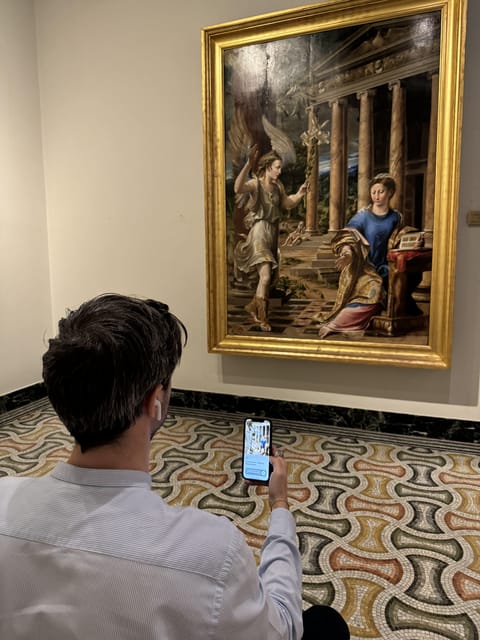
- 50+ museum-made audio descriptions and comments, designed for the gallery walk
- Six languages so you can pick what fits you best
- Download + code activation, with content staying available after the visit
- 2 hours of guided listening, ideal for a focused visit without getting lost
- Skip the ticket line, which can be a real time-saver
- Wheelchair accessible in the museum context
Pinacoteca Ambrosiana audioguide: what $4.71 buys you
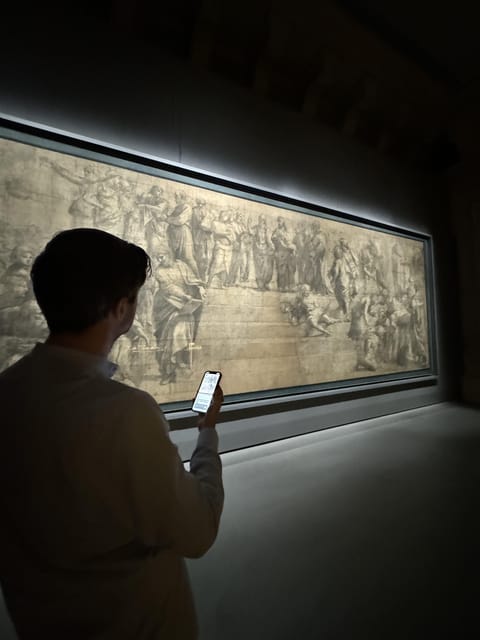
For $4.71 per person, you’re not buying a guided tour with a live person. You’re buying something more practical: a self-paced audio companion for Pinacoteca Ambrosiana. And for the price, that matters. If you’re the type who wants to understand what you’re looking at, the app can turn a quick museum visit into a much more satisfying one.
The audioguide is built around the museum’s artwork collection, so you follow an exhibition path while listening to artwork-specific notes. Instead of bouncing between your phone and the wall labels, the audio helps you keep moving and stay oriented. If your time is limited, this kind of structure is a big deal.
The other value point is that the content stays with you. The description and comments are yours to keep and replay after the visit. That’s not just a nice extra. It’s the difference between leaving the museum with a blur of art and leaving with something you can revisit later when the details finally stick.
You can also read our reviews of more tours and experiences in Milan.



Getting set up: code, phone mode, and what to bring
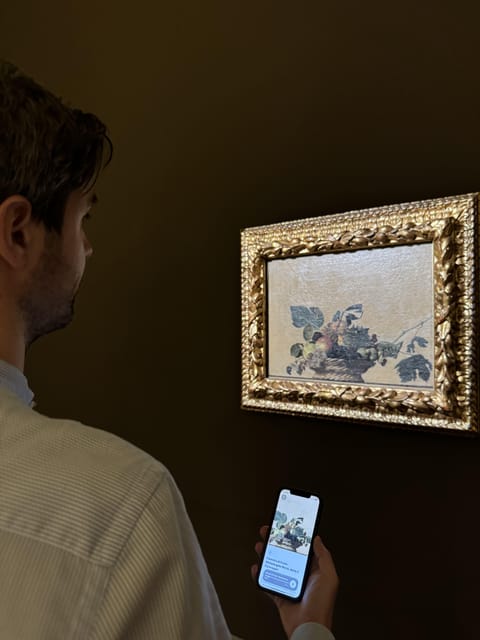
This experience is all about your smartphone. After downloading the app, you’ll use a code you receive to activate the Pinacoteca Ambrosiana audioguide. Once activated, you can choose among six available languages.
Here’s what you should plan for before you arrive:
- A charged smartphone (you don’t want your battery dying halfway through)
- Your own headphones if you want private listening
- The option to listen in phone mode if you don’t have headphones
Headphones not being included is the one logistics detail that can make or break the visit, especially in a busy gallery. If you like quiet, bring small earbuds that you trust. If you’re using phone mode, be ready for sound-sharing and a slightly more distracting experience.
Also note this is a 2-hour format. That doesn’t mean you must stop at exactly two hours, but it does signal the guide is meant to pace you through an effective listening route. If you wander slowly, you may finish late. If you move fast, you may not catch every spoken segment.
Follow the exhibition path: how the guide keeps you oriented
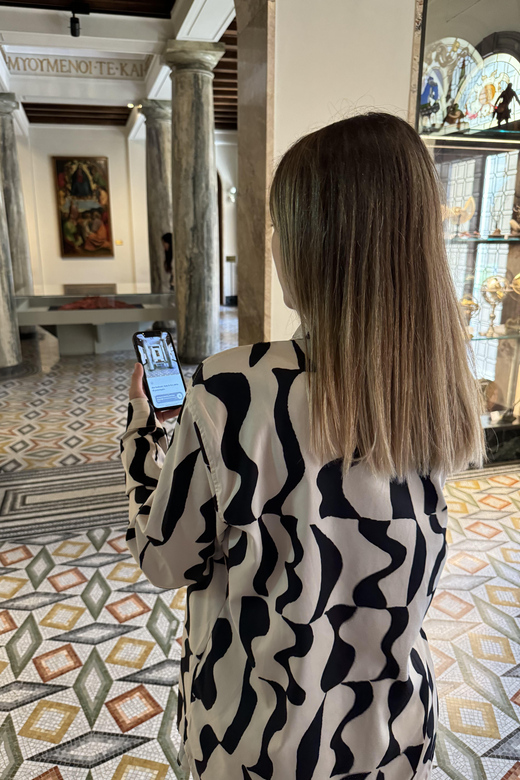
The audioguide is designed to guide you through the museum route. That’s the key word: route. It’s not just a library of random audio clips. The intended use is that you walk the path and the relevant commentary appears when you’re in front of the right works.
This matters because Pinacoteca-style museums can feel like information overload. You might be staring at masterpieces, but you’re not sure what to look for first: brushwork, lighting, symbolism, or why this painting sits where it sits in the collection.
With this app, you don’t have to guess. You get audio descriptions and comments tied to specific artworks. And because it’s meant for the exhibition flow, you spend less time backtracking to find context.
Practical tip: when you enter, decide how you’ll listen. If you’re in a hurry, use one language and stick to it. Switching languages mid-route can break your rhythm. If you’re going with family or friends, agree on one language before you start so nobody’s constantly asking What does it say?
The artist lineup you’ll hear: Leonardo, Raphael, Caravaggio, Brueghel and more
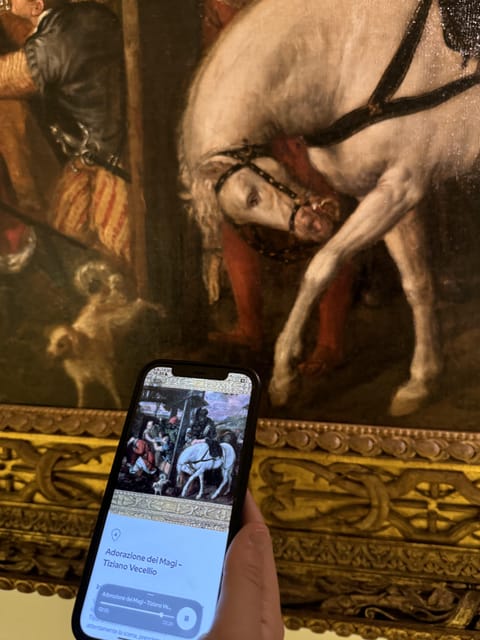
The audio focuses on major artists connected with the collection. You’ll hear descriptions and comments that reference works by names like Leonardo, Raphael, Caravaggio, and Brueghel, along with others including Titian.
What I like about this kind of lineup is that it gives you an easy mental hook. When you recognize the artist, it’s easier to follow the audio’s point. For example:
- If the guide explains something about technique or story, you can look longer because you know what to hunt for.
- If it provides context for why a piece matters, you start noticing details you’d normally skip.
Still, keep expectations realistic. Some audioguides are heavy on spoken storytelling. This one is museum-focused and artwork-specific, but it’s also possible for parts of the experience to feel more concise than you’d hope. The museum environment may already present information visually, so your best results come when you listen to the audio as the extra layer—not as a replacement for looking carefully.
If you’re the type who wants the deepest, longest narration possible for every single painting, you might feel a little frustrated. But if you want clear explanations that keep you moving and help you understand the big names, this guide does the job well.
Timing it right: how 2 hours works in real life
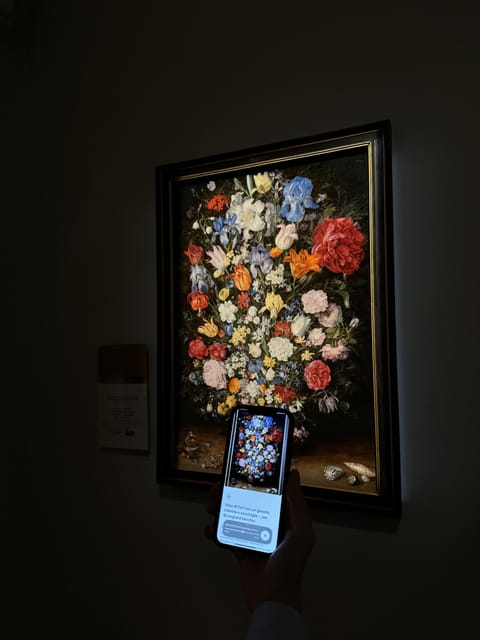
A 2-hour duration is smart for this kind of visit. Pinacotecas can tempt you to stay all day, but you end up tired and scanning instead of seeing. Two hours pushes you toward a focused circuit: enough time to listen, enough time to look, not so much time that you lose interest.
If you’re visiting during a busy travel day, this is also a good “useful slot” to book. The audioguide structure gives you a plan, so you’re less likely to get stuck debating which rooms to prioritize.
One more practical note: there can be days when the museum’s schedule changes due to special events. If you’re flying in for a timed visit, it’s worth checking that the museum is actually open on your chosen day before you rely on the audioguide plan.






Price vs. value: is it worth it for your style of museum visiting?
Let’s talk value honestly. At $4.71, you’re paying for:
- Access to more than 50 artwork audio descriptions and comments
- Six languages
- A guided exhibition path approach
- Content that remains available after your visit
If you enjoy museums but don’t love reading long wall text, this is a strong match. It turns time in the gallery into a guided learning experience without forcing you into a group pace.
It’s also great for people who like to do a museum visit and then process the details afterward. Since the content remains accessible, you can re-listen on your way to dinner or later from your hotel. That can help you remember what you saw—especially with big-name works like Leonardo, Raphael, Caravaggio, and Brueghel.
If your museum style is more “quick look, then move on,” you might not get full value. You could spend the same time just walking and reading. And if you don’t have a charged phone or your headphones don’t work, the experience becomes frustrating fast.
When it might disappoint (and how to prevent that)
The most common reasons an audioguide doesn’t land are usually avoidable. Here’s what you should watch for.
First: audio expectations. If you expect every artwork to get long spoken narration, you may find some segments shorter than you want. A good way to fix this is to slow down at the works you most care about—let the audio guide you, but don’t rush past the visual details the audio is trying to explain.
Second: setup problems. If your phone battery is low, or you don’t have headphones and the gallery is loud, you lose the whole point of an audio guide. Bring a fully charged device and use your preferred listening option.
Third: day-of access. There are occasional disruptions with museums, so it’s smart to confirm opening conditions before you head over—especially if your schedule is tight and you booked specifically around this visit.
If you handle those three items, your odds of a smooth, rewarding experience go way up.
Should you book the Pinacoteca Ambrosiana audioguide?
I’d book this if you want a structured visit, you like learning while you look, and you’re comfortable using your smartphone as your guide. The price is low for what you get—50+ audio descriptions, six languages, and content you can keep after the museum day.
Skip it (or at least reconsider) if you hate phone-based experiences, you don’t plan to bring headphones, or you want a live guide doing detailed back-and-forth explanations in real time.
For most people who enjoy art and want to get more out of Pinacoteca Ambrosiana without spending a fortune or being tied to a group schedule, this is a practical, good-value pick.
FAQ

How much does the Pinacoteca Ambrosiana audioguide cost?
The price is listed at $4.71 per person.
What’s included with the audioguide?
You get the Pinacoteca Ambrosiana audioguide app access with a code to activate it. The content includes more than 50 exclusive audio descriptions and comments available in six languages.
How many languages are available?
The audioguide is available in six languages.
Do I need headphones?
Headphones are not included. You can use headphones with your phone, or listen in phone mode. A charged smartphone is required.
How long should I plan for?
The duration is set for 2 hours, so plan around that timeframe based on the starting time you choose.
Is it wheelchair accessible, and does it help with the ticket line?
The activity is wheelchair accessible, and it’s listed as helping you skip the ticket line.
Can I cancel for a refund?
Yes. Free cancellation is available up to 24 hours in advance for a full refund.