REVIEW · PARIS
Paris Audioguide – TravelMate app for your smartphone
Book on GetYourGuide →Operated by MyWoWo Srl · Bookable on GetYourGuide
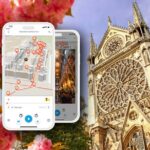
Paris gets easier when your phone talks back. This TravelMate Paris Audioguide lets you wander with a guided soundtrack instead of paper tickets and fixed group plans. You get history, points of interest, and curiosities, delivered by pro voices in multiple languages.
Two things I really like: first, you control the pace with total autonomy—no meeting point, no lineup. Second, the audio keeps working for the long haul: you can replay the guide anytime because it runs for 1095 days from first activation, and you can listen online or offline.
One thing to consider: since it’s all smartphone-based, you’ll want charged headphones and enough battery for the day (and offline downloads work best when you’re already connected once).
In This Review
- Key takeaways before you press play
- What you’re really buying with the TravelMate Paris Audioguide
- Price and value: $3.40 for an entire Paris sound-trail
- Getting started: download TravelMate and find your activation code
- How the audio guide works (and how to make it feel personal)
- Your DIY Paris route, guided stop by stop
- Paris introduction and the local-cuisine chapter
- Big monuments you can pair with a slow walk
- Museums and art stops: how to choose what you can actually see
- A tech-and-craft pause: Conservatoire Arts et Metiers
- Faith, stained glass, and old Paris corners
- Neighborhood vibes: Latin Quarter and Montmartre
- Museums with different flavors: Camondo/Cernuschi and Marmottan
- The Louvre, plus the Louvre as a place
- Seine stroll and a viewpoint stop: Seine and Trocadero
- Day-trip energy without the pressure: Versailles and Villette
- Languages, replay, and reading text when you want control
- Quiz and learning: using the app like a brain-friendly break
- A few practical “make it work” tips
- Who should book this Paris audio app?
- Should you book the Paris Audioguide TravelMate app?
- FAQ
- Is there a meeting point for the Paris Audioguide TravelMate app?
- How much does the Paris Audioguide cost?
- How long is the guide valid after activation?
- Can I listen to the audio guide offline?
- Are there different languages available?
- Can I read the content too, not just listen?
- What’s included besides the audio?
- Where do I find the activation code?
- Can I cancel?
Key takeaways before you press play

- Autonomy first: no meeting point, start straight away wherever you are
- Replay for years: valid 1095 days from first activation
- Offline-friendly listening: use the audio online or offline
- More than audio: you can also read the text of the audio files in the app
- Built-in practice: a quiz section helps you learn with short questions
- Pro audio production: authors and voice talent are described as TV/radio professionals
What you’re really buying with the TravelMate Paris Audioguide

This isn’t a guided tour in the traditional sense. It’s a smartphone audio guide that turns your walk through Paris into an on-demand listening session. Instead of meeting a person at a set time, you download the app, activate it using your code, and then start wherever your feet land.
That design matters. Paris is big, and your interests might not match anyone else’s. With this guide, you can do one museum, one neighborhood, or a whole loop of classic sights—and you’re not stuck with a rigid route.
You also avoid a common friction point: there’s no paper ticket collection. Less hassle at the start means more time for actual wandering (and less stress if you’re arriving late or changing plans).
You can also read our reviews of more tours and experiences in Paris.



Price and value: $3.40 for an entire Paris sound-trail

At $3.40 per person, the value here is mostly about time flexibility. You’re paying for access to 93 audio pieces totaling 278 minutes—so you can spread that listening across a single intense day or multiple trips.
The long validity window is a big part of the bargain. Valid 1095 days from first activation means you’re not using a one-time “day pass” mindset. If you come back to Paris later, or you just didn’t get to everything this trip, the guide can still be there.
The other value lever is format. Many people like having audio plus text. If you’re standing somewhere noisy or you want to skim key points, reading the text inside the app can save time and help you stay oriented.
Getting started: download TravelMate and find your activation code

There’s no meeting point because the experience starts on your phone. Your main “logistics” task is simply getting the activation code and pairing it with the app.
Here’s how to download the right app:
- Android: search and download TRAVELMATE from the Play Store
- iOS: search and download TRAVELMATE TM from the App Store
Your activation code is a 10-digit number located in your email. Look for the option showing activity details (or ticket details), then find the barcode inside the orange frame. Under that barcode, you’ll see the 10-digit small number: that’s your code.
If you use the GetYourGuide app, you can also open the ticket in the app, then touch the big barcode in the orange frame to reveal the code. If you don’t have the GetYourGuide app yet, the flow may redirect you to download it.
Practical tip: do this before you start walking. A few minutes upfront means you don’t scramble with your phone on the sidewalk later.
How the audio guide works (and how to make it feel personal)

The guide is built around 93 separate audio content pieces totaling 278 minutes. Think of that as multiple “chapters” you can play in any order, depending on what you’re near.
The app is designed for autonomy, so you can:
- listen online or offline
- replay as many times as you want (it doesn’t expire within your validity window)
- switch to text of the audio files if you prefer reading
The narration is described as professionally created by high-level authors and interpreted by TV/radio professionals. In practical terms, that usually means the audio is structured and easy to follow—helpful when you’re moving through real streets and can’t constantly stop to read plaques.
There’s also a quiz section. It’s a nice change of pace if you find audio listening turns into background noise. Short questions help you “check in” with what you absorbed.
If you want the smoothest experience, earphones are recommended. It’s also just more respectful to people around you—Paris already has plenty of ambient sound without adding speaker audio.
Your DIY Paris route, guided stop by stop

The app covers a long list of Paris highlights. You can use it like a menu: pick what fits your day, then press play when you reach the matching stop.





Paris introduction and the local-cuisine chapter
Start with Paris Introduction. This kind of opening is useful because it helps you understand how the rest of the audio is organized and what the guide wants you to notice.
Then move to The Wonders of local cuisine. Even if you’re not booking food tours, this section can give you context for what you’re eating and why certain items matter culturally. For me, that turns “I’m hungry” into “I know what I’m sampling.”
Big monuments you can pair with a slow walk
When you’re near Arc De Triomphe, press play. The guide’s job is to help you connect the name to the story and point out curiosities, so you’re not just seeing a landmark—you’re understanding what it represents.
Next, consider Champs Elysees for a practical reason: it’s the kind of area where audio can help you keep your bearings. Use it like a walking soundtrack while you scan surroundings.
You’ll also find Place de La Concorde and Place des Vosges in the list. Those two are great for a different reason: audio can help you spot contrasts in the vibe of squares—open sightlines versus more tucked-in feel—without needing a written map.
Place Vendome fits well when you want a quick “pause and learn” stop. You can listen to the relevant audio while you stand still for a minute instead of rushing to the next photo spot.
For classic skyline energy, the app includes Eiffel Tower and Trocadero. Pairing those two makes sense because Trocadero is listed as its own stop. That means the guide treats it as a distinct listening moment rather than folding it into one chapter.
Museums and art stops: how to choose what you can actually see
If you like art and museums but hate the overwhelm, the app is helpful because it gives you multiple museum options in one place. It includes Beaubourg, Camondo and Cernuschi Museums, Jacquemart Andre’ Museum, Musee Marmottan, Musee Orsay, and the Louvre Museum (plus a separate Louvre Palace entry).
A smart way to use this: don’t try to “finish” them all. Pick one museum-heavy morning or one smaller museum per day. Then use the matching audio chapters so you don’t wander in random circles, wondering what you’re supposed to care about.
The same idea applies to Grand et Petit Palais. Treat it like an audio-led walking circuit. You’ll get the history and curiosities the guide focuses on, which can make a big complex feel less chaotic.
Don’t forget the Rodin Museum. Rodin is the kind of place where audio context can help you understand what you’re looking at, so the visit becomes more than a checklist of famous works.
A tech-and-craft pause: Conservatoire Arts et Metiers
Conservatoire Arts et Metiers is included as its own stop. That’s a clue that the audio likely frames it differently than the art museums—more about ideas, objects, and how things work.
If you’re the kind of person who enjoys seeing how inventions and design show up in everyday life, this could be one of the more memorable sections of your day. If you’re not, the guide still helps you make sense of the building so you don’t feel lost.
Faith, stained glass, and old Paris corners
The app covers Notre Dame and Sainte Chapelle. These are perfect for audio because places like these reward attention: you can listen while you study details rather than just taking quick photos.
Also on the list is Invalides and Luxembourg (listed as that single stop). These categories work well with audio guidance because they can be emotionally heavier or historically dense than a simple sightseeing walk. An audio structure helps you move through without feeling overwhelmed.
Madeleine is another stop worth using even if you’re only passing through. Audio can turn a quick glance into a meaningful moment by giving you the story behind the stop.
Neighborhood vibes: Latin Quarter and Montmartre
If you want Paris to feel like Paris—not just monuments—use the neighborhood chapters. The app includes Latin Quarter and Montmartre.
In a neighborhood, audio acts like a thread. You can match what you hear to what you see in the streets around you, which makes it easier to remember the walk later.
A practical approach: pick one neighborhood, keep your pace slow, and let the audio play continuously. When you jump between neighborhoods too quickly, you lose that sense of flow.
Museums with different flavors: Camondo/Cernuschi and Marmottan
Camondo and Cernuschi Museums are grouped as a single combined topic in the list. That’s actually convenient because it signals the guide may help you compare the vibe or themes across those museum experiences.
Musee Marmottan is also listed on its own. If you’re deciding between museum priorities, choose this type of stand-alone entry when you want a more focused listening session rather than a multi-museum comparison.
The Louvre, plus the Louvre as a place
You’ll notice the guide lists both Louvre Museum and Louvre Palace separately. That tells me you get more than one angle. One audio chapter might be about the museum experience; another might focus more on the place itself.
So don’t assume one plays the full story. If you have time for only one audio chapter, pick based on what you’re there for most: art focus versus the palace context.
Seine stroll and a viewpoint stop: Seine and Trocadero
The app includes Seine and Trocadero. These are a great pairing if you want to shift from “stop-and-stand” learning to more relaxed walking listening.
Use the Seine audio while you move along the river. Then switch to Trocadero when you want a distinct moment—more like a chapter break.
It’s a simple way to structure a day: museums for concentrated learning, river for lighter pacing, viewpoint for closing perspective.
Day-trip energy without the pressure: Versailles and Villette
The guide includes Versailles and Villette as their own stops. Even if your schedule is tight, having these listed means you can build a half-day or day-trip feel into your own route.
Use Versailles when you want something bigger than a single Paris neighborhood. Use Villette as your contrast: a different kind of stop that breaks up museum density.
Important planning note: the audio guide gives you information and context. It doesn’t replace deciding how much time you want at each place. So treat these stops as “chapters to unlock,” then match them to your day’s energy.
Languages, replay, and reading text when you want control

The guide includes audio in Italian, English, German, Spanish, French, Chinese, and Russian. If you’re traveling with someone who prefers another language, this is a practical way to keep both people engaged without taking turns on one device.
You can also read the text of the audio files in the app. That’s useful if:
- you want to skim before a stop
- you’re hard of hearing and need an alternate channel
- you want a quick recap after listening
Because you can replay everything, the guide works well for repeat visits. You don’t have to “get it all right the first time.” You can use the app once to orient yourself and again later when you want deeper focus.
Quiz and learning: using the app like a brain-friendly break

The included quiz section is a smart extra. Audio guides can blur together if you listen for hours straight. Short questions give your brain a reason to pay attention.
I like using it as a reset. Play it after a museum-heavy portion, then you’re ready to walk again with better memory.
A few practical “make it work” tips

- Bring charged earphones. Offline listening is great, but only if your phone has juice.
- Choose one or two stops per segment. Otherwise, you end up hopping without letting the audio sink in.
- Use text mode when you pause. Reading helps you lock in names and themes faster than only listening.
- If you don’t want to deal with third-party devices, the app’s design is also a comfort factor: the smartphone is yours, so you’re not using equipment provided by someone else.
Who should book this Paris audio app?

This guide is best for you if you like freedom. It’s also a good fit when you’re:
- traveling at your own pace
- planning a self-guided itinerary rather than joining a group
- comfortable using your smartphone as the main source of information
- interested in professionally produced audio, not random chatter
It’s also labeled wheelchair accessible, which is helpful if you’re planning around mobility needs. You’ll still want to check the physical reality of each attraction on the day you go, but the app itself is not a barrier.
Should you book the Paris Audioguide TravelMate app?
I’d book it if you want a low-cost way to add structure to your Paris day without surrendering control. At $3.40 with 93 chapters, plus offline listening and a validity of 1095 days, it’s priced like a smart upgrade rather than a pricey attraction.
Skip it only if you dislike smartphone-based guides or you know you won’t use earphones or won’t keep your device charged. Also, if you’re looking for a full guided tour experience with live interaction, this won’t replace that.
For most independent travelers, though, this hits the sweet spot: autonomy, replayability, and clear guidance—all right in your pocket.
FAQ
Is there a meeting point for the Paris Audioguide TravelMate app?
No. There is no meeting point. You download the app, activate it, and start your experience straight away wherever you prefer.
How much does the Paris Audioguide cost?
The price is $3.40 per person.
How long is the guide valid after activation?
It is valid for 1095 days from the first activation.
Can I listen to the audio guide offline?
Yes. You can listen online or offline.
Are there different languages available?
Yes. The audio is available in Italian, English, German, Spanish, French, Chinese, and Russian.
Can I read the content too, not just listen?
Yes. You may read the text of the audio files in the app.
What’s included besides the audio?
The app includes a quiz section with short questions about the city, plus the professionally created audio content.
Where do I find the activation code?
It’s in your email. You can find it under the barcode in the orange frame, or by showing the ticket in the GetYourGuide app and opening the barcode.
Can I cancel?
Free cancellation is available up to 24 hours in advance for a full refund.