REVIEW · MONTEREY AND CARMEL
Driving the California Coast: A Self-Guided Audio Tour
Book on Viator →Operated by VoiceMap Audio Tours · Bookable on Viator
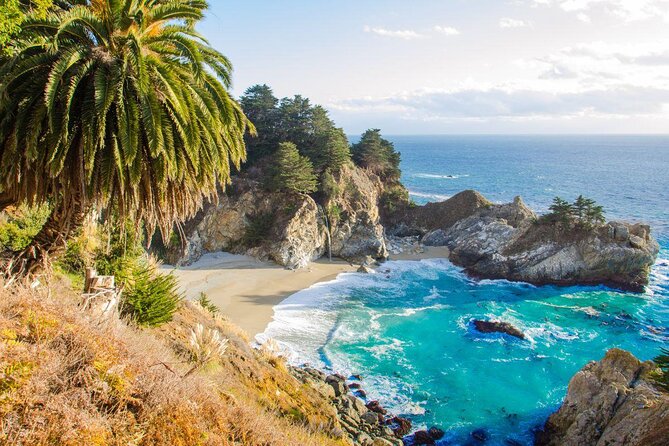
Big Sur has a way of making time feel slower. This self-guided coast drive turns the famous road trip into an easy, on-your-own audio story with offline maps and narration.
I like that you can go at your own pace and still hit the big visual moments—especially the bridge stretch and the coastal viewpoints—without needing a tight schedule. I also like the stop-and-resume flow the app enables, so you can pause for pullouts, then pick up right where you left off.
One thing to plan for: you’re following the route by car, and parts of the coast drive can be affected by road closures or slowdowns, so you’ll want some extra time and flexibility.
In This Review
- Key things you should know before you go
- Why this Big Sur drive works better than a checklist
- Route overview: Carmel to McWay Waterfall trailhead
- Stop-by-stop: the iconic Big Sur section you’ll actually recognize
- Point Lobos Natural Reserve (plus an optional walk)
- Carmel Highlands and Yankee Point Drive
- Malpaso Creek Bridge and Garrapata State Park
- Notley’s Landing viewpoint and Rocky Creek Bridge
- Bixby Creek Bridge, Hurricane Point, and Point Sur
- Stop-by-stop: the southern Big Sur run to McWay Waterfall
- Andrew Molera State Park and the Pfeiffer sign
- Pfeiffer Canyon Bridge and Nepenthe (pass-by)
- Henry Miller Memorial Library and Grimes Canyon
- Partington Cove and the McWay Waterfall trailhead finish
- Using the VoiceMap app: offline, GPS, and the stop/resume bonus
- Price and value: $14.99 per group can be a smart move
- Timing, driving pace, and what to expect on the road
- Who this self-guided Big Sur audio tour is best for
- Should you book this Big Sur audio drive?
- FAQ
- How long is the driving portion of the tour?
- What language is the audio available in?
- Do I need cell service during the drive?
- Where does the tour start and where does it end?
- What do I need to bring?
- Is this a private experience?
- Can I cancel for a full refund?
Key things you should know before you go
- Offline audio + GPS: Download access covers audio, maps, and geodata, useful when cell service fades.
- A drive built around landmarks: From Point Lobos-area scenery to McWay Waterfall trail parking, the route strings together the most famous stops.
- Plenty of photo pullouts: You pass major bridges and viewpoints you’ll want to stop for (if parking allows).
- Private group format: It’s set up for only your group, not shared with strangers.
- Lifetime access in English: Keep the tour for future coast trips.
- Two-hour-ish but flexible: Plan for about 2 to 2.5 hours, then add time if you want to get out and walk.
Why this Big Sur drive works better than a checklist
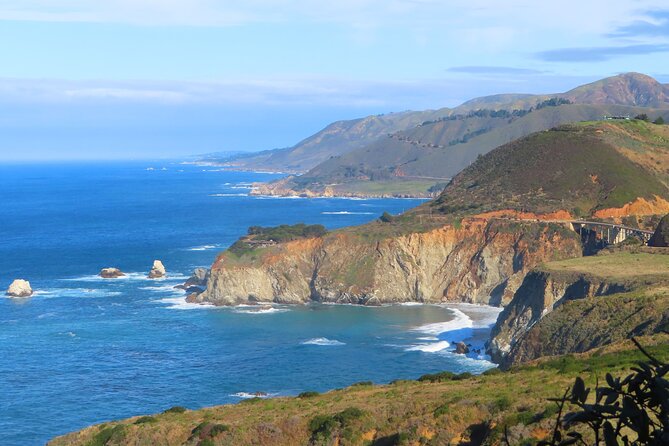
Big Sur is one of those places where you don’t want to feel rushed. The best parts of the coast happen in the gaps between the big stops: a moment of quiet at a turnout, a longer look at a bridge, the time it takes to realize you’re actually driving through coastal scenery that Hollywood has copied for decades.
This audio tour fits that reality. Instead of you staring at a screen, you drive while the story plays in the background. You also get GPS map guidance, which is a big deal on this stretch where it’s easy to miss turnoffs, overlook a viewpoint, or waste time searching for what’s next. And because the materials are available offline, you’re not stuck waiting for service.
I also like that the route is designed around iconic landmarks you already picture in your head—then the audio adds context while you’re looking at what you came for. You’re not just driving; you’re learning what you’re passing. That turns a road trip into something more satisfying without turning it into a chore.
The main tradeoff is simple: you still have to drive. If you want a fully stress-free experience, you’ll be happier with a guided tour. But if you’re comfortable behind the wheel and want control, this fits perfectly.
You can also read our reviews of more tours and experiences in Monterey and Carmel.


Route overview: Carmel to McWay Waterfall trailhead
Your tour starts in Carmel-by-the-Sea at a Starbucks Coffee Company, 3650 Rio Rd. The end point is the parking lot for the McWay Waterfall Trail in Big Sur (McWay Waterfall Trailhead parking lot).
That matters because you’re not starting “in the middle” of Big Sur. You’ll drive into position first—so build that into your day. Carmel is a nice warm-up area, but it does mean the tour itself begins a bit inland, then flows into the coastal drive.
As for time, expect around 2 to 2.5 hours of driving with the audio. The coast road itself can slow you down even when nothing is wrong. So I suggest treating the tour duration as the minimum “audio-focused” time. If you want to step out, take photos, or stretch your legs at a viewpoint, add margin.
The good news: the tour is self-guided in a private group format. That means you can match the pace to whoever’s with you—someone who wants every stop can do it, and someone who’s tired can simply roll forward and keep going.
Stop-by-stop: the iconic Big Sur section you’ll actually recognize
The route is packed with landmarks people associate with Big Sur, and you’ll get audio as you pass each one. Think of it like a guided sightseeing route where your car is the tour bus.
Point Lobos Natural Reserve (plus an optional walk)
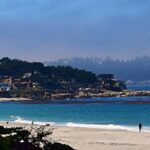
You’ll pass the Point Lobos Natural Reserve early on. This is one of those places where even seeing the coastline from the road feels special. The tour gives you the connection to the area, and if you want to stretch into something more, you have the chance to visit the park—though that visit isn’t included in the tour.
This is a great early moment to decide your style for the day: stay in the car and keep rolling, or add a short detour if the parking situation looks workable.
Carmel Highlands and Yankee Point Drive
As you move along, you pass through the Carmel Highlands and around Yankee Point Drive. This part is less about a single landmark photo and more about the feeling of Big Sur starting to open up around you. The audio helps you notice what you’re seeing, so you’re not just driving through fog or glare without context.
If you’re prone to missing subtle viewpoints, this is where GPS + narration can save you. You’ll know what you’re looking at before you realize you’re already past it.
Malpaso Creek Bridge and Garrapata State Park
You’ll go over the Malpaso Creek Bridge, then head into the Garrapata State Park area. Garrapata is the kind of place where the scenery feels bigger than the photos, and that’s exactly when audio is useful: it keeps you paying attention while you’re driving and gives you reasons to stop.
You’ll also pass the Garrapata Creek Bridge afterward. Bridges like this aren’t just road engineering; they’re built on the logic of the coastline and the waterways. The audio helps translate that into something you can actually “see,” not just read later.
Notley’s Landing viewpoint and Rocky Creek Bridge
Next comes the Notley’s Landing viewpoint area. This is a classic kind of stop where the value is in pausing for a look. The coast can be deceptive—sometimes the best angle is only a minute away once you pull in safely.
After that you’ll pass Rocky Creek Bridge. Expect this stretch to feel like a continuous string of “pause-worthy” moments. If you’re trying to keep the tour’s pace, you can treat the bridge moments as quick photo stops. If you’re not in a hurry, these are ideal to slow down and really look.
Bixby Creek Bridge, Hurricane Point, and Point Sur
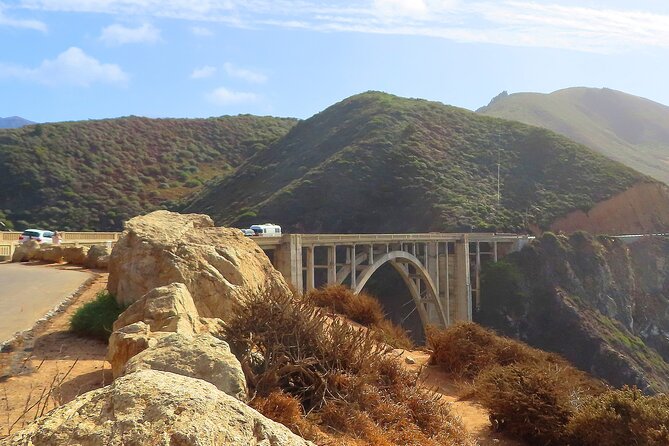
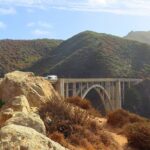
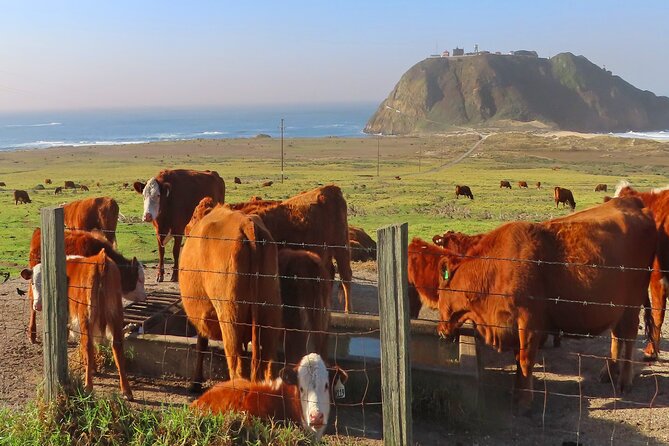
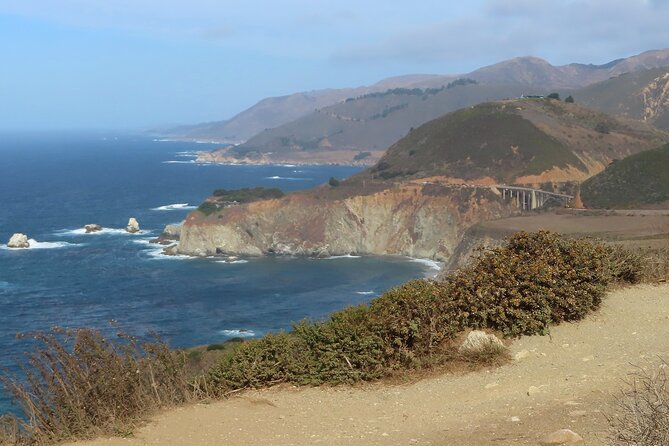
Then you hit the big one: Bixby Creek Bridge. The audio gives you more meaning than a simple landmark pass-by. From there, the route continues past Hurricane Point view, then onward near Point Sur.
Point Sur is one of those names you recognize instantly. Here, the driving becomes a story. You’ll understand why the area matters and why people keep returning to this exact coastline segment.
If you love seeing how a place “fits together” geographically, this is the section where the tour does a good job connecting the dots.
Stop-by-stop: the southern Big Sur run to McWay Waterfall
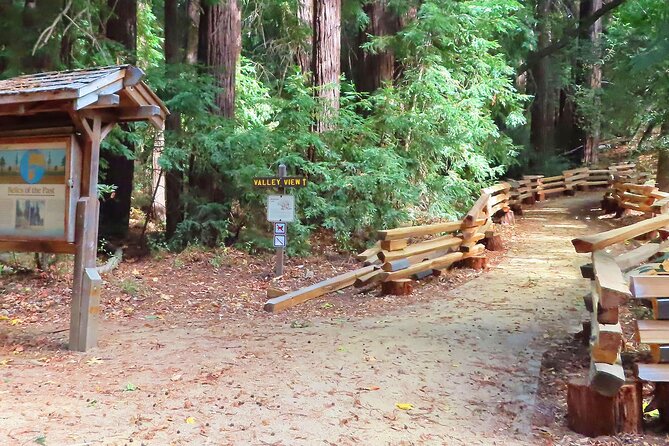
After Point Sur and the mid-coast scenery, the route keeps rolling into state park territory and famous names that many people associate with classic Big Sur culture.
Andrew Molera State Park and the Pfeiffer sign
You’ll pass around Andrew Molera State Park. This is another area where you can feel the rhythm of Big Sur as a long, continuous drive rather than a single destination.
Then the audio takes you past the Pfeiffer Big Sur State Park sign. Even if you’re not entering the park, seeing the sign is a mental switch: you’re now in the deeper Big Sur stretch where the road feels more remote.
Pfeiffer Canyon Bridge and Nepenthe (pass-by)
You’ll cross the Pfeiffer Canyon Bridge, then pass by the Nepenthe restaurant. Nepenthe is famous enough that even driving past it can feel like a moment. Just remember: the tour is built around passing landmarks, not guaranteeing you time at every one. If you want food or a proper stop, you’ll need to plan that separately since food and drink aren’t included.
Henry Miller Memorial Library and Grimes Canyon
Next you’ll pass by the Henry Miller Memorial Library, then the route takes you by Grimes Canyon. This section adds a different flavor. Big Sur isn’t only about nature; it also has a cultural thread, and the audio helps you connect the roadside names to what they represent.
Partington Cove and the McWay Waterfall trailhead finish
You’ll pass by Partington Cove, then the tour ends at the McWay Waterfall Trailhead parking lot.
This is a strong finish for a self-guided drive because McWay Waterfall is a “yes, you’ve earned it” kind of destination. The tour ends right where you’d start the walk. If your timing works, it’s a natural next step that turns your drive into a complete experience: road + viewpoint + short hike.
Practical thought: if you’re adding a walk, do it thoughtfully. This is a coastal area where parking and conditions matter, and you don’t want to feel rushed at the end.
Using the VoiceMap app: offline, GPS, and the stop/resume bonus
The tour runs through the VoiceMap app for Android and iOS, and you get lifetime access to the tour in English. The standout feature for a coast drive is that audio and mapping are available offline—meaning you can download first and rely less on service.
Here’s how that helps you in real life:
- You won’t have to keep toggling for signal.
- You can keep your attention on the road.
- You can trust the GPS map to keep you oriented.
- You can pause and come back without losing your place.
One detail that’s especially useful: the app supports stopping and resuming. That’s great for bathroom breaks, photo stops, or letting someone else decide whether they want to get out.
If you’re the kind of person who hates missing the next stop, this app behavior makes the experience feel calmer. You’re not worried about messing up the flow.
Also, plan to bring what the tour doesn’t provide. Your smartphone and headphones aren’t included. And because you’re doing an audio tour, you’ll want something comfortable enough for a couple hours in the car.
Price and value: $14.99 per group can be a smart move
At $14.99 per group (up to 15 people), the price is genuinely easy to justify. For two people, it’s still a low-cost way to upgrade a drive from “sightseeing by vibes” to “sightseeing with context.”
Why this works as value:
- You’re paying for narration and routing support, not for a guided car or a pricey ticket.
- You can reuse the tour later because you get lifetime access.
- Offline availability is a practical savings of time and frustration.
- You’re not tied to a group departure time, which matters on a coast road where delays happen.
The only “cost” you should think about is your own gear. If you don’t already have a smartphone with enough battery and the headphones you like, you may need to account for that. But if you’re already traveling with your usual tech, the tour itself is a bargain.
I’d especially recommend it if you’re squeezing Big Sur into a short itinerary. When time is limited, an audio tour helps you make the most of every mile.
Timing, driving pace, and what to expect on the road
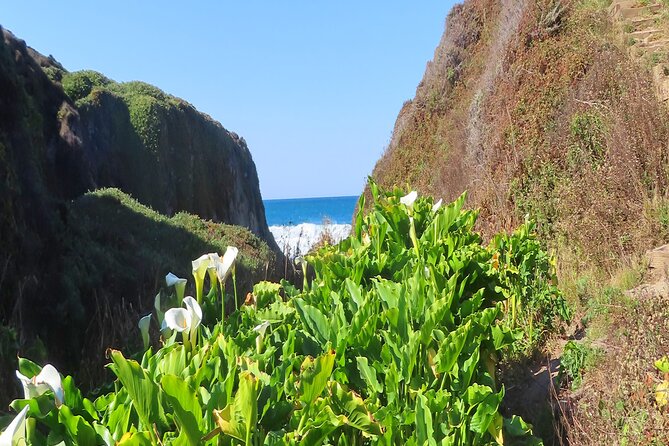
Even when the tour duration is listed as about 2 to 2.5 hours, Big Sur driving has its own pace. Pullouts take time. Photo stops take time. And if road conditions change, your schedule changes too.
So I recommend you treat this as a “flex route,” not a “laser schedule.” If you want the most out of it:
- Start earlier than you think you need.
- Add buffer time for parking and turning around if you want to get out.
- Don’t plan tight connections immediately after the McWay Waterfall trailhead finish.
One more note: road closures can happen along this type of coastal drive. If that happens, you might have to adjust how much you can do in one go. This is exactly the kind of situation where an audio tour helps, because you can still keep the story moving even if you can’t make every stop.
Who this self-guided Big Sur audio tour is best for
This is a great fit if you:
- Want to drive Big Sur at your own pace.
- Like getting context while you’re looking at real scenery.
- Prefer flexibility over a strict schedule.
- Are comfortable using an app while driving (with your own setup: phone + headphones).
It may be less ideal if you:
- Want someone else to handle routing, parking, and timing.
- Need the tour to include food, admission tickets, or guided walks.
- Don’t want to do any planning like downloading offline content before you leave town.
If you’re traveling with a mix of interests—someone who wants every stop and someone who just wants the highlights—this format makes it easier to compromise without arguing.
Should you book this Big Sur audio drive?
If your goal is to experience the famous Big Sur road trip with more meaning and less stress, I’d book it. For $14.99 per group, you’re buying offline audio + navigation support for a route that’s packed with recognizable landmarks. That’s a smart way to turn a drive into a real itinerary without adding cost or a rigid schedule.
I’d only skip it if you know you want a guided experience with planned stops and walking made simpler for you. But if you’re comfortable behind the wheel and want the coast story told in a way that matches what you’re seeing right now, this self-guided Big Sur audio tour is a strong choice.
FAQ
How long is the driving portion of the tour?
The tour is listed as about 2 hours to 2 hours 30 minutes.
What language is the audio available in?
The tour is offered in English.
Do I need cell service during the drive?
No. The tour includes offline access to audio, maps, and geodata.
Where does the tour start and where does it end?
It starts at Starbucks Coffee Company, 3650 Rio Rd, Carmel-by-the-Sea, CA 93923, and ends at the McWay Waterfall Trailhead parking lot on McWay Waterfall Trail, Big Sur, CA 93920.
What do I need to bring?
You’ll need your smartphone and headphones. Food and drink are not included, and transportation isn’t included.
Is this a private experience?
Yes. It’s a private tour/activity, and only your group participates. The price is per group (up to 15).
Can I cancel for a full refund?
Yes. You can cancel for a full refund up to 24 hours in advance.