REVIEW · SIENA
Siena Scavenger Hunt and Highlights Self Guided Audio Tour
Book on Viator →Operated by World City Trail · Bookable on Viator
Siena has a way of pulling you in fast. This scavenger hunt turns the Duomo area into a game, with GPS audio and puzzle stops that keep you moving. You can start any time, take breaks, and follow a route that works whether it’s your first visit or you just need a better plan.
Two things I really like: the low price for a full walking experience, and the freedom to go at your pace. The tour is built around a short 2km loop (about 25 minutes of walking), but the total experience averages around two hours once you factor in riddles and stopping to look.
The main drawback is also the nature of the experience: it’s 100% self-guided, so you need a charged phone and mobile data. If you’re not comfortable using apps outdoors, you may spend more time troubleshooting than enjoying the streets.
In This Review
- Key points worth knowing before you go
- A self-guided Siena treasure hunt that actually helps you see more
- Price in plain terms: why $9.60 can make sense here
- How the World City Trail app works (and the setup you must do)
- The route: what each stop gives you in Siena
- Stop 1: Duomo di Siena
- Stop 2: Palazzo Piccolomini
- Stop 3: Torre del Mangia
- Stop 4: Palazzo Pubblico E Museo Civico
- Stop 5: Pinacoteca Nazionale
- Stop 6: Chiesa di Santa Maria della Scala
- Stop 7: Facciatone
- Stop 8: Battistero di San Giovanni
- Stop 9: Le Logge del Papa
- Stop 10: Fonte Gaia
- Pacing, breaks, and the two-hour reality
- When to do it: start anytime, but plan around comfort
- Support and troubleshooting: what you’ll do if tech fails
- Who this Siena scavenger hunt is best for
- Should you book this Siena scavenger hunt?
- FAQ
- FAQ
- How long is the Siena scavenger hunt?
- Can I start at any time?
- Is there a live guide with you?
- Where does the tour start?
- Do I need entrance tickets for the attractions?
- What app do I need, and how do I log in?
- Do I need internet on my phone?
- How many languages are available?
- Is there support if I get stuck?
- What if weather is bad or I get sick?
Key points worth knowing before you go

- Start anytime (24/7) and choose your own pace with no time pressure
- Audio + GPS navigation guides you between puzzle stops in English
- Outdoor-focused route means no entrance fees are required for the activity
- 2km walking track with an average two-hour experience window
- Mobile support via chat is available 24/7 (no phone support)
- Smart tech rules: active data needed; VPN off; avoid city Wi-Fi for best results
A self-guided Siena treasure hunt that actually helps you see more

Siena can be visually overwhelming in a good way. Too many streets look similar, and the famous spots feel scattered. This tour solves that problem by giving you a simple walking flow—then wrapping it in short riddles and photo-friendly moments.
I like that the experience is not a sit-down museum thing. It’s designed for outdoor sightseeing, using nearby features as the clues. That means you get the payoff of Siena’s architecture and streets without having to buy tickets or plan a bunch of timed entry slots.
You can also read our reviews of more tours and experiences in Siena.


Price in plain terms: why $9.60 can make sense here
At $9.60 per person, you’re not paying for a live guide. You’re paying for direction, audio storytelling, and a structured route you can follow without stressing over where to go next.
For me, the value is strongest if you fall into one of these groups:
- You’re in Siena for a short visit and want a plan that fits into an afternoon.
- You prefer independent exploring but still want something that keeps you from wandering aimlessly.
- You’re the type who likes to stop, read, and look closely rather than speed through highlights.
Also, the activity is tied to outdoor areas, so you shouldn’t need extra entrance fees to complete the puzzles. That’s a big difference from many “highlights” tours where you end up paying again and again once you arrive.
How the World City Trail app works (and the setup you must do)

This is a mobile ticket experience using the World City Trail app. Before you leave, you’ll want your phone ready, not halfway charged with spotty signal.
Here’s the basic flow:
- Download the World City Trail app
- Log in using your 10-digit booking reference
- Select Create to start
- Follow the GPS audio and navigation on your screen
A few practical notes matter a lot:
- You’ll need a fully charged smartphone and active mobile data.
- Turn off any VPN, and try not to rely on city Wi‑Fi, since the app can malfunction or disconnect.
- The tour is outdoor-only, so you’ll get the best results when you’re actually outside at the stops.
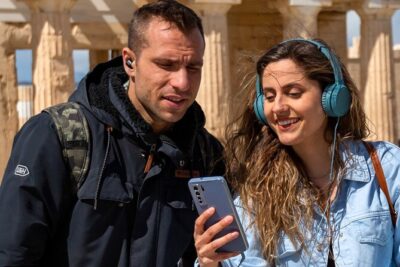
- You can listen using your phone speaker or headphones.
You don’t have to commit to one fixed time. The big advantage is that you can start anytime 24/7, pause when you want, and resume right where you left off.
The route: what each stop gives you in Siena

The experience covers an approximate 2km walk with a set of major sights. You’ll move between them using the app’s directions, solving short prompts along the way. Total time averages about two hours, though your pace and breaks decide the final number.
Even though the activity is structured, you can rearrange the order in the app, skip stops, and choose when you want to stop.
Stop 1: Duomo di Siena
Starting at the Duomo di Siena is the easiest way to get your bearings. The cathedral area is one of those places where looking at details pays off fast—so the tour’s first puzzle here makes sense as an “orientation moment.”
Tip for your first steps: give yourself a minute to match what you see outside with what the app is guiding you toward. Once you’ve got that rhythm, the rest of the walk feels simpler.
Stop 2: Palazzo Piccolomini
Next comes Palazzo Piccolomini, a classic Siena stop that helps you move from “big skyline landmark” into “hands-on architecture.” This is where the tour’s clue style starts working well—you’re not just watching, you’re noticing.
Potential snag: Siena streets can be tight and busy. If you’re trying to read clues without blocking foot traffic, pick a spot slightly off the main flow.
Stop 3: Torre del Mangia
Then you reach Torre del Mangia, one of the most recognizable vertical landmarks in Siena. It’s a perfect puzzle anchor because a tower makes it easy to orient yourself and check you’re on the right track.
This is also the moment where your photo habits might kick in. The app’s prompts encourage you to look more carefully than usual, so you can get more out of the view than a quick glance.
Stop 4: Palazzo Pubblico E Museo Civico
Palazzo Pubblico E Museo Civico is where you’ll feel the civic pulse of Siena—this is the “public life” side of the city. The audio-and-text style here tends to fit well if you like stories connected to buildings rather than dry facts.
If you’re short on time, this is a good spot to slow down briefly and then keep going. The route is designed so pauses don’t break the whole plan—you can resume where you stop.
Stop 5: Pinacoteca Nazionale
At Pinacoteca Nazionale, you get a shift toward Siena’s visual arts tradition. Since the activity is tied to outdoor areas, you’re still working within the tour’s logic rather than getting pulled into a ticketed entry experience.
That’s good news if you want to keep your sightseeing simple. It’s also good for budgets—no added admissions are needed to do the scavenger-puzzle flow.
Stop 6: Chiesa di Santa Maria della Scala
The Chiesa di Santa Maria della Scala stop brings a more historic feel to the route. This is one of those Siena moments where the building details help your brain stick the city in place.
One consideration: because the tour is outdoors-only, it’s wise to dress for the weather. This part of Siena sightseeing tends to be best when you’re comfortable standing still for a few minutes to read and observe.
Stop 7: Facciatone
Facciatone is memorable for its dramatic look. It’s a great puzzle stop because the structure gives you clear visual cues—perfect for riddles that depend on observation.
If you like “wait, I didn’t notice that” moments, this is where you’re likely to feel it. If you prefer purely scenic walks, you may still enjoy it because the clue style keeps you watching longer than normal.
Stop 8: Battistero di San Giovanni
Then you’re at Battistero di San Giovanni, which works as a steady checkpoint before the last stretch. A baptismal church is one of those places where architecture cues can guide you even if you’re tired.
If you’re prone to phone fatigue, keep one headphone in one ear or use the speaker at low volume while you match the app’s guidance to where you are.
Stop 9: Le Logge del Papa
Le Logge del Papa adds a calmer, shaded feel to the walk when you’re in the right light and angle. Loggias are great for clue-based wandering because they create natural “stop points” where you can pause and look.
This is also a useful moment to reset. If you’ve been rushing earlier, you can slow down here and finish the final segments at a more comfortable rhythm.
Stop 10: Fonte Gaia
You end with Fonte Gaia, the fountain that feels like the payoff. After a sequence of architecture and landmarks, a fountain is a natural “end of the story” feature.
The experience is designed so you can take your time, and you still finish the activity within a reasonable outing. If you want a longer break after the last clue, this is the place to do it.
Pacing, breaks, and the two-hour reality

The walking portion is about 2km, and that’s roughly 25 minutes at a steady pace. Your total time is closer to two hours because you’re solving riddles, reading text, and taking breaks.
I like that there’s no time limit. The app experience lasts for a full year, so you’re not forced into one perfect moment. If you start one day and run out of energy, you can come back and continue later.
Also, you can pause and explore sites, then resume exactly where you left off. That helps in Siena, where you may want to spend extra time just because the light or the mood hits right.
When to do it: start anytime, but plan around comfort

Since you can start any time of day (24/7 availability), you get flexibility. Still, outdoor walking is outdoor walking. Siena can change fast with weather, temperature, and crowd levels.
My practical advice:
- If you hate cold starts, avoid the earliest hours and aim for late morning or afternoon.
- If you’re comfortable with crowds, midday can work fine since you’ve built-in pacing breaks.
- Wear comfortable shoes. Siena’s streets can be uneven, so footing matters more than style.
The tour also includes a weather and health guarantee: if bad weather or illness prevents your outing, you can do it on another day. They also note you can even contact support to switch to a different city.
Support and troubleshooting: what you’ll do if tech fails

This is where the experience either goes smoothly or gets annoying—so it’s good to know the support plan.
- Support is 24/7 live chat inside the official chat channel.
- No phone support is listed, so chat is your path if the app won’t cooperate.
- If your app disconnects, the “why” is often data connection, VPN usage, or trying to rely on city Wi‑Fi.
I strongly recommend doing a quick app test before you head into your main walking zone. Once you’re on the route, you’ll spend less time guessing.
Who this Siena scavenger hunt is best for
This one fits best if you want control and light structure.
You’ll like it if:
- You’re traveling independently and want a self-guided route
- You’re okay using your phone for navigation and audio
- You enjoy solving short prompts that make you look at details
- You want to learn without booking a timed guided group
You might not love it if:
- You’re not comfortable with smartphone apps or unreliable signal
- You hate technology steps like logging in and managing audio
- You want a purely low-effort walk with zero reading or puzzles
It also works well for groups because it’s a private activity—only your group participates.
Should you book this Siena scavenger hunt?
Book it if you want the best kind of cheap structure: one ticket, one route, and enough guidance to turn a “see Siena” day into a more memorable experience.
Skip it if you’re looking for a live docent, hands-on explanations on the spot, or a tour that doesn’t depend on phone setup. In that case, a traditional guided option might feel more comfortable.
If you’re on the fence, I’d make the decision based on one question: can you confidently manage an app outdoors with mobile data and headphones/speaker? If yes, this is an excellent way to get value and direction in Siena without adding extra costs at ticket counters.
FAQ
FAQ
How long is the Siena scavenger hunt?
It takes about 2 hours on average. The walking distance is around 2km (about 25 minutes of walking time), but the total time can vary based on your pace and breaks.
Can I start at any time?
Yes. Start times are flexible, and the tour can start 24/7. There is no fixed schedule.
Is there a live guide with you?
No. This is 100% self-guided. No one will meet you at the start.
Where does the tour start?
Your ticket lists Pinacoteca Nazionale di Siena (Via S. Pietro, 29) as the start/meeting point area. The app also suggests starting at Duomo di Siena for the best route.
Do I need entrance tickets for the attractions?
No. The activity is outdoor-only, and it’s designed so you don’t need to pay extra entrance fees to complete the puzzles.
What app do I need, and how do I log in?
You’ll use the World City Trail app. Download it, then log in using your 10-digit booking reference and select Create to start.
Do I need internet on my phone?
Yes. You need active mobile data and internet access because the tour is outdoor-only and the app requires connection. The instructions also say to avoid VPN and avoid city Wi‑Fi, since the app may malfunction or disconnect.
How many languages are available?
The text and experience are available in 6 languages: EN, DE, FR, NL, IT, and ES.
Is there support if I get stuck?
Yes. There is 24/7 live support via the official chat. Phone support is not available.
What if weather is bad or I get sick?
If bad weather or illness prevents you from going, you can do the tour on another day. The policy also notes you can contact support to switch to a different city.