REVIEW · LONDON
London National Gallery Self-Guided Tour with App (No Tickets)
Book on Viator →Operated by Tourific · Bookable on Viator
London’s art power is right here. This self-guided National Gallery experience pairs offline app audio with a simple walking plan, so you can see standout masterpieces without getting stuck reading tiny plaques all day. It’s built for short visits and long lines, with a route that’s meant to take about an hour if you want to move quickly.
I especially like two things: you can download the tour once and use it offline inside the museum, and the audio commentary is focused—12 major works picked for your time. One caution: the audio only covers those selected 12 artworks, so if you want a lot of depth on every single painting on your way, this may feel limited.
In This Review
- Key highlights before you go
- What You’re Really Paying For at the National Gallery
- Getting the Tourific App Working Offline (So You’re Not Tethered to Wi‑Fi)
- Your One-Hour Highlights Walk Inside the Main Galleries
- What makes each stop feel worth it
- Why the Offline Map Changes Everything in a Museum
- The Audio Style: Helpful Focus on Symbolism, With a Clear Limit
- Language expectations (especially if you need French)
- Time It Right: Opening Hours and a Realistic Visit Plan
- Queue Reality: Free Entry, Reservations, and Why the App Still Helps
- Who This Tour Is Best For (And Who Might Want Something Else)
- Practical Tips for a Smooth Walk from Trafalgar Square
- Should You Book This National Gallery App Tour?
- FAQ
- FAQ
- Do I need internet to use the tour?
- Is admission to the National Gallery included?
- How long does the tour take?
- How many artworks are covered by the audio?
- What do I get in the app?
- Is this a guided tour with a human guide?
- Can I download and use the tour later?
- Does it include headphones or any physical device?
- What language is the audio available in?
- Is there free cancellation?
Key highlights before you go
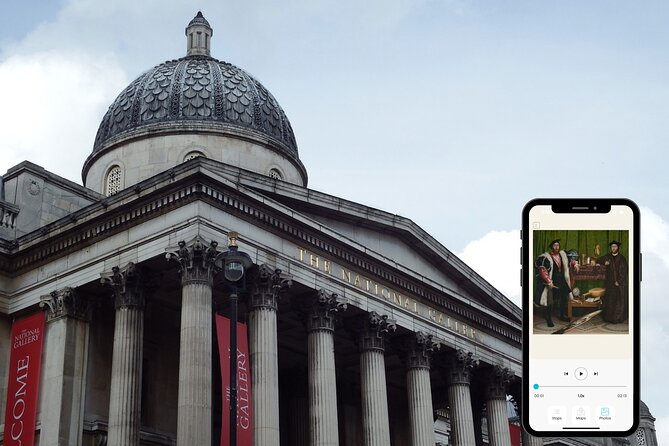
- Offline by design: the app works with no internet once downloaded, which matters inside thick museum walls.
- A fast route: it’s structured around a 1-hour highlights plan featuring 12 artworks.
- In-app map guidance: navigation support keeps you from wandering randomly through the galleries.
- AI-narrated audio for 12 pieces: helpful context on style and symbolism, but not a full catalog of the museum.
- Works for a year: download and revisit later on your phone, either during your visit or at home.
What You’re Really Paying For at the National Gallery
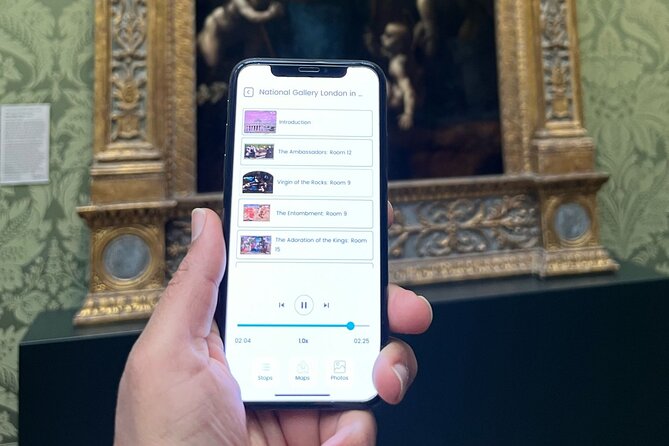
The National Gallery itself has free entry, so the real “ticket” here is what you’re buying: a guided phone experience. For $5.98 per person, you’re paying for the Tourific app access, the offline audio route, and the in-app map that helps you follow a set of key works.
That makes the value math pretty straightforward. If you’d otherwise spend time bouncing between rooms, trying to decide what’s worth seeing, this app gives you a pre-set plan. And because it’s designed for roughly 1 to 2 hours, it can be a smart buy when your London schedule is tight.
Just keep your expectations aligned. This isn’t a full guided tour of the museum. It’s a highlights walk, with commentary focused on 12 paintings.
You can also read our reviews of more tours and experiences in London.



Getting the Tourific App Working Offline (So You’re Not Tethered to Wi‑Fi)
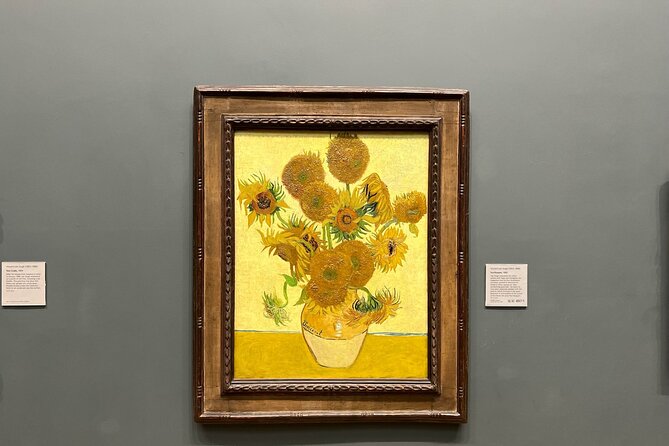
This experience is built around the idea that you won’t need cellular data once you’re inside. After you book, you’ll get instructions to download and start the tour on your mobile device, and then you can access it offline.
The big win for you: no stress about weak Wi‑Fi, no frantic phone-switching if you lose connection mid-gallery. You can also download and use the tour any point during the validity window, which is for one year.
Practical note: you bring your own headphones or speakers. The tour info doesn’t include any physical audio device, so plan for that the way you would for any phone-based audio tour.
One more thing to watch: the experience relies on the app access being correctly set up for your account. A past visitor described trouble getting their code and losing time sorting it out. I’d treat setup as part of your pre-visit planning. If you can, download and test the tour before you leave your hotel or a café.
Your One-Hour Highlights Walk Inside the Main Galleries

At the start, you’re at the National Gallery by Trafalgar Square (WC2N 5DN). From there, the tour follows a route designed to keep you moving room to room and painting to painting, without needing a human guide.
The core structure is simple: you cover 12 renowned artworks, with audio designed to guide you through what to look for beyond the basic label. The commentary focuses on the artists’ choices, the style of each work, and the symbolism inside the painting.
Even though you don’t get a huge, room-by-room encyclopedia, you do get an efficient experience. This is the kind of route that helps you see the museum’s best-known names quickly. The selection is described as ranging across big-hitter masters—Da Vinci, Rubens, and Van Gogh are specifically mentioned—so you’re not stuck only with one corner of art history.
What makes each stop feel worth it
The tour is essentially one main stop: the National Gallery itself. But within that, the experience is broken into a sequence of key artworks you follow with an in-app map. That map matters because the National Gallery is big enough to make “I’ll just wander” turn into “Wait, where was that painting?”
If you like a controlled route, this feels good: you get told where to go next, and you get audio context while you’re standing in front of the work. If you like to linger, you still can—you’re just not required to.
Why the Offline Map Changes Everything in a Museum

A self-guided museum tour can fail in two ways: people get lost, or they stop paying attention because they’re constantly re-checking their phone. Here, the in-app map is meant to prevent both.
You follow the map from one highlighted painting to the next, so your phone becomes a tool—not a chore. And because the tour is designed for a tight time window (about an hour for the highlights plan), you’ll spend more time looking at paintings and less time figuring out your route.
This is also where offline access is more than a convenience. Indoors, reception can be unpredictable. By having the tour available without internet, you avoid the most annoying failure mode of app tours: the audio or map not loading at the exact moment you reach the room.






The Audio Style: Helpful Focus on Symbolism, With a Clear Limit
The audio commentary is AI-narrated and tailored to the 12 artworks selected for the route. It’s described as including insights into artists, distinctive painting styles, renowned features, and symbolism.
For many people, that’s exactly what you want. Museum captions tell you what you’re looking at; this kind of audio aims to explain why the work looks the way it does. Symbolism is the difference between seeing paint and understanding choices—things like posture, lighting, objects in the scene, or visual cues that guide your eye.
Here’s the trade-off, and it’s important: the audio covers only that set of 12 artworks. One critical comment pointed out the mismatch between expectations and coverage, basically saying the audio didn’t extend beyond those dozen pieces.
So decide what type of visit you’re planning:
- If you want a guided highlights hit and you’re happy with 12 key works, this fits well.
- If you want commentary for dozens (or most) of what you see, you’ll likely feel shortchanged.
Language expectations (especially if you need French)
One visitor noted that they expected audio in French but found the app was English only during their experience. The tour info you have here doesn’t list multiple languages, so if language matters to you, I’d check the app’s available audio options before you start.
Time It Right: Opening Hours and a Realistic Visit Plan
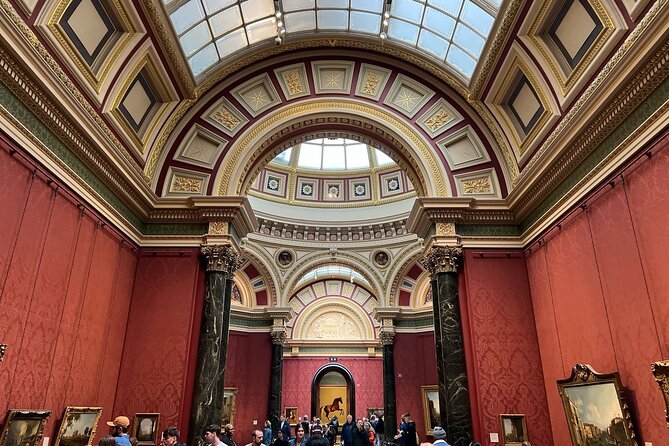
The National Gallery opening hours run from 10:00 AM to 6:00 PM, seven days a week, across the listed date range. The tour itself is described as about 1 to 2 hours, with a plan designed to be completed in around an hour if you’re short on time.
That matters because it changes how you pace. If you’re going in during a busy window, an hour-long route can be your best bet for getting a strong experience without getting stuck in a loop of deciding what to see next.
Also, because this is self-guided, you aren’t waiting for other people to finish listening. You can pause, step back, and compare details while the audio plays or after it ends.
Queue Reality: Free Entry, Reservations, and Why the App Still Helps
Entry to the National Gallery is free. The tour info also notes you can reserve a spot via the official website to help with shorter queues.
So how does this app help on top of that? It reduces the “inside uncertainty” problem. Even if you get in quickly, you still face the museum’s size and the sheer number of paintings. This tour gives you a path and a reason to stop at certain works.
That’s where you get value beyond saving time. You’re not just inside the building; you’re experiencing it in a planned way that keeps you focused on the most famous pieces and their main ideas.
Who This Tour Is Best For (And Who Might Want Something Else)

This works especially well if:
- You’re visiting on a tight schedule and want a structured highlights run.
- You prefer to control your pace instead of following a group.
- You like knowing what symbolism or stylistic details to look for before you decide what you love.
- You’re comfortable using your phone as a tour device and want it to work even without internet.
It may not be the best match if:
- You want commentary for lots of paintings beyond a set list.
- You expect a human guide or Q&A on the spot.
- You need a specific language that isn’t clearly guaranteed.
One review praised the experience for being eye opening and something they’d do again with family, which fits this “hits the major points” design. Another note criticized it as superficial for people who already have minimal art knowledge, which is also a fair warning: this is a highlights-first format, not an advanced seminar.
Practical Tips for a Smooth Walk from Trafalgar Square
You’re starting near Trafalgar Square, which is easy to find and easy to combine with other nearby sights. Plan to arrive with enough time to settle your phone setup and download the tour if you haven’t already.
Bring:
- Your phone charged (and ideally topped up before you go).
- Headphones of your choice.
- Comfortable shoes, because even an hour-long route can feel like a lot if you’re stopping at 12 works and stepping back to look again.
And do one small technique that improves results: when you reach each artwork, listen first, then look again without the audio for a minute. The second look is where the symbolism starts to click.
Should You Book This National Gallery App Tour?
I’d book it if you want an efficient, structured way to enjoy the National Gallery’s best-known paintings and you like the idea of offline audio. The combination of offline access, an in-app map, and AI narration for 12 selected works is a strong fit for a quick art hit.
I wouldn’t book it if you’re expecting a full guided experience across more than those 12 artworks, or if you specifically need guaranteed audio in a language other than what the app provides. In that case, you’ll likely end up wanting extra guidance.
If your goal is clear—see major works, understand what you’re looking at, and keep moving—this is a good-value way to do it without paying for a human guide or wrestling with connectivity.
FAQ
FAQ
Do I need internet to use the tour?
No. Once you download the tour, it works offline in the museum with no internet connection needed.
Is admission to the National Gallery included?
No. Entry to the museum is free, but the tour does not include tickets. You can also reserve a spot on the official website for shorter queues.
How long does the tour take?
It’s designed to take about 1 hour for the highlights route, though the activity duration is listed as roughly 1 to 2 hours.
How many artworks are covered by the audio?
The audio commentary covers 12 artworks that are selected for the tour route.
What do I get in the app?
You get access to the Tourific smartphone app for one year, offline access to the tour, an in-app map for navigation, and AI-narrated audio commentary for the 12 artworks.
Is this a guided tour with a human guide?
No. This is self-guided, with audio commentary and an in-app route, not a human tour guide on site.
Can I download and use the tour later?
Yes. You can download and use the tour at any point for a whole year, and you can listen again at the location or at home during that time.
Does it include headphones or any physical device?
No. You’ll need to use your own device and headphones if you want to listen to the audio.
What language is the audio available in?
The tour information doesn’t list languages. One visitor reported the audio was in English and they expected French, so if language matters, check what’s available in the app before you start.
Is there free cancellation?
Yes. You can cancel for a full refund up to 24 hours before the experience start time.