REVIEW · CALIFORNIA
Yosemite National Park Self Guided Driving Audio Tour Guide
Book on Viator →Operated by Adventures with Action · Bookable on Viator
Yosemite, minus the tour timing pressure. This self-guided drive lets you follow GPS-triggered audio at your own speed, with offline maps so the park’s spotty signal doesn’t stop the fun. You’ll cover key Valley sights across a route that’s over 75 miles long, with 78+ audio stories queued to specific locations.
I especially like two things. First, the audio is designed to work without cell service, using offline maps and location-based playback. Second, the tour is lifetime access with no expiry, so you can reuse it on future trips instead of buying something you only use once.
The one drawback to plan for: there’s no person waiting at your car. You have to download and set up the app while you still have strong Wi‑Fi or cellular, and you’ll need to start from the correct starting point so the GPS audio lines up cleanly.
In This Review
- Key highlights to look forward to
- The full drive plan: 75+ miles, 78+ stories, and real timing
- Stop 1: Elephant Rock to Stop 4: Mount Conness, Cathedral Peak, Tenaya Lake
- Stop 5 to Stop 7: Three Brothers, Sentinel Rock, and Yosemite Falls
- Stop 8 to Stop 10: Mirror Lake Trail, Cathedral Beach Picnic Area, Merced River
- Stop 11 and Stop 12: Half Dome, then Yosemite Village
- Offline audio, GPS cues, and your best setup in the car
- Navigation confidence: starting point, audio skips, and quick fixes
- Price and value: $16.99 per group, lifetime access, and what’s not included
- Who should book this Yosemite audio drive
- Should you book this Yosemite self-guided audio tour?
- FAQ
- How much does the Yosemite self-guided driving audio tour cost?
- How long does the tour take?
- Does it work without cell service?
- What language is the audio tour offered in?
- Is a park pass included?
- Where do I start and where does it end?
- Do I need to connect my phone to my car stereo?
- Is there a guide with you during the tour?
Key highlights to look forward to
- Hands-free playback that starts as you reach each story point
- Offline maps and audio, built for Yosemite’s no-signal reality
- Lifetime access you can replay on multiple Yosemite visits
- A tight set of 12 stops (about 3–5 hours) focused on the Valley and main icons
- Stop-by-stop storytelling plus optional time to pause for photos and short looks around
The full drive plan: 75+ miles, 78+ stories, and real timing

This is a self-guided driving audio tour of Yosemite National Park. The route is listed as over 75 miles, and it’s designed to take about 3–4 hours to complete—though your personal pace can push it toward the 3–5 hour window.
You’re not on a group clock. Start when you want during the available opening hours (9:00 AM–5:00 PM). You can pause the audio for snacks, photos, and short walks, then resume and have the tour pick back up where you left off.
Each of the 12 stops is built around short “get your bearings” moments—often around 10 minutes—with a couple of stops clocking in at about 15 minutes. That means: if you want a deeper look at any single spot, use the pause button and take extra time. The tour is structured for drive-by highlights, but it doesn’t punish you for slowing down.
One more timing note worth respecting: during peak summer weekends and holidays, reservations can be required. Since park entry and crowd control can be the difference between smooth driving and constant delays, I’d plan your route and parking with that in mind.
You can also read our reviews of more tours and experiences in California.

Stop 1: Elephant Rock to Stop 4: Mount Conness, Cathedral Peak, Tenaya Lake
This tour opens with a string of geology-and-views moments you can appreciate mostly from the road, with optional short stops.
Elephant Rock is described as a formation named for how it resembles an elephant walking away into the distance. The story framework here is simple and effective: take a moment to match the shape, then let the audio explain how erosion over centuries helped shape what you’re seeing now. If you’re the kind of traveler who likes a quick “why it looks like that” explanation, this opening stop sets the tone well.
Next you’ll reach Mount Conness, presented as a majestic craggy mountain that rises higher than much else around it. The appeal is scale: this is your first reminder that Yosemite’s big moments aren’t just waterfalls. They’re also towering rock.
After that comes Cathedral Peak, flagged as one of Yosemite’s most recognizable, beloved peaks. You’ll get the visual cues you need—those spires and summit lines that make it a favorite for climbers, hikers, and nature lovers.
Then Tenaya Lake shifts the mood from peaks to water. The tour calls it a glacially-carved alpine lake, surrounded by granite peaks, forests, and meadows. Even if you keep your stop short, you’ll have a mental picture of what to look for: the lake’s setting against the granite walls, plus the “glacial origin” angle that ties it to Yosemite’s bigger story.
Practical tip: with stops often around 10 minutes, I’d treat these as quick photo-and-orientation stops. If one of them feels special (Elephant Rock often does), pause the audio and linger without worrying about rejoining a group.
Stop 5 to Stop 7: Three Brothers, Sentinel Rock, and Yosemite Falls
From Tenaya Lake, the route leans back into granite drama.
Three Brothers is described as three iconic peaks in Yosemite Valley, towering over the surrounding area at over 3,000 feet. The audio framing is glacier-driven: these peaks are made of granite and were carved by glaciers. This stop is a good one for travelers who like comparing “what you see” to “how it got there.”
Then Sentinel Rock adds both scale and meaning. It rises over 3,000 feet above the valley floor. The tour also notes glacial erosion over millions of years as part of how it formed, and it includes cultural significance too—specifically how Sentinel Rock matters to Indigenous people who have lived in the region for thousands of years.
That blend—geology plus human presence—feels thoughtful. You’re not just looking at a pile of stone; you’re being nudged to see the site as a place with layers.
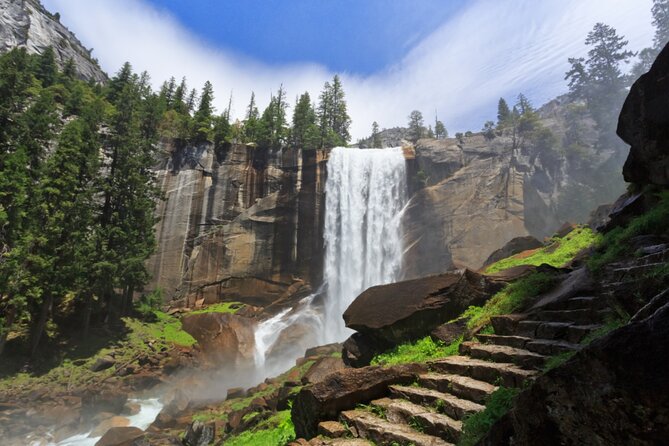
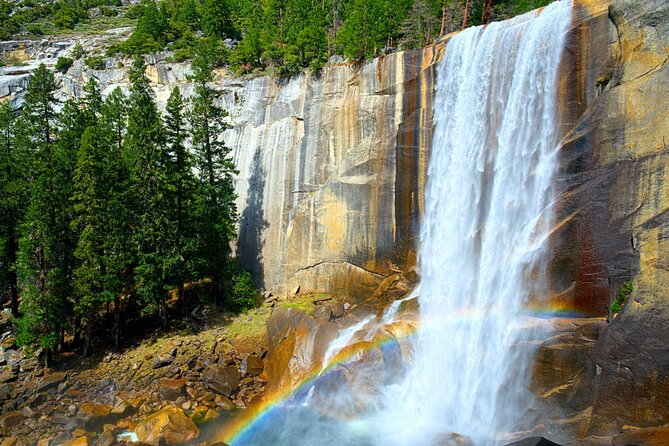
Finally, Yosemite Falls is the classic payoff. The audio gives you a strong numbers-and-process description: it’s one of the tallest waterfalls in the world, with a total height over 2,400 feet. You’ll also hear how glacial activity and the erosive power of water shaped it.
Drawback to accept upfront: a stop timed around 10 minutes works best for a first look. If you’re hoping for a deep pause with maximum waterfall viewing, give it extra time by pausing the audio.
Stop 8 to Stop 10: Mirror Lake Trail, Cathedral Beach Picnic Area, Merced River
Now the tour shifts from big verticals to calmer, river-and-walk energy.
Mirror Lake Trail is described as a trail through lush forests and tranquil meadows that leads to the crystal-clear waters of Mirror Lake. The tour doesn’t ask you to commit to anything huge here; it’s more about pointing you toward a short, easy nature experience that matches Yosemite’s quieter side.
If you’re doing this in a car-heavy day, it’s a smart place to stretch your legs. Even a brief walk along the trail area can reset your eyes after the tall peaks and waterfalls.
Next: Cathedral Beach Picnic Area along the Merced River. This is where the tour makes it clear you can linger. The description says you can swim, fish, or relax while enjoying views of granite cliffs and Yosemite Valley. It also notes that Cathedral Beach serves as a starting point for a popular rafting trip down the Merced River, so if you’re the active type, you’ll see why this spot draws people.
After that comes Merced River itself. The audio focuses on what you can do here: fishing, swimming, hiking, and rafting. It’s also described as flowing through Yosemite National Park, framed by granite cliffs, waterfalls, and forests.
Practical note: the river stops are about variety. You can keep it simple (photos, a short stroll, river views), or you can build the day around water activities—just remember you’re still following a drive route, so plan your timing so you don’t feel rushed at the later stops.
Stop 11 and Stop 12: Half Dome, then Yosemite Village
These last two stops are the “big finish” pairing.
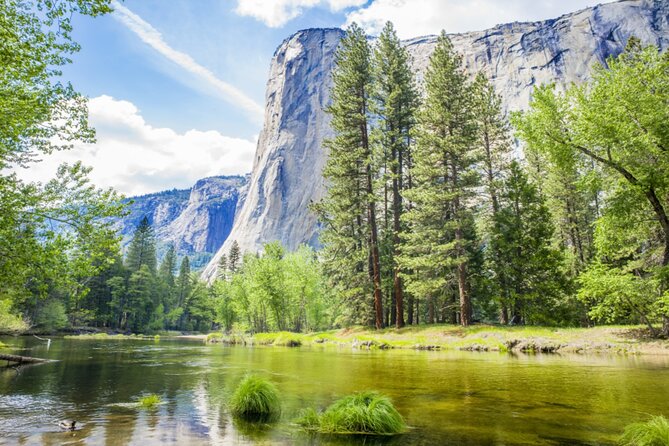
Half Dome is described as a massive granite dome rising over 4,700 feet above Yosemite Valley. It’s labeled a popular destination for hikers, with a challenging 14–16 mile round trip and elevation gain over 4,800 feet. The audio also calls out a permit requirement for the final ascent up the cables.
That matters for how you plan your day. If you’re not hiking Half Dome, treat the stop as a viewing and planning moment, not a spur-of-the-moment mission. If you are hiking, the audio is still useful because it sets expectations about distance and gain right there in the moment.
Then you roll into Yosemite Village, described as the main hub of activity with amenities and a center of operations vibe. This is a good place to end your day because it’s where your logistics tend to get easier—parking, regrouping, and planning what comes next.

Offline audio, GPS cues, and your best setup in the car
This tour’s design is built around one key idea: Yosemite can cut your signal, so the tour shouldn’t depend on it.
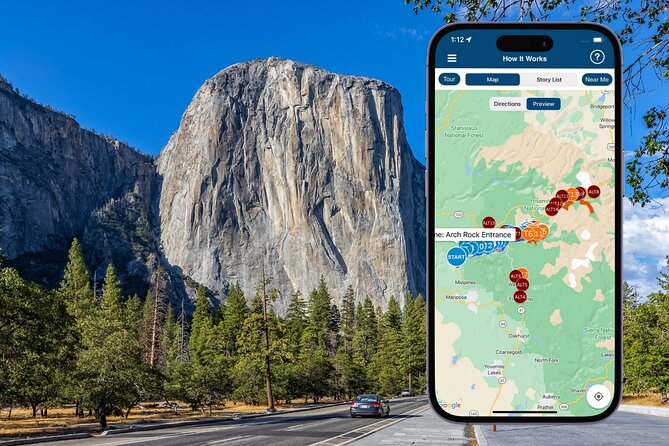
You get offline maps and stories that play based on where you are. The idea is that you don’t need constant manual button presses. Once you start the tour at the proper first story point, the audio is supposed to trigger itself at the next location.
In the car, you can connect your phone to your stereo system using Bluetooth, USB, or AUX. If you step out for walking, the tour notes that headphones can give the best experience. If your setup is compatible, audio playback can work with Apple CarPlay (with navigation features coming soon), and Android Auto support is on the way.
Device recommendations are also included: iPhone with iOS 15+, Android 9+, or an iPad/tablet with GPS and cellular connectivity for recommended navigation use.
One more important practical detail: you must download the tour while you still have strong Wi‑Fi/cellular. After that, it works offline. If you show up without downloading, you may find yourself stuck during the time when Yosemite’s signal is worst.
Navigation confidence: starting point, audio skips, and quick fixes
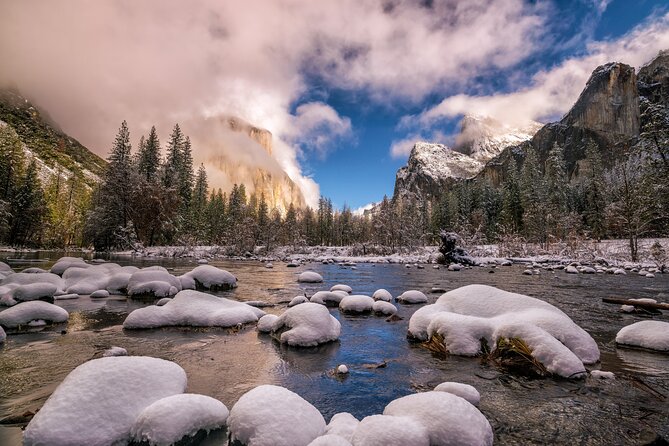
Because this is a self-guided drive, you need a little patience at the beginning.
Your start location is given as P88Q+W5 Yosemite Valley, CA, USA, and the tour ends there as well. No one meets you at the start. The app instructions are clear: go to the starting point, open the audio tour app once onsite, and choose the correct tour version based on your planned starting point and direction.
Here’s the real-world consideration: the address is easy to find in theory, but in practice, the first pull-off can be confusing if your map view isn’t showing exactly how to join the road. I’d arrive early enough to park once, confirm the road, and get your audio playing before you commit to a long stretch.
If the audio ever doesn’t play when you pass a story checkpoint, the fix is simple: use the playback button manually and keep driving. Then let it re-sync as you approach the next triggers.
Also, stick to the tour route and speed limit. The tour’s location-based playback is built for that flow.
Price and value: $16.99 per group, lifetime access, and what’s not included
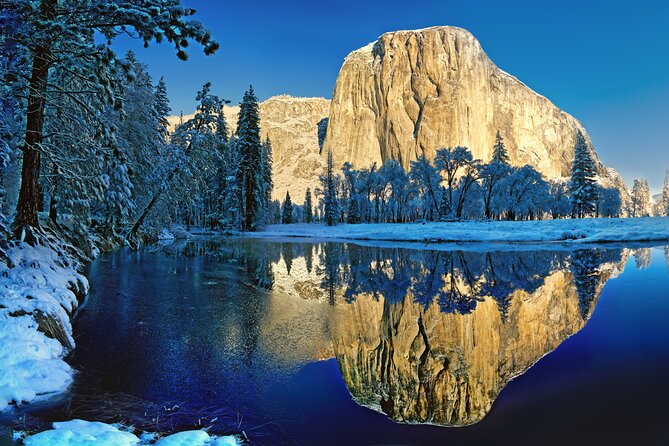
At $16.99 per group (up to 4 people), this is priced for family cars and small friend groups. The big value angle is that it’s per car, not per person, which usually makes a meaningful difference when you’re splitting costs.
The other value booster is the lifetime access model: new, lifetime access with no expiry. That turns this into a tool you can reuse next time you visit Yosemite. Instead of paying for an experience you can only do once, you’re buying a reusable audio guide you can replay on your schedule.
What about park costs? Each stop notes admission ticket free, but the tour explicitly says park passes are not included. So you’ll still want to plan your park entry separately.
Compared with guided tours, this kind of self-guided setup often wins on control. You choose your stop rhythm, and you don’t have to match group timing just to hear the story.
Who should book this Yosemite audio drive
This tour fits best if you:
- Want the flexibility to go at your own pace and pause for photos without feeling behind
- Prefer learning through audio while you’re driving and stopping on your own terms
- Like the idea of offline maps because you expect weak or no cell service in the park
- Are traveling as a small group (up to 4) and want to keep costs down with per-car pricing
- Want a repeatable Yosemite resource, since it has lifetime access
You might skip it if:
- You hate app setup and would rather have a human guide handle every step
- You don’t have reliable Wi‑Fi/cellular before arrival to download the tour
- You need a tight, guided pacing structure for your day and can’t manage self-starting
Should you book this Yosemite self-guided audio tour?
If your ideal Yosemite day is part driving, part stopping, and part learning—with a strong emphasis on offline comfort—this is a solid choice. The mix of 12 major stops, GPS-triggered audio, and lifetime access makes it easy to justify, especially for small groups.
Just go in prepared: download it before you lose signal, arrive a little early to confirm the starting road, and treat the timed stops as “first look” moments. Do that, and you’ll get a practical, low-stress way to see a lot of Yosemite’s big-name features without feeling chained to group timing.
FAQ
How much does the Yosemite self-guided driving audio tour cost?
It costs $16.99 per group, up to 4 people.
How long does the tour take?
It’s designed to take about 3 to 5 hours, with an average completion time around 3 to 4 hours.
Does it work without cell service?
Yes. It includes offline maps and the audio is designed to work properly without cellular or Wi‑Fi.
What language is the audio tour offered in?
The tour is offered in English.
Is a park pass included?
No. Park passes are not included.
Where do I start and where does it end?
It starts and ends at P88Q+W5 Yosemite Valley, CA, USA.
Do I need to connect my phone to my car stereo?
The tour provides setup options to connect your phone to your car stereo via Bluetooth, USB, or AUX. Headphones can be helpful when you’re walking.
Is there a guide with you during the tour?
No. It’s self-guided, and no one meets you at the start.