REVIEW · FLORENCE
Florence: Uffizi Gallery Timed Entry Ticket & Audio Guide
Book on GetYourGuide →Operated by Tours About · Bookable on GetYourGuide
The Uffizi feels endless in the best way. This timed entry ticket lets you move through Florence’s star museum with skip-the-line access and a digital audio guide so you can spend your time on the art, not the crowd shuffle. You’re walking through a 16th-century building originally designed by Giorgio Vasari, now packed with Renaissance masterpieces you’ve probably seen in textbooks.
I like that your time slot turns into actual momentum. You exchange your voucher at the meeting point in front of Leonardo da Vinci’s statue (ENJOY ROME flag in hand), get your entry ticket, and then you’re free to wander at your own pace. I also like the structure of a self-guided experience: you can linger in the rooms that grab you, and skip the parts that feel repetitive.
One thing to consider: the audio depends on the POP GUIDE app. Several people ran into issues like weak or missing reception and download problems, so plan to have your headset ready and your phone set up before you enter.
In This Review
- Key things I’d bank on
- Entering Florence’s Uffizi: What Timed Entry Actually Changes
- Meeting Point in Plain Sight: Find Leonardo, Get Your Tickets, Then Go
- Skip-the-Line vs. Security Check: The Reality Check
- How the Uffizi Layout Works With a Self-Guided Audio Plan
- The Masterpieces You’ll Want to See First (and why)
- Botticelli: Primavera and Birth of Venus
- The Renaissance trio: Michelangelo, Leonardo, and Raphael
- Caravaggio’s Medusa
- Raphael’s Madonna Del Cardellino
- Rembrandt self-portraits from the Dutch Golden Age
- POP GUIDE App Tips: How to Avoid Audio Frustration
- What the $33 Ticket Buys You (and How That Value Adds Up)
- Pace, Crowds, and Room Strategy: Make Two Hours Feel Longer
- Practical stuff I’d keep in your daypack
- Who should book this Uffizi ticket with audio (and who might not)
- Should you book this Uffizi timed entry with audio?
- FAQ
- How long is the Uffizi visit with this timed entry ticket?
- Does this ticket include a tour guide?
- Where do I meet the host to exchange my voucher?
- What do I need to bring for the audio guide?
- Is an ID required?
- Can I skip the line?
- What languages is the audio guide available in?
Key things I’d bank on
- Skip-the-line through a separate entrance so you don’t lose your slot waiting outdoors
- Self-paced visit with a digital audio guide, so you control the pace and the order
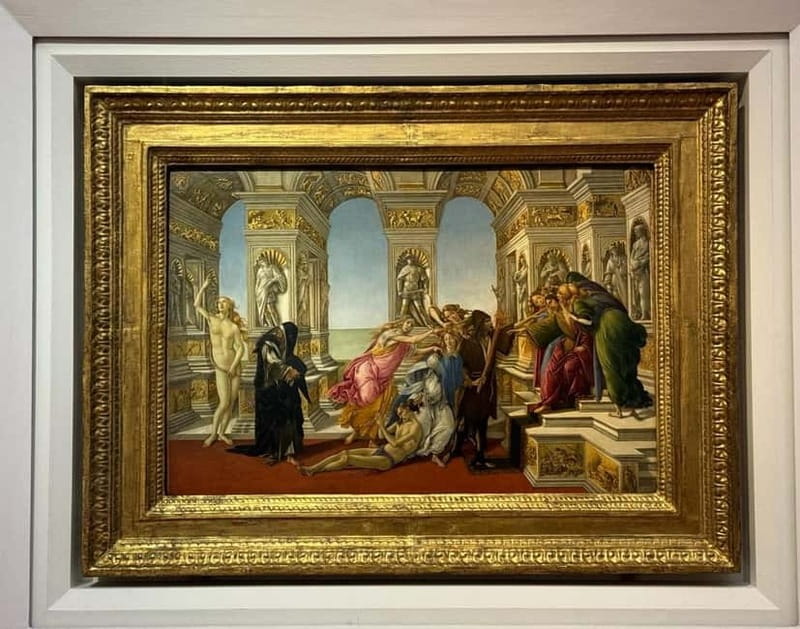
- Uffizi heavy-hitters in one circuit like Botticelli’s Primavera and Birth of Venus
- Real variety beyond the Italians, including Caravaggio’s Medusa and Rembrandt self-portraits
- Security check is still a factor, so early entry helps your experience feel calmer
- POP GUIDE app setup matters, since inside connectivity can be patchy
Entering Florence’s Uffizi: What Timed Entry Actually Changes
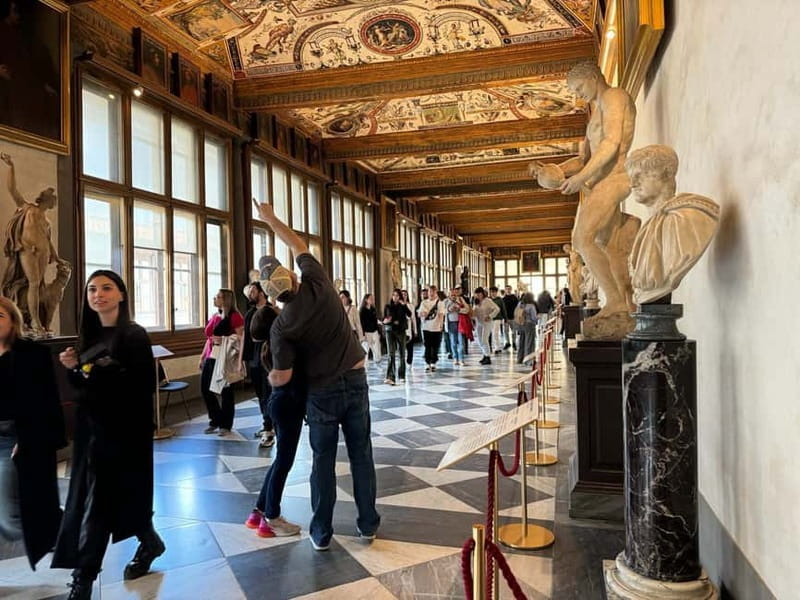
If you only have a slice of time in Florence, the Uffizi can make or break your day. The big win here is that your reservation lines you up for a separate entry flow, which means you’re spending your energy in galleries instead of watching other people form yet another queue.
Your visit is set for 2 hours, but the museum is large and layered. Most rooms encourage slow looking: you’re moving from iconic paintings to sculptures, then back to paintings again, and it can feel like your eyes need a second lap. In practice, you might finish in about the planned window if you keep moving, or go longer if Birth of Venus pulls you into a long stare.
You can also read our reviews of more tours and experiences in Florence.



Meeting Point in Plain Sight: Find Leonardo, Get Your Tickets, Then Go

The meeting point is easy to spot once you know what to look for: stand in front of Leonardo da Vinci’s statue. A staff member holding a white flag marked ENJOY ROME will be there, and you exchange your GetYourGuide voucher for a physical ticket.
You’ll also get what you need for the audio guide. The key detail is that you’re expected to use the POP GUIDE Audio Guide App, and you may receive login credentials at the meeting point. Some people found it helpful to download the app before arriving because reception inside can be unreliable.
One more practical note: double-check that your booking includes your full correct name. If the names are off, you risk entry problems at the museum level, and that’s the opposite of what you want from a timed ticket.
Skip-the-Line vs. Security Check: The Reality Check
Skip-the-line is real here, but it’s not a free pass. You will still go through a security check, and during peak hours the wait there can be around 15 to 20 minutes. The timed entry helps most by cutting the big outdoor lineup and getting you to the museum process faster.
My advice: arrive with a little buffer. Even if you’re on the right track, peak security can slow everyone down. If you can pick an earlier slot on a weekday, the whole experience feels less like a race and more like a visit.
How the Uffizi Layout Works With a Self-Guided Audio Plan
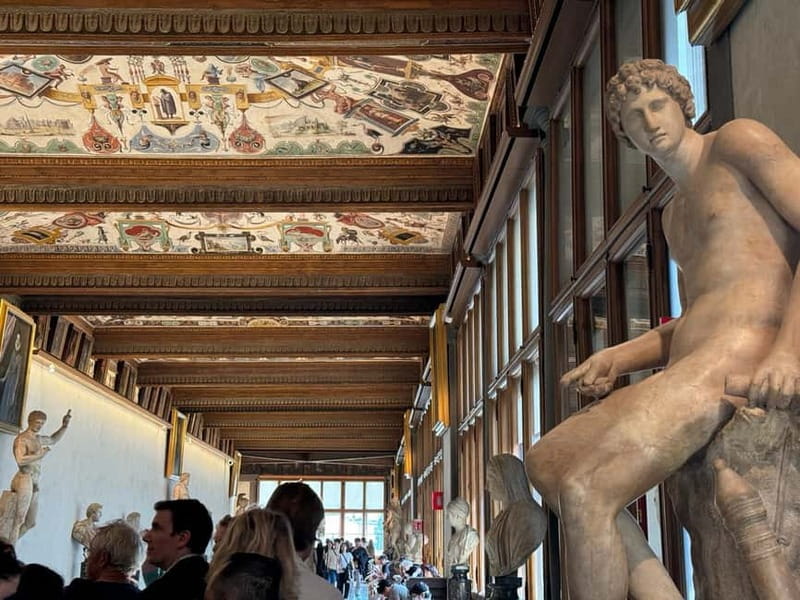
This is not a live tour with a guide talking in your ear. You get access and then you’re walking through rooms at your own pace with the audio guide.
That matters because Uffizi planning is about choosing a rhythm. You’ll want to decide if you’re doing:
- a compact hit list (focus on the famous rooms and keep moving), or
- a deeper look (follow the audio order and expect to spend more time with the masterpieces you care about).
The building itself helps you structure the visit: it’s a long, historic complex rather than a one-corridor museum. The audio guide plus app map/list can help you find your way, but not every phone experience is smooth.
A couple of practical observations that can save you time:
- Bring your own headset.
- Expect some rooms to feel packed; have your phone volume and brightness set so you’re not fiddling every five minutes.
- If the map isn’t cooperating, don’t panic. Use the audio’s focus points and keep moving room to room.
The Masterpieces You’ll Want to See First (and why)
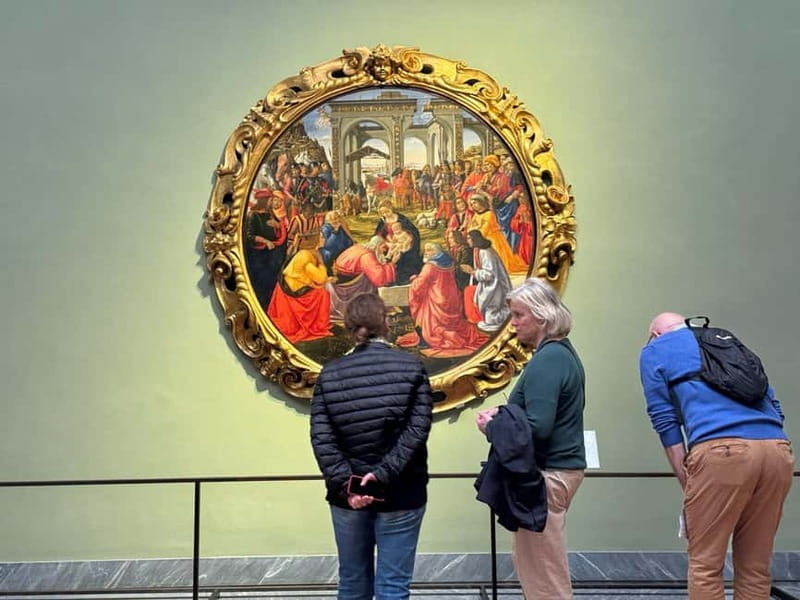
Uffizi is famous for a reason, but the order you see things changes how it hits. Here are the highlights I’d treat as your anchors, since they’re explicitly part of what this audio route emphasizes.





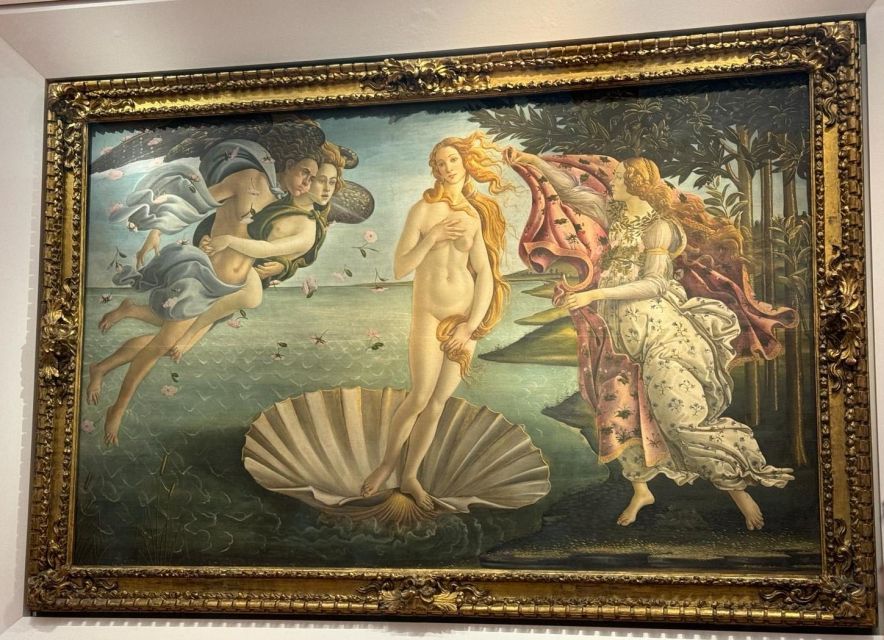
Botticelli: Primavera and Birth of Venus
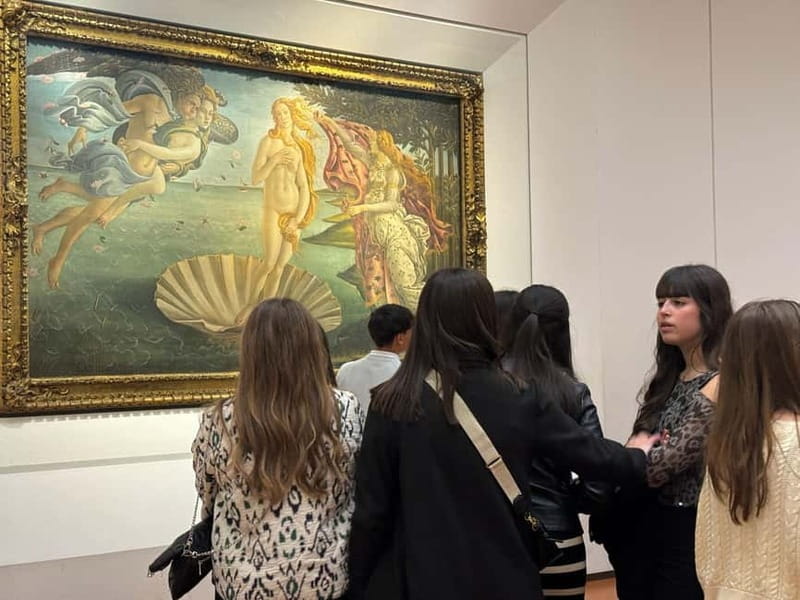
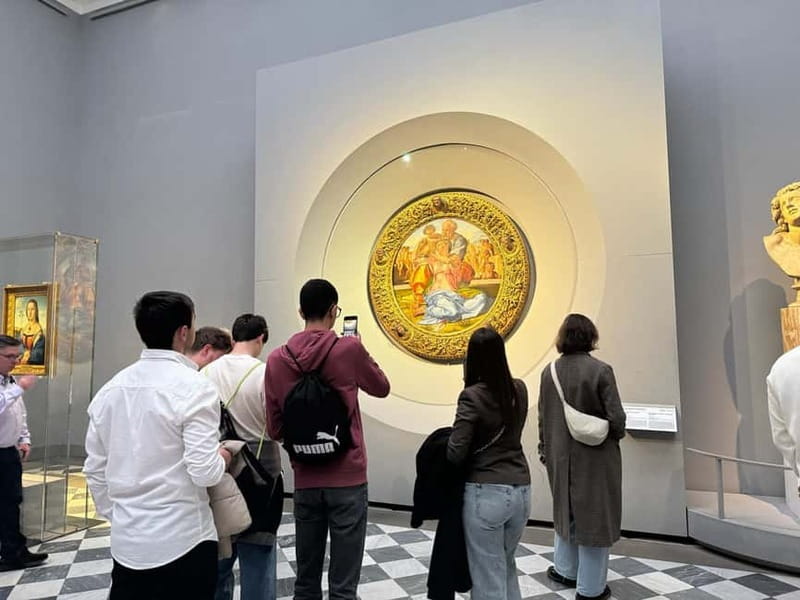
Botticelli is the most consistent emotional payoff in the building. Primavera is all motion and symbolism, and you’ll usually end up spending time mapping figures and details. Then The Birth of Venus lands like a museum icon for a reason: it’s often treated as the museum’s emblem, and the goddess emerging from the sea gives you something to focus on even when the room is crowded.
If you’re the type who gets overwhelmed by famous works, this is your solution: pick these two as your must-sees, then let the rest become bonus.
The Renaissance trio: Michelangelo, Leonardo, and Raphael
The Uffizi doesn’t just show one style of genius. You’ll see major works tied to Michelangelo, Leonardo da Vinci, and Raphael, which helps you understand how Renaissance art kept evolving while still sharing core ideas like anatomy, light, and storytelling.
A good way to experience this is to let the audio guide point you to the main works, then you decide how long you stay. Some people want more context; others just want to stand in front of the paintings and absorb.
Caravaggio’s Medusa
If you want a jolt of drama in the middle of Renaissance calm, Caravaggio’s Medusa is one of the works that provides contrast. It’s the kind of piece that feels different even if you’ve been seeing similar religious themes in room after room.
Raphael’s Madonna Del Cardellino
Raphael’s Madonna Del Cardellino gives you a warmer, more intimate feel. It’s a nice counterbalance to the bigger spectacle pieces and a good work to see when you need your eyes to rest.
Rembrandt self-portraits from the Dutch Golden Age
One of the more surprising strengths here is the presence of Rembrandt’s self-portraits. You’re not only watching Italian Renaissance greatness. You get a wider European lens, and the self-portrait format can be a fun way to compare how artists present identity across time.
POP GUIDE App Tips: How to Avoid Audio Frustration
The audio guide is included, but the method is digital. The POP GUIDE system can be excellent when it’s set up right, and frustrating when it’s not.
Here’s what I’d do before you go in:
- Download the POP GUIDE app ahead of time.
- Headphones charged and ready.
- Plan for weak in-museum signal. Some people had trouble downloading until they got a workaround; others were fine once the content was available offline.
Inside, keep expectations realistic. If the app map is hard to follow or audio pauses, you might need to step forward and re-check what you were on. A few people reported playback issues or difficulty understanding the navigation, so don’t structure your entire visit around perfect tech.
Also note a key point: the audio guide is designed to be used with your personal device. If you don’t want to deal with app setup, you might prefer a live guide instead of a digital-only experience.
What the $33 Ticket Buys You (and How That Value Adds Up)
At about $33 per person for 2 hours, you’re paying mainly for two things:
- your reserved timed entry, and
- a digital audio guide included in the ticket.
For the Uffizi, timed entry often changes your day because queues are real. If you’ve ever stood outside major Florence museums, you know how quickly “one hour” turns into “lost afternoon.” Here, the ticket helps you use your limited time more efficiently.
Then there’s the audio guide value. Even if you only listen for parts of the visit, it adds context so the famous names become more than labels. You can also revisit what you liked later since it’s on your phone.
Is it worth it for everyone? It’s a strong deal if you want independence and you’re comfortable with a phone-based guide. If you want a lot of live interpretation, this setup won’t replace a human guide.
Pace, Crowds, and Room Strategy: Make Two Hours Feel Longer
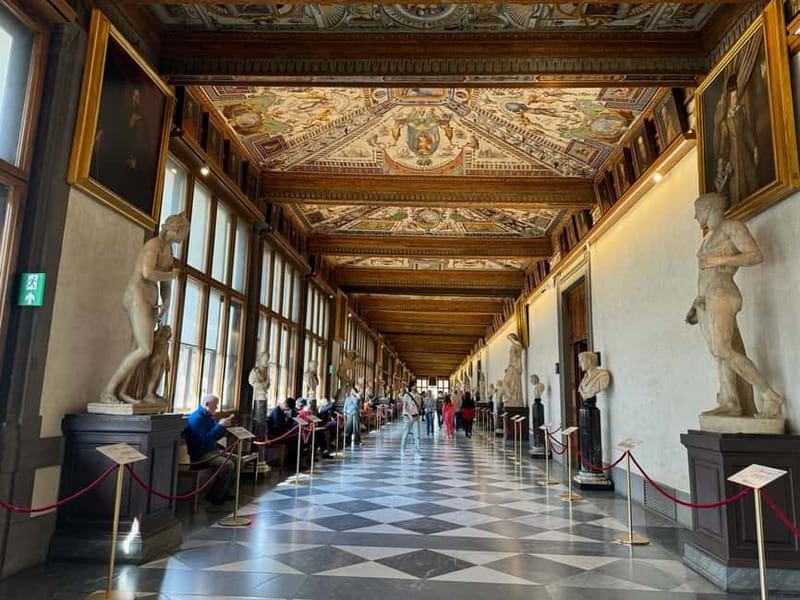
The Uffizi can trick you. Two hours sounds short until you realize the museum has multiple levels and lots of high-impact works stacked together.
A smart approach:
- Start with your anchor masterpieces first, before you’re tired.
- After that, follow the audio guide’s focus points and let your curiosity pick the next room.
- If you want a reset, plan a pause rather than rushing through everything.
Also, take advantage of breaks. One thing that comes up in people’s experiences is that there’s a cafe at the far end of level 2. It’s a practical recharge when you’re spending hours indoors.
If you’re someone who hates crowds, aim early. Some visitors found it less chaotic at the start of the day, even though the museum is still busy.
Practical stuff I’d keep in your daypack

This is where small details can save your time.
Bring:
- Passport or ID card (required)
- Headphones (for best use of the audio)
- Internet access if you want to handle any app downloads more smoothly
Don’t bring:
- Pets
- Weapons or sharp objects
- Luggage or large bags
One more thing: when you arrive, be ready to follow staff instructions. The meeting point exchange is designed to get you moving quickly, and your spot matters if you’re trying to beat the main flow.
Wheelchair access is listed as available, and the museum entry process supports visitors who need accessible routing.
Who should book this Uffizi ticket with audio (and who might not)
This works best if:
- you want skip-the-line timed entry and a smoother start,
- you like self-guided art time, and
- you’re comfortable using a phone app for the audio guide.
You might reconsider if:
- you dislike app-based audio or you know your phone struggles with downloading,
- you want a more interpretive experience from a live person, since this ticket does not include a tour guide, only an audio component,
- you need absolute technical certainty, since a few people reported playback or download hiccups.
Should you book this Uffizi timed entry with audio?
I’d book it if you’re trying to see the Uffizi’s core highlights without spending half your day in lines, and if you’re okay doing the thinking yourself with audio guidance. At $33 and with 2 hours of planned entry, it’s a practical value for a museum this famous, especially when crowds can eat your schedule.
I wouldn’t book it as my only plan if you’re purely looking for expert live interpretation. For that, you’d likely be happier with a guided option rather than audio-only.
If you do book it, set yourself up for success: download the POP GUIDE app in advance, bring working headphones, and give yourself a little time for the security check. Then you’ll get what this ticket is best at: more art time, less line time.
FAQ
How long is the Uffizi visit with this timed entry ticket?
The experience is listed as 2 hours. In practice, you may spend more time if you slow down for the works you care about most.
Does this ticket include a tour guide?
No. It includes entry and a digital audio guide, but not a live tour guide.
Where do I meet the host to exchange my voucher?
Meet your host in front of Leonardo da Vinci’s statue. The staff member will be holding a white flag that says ENJOY ROME.
What do I need to bring for the audio guide?
Bring your own headphones. The audio guide uses the POP GUIDE app, so having the app ready helps.
Is an ID required?
Yes. A passport or ID card is mandatory.
Can I skip the line?
Yes. You get skip-the-line entry through a separate entrance, but you still go through a security check.
What languages is the audio guide available in?
The audio guide is available in English, Spanish, French, German, and Italian.