REVIEW · BIG ISLAND OF HAWAII
Big Island Hawaii Self-Guided Driving Tour
Book on Viator →Operated by Travel with Action · Bookable on Viator
One drive, 10 climates, and hundreds of stories. This Big Island self-guided driving tour uses offline maps and GPS-triggered audio so you can stop for what actually grabs you, then roll on without waiting for a bus schedule. I especially like the freedom to set your own rhythm and the way the audio cues keep you moving site to site without constant fiddling.
The one drawback: the time range can surprise you. The tour is often listed as 2–3 hours, but the full route note says 300+ miles and about 7–8 hours when you do it as intended.
If you want independence with built-in context, this is a smart way to get oriented on the island. With lifetime access and unlimited re-listens, you can also split the drive over multiple days and come back later without re-buying.
In This Review
- Key highlights to know before you go
- Price and value: $16.99 per group can beat a bus day
- Offline setup: how Action’s Tour Guide app gets you started
- How long will it take: the 2–3 hour promise vs the 300+ mile reality
- Start in Hilo: Rainbow Falls, basalt pools, and tsunami memory
- Easy quick stops: singing road deck, small waterfall breaks, and botanical gardens
- The Hamakua/upper drive: Laupahoehoe, train history, and getting your bearings
- Kohala Coast and the Waimea side: Anna Ranch and beach-time choices
- Waikoloa and Kona-area beaches: Hapuna, Kīholo Bay, and state park variety
- Kona coast culture stops: Kaloko-Honokōhau and Kuamoʻo Burials
- Kailua-Kona to Honaunau: white sand views, snorkeling reefs, and royal-place vibes
- Toward Punaluʻu: pebble beach, lava tubes, and the black-sand moment
- Hawaii Volcanoes National Park: Kīlauea, Mauna Loa, and how to drive the rim
- Practical driving tips: avoid the common headaches
- Who should book this Big Island audio driving tour
- Should you book it or skip it?
- FAQ
- Is this tour really offline?
- How do I start the audio tour?
- Do I need tickets included in the price?
- Can I use it more than once?
- What’s the difference between the listed duration and the full route time?
- What if the app doesn’t work or audio fails?
Key highlights to know before you go
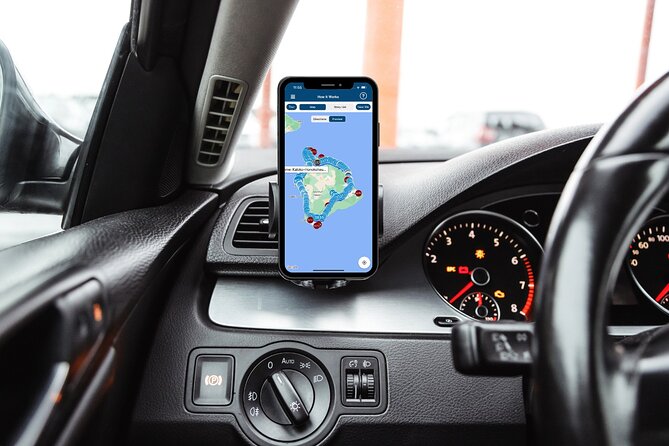
- Offline maps + GPS-triggered audio keep you exploring even when signal is spotty
- One purchase per group (up to 4) is usually cheaper than a guided bus day
- Free stop-by-stop sites mean you control what to pay for, if anything
- Hilo to Kona to Volcanoes lets you see the island’s big contrasts in one loop
- Tons of audio markers (210+ stories on the full 300+ mile route) make the drive feel like a tour
Price and value: $16.99 per group can beat a bus day

This tour costs $16.99 per group, up to 4 people. That pricing matters on the Big Island, where guided days can get pricey fast if you’re traveling as a small group and you still want the freedom to stop on your own terms.
The big value isn’t just the low cost. It’s that your “guide” lives in your phone and plays automatically based on your location, so you’re not paying for a slow bus pace. You can linger at waterfalls, step out for beach views, then skip anything that doesn’t fit your mood.
Also note what’s not included: there are no attraction passes, tickets, or reservations bundled in. Many of the stops in the route notes are free, but some are not, so plan to pay only when you choose to.
You can also read our reviews of more tours and experiences in Big Island of Hawaii.



Offline setup: how Action’s Tour Guide app gets you started
You’ll download a separate audio tour app by Action, then enter a password you get by email and text after booking. You must download the tour while you have strong Wi‑Fi/cellular, because the audio and offline maps work after that initial download.
Once you’re on-site, there’s no guide waiting at the starting spot. You go to the first story’s point and the audio should begin automatically. After that, the experience is designed to be hands-free: audio plays and moves you through the route with location-based cues.
For sound in the car, the tour setup recommends connecting your phone to your car’s stereo via Bluetooth, USB, or AUX. It’s compatible with Apple CarPlay (with navigation features described as coming soon) and Android Auto support is also on the way, but in real-world use you may still want to keep your phone visible—especially if you rely on car screens more than your phone.
Two practical tips that can save stress:
- If you’re using your car screen, keep the phone accessible as a backup if the map display behaves differently than expected.
- Take a screenshot or photo of your password so you can restart quickly without hunting through emails.
How long will it take: the 2–3 hour promise vs the 300+ mile reality

On paper, the tour duration is listed as about 2–3 hours. But the route note for this same experience mentions 300+ miles, 210+ audio stories, and roughly 7–8 hours to complete.
So how do you plan? Treat the 2–3 hour number as “do a lighter version.” If you actually hit the major stops and spend time outside the car, you’re realistically looking at a half-day to full-day drive.
A smart approach is to pick your priority stops first—Hilo area, Kona coast, and Hawaii Volcanoes National Park are the obvious anchors. Then fill in the rest based on time and energy. One of the great parts of this format is that you can pause and come back later, since the tour is designed for on-your-own pacing.
Start in Hilo: Rainbow Falls, basalt pools, and tsunami memory
Hilo is a strong first move because the island’s east side feels lush and wet, and it sets the tone for everything you’ll see later. The route notes connect Hilo with Wailuku River State Park and Waianuenue (Rainbow Falls), where you’ll get colorful mist effects.
You’ll also hear about the nearby Boiling Pots, bubbling basalt-lava rock pools—very Big Island, very hands-off for safety, and a great early stop if you like natural features with dramatic textures.
This part of the tour also threads in history. The route includes the Laupahoehoe Train Museum and the story of the April Fools Day tsunami in 1946, including the monument on Laupāhoehoe Point. If you’re the type who likes context, these are the stops where the audio does real work beyond describing scenery.
Practical note: some of the coastal pullouts around Hilo are not easy “walk-in” places. One stop is described as popular with surfers and likely not a casual swimming beach due to rocky bottom and strong currents. Limited parking and stairs up/down to reach it are part of the deal, so plan comfortable footwear and be ready to move carefully.
Easy quick stops: singing road deck, small waterfall breaks, and botanical gardens

Not every stop needs a long hike. A few in the route notes are short 5-minute-style “stretch your legs” moments that still add personality.
For example, there’s a stop at 203 Kilauea Ave described with a steel grid deck that creates a singing sound from car tires. It’s brief, free, and oddly memorable in that Big Island way where the little details feel intentional.
There’s also Sugar Mill Road for a small waterfall (again, short and free). If you like using driving time efficiently, these quick hits are perfect when the island rain changes your plans and you want a simple stop without committing to a long outing.
Another stop to budget time for is the World Botanical Gardens and Waterfalls, described as a commercial botanical garden and a large waterfall between Umauma and Hakalau. Plan a little extra time here if it’s wet or misty, because paths and viewing areas can take longer than you expect.

The Hamakua/upper drive: Laupahoehoe, train history, and getting your bearings
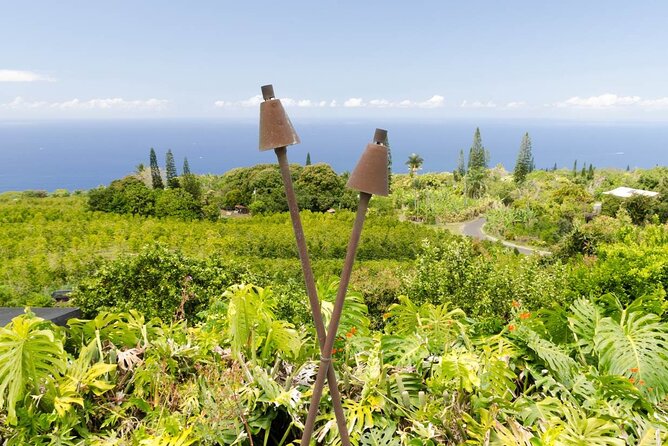
As you move beyond Hilo, the audio route helps you connect why these roads matter. One of the most useful parts of a self-guided driving tour is not only the “what,” but the “why here.”
The Laupahoehoe Train Museum section does that by linking the area’s railroad history to the broader story of North Hilo and Hamakua. Even if you’re not a train person, it adds context for the region you’re driving through.
Then the tour heads toward the Kohala Coast region, where the route notes describe rugged lava fields around you. This is where you start to feel the island’s dramatic geology shift: less green wall-to-wall, more rock-and-sky, and a different kind of beauty from the same ocean-sized land.
Kohala Coast and the Waimea side: Anna Ranch and beach-time choices
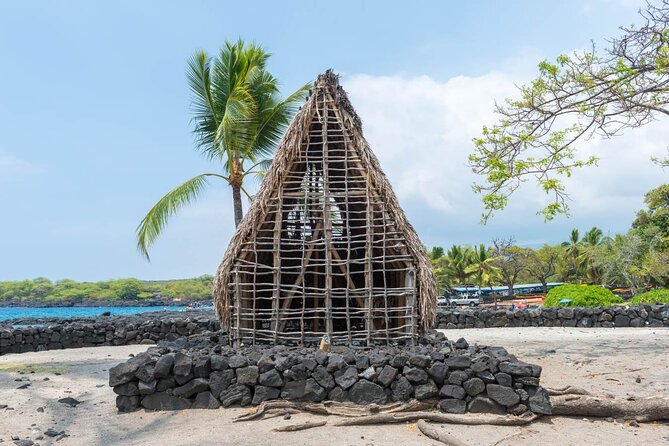
The route notes point you toward the Kohala Coast, described as rugged lava fields and home to some of the island’s finest resorts. You may not see everything from the highway, but this zone sets you up for both ocean views and quick nature stops later.
Near Waimea, there’s an Anna Ranch Heritage Center, described as a former cattle ranch named for Anna Leialoha Lindsey Perry-Fiske (1900–1995). That family connection and ranch history are a helpful contrast to the volcano focus you’ll reach farther west.
On this section you also get major “choose your beach” options. One standout is Hapuna Beach, described as the island’s largest white sand beach and consistently rated on international top-ten lists. You’ll also get a nearby hiking choice: a 7.7-km out-and-back trail near Waikoloa Village, generally considered easy and listed at about 1 h 44 min.
If you like short walks, you’ll also see a 0.8-km out-and-back trail near Pepeekeo listed as generally easy (about 13 minutes). Dogs are welcome there, but must be on a leash.
Waikoloa and Kona-area beaches: Hapuna, Kīholo Bay, and state park variety
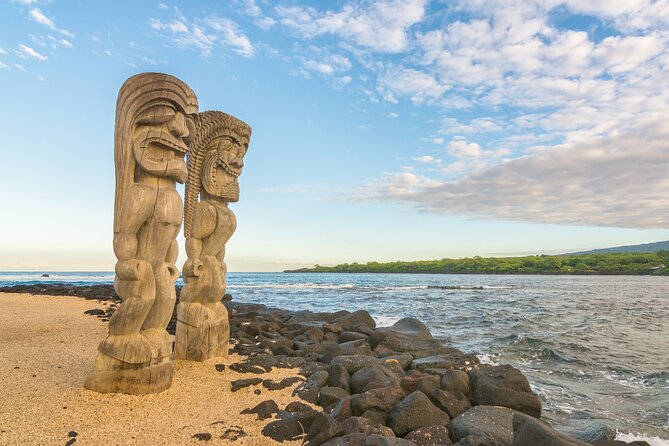
The Waikoloa and Kona-adjacent stops help you see how the Big Island’s coast can feel different in just a short drive.
At Waikoloa Beach, the notes point out it can be confused with Waikoloa Village since they’re close and similarly named. If you’ve ever spent 20 minutes trying to figure out you’re on the wrong road, you’ll appreciate having that heads-up built into the route.
For Kīholo Bay, the route notes get specific about geology: the land around the bay is flanked by lava flows from Mount Hualalai (around 1801) and Mauna Loa (1859). That’s a nice listening-to-driving combo because you’re literally watching the island’s history in real time.
Then comes Kekaha Kai State Park (formerly Kona Coast State Park). The notes describe multiple beach areas—Maniniʻowali Bay, Makalawena beach at Puʻu Aliʻi Bay, and Mahaiʻula Bay—so if one spot is crowded or winds pick up, you can choose another area within the same park framework.
Kona coast culture stops: Kaloko-Honokōhau and Kuamoʻo Burials
Not all of this tour is about photos. Some stops are about meaning.
Kaloko-Honokōhau National Historical Park is listed as a National Historical Park in the Kona District that includes the Honokōhau Settlement archaeological site. If you want a sense of place that goes beyond “pretty water,” this is where the audio context helps.
Another deeply significant stop is the Kuamoʻo Burials, also known as the Lekeleke Burial Grounds. The notes describe it as a historic Hawaiian burial site for warriors killed during a major battle in 1819. When the audio tells the story, treat it with the respect you’d expect at any memorial.
These are also the spots where timing matters. If you arrive late in the day, you may have less time for walking the area carefully or reading interpretive material without rushing.
Kailua-Kona to Honaunau: white sand views, snorkeling reefs, and royal-place vibes
On the Kona side, the route includes Kailua-Kona, described as a public park with a white sand beach and rocky shoreline, plus lifeguards overseeing swimming and surfing. It’s a practical stop for a quick break, especially if you’ve been driving for a while.
There’s also a snorkeling-friendly note: another small beach and reef with generally calm water is listed as a popular snorkeling spot. Calm water and rocky edges can still be unpredictable, so use common sense—watch for currents, and don’t go farther than you can comfortably handle.
Further west, the route points you toward Captain Cook and then Puʻuhonua o Hōnaunau National Historical Park. Puʻuhonua is the kind of place where walking slowly helps. It’s also the region where the audio’s volcano and geology threads start tying together with the island’s human story.
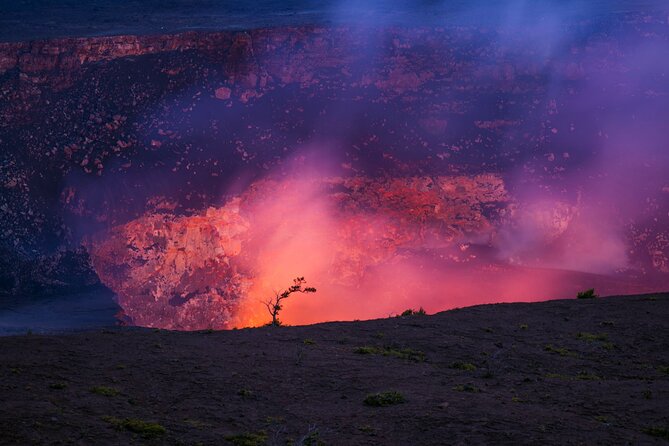
Finally, the route notes include Kīlauea as an active shield volcano, with a reminder that historically it’s been the most active of the five volcanoes forming the Big Island. That’s useful context before you hit the main volcano park later.
Toward Punaluʻu: pebble beach, lava tubes, and the black-sand moment
Stop 87 Hawaiʻi Belt Rd is described with Pebble Beach, where you’ll see black pebbles that give a black-sand look, but it is not sandy here. It’s a good “legs out of the car” stop because you can watch the ocean and get a different texture of shoreline than you’d see on the tourist sand beaches.
The route also mentions centuries-old lava caves & tube systems once used by native tribes for shelter and water collection. These are the kinds of locations where audio can be more helpful than a lot of signage because it explains what you’re seeing and why it matters.
Then you reach Punaluʻu Beach, described as black sand made of basalt created when lava flows into the ocean and cools. This is in Hawaiʻi Volcanoes National Park, so think of it as a transition stop: you’re moving from coast-and-history into the volcano core.
The route notes also include HI-SEAS, described as a Mars and Moon simulation site on a Mars-like location on Mauna Loa. If you like unusual science themes mixed into real land, this is a fun listening stop before you go full volcano.
Hawaii Volcanoes National Park: Kīlauea, Mauna Loa, and how to drive the rim
The final major anchor stop is Hawaii Volcanoes National Park. The route notes focus on the big, classic experience: Kīlauea and Mauna Loa are active volcanoes here, and you’ll get stories tied to what you see while driving.
The Crater Rim Drive is described as passing steam vents and the Jaggar Museum, plus a viewpoint overlooking Halemaʻumaʻu Crater. There’s also a mention of thick ferns marking the entrance to the Thurston Lava Tube (Nāhuku), and Chain of Craters Road weaving over lava, with trails crisscrossing the park.
Plan for a lot of time here even if you only do the driving. Roads in and around the park can slow your pace, and you’ll likely want short walks to match the audio cues. If you’re running a strict schedule, pick the Rim Drive highlights first, then choose one area to walk.
Also keep expectations grounded: volcano parks can be foggy, smoky, or windy depending on conditions, and visibility can change quickly. The self-guided setup helps because you can pause your drive, listen where you stop, and move on when you’re ready.
Practical driving tips: avoid the common headaches
If you’re doing the full loop, driving is a big part of the experience, so small choices matter.
Start the download before you leave Wi‑Fi range. Several real-world issues tie back to not fully downloading. If the app freezes or won’t jump to the next marker, it’s often because the offline content wasn’t ready.
Use your phone’s GPS carefully. The audio plays based on your location, so make sure your GPS and phone location are behaving. If you’re using a second screen or car system, keep a backup plan: be ready to check the phone map when the car display doesn’t cooperate.
Take rain gear and non-slip shoes. The route notes include waterfalls and botanical stops, and the island side-to-side weather shift is real. For wet boardwalks or misty gardens, traction matters.
Give yourself extra time for parking and stairs. One of the Hilo-area coastal stops is described with limited parking and stairs down and up. Build time into your day for the actual human steps, not just the driving between coordinates.
Expect gaps. The island can feel like long stretches between services. The best schedule I’ve seen work is one with snack breaks and a charger handy, since the drive is long.
Who should book this Big Island audio driving tour
This works best for:
- Small groups who want one price for the car, not per person
- People who get motion-sick on buses and still want guided context
- Anyone who likes flexible timing and can handle a self-serve start at the first story point
- Drivers who enjoy learning while they go, especially about volcanoes, tsunamis, and Hawaiian history
It might not be the best fit if:
- You want a strict 2–3 hour “set it and forget it” plan
- You hate tech setup and syncing your phone to your car
- You only want the main sights and don’t enjoy doing any in-between stops
Should you book it or skip it?
Book it if you want a low-cost way to experience the Big Island’s big story arc: east-side Hilo beginnings, Kona coast variety, and the volcano park as the grand finale, all with offline audio and the ability to pause, skip, and revisit.
Skip it if you need a guaranteed end-to-end schedule with minimal phone involvement, or if your travel style doesn’t match long driving days. In that case, a guided day with a fixed itinerary might feel less stressful.
FAQ
Is this tour really offline?
Yes. The tour uses offline maps and offline audio after you download the tour once on strong Wi‑Fi/cellular. After that, it’s designed to work without cellular signal or Wi‑Fi.
How do I start the audio tour?
After booking, you’ll receive a password by email and text. Once you’re at the starting point, open the Action audio tour app and start the correct tour version for your starting location and direction. Then follow the first story point and audio cues.
Do I need tickets included in the price?
No. Attraction passes, entry tickets, and reservations are not included. Some stops are free based on the route notes, but you should still expect you may need to pay at certain sites.
Can I use it more than once?
Yes. You get new lifetime access with no expiry, and you can use it anytime on any trip as many times as you want.
What’s the difference between the listed duration and the full route time?
The experience is listed as about 2–3 hours, but the route note describes a longer 300+ mile journey with 210+ audio stories and about 7–8 hours to complete. Your time depends heavily on how many stops you make and how long you spend at each.
What if the app doesn’t work or audio fails?
If you face audio issues, you should contact support. Make sure the tour is fully downloaded before you start, and if you’re having trouble connecting, check the phone-car audio setup and any troubleshooting guidance available through the provided materials.