REVIEW · ATHENS
Acropolis: 3D representations & audiovisual self-guided tour
Book on GetYourGuide →Operated by Culture App · Bookable on GetYourGuide
The Acropolis feels different through a screen and headphones. This self-guided tour pairs audio narration with 3D reconstructions, 360° views, videos, and an interactive map so you can explore Athens at your pace. It covers the big hitters like the Parthenon and Erechtheion, plus other monuments, with guidance designed to run on your phone.
What I like most is how 3D representations and 360 panoramas help you understand what you’re looking at, not just stare at stones. I also like that the tour runs in eight languages and includes audio info for 17 monuments, with extra media for many of them. The main drawback: you’ll need a charged smartphone (and internet access) to make the tour work well, and the site entrance fee is not included.
In This Review
- Key takeaways before you download
- How the Culture App turns Acropolis ruins into a guided experience
- Getting to the Acropolis without a meeting point hassle
- Using the interactive map to create your own monument order
- The Parthenon track: 3D reconstruction meets city views
- Erechtheion: turning one stop into several layers of meaning
- Temple of Athena Nike: how videos and audio add clarity
- 360° panoramas: the moment you stop walking and start seeing
- Media extras: what 3D, videos, and related stories really add
- Languages and narration: choose what helps you think, not just what’s available
- Price and value: what you’re paying $9.02 for
- Timing and pacing: use the app as long as it feels useful
- What to bring for a smooth self-guided day on the hill
- Who this tour suits best
- Should you book the Acropolis 3D audiovisual self-guided tour?
- FAQ
- Is the Acropolis entrance fee included?
- Where do I start, if there is no meeting point?
- What does the tour cost?
- How long is the tour valid after activation?
- Which languages are available for the audio?
- Does it work offline?
- How much space does the app require?
- Do I need a smartphone and earphones?
- Can I use it before or after my visit?
- How many monuments are covered?
Key takeaways before you download

- 3D models + 360 panoramas: see key monuments as they appeared in antiquity, plus wide views from the hilltop.
- Audio for 17 monuments: narration and historical info are built around multiple stops.
- Interactive map: find where you are quickly so you can keep moving without guessing.
- Lots of media: immersive videos for 14 monuments and extra stories for 8.
- 8 language options: English, Greek, Spanish, German, French, Italian, Dutch, and Chinese.
How the Culture App turns Acropolis ruins into a guided experience
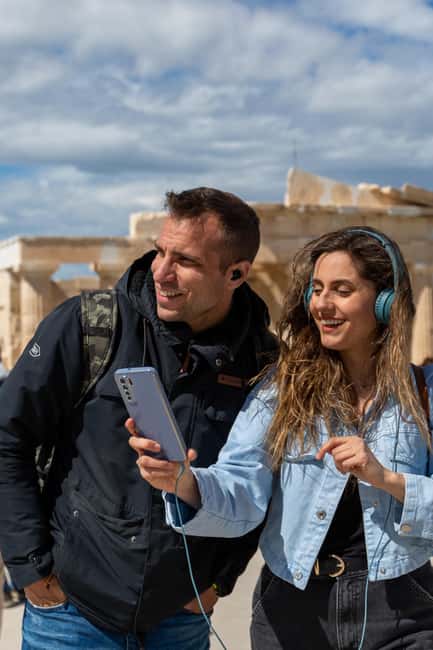
This is a downloadable app tour, not a live guide with a headset group. You’ll use the Culture App on your own device, and the experience is designed to feel like a guided walk even though you’re calling the pace. After you book, you get an email from the provider with instructions to download the content—check spam, because that’s where emails like this often end up.
A few practical points matter here. You need internet access to use the tours effectively, and the app content needs about 200MB of storage space on your phone. Plan for that before you arrive, especially if your hotel Wi-Fi is slow or you’re traveling with low mobile data. Also, bring earphones—the narration is a big part of how the tour makes sense of what you’re seeing.
One smart feature is that the tour can be used anywhere anytime: before, during, or after your visit. That means you can do a little prep at a café near your accommodation, or review what you saw later from home.
You can also read our reviews of more tours and experiences in Athens.



Getting to the Acropolis without a meeting point hassle

This tour has no meeting point. That’s great if you like independence, but you still need a clean plan for arrival. The simplest route is the metro: take the RED line and get off at the Acropolis metro station, then walk about 10 minutes to the Acropolis Archaeological site.
Once you’re there, you’re not “checking in” anywhere. You’re just starting the experience wherever you are on the hill, then following the app’s interactive map to the monuments included in the audio and media tracks.
Using the interactive map to create your own monument order

The tour isn’t built around one fixed group schedule, so your “itinerary” becomes whatever order makes sense for your energy and the daylight. The interactive map is there to keep you from wandering aimlessly. When you open the app, you’re essentially getting a set of guided waypoints across multiple monuments.
Here’s what you can expect from the scope of stops:
- Audio narration and historical information are included for 17 monuments
- 3D models and 360 panoramas are included for 15 monuments
- Immersive videos are included for 14 monuments
- Related stories are included for 8 monuments
In plain terms: you won’t just hear narration. You’ll often get visuals to match what you’re standing in front of, plus extra stories when the app wants you to connect the stones to myths and events.
The Parthenon track: 3D reconstruction meets city views

If the Parthenon is on your list, this app approach is a useful way to make the structure “click.” The Parthenon is one of the iconic monuments that comes to life using stunning 3D detail and accompanying audio narration.
Why that matters in real life: from the ground, it’s easy for details to blur—columns, angles, and scale can be hard to read when the building is partly ruined and the light is changing. With a 3D reconstruction, you can visually compare what you see now with what stood there in antiquity, while the narration places the monument in context.
You also get 360 panoramas for many of the monuments. Even if you don’t stare at the screen the entire time, the app pushes you to pause and look outward. That’s where the Acropolis has its power: it’s not only architecture. It’s also a high viewpoint over Athens, with the chance to take in a view up to the sea.
Erechtheion: turning one stop into several layers of meaning

The Erechtheion is another major named highlight in the tour, and it’s the kind of monument that benefits from a guide-style explanation. The audio narration helps connect what you’re looking at with the stories around the site, including Greek mythology references woven into the experience.
This is where the app’s format shines: it doesn’t treat the monument as a standalone object. It frames the place as part of the bigger picture of ancient Athens—its traditions, figures, and cultural identity. You can move at your pace: spend longer on the parts that catch your attention, or keep moving when you feel you’ve got the key idea.






Temple of Athena Nike: how videos and audio add clarity

The Temple of Athena Nike is included as one of the named iconic structures you’ll encounter through the app. For many monuments in the tour, you’ll also have immersive videos and audio narration working together.
When the ruins are smaller or harder to interpret from a distance, video can help you understand layout and design choices. The audio then gives you the meaning behind the visuals: who Athena was in Greek culture, and why this location mattered. You don’t need to be an architecture expert to get value here; you’re essentially guided to notice specific features the narration calls out.
360° panoramas: the moment you stop walking and start seeing

A big theme of the tour is the blend of monuments and viewpoints. The app includes 360 panoramas for 15 monuments, which means the experience isn’t just “look at buildings.” You’ll also be pushed to rotate your perspective and take in the setting.
Use this as your reality check. As you stand on the Acropolis, you’re physically high above the city—so the viewpoint is part of the story. The app’s panoramas help you connect the view to the monuments you’re learning about, and they’re especially helpful if you want to understand how the site dominates the skyline.
If you’re traveling with a friend, this is a nice way to avoid the usual mismatch—one person reading every sign while the other wanders. The app gives both of you a reason to pause at the same time.
Media extras: what 3D, videos, and related stories really add
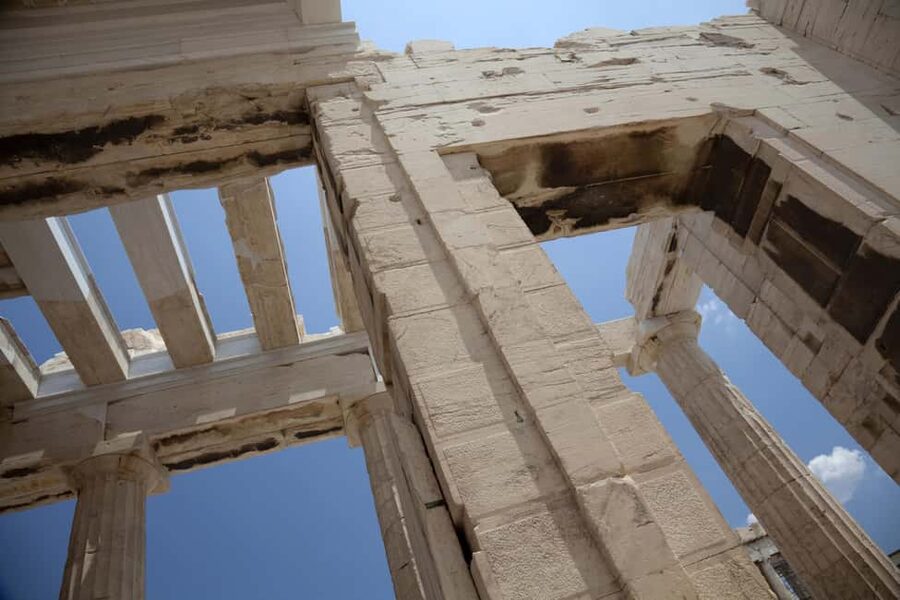
The tour mixes formats on purpose. Here’s how to think about each one:
- 3D representations: best for understanding form, proportions, and what the monument likely looked like in antiquity.
- 360 panoramas: best for context—where the monument sits in relation to the city.
- Videos: best for clarity when you can’t easily read details from where you’re standing.
- Related stories: best for turning facts into a narrative you’ll actually remember.
You’ll notice this especially across different monuments, because not every stop will feel equally “legible” in real life. The app fills those gaps with visuals and stories so you keep moving with comprehension, not confusion.
Languages and narration: choose what helps you think, not just what’s available

This tour includes language options in eight languages: English, Greek, Spanish, German, French, Italian, Dutch, and Chinese. If you’re choosing between languages, I’d pick based on comfort level, not accuracy goals.
Why? When you’re walking, your attention is split between the ground (stairs, uneven surfaces), the view, and your audio. If the narration is hard to follow, you’ll miss the point. Using a language you can fully understand lets the myths and historical info land while you’re still standing at the monument.
Also, since the tour is audio-based, bring earphones you trust. If your earbuds only work halfway or keep cutting out, the experience can feel choppy.
Price and value: what you’re paying $9.02 for
At $9.02 per person, this isn’t a big splurge. But you should understand what it is—and what it isn’t.
You’re paying for the downloadable app experience: 3D models, 360° panoramas, videos, audio narration for 17 monuments, plus an interactive map. You are not paying for the Acropolis entrance fee, and you’re not paying for a human guide.
So the value question becomes: do you want to learn while you walk without joining a tour group? If yes, this is a cost-effective way to add structure to your visit. You get multiple media types, not just a basic audio track, and the content stays on your phone so you can use it before or after your visit too.
If you’re the type who already loves reading signs and museum plaques, you might feel you’re paying for repetition. But if you want something more guided than an app that only tells you what you’re looking at, this one’s built with visuals that make the monuments easier to grasp.
Timing and pacing: use the app as long as it feels useful
The only “duration” detail provided is that the tour is valid for 5 days from first activation. That’s a big advantage if your plans are flexible. It means you can start on one day, continue on another, or revisit after you’ve had a chance to process what you saw.
At the site itself, your pacing is up to you:
- You can pause longer at monuments where the 3D or media helps most.
- You can skip ahead when you’re short on time and return later for stories you didn’t get.
- You can use the audio as you walk so you don’t stop and read constantly.
This is a good fit if you dislike rushing and hate feeling like you’re constantly trying to keep up with a group.
What to bring for a smooth self-guided day on the hill
You’ll get the most from the tour if your gear is ready before you start. Bring:
- Comfortable shoes (you’ll be walking on uneven historic ground)
- A sun hat
- Water
- A charged smartphone
- Earphones (the tour data explicitly advises having them)
Also plan for your phone to have enough battery for narration, map use, and media. If your battery dies mid-visit, you’ll lose the audio and visuals right when the view is best.
Who this tour suits best
This is a smart pick if you want:
- A self-guided way to understand the Acropolis without paying for a human guide
- 3D and audio support across multiple monuments
- Flexibility to use the content before, during, or after your visit
- A language you can comfortably listen to while walking
You might prefer something else if you don’t want to rely on your phone (internet needed) or if you’re traveling without a smartphone that can store and play the app content reliably.
The tour also helps if you’re traveling with different interests. One person can enjoy the visuals and stories, while the other stays focused on the viewpoints—yet you’re still following the same monument markers.
Should you book the Acropolis 3D audiovisual self-guided tour?
I’d book this if you want more than a casual walk through the Acropolis ruins. For the price, the mix of audio narration, 3D reconstructions, 360 panoramas, and videos gives you a richer understanding than a simple audio-only guide, and the interactive map keeps you oriented.
Skip it if you’re expecting a guided group service or if you don’t want to depend on your phone and internet access. Also remember: you still need to handle the entrance fee yourself.
If you’re planning your Acropolis visit for maximum learning while keeping control of your time, this app-based approach is a solid value.
FAQ
Is the Acropolis entrance fee included?
No. The entrance fee is not included. You’ll need to arrange entry separately.
Where do I start, if there is no meeting point?
There is no meeting point. The easiest access is the Acropolis metro station (RED line), followed by about a 10-minute walk to the Acropolis Archaeological site.
What does the tour cost?
It’s priced at $9.02 per person.
How long is the tour valid after activation?
The tour is valid for 5 days from the first activation.
Which languages are available for the audio?
Audio and language support are available in English, Greek, Spanish, German, French, Italian, Dutch, and Chinese.
Does it work offline?
The tour data says internet access is required to use the tours effectively, so you should plan on having connectivity.
How much space does the app require?
It needs approximately 200MB of storage space on your phone.
Do I need a smartphone and earphones?
Yes. You’ll need a smartphone, and the information advises making sure your smartphone is fully charged and that you have earphones.
Can I use it before or after my visit?
Yes. The self-guided tour can be used anywhere anytime, before, during, or after your visit.
How many monuments are covered?
The tour includes audio narration and historical information for 17 monuments, with additional 3D models, 360 panoramas, videos, and related stories for many of them.