REVIEW · MIAMI
Self-Guided Audio Tour – Little Havana
Book on Viator →Operated by SOUNDWALKRS · Bookable on Viator
Audio tours beat group chaos in the street. Little Havana fits this format well, letting you follow the Cuban culture story around key stops like Calle Ocho and Domino Park without waiting for anyone else. The big win here is control: you start when you want, pause when you need, and keep going until the final chapter ends at Cuban Memorial Boulevard Park.
I like the practical side of this set-up, especially the promise of offline maps so you are not burning data while walking. I also like that the audio is built around moving through the neighborhood, so it feels more guided than a random playlist. One drawback to keep in mind: a chunk of the feedback points to app access and setup confusion, so you’ll want your phone ready before you reach the first stop.
In This Review
- Key points before you go
- How the Little Havana soundwalk works (offline + on your schedule)
- Price and value: $10 for a short, focused neighborhood loop
- Start at Little Havana Visitors Center: quick context before you walk
- Calle Ocho chapter: seeing the neighborhood through Cuban stories
- Domino Park and the old-timer voice: where the audio gets personal
- Historical landmark moment: using pauses to spot what you’d otherwise miss
- Tower Theater stop: an easy cultural photo and a good finish line
- Practical tips to avoid app frustration (based on real issues people hit)
- Who this Little Havana audio tour is best for (and who should skip it)
- Should you book Little Havana with an audio self-guided route?
- FAQ
- How long is the Little Havana self-guided audio tour?
- Where does the tour start and end?
- Does this audio tour work offline?
- What do I need to bring?
- Are admission tickets included for stops?
- Is this tour private?
- Can I cancel and get a full refund?
Key points before you go

- Offline map support helps you avoid data charges while you walk
- Start-stop freedom means you can linger at shops and photos
- Calle Ocho, Domino Park, and Tower Theater are built into the audio chapters
- Location-based audio is a plus, though some people found the guidance thin
- Admission tickets are not included, including at the Visitors Center
- A short downtown loop keeps the time commitment to about 1 to 1 hour 20 minutes
How the Little Havana soundwalk works (offline + on your schedule)
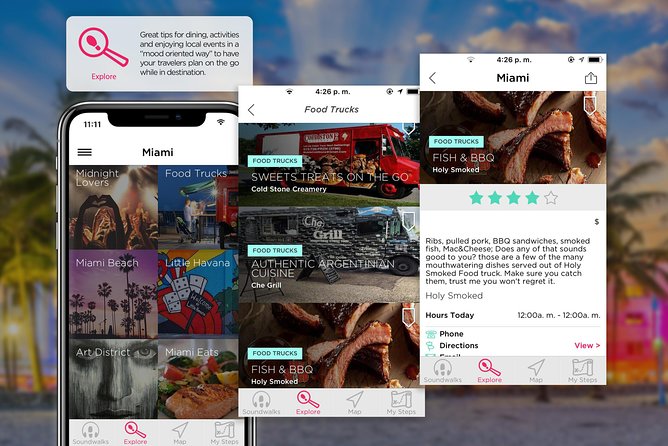
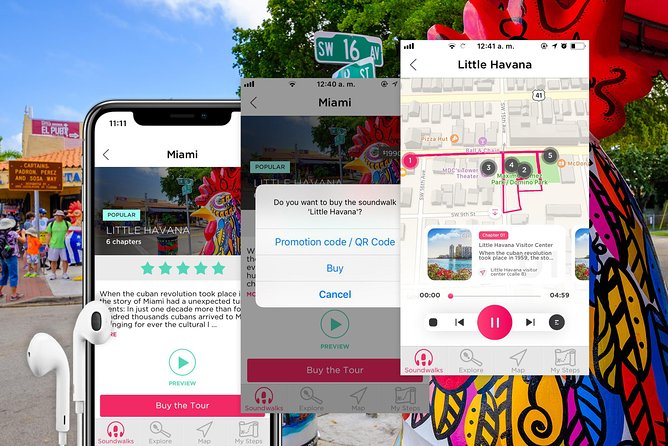
This is a self-guided audio tour you run from your smartphone. Think of it like a walking script: the map portion helps you find where you are, and the audio chapters talk you through what to notice as you move between stops. The tour is designed for you to take it at your own pace, which is huge in Little Havana when you’ll inevitably want to stop for a photo, a cafecito, or a quick chat with someone on the sidewalk.
The standout practical feature is the offline approach. You get maps and chapter content that are meant to work without relying on your cell signal. In real-world Miami walking terms, this matters. You want your phone to work for navigation and audio first, not for guessing whether a signal will show up for the next street turn.
Also, you do not need to worry about group pacing or check-in lines once you are set. This is listed as a private activity, meaning it’s only your group. That can feel like a small thing, but it changes the vibe: you can stop, rewind, and step aside without feeling like you are delaying a crowd.
The main “know before you go” is that a smooth experience depends on app setup. Some feedback specifically calls out confusion about how to access the tour and whether a separate download was required. Translation: arrive with your phone charged, and don’t treat the first audio as the moment you figure out the tech.
You can also read our reviews of more tours and experiences in Miami.


Price and value: $10 for a short, focused neighborhood loop
At $10 per person, this is priced like a low-cost cultural add-on, not a full-day guided tour. The value comes from what you get for that money: offline map chapters, audio storytelling tied to specific landmarks, and a route that takes about 1 hour to 1 hour 20 minutes in a manageable walking loop.
What you do not get is also important. Snacks are not included, and smartphone and headsets are not included. You’ll likely want earbuds, especially if you plan to listen on busy sidewalks. Also, admission tickets are not included, and that includes the Little Havana Visitors Center, where the tour introduces the neighborhood’s background.
One other value check: some people in the feedback compared this to free material they found on the street. I can’t confirm what you will see day-to-day, but it’s a fair reality check. If you love structured audio and an organized route, the $10 can still feel worth it. If you mainly want a quick orientation and you hate apps, you might decide you can piece it together with free signage and your phone camera instead.
Start at Little Havana Visitors Center: quick context before you walk
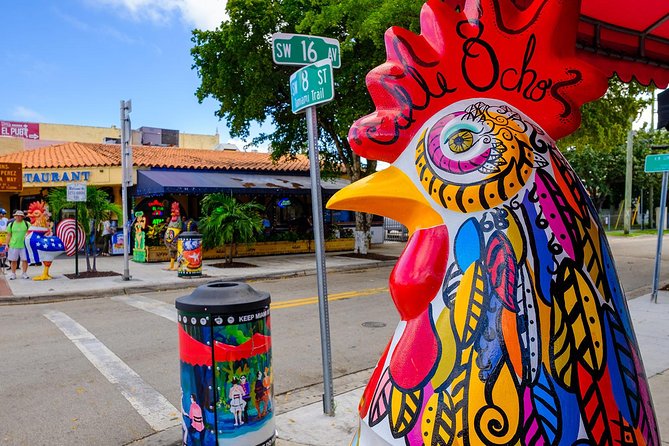
Your tour starts at Little Havana Visitor Center, 1600 SW 8th St, Miami, FL 33135. This first stop is short—about 5 minutes—and the goal is straightforward: you get history and context for the neighborhood so the audio chapters land with more meaning as you walk.
There’s also a practical catch: the admission ticket is not included here. So if you plan to spend time inside, budget for that. If you mostly want the audio to set the scene, you may be able to keep this stop brief and focus on moving onward.
Here’s how to make this stop work well for you:
- Give yourself time to orient outside first, then start the audio.
- If your phone needs you to download anything for the tour, do it before you step fully into the center area.
- Keep your phone brightness and volume in check. You’ll be outside, and you do not want to miss half the audio because the street is loud.
This is also a good moment to confirm your listening setup. Some reviews point to people not being able to access the tour at all. Testing right away saves you from walking half the route in silence.
Calle Ocho chapter: seeing the neighborhood through Cuban stories
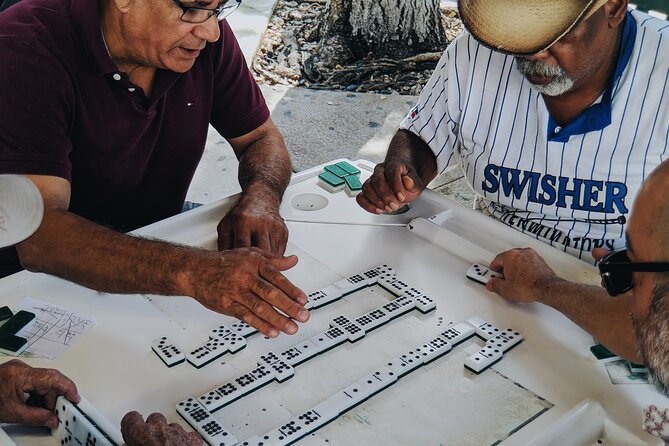
After the Visitors Center, the audio chapters take over as you move along the classic Little Havana corridor. Calle Ocho is called out as a key highlight, and you’ll hear stories meant to connect people and places—Cuban heroes, historical landmarks, and famous events.
What I like about this approach is that it turns your attention outward. You’re not just walking for exercise. You’re walking with prompts: look for details, listen for why this spot matters, and notice how the neighborhood identity shows up in the street scene.
Possible drawback: some feedback found the stories less engaging and felt the tour did not provide enough “how to” guidance. That can happen when an audio route assumes you already know the rhythm of audio tours. If you tend to get frustrated when instructions are unclear, you’ll want to follow the app steps early, keep an eye on what chapter you’re on, and be ready to pause if you lose your place.
Domino Park and the old-timer voice: where the audio gets personal

One chapter is specifically about following the voice of an old-timer, a storytelling style designed to make the neighborhood feel like more than a list of locations. Along the way, Domino Park is included as a highlight.
This is the kind of stop where your listening habits matter. If you try to watch everything while audio is playing, you may miss either the street details or the plot of the story. If you want the best balance, do a quick two-step:
1) Listen to a short chunk, then
2) Look up and take in what’s happening around you.
If you like history told through voices rather than lecture-style explanations, this chapter type is exactly what you’ll enjoy. If you prefer heavy factual narration with crisp dates, you might find it more story-driven than you expected.
Also, keep an ear out for language settings. One piece of feedback mentions audio appearing in Spanish even though English was selected. That doesn’t mean you’ll have the same issue, but it does mean you should check your language choice in the app before you start walking. If the app lets you switch languages, test it at the first chapter so you are not halfway through the neighborhood before realizing the switch didn’t take.


Historical landmark moment: using pauses to spot what you’d otherwise miss
The tour includes a chapter explicitly labeled around a historical landmark. This is where a self-guided format can shine. A guided group tends to rush. With an audio chapter, you can slow down at exactly the moment the story refers to.
If the audio mentions a building, a site, or an event, treat that as permission to step closer. Read what you can. Watch the surroundings. Then return to the audio once you’ve had your look.
The downside is simple: if the narration is brief or the guidance is light, you may wish you had more context in the moment. That shows up in the mixed reviews that called the tour guidance weak or limited. My practical fix is to keep a backup plan: have Google Maps handy, and if you want more detail, you can quickly search the landmark name after the chapter ends. This keeps the audio tour useful without making you depend on it for every fact.
Tower Theater stop: an easy cultural photo and a good finish line
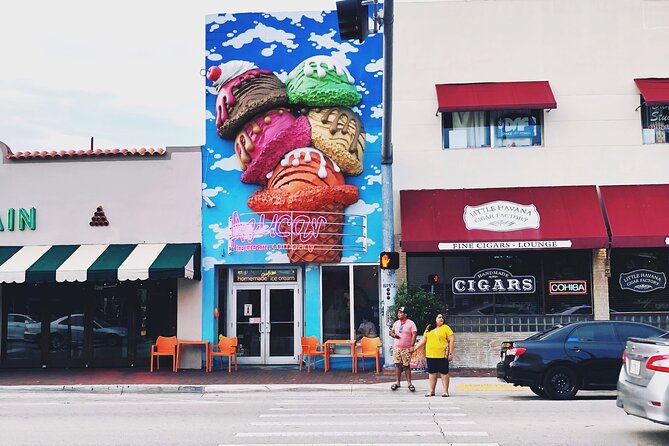
The final named highlight is the Tower Theater, included in the audio route. The tour also includes a “theater” stop in the itinerary, which suggests the audio touches both the building and what it represents in local cultural memory.
This is a nice chapter to end a listening session, because theaters naturally create strong visual anchors. Even if you just take a couple of photos and let the audio run while you stand back from the storefront, it can help you feel like you completed a coherent loop rather than just walking from place to place.
The walk concludes at Cuban Memorial Boulevard Park, 999 SW 13th Ave, Miami, FL 33135. The tour is structured so your final chapter ends right there, which is convenient for planning your next stop—whether that’s dinner, a quick rest, or your next bus or rideshare.
Practical tips to avoid app frustration (based on real issues people hit)
Here’s the honest truth behind the mixed rating: many issues in the feedback were not about Little Havana itself. They were about how to access the tour on your phone.
Some people said the instructions were vague and that they couldn’t figure out how to access the self-guided tour. Others pointed out needing to download an app, with the process being described in a PDF. A few mentioned English selection not sticking, leading to Spanish audio showing up unexpectedly. So if you want this tour to go smoothly, take these steps before you start walking:
- Read the instructions sent with your booking confirmation, not just the basics. Use that email as your checklist.
- Download anything the app requires while you still have stable Wi‑Fi, then test audio at the first stop.
- Charge your phone. Audio + GPS is not always kind to battery life.
- Bring earbuds or small headphones. Headsets are not included, and street noise in Miami can make audio harder to hear.
- If something fails at the start, do not wait and hope it fixes itself. Stop early, troubleshoot, or contact the provider. The company email shared in responses is [email protected].
One more practical note: one piece of feedback said a free guide was available for download right on the street in Little Havana. I’m not claiming that will happen for you, but it’s a good reminder that Little Havana has other orientation options nearby. If the app struggles, you’re not completely stuck—you just need an alternative plan so your time isn’t wasted.
Who this Little Havana audio tour is best for (and who should skip it)
This tour is a good fit if you want:
- A short, low-cost walk around key landmarks like Calle Ocho, Domino Park, and Tower Theater
- Freedom over pacing, so you can pause for photos or detours
- Offline navigation, which is a big deal when data reception is unpredictable
It’s a weaker fit if you:
- Hate app setup and tech steps while you’re standing outdoors
- Need a highly detailed, step-by-step guided experience with lots of turn-by-turn direction
- Want only very factual storytelling and no room for story-style voices
If you fall in the middle, you might still enjoy it—just treat the audio tour like a tool, not a guarantee. With a little prep, it can make your Little Havana walk more meaningful. Without prep, you might end up fighting your phone instead of the neighborhood.
Should you book Little Havana with an audio self-guided route?
I’d book this if you can handle one small tech hurdle and you like exploring by yourself. The offline map promise and the $10 price make it an easy trial run, and the route around major stops keeps you from wandering aimlessly.
I’d skip it (or at least go in with lower expectations) if you know you’ll get stressed by unclear app instructions. The feedback includes real frustration about not being able to access the tour and not getting enough guidance.
If you do book, do it smart: set aside time at the start to get the app working, test audio immediately, and check your language setting. Then you’ll get the best version of what this experience is trying to do—turn a simple walk into a set of Cuban-culture chapters you can control.
FAQ
How long is the Little Havana self-guided audio tour?
It’s approximately 1 hour to 1 hour 20 minutes.
Where does the tour start and end?
It starts at Little Havana Visitor Center, 1600 SW 8th St, Miami, FL 33135 and ends at Cuban Memorial Boulevard Park, 999 SW 13th Ave, Miami, FL 33135.
Does this audio tour work offline?
Yes. The tour includes offline use with maps, which is meant to help you avoid expensive data charges.
What do I need to bring?
You’ll need your smartphone and likely headsets/earbuds (headsets are not included). Snacks and other food are also not included.
Are admission tickets included for stops?
No. Admission tickets are not included, including at the Little Havana Visitors Center.
Is this tour private?
Yes. It’s listed as a private activity, with only your group participating.
Can I cancel and get a full refund?
Yes—free cancellation is available. You can cancel up to 24 hours in advance for a full refund.