REVIEW · MADRID
Madrid Audioguide – TravelMate app for your smartphone
Book on GetYourGuide →Operated by MyWoWo Srl · Bookable on GetYourGuide
Madrid can feel big. The TravelMate audio guide makes it manageable on your phone. You get autonomy (no paper tickets, start wherever you are) plus the audio plays offline or online, and you can replay as many times as you want without it expiring. The one real catch is that the app needs to install properly on your device, and one common issue reported is trouble getting it to work on some phones.
What I like most is how the guide feels like a person beside you—history, points of interest, and quick curiosities packaged into short audio tracks. You also get the text option for the audio files, plus a quiz section to keep you paying attention instead of just wandering. The main consideration: if you’re the type who expects staff to manage timed entry somewhere, this is an app, so plan your waits around your own museum or ticket needs.
In This Review
- Key things to know before you set off
- What this Madrid audioguide actually feels like on the street
- Your “no ticket line” superpower: autonomy on your phone
- Offline or online: how to think about audio reliability in Madrid
- The route inside your earphones: 84 stops, 250 minutes, and how to pace it
- Almudena Cathedral, Atocha, and the city’s big transitions
- Local cuisine as a theme: knowing what to look for as you walk
- Historic centers: Plaza Mayor, Puerta del Sol, and the spaces between
- Neighborhood attractions: markets and plazas for real-life Madrid
- Big art and museums: Thyssen, Reina Sofía, Prado-adjacent energy
- Royal Madrid: Retiro, Royal Palace, and the holy stops
- Battling boredom at famous gates: Puerta de Alcalá and more
- Stadium and modern Madrid: Santiago Bernabéu and the city now
- A quick reality check on “waiting” and expectations
- Price and value: is $4.54 really a bargain?
- Accessibility and your listening setup
- Should you book this Madrid TravelMate audioguide?
- FAQ
- How long is the Madrid audioguide available after I activate it?
- Do I need to meet anyone to start?
- Can I listen offline?
- Does it include more than audio only?
- What languages are available?
- Is the experience wheelchair accessible?
Key things to know before you set off

- Start anywhere, no meeting point: download and press play on your own schedule.
- 84 audio tracks, 250 minutes total: enough material to do a real walkabout without rushing.
- Offline listening + text for audio files: save data and switch modes when your signal is weak.
- Replay for years: valid 1035 days from first activation and doesn’t expire.
- Multi-language audio: Italian, English, German, French, Chinese, Russian, Spanish.
- Includes a quiz section: quick questions that turn the walk into a light game.
What this Madrid audioguide actually feels like on the street

This experience is a smartphone-first way to sightsee Madrid. Instead of tracking a group, you press play when you reach a place you want to hear about. The guide is built to sound like a friendly companion: it covers history, points of interest, and curiosities, all delivered by professionals from TV and radio backgrounds, with content created by authors.
For you, that usually means two things: less stress and more control. Less stress because you’re not hunting for a ticket booth or trying to match a specific start time. More control because you can linger where you like and skip what doesn’t grab you—without anyone tugging you along.
You can also read our reviews of more tours and experiences in Madrid.


Your “no ticket line” superpower: autonomy on your phone

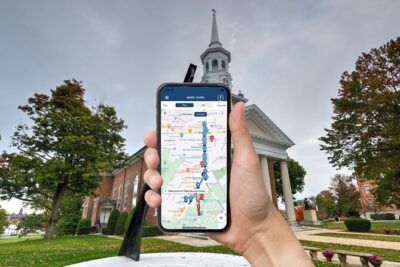
One of the most practical perks is the lack of paper tickets. There’s no “collect this, show that” step. You download the TravelMate app called TRAVELMATE, then enter the activation code you find in your email (or in the GetYourGuide app, if that’s how you bought it).
Once activated, you can use the audioguide like a personal playlist for your Madrid day. It’s not a one-and-done experience either—valid for 1035 days from first activation, and the guide doesn’t expire. That makes it a smart pick if you want flexibility, or if you’re the type who might revisit Madrid someday and reuse the same guide.
A small but real heads-up: because you’re relying on your phone and app installation, make sure TravelMate is downloaded and ready before you walk far from Wi‑Fi. A poor install experience was one of the complaints in the reviews.
Offline or online: how to think about audio reliability in Madrid

TravelMate lets you listen online or offline. That matters in Madrid because you can get spotty data in certain streets and inside busier areas. If you plan to do a longer day, I’d treat this like a “download once, enjoy all day” situation.
You can also read the text of the audio files in the app. That’s useful when:
- you’re standing at a busy plaza and audio is hard to follow,
- you want to skim the key points quickly,
- or you simply prefer reading for part of the route.
And yes, earphones help. You’ll get a more focused experience, and it’s easier to hear the professional narration clearly while you’re walking.
The route inside your earphones: 84 stops, 250 minutes, and how to pace it

The audioguide includes 84 audio content pieces for a total of 250 minutes. That’s roughly a long lunch-to-dinner pace if you listen continuously, but Madrid sightseeing doesn’t work like a clock.
Here’s a pacing trick that usually works well: pick a few “anchor” places you want to hear deeply, then use the rest as context while you wander between them. Because you can replay and mix online/offline, you don’t have to force a perfect route.
Also, keep an eye on language selection. The guide is available in Italian, English, German, French, Chinese, Russian, and Spanish. If you’re traveling with friends, each person can use their own phone and listen in the language they prefer.
Almudena Cathedral, Atocha, and the city’s big transitions

The guide starts with Madrid Introduction, then moves into major landmarks and transit-heavy areas like Almudena Cathedral and Atocha Station.
Why these stops work early:
- They help you get your bearings fast.
- They set the tone for Madrid’s mix of monumental architecture and everyday movement.
- They’re great “pause points” because you can stop, listen, then continue walking once you feel oriented.
If you’re arriving in Madrid and want to skip the mental overload of choosing what to see first, starting with the guide’s introduction and cathedral/transit sections is a solid way to build confidence in your day.






Local cuisine as a theme: knowing what to look for as you walk

There’s a dedicated section called The Wonders of local cuisine. Even if you don’t use it to order anything specific, it can change how you notice the city.
When you have a cuisine-focused audio track, you tend to pay attention to:
- where food markets and dining areas cluster,
- what street areas feel designed for eating and lingering,
- and how people move between sights and casual meals.
This is a good match for self-guided travel because it nudges you from sightseeing mode into “live here for the day” mode.
Historic centers: Plaza Mayor, Puerta del Sol, and the spaces between

The guide includes classic Madrid public squares such as Plaza Mayor, Puerta del Sol And Calle Arenal, Plaza Tirso De Molina, Plaza De La Paja, and Santa Cruz Square.
What I like about having these as audio stops is that you can treat each one like a chapter. You hear the context, then you immediately feel the place under your feet—people flow, storefront energy, and that distinctive Madrid “hang-out” feel in the center.
Practical move: use the app as your “in-between” decoder. Walk from one square to the next without turning your day into a navigation project. The audio helps you notice what matters without forcing you into a strict itinerary.
Neighborhood attractions: markets and plazas for real-life Madrid

Madrid isn’t just monuments. The guide also includes market-style experiences and lively areas, including Mercado Del Rastro and San Miguel Market And Surroundings.
Even if you’re not buying anything, markets are excellent for an audioguide day because:
- they’re full of sensory details (sounds, movement, activity),
- you don’t need to stay long to enjoy them,
- and the audio adds meaning to the scene.
For me, this section is where self-guided listening shines. Instead of standing in a museum hallway waiting for a group to catch up, you can pause, listen, and keep walking when you feel ready.
Big art and museums: Thyssen, Reina Sofía, Prado-adjacent energy

The audioguide covers major museum names like Reina Sofia Museum, Thyssen Museum, plus smaller or specialist options like Museum Cerralbo and Lazaro Galdiano Museum.
Why this matters for your planning:
- museums are time-consuming, so having audio beforehand helps you decide what to prioritize,
- and if you only have limited time on one day, the guide lets you pick the “right kind” of museum energy rather than guessing.
If you visit any museum, I’d use a simple strategy: listen to the relevant audio portion nearby, then go in with a plan to spot what the track makes you curious about. That way, you’re not just wandering.
Royal Madrid: Retiro, Royal Palace, and the holy stops
For royal and garden moments, the guide includes Retiro Park, Royal Palace, and religious landmarks like Royal Basilica Of San Francisco and Descalzas Reales.
I like that these aren’t all “one kind” of stop. You get:
- open-air calm (Retiro Park),
- formal grandeur (Royal Palace),
- and architecture you can slow down for (the basilicas and historic churches).
This is where your autonomy pays off again. You can take a longer break in Retiro without worrying about missing a group meetup, or spend extra time at one building because the app is always available.
Battling boredom at famous gates: Puerta de Alcalá and more
The guide includes Puerta De Alcalà, plus key central areas around Puerta Del Sol And Calle Arenal.
Gates and grand entrances can be tricky on a normal trip. Without guidance, you might see them as photos only. With an audio track attached to the stop, it becomes easier to slow down and connect the place to the rest of the city. Even a short history and curiosities audio segment can turn a quick stop into a satisfying moment.
Stadium and modern Madrid: Santiago Bernabéu and the city now
For a change of pace, there are stops tied to Modern Madrid and sports culture, including Santiago Bernabeu Stadium.
If you’re traveling with people who love city life beyond museums, this section can help keep the day balanced. It’s also useful if you want your Madrid to feel current, not just old stone and grand squares.
And because this is an app experience, you can decide how much time you spend here based on your group’s interests.
A quick reality check on “waiting” and expectations
One review complaint stood out: delays linked to organizational reasons, with an appointment time not matching when entry happened. That’s a signal to be careful with expectations.
Here’s the takeaway for you: this is an app-based audioguide with no meeting point, so it won’t function like staff-managed ticketing or timed entry. If you plan to combine it with a museum entry window or a separately booked attraction, build your own buffer.
Also, since another complaint involved installation failures on some phones, give yourself time to download and test the app before you start your day.
Price and value: is $4.54 really a bargain?
At $4.54 per person, this audioguide is priced like a low-risk add-on with potentially big payback. You’re paying for:
- 84 audio segments totaling 250 minutes,
- professional narration and professionally created content,
- offline support,
- multi-language options,
- plus quiz interactivity.
Compared with a traditional guided tour that often limits you to one route and one schedule, this one lets you repeat the experience for 1035 days. That’s where the value stacks up: even if your first day is imperfect, you still have time to reuse the guide when your Madrid itinerary improves.
The only reason it wouldn’t feel like value is if your phone can’t install or run the app smoothly. In that case, the cost becomes less relevant than the functionality. So I’d treat device compatibility as part of the budget.
Accessibility and your listening setup
The audioguide is listed as wheelchair accessible. Since there’s no physical group walking requirement tied to a meeting point, it’s generally the kind of activity that can adapt to how you like to travel—short bursts, longer stops, and breaks when you need them.
For your setup:
- bring comfortable earphones,
- keep battery power in mind if you’ll listen offline for hours,
- and consider downloading audio content beforehand if your plan includes long gaps without data.
Should you book this Madrid TravelMate audioguide?
Book it if you want self-guided Madrid with professional narration, and you like the idea of controlling timing and pace. The long validity period (1035 days) plus replayable audio makes it a good choice even if you don’t have a perfect schedule.
Skip it or think twice if:
- you rely on a phone model where the app installation is uncertain,
- you want a human-led, ticket-managed experience with strict timed entry,
- or you prefer a printed map and don’t enjoy listening while walking.
If you’re flexible and you want to turn “I’m just walking around Madrid” into a story you can follow, this is a practical, low-cost way to do it—one square, station, museum, and market at a time.
FAQ
How long is the Madrid audioguide available after I activate it?
It is valid for 1035 days from your first activation, and it does not expire.
Do I need to meet anyone to start?
No. There is no meeting point. Download the TravelMate app and start your experience wherever you prefer.
Can I listen offline?
Yes. You may listen to the audio guide online or offline.
Does it include more than audio only?
Yes. You can also read the text of the audio files in the app, and there is a quiz section to play and learn.
What languages are available?
The audio guide is included in Italian, English, German, French, Chinese, Russian, and Spanish.
Is the experience wheelchair accessible?
Yes, it is listed as wheelchair accessible.