REVIEW · OSAKA
Audio Guide App Japan Tokyo Kyoto Takayama Kanazawa Nikko and others
Book on Viator →Operated by BARCELONA LANDS · Bookable on Viator
Tokyo feels different with an audio map. This Japan audio guide app builds geolocation routes and offers six language tracks, so you can follow along without constantly reading. I like that it groups sights into neighborhood-sized chunks, which makes it easier to plan your day around what you actually want to see.
One big caution: using the app depends on getting your access code and having clear in-app guidance. One review bluntly called the experience terrible and said they could not use it because there were no instructions and they never received the code.
What keeps this interesting is the flexibility. You get a web panel where you can customize your route, plus a document repository, and the points of interest connect to Google Maps so you can correct course fast when a street surprises you.
In This Review
- Key highlights you should care about
- What This Japan Audio Guide App Really Does (and how you’ll use it)
- Tokyo Day 1: a buffet of icons, art stops, and temple corners
- Central Tokyo by audio: Nezu Shrine, gardens, Akihabara, and Ginza logic
- Shibuya and Harajuku streets: two walking routes that keep you from aimless wandering
- Shinjuku as a viewpoint and cinema day, not just neon
- Asakusa-style temple concentration plus a market hit
- Eastern Tokyo: Disney-on-foot option, TeamLab Planets, and garden time
- Kyoto Day 2: North Kyoto temples with a stone-garden payoff
- Fushimi Inari and the Kyoto temple belt: car route convenience
- Higashiyama-style highlights: museums, castles, long names, and great walking blocks
- Arashiyama Bamboo Forest and the Gion lantern street plan
- Essentials of Kyoto: the greatest hits plus the philosopher-style pause
- Days 3 to 8: how the app handles the rest of your Japan plan
- Why geolocation, Google Maps links, and the web panel are more than add-ons
- Language support: six tracks for less frustration
- Price and value: $87 for around eight days of structured audio
- What can go wrong: app access codes and user experience
- Who this works best for
- Should you book this Japan audio guide app?
- FAQ
- How long is this experience?
- How much does it cost?
- Is this a guided group tour?
- What languages are available for the audio guides?
- Are there walking routes included?
- Are there car routes included?
- Can I customize my route?
- Are the points connected to Google Maps?
- Is this experience refundable?
- Are service animals allowed?
Key highlights you should care about
- Six languages: Spanish, Portuguese, German, Italian, French, and English.
- Geolocation + Google Maps links: find the next stop without guessing.
- Walking routes and car routes: one app, multiple ways to cover neighborhoods.
- Temple routes and gastronomic routes: more than photo stops.
- Audio at each point: short stops with enough context to understand what you’re looking at.
- Private activity for your group: you’re not sharing it with strangers.
What This Japan Audio Guide App Really Does (and how you’ll use it)

Think of this as a point-by-point audio system for Japan, not a single guided bus tour. Instead of sitting and listening, you walk (or drive when the route includes a car plan) and press play when you reach each marked place. It’s priced as a mobile experience, with a mobile ticket, and the app is designed to guide you through walking routes in different neighborhoods and through the main temples of each destination.
The part that matters most day-to-day is the mix of tools:
- Geolocation helps the app track where you are.
- Every point of interest links to Google Maps, which is great when you take a wrong turn or want a quicker shortcut.
- The web panel lets you customize your route and also works like a storage spot for travel documents.
If you like structure but hate rigid schedules, this format is a good fit. You can follow the suggested sequence, or you can skip a stop and keep the rest of the route intact.
The one thing I’d watch: you’re relying on the app working smoothly, including access to your session. If you’re the type who hates troubleshooting on a travel day, plan a quick test as soon as you get your login details.
You can also read our reviews of more tours and experiences in Osaka.

Tokyo Day 1: a buffet of icons, art stops, and temple corners
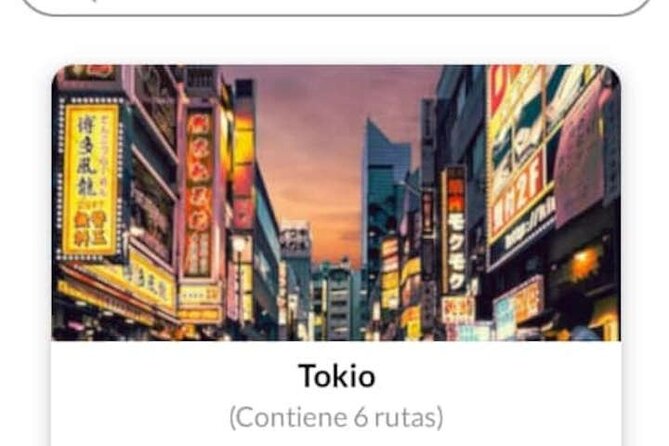
Tokyo on this app is laid out like a string of neighborhood missions. One of the route bundles gives you 18 points of interest with both text and audio for each place, plus walking routes and a car route so you can see the area in full rather than in random grabs.
Here’s the kind of mix you get in that first Tokyo cluster:
- Tokyo Tower and Fuji TV Headquarters
- Odaiba, Daiba Park, Rainbow Bridge
- Statue of Liberty, Gundam, Divercity
- Miraikan and Aqua City
- Roppongi Hills and Decks
- Sengakuji Temple
- Nezu Museum and Mori Art Museum
- Shibakoen and Ako Gishi Museum
- Sumida Cruise
What I like about this setup is the rhythm. You’re not stuck in one theme. You go from a major landmark view style stop to museums, then to a temple, then back to modern Tokyo. The walking and car routes also make sense here because some stretches are best at “walk pace,” while others are better handled with a short drive and then back to walking.
A practical way to use this: start with the skyline and waterfront energy, then save the temples and museums for the time of day you want quieter, slower browsing. On an audio guide, that choice is easy because you can simply move through the next point when you’re ready.
Central Tokyo by audio: Nezu Shrine, gardens, Akihabara, and Ginza logic
Another Tokyo bundle focuses on “Central Tokyo,” with audio-guided highlights like:
- Nezu Shrine
- Shinobazu Avenue
- Rikugien and Koishikawa Korakuen Gardens
- Akihabara neighborhood
- Ginza
- East Gardens and Kitanomaru Park
This section also includes a car route aimed at BUNKYO, CHIYODA, and CHUO. That’s useful because these districts feel close on a map but can still eat time with transfers and long walks. The car route lets you connect several areas without turning your whole day into logistics.
If you like Tokyo but get overwhelmed, this style helps. Gardens first if you want calm. Akihabara if you want energy. Ginza when you want the polish and the big department store atmosphere. The audio gives you enough context to understand why each place is famous, even if you don’t read every sign.
Shibuya and Harajuku streets: two walking routes that keep you from aimless wandering
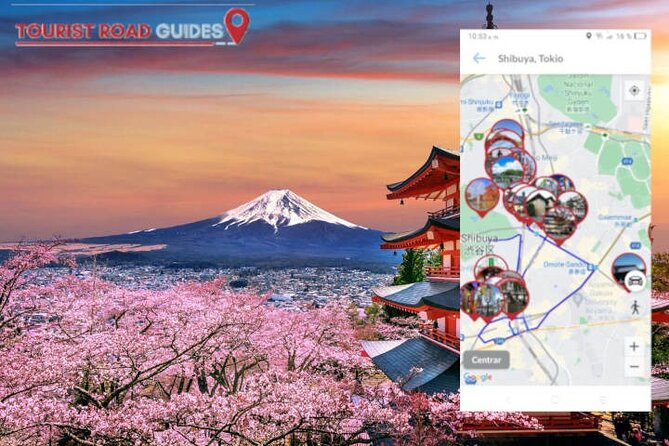
There’s a Shibuya-focused section with 29 points of interest and two walking routes, designed so you can see the streets “to the fullest.” Key stops include:
- Meiji Shrine
- Omotesando Avenue
- Imperial Garden
- Hachiko Statue
- Shibuya 109
- Nezu Museum
- Takeshita Street
This is the kind of route that benefits from audio. When you’re surrounded by sensory overload, it’s easy to just drift. The short audio at each point helps you notice details you might otherwise miss, like what you’re looking at historically or architecturally, without forcing you into long reading sessions.
One smart move: do Meiji Shrine earlier in the day if you can, then let Harajuku and Takeshita take over as the energy rises. The app’s point structure keeps the walking fun rather than turning it into a maze.
Shinjuku as a viewpoint and cinema day, not just neon
Shinjuku gets its own section with 13 audio-guided points of interest, including:
- Shinjuku Gyoen National Garden
- A Tokyo Metropolitan Viewpoint
- Toho cinemas
And again, there’s a car route to guide you through the neighborhood. Shinjuku can be exhausting if you only plan around wandering. This section at least gives you anchor points: a garden to ground the day, a viewpoint to reset your mental map, and a cinema stop that fits a flexible schedule.
If you’re traveling with people who want different things, this route helps. One person can spend time at the garden, another can focus on city views, and the audio keeps the group from feeling like they’re constantly waiting for each other.
Asakusa-style temple concentration plus a market hit
Another Tokyo section is built around districts full of temples and sanctuaries, with audio-guided stops such as:
- Senso Temple
- Kiyomizu Kannon-do Temple
- Skytree Tower
- Bentendo Temple
- Edo-Tokyo Museum
- Ameya-Yokocho Market
This mix is practical. You get the classic temple area vibe, then you add one of Tokyo’s major modern sights (Skytree), and you finish with a market experience that’s perfect for snacks and strolling.
For a good day flow, I’d treat the temples as the morning or early afternoon piece, then shift toward Skytree and the market once you’re hungry. The audio route makes it easier to estimate how long each part might take because the stops are split into individual points.
Eastern Tokyo: Disney-on-foot option, TeamLab Planets, and garden time
The Eastern Tokyo section covers Edogawa and Koto neighborhoods and includes audio-guided points such as:
- Tokyo Big Sight
- TeamLab Planets
- Edo Museum
- Tokyo Disneyland and Tokyo DisneySea (on foot)
- Funabori Tower Hall
- Kiyosumi Garden
This part is interesting because it gives you multiple “weather-proof” options. If you want a big indoor experience, TeamLab Planets is the kind of stop that fills time. If you want a scenic break, Kiyosumi Garden gives you a calmer pace.
It also includes Tokyo Big Sight, which usually aligns with big-event Tokyo energy. And if your group loves theme parks, the app explicitly includes Disneyland and DisneySea as on-foot explorations.
Kyoto Day 2: North Kyoto temples with a stone-garden payoff
Kyoto is where the audio format starts to feel especially useful, because many stops are clustered by geography and vibe. The North Kyoto section lists 19 points of interest and includes audio and car routing, with highlights like:
- Kinkaku Temple
- Ryoan Stone Garden
- Shimogamo Shrine
- Daikaku Temple
- Myoshin Temple
- Ryoan Temple
- Mount Kurama
- Kamigamo Shrine
- Kitano Tenmangu Shrine
If you want Kyoto without turning every stop into a separate day, a structured audio route makes sense. The car routing helps you link these locations efficiently, and the point-by-point audio helps you understand what you’re seeing when you reach each site.
Also, this is a route with real variety. You get polished iconic beauty at Kinkaku, then you get the more meditative stone garden reputation at Ryoan, then you get the shrine and mountain-direction energy at Mount Kurama. Audio here isn’t just trivia; it helps you slow down and look.
Fushimi Inari and the Kyoto temple belt: car route convenience
Another Kyoto section includes audio points like:
- Fushimi Inari Taisha Shrine
- Daigo Temple
- Ninna Temple
- Jonangu Shrine
…and more in the same theme.
Like the North Kyoto plan, it includes a car route so you can connect multiple temple stops without losing your whole day to transfers and long walks. Fushimi Inari is the kind of place where audio timing matters because you may want to pause often, take photos, and still keep moving.
A key value of this type of routing: you can build a “temple belt day” and avoid the scattershot approach that wastes time. You still get freedom, but with fewer dead ends.
Higashiyama-style highlights: museums, castles, long names, and great walking blocks
A third Kyoto section offers 27 points of interest with audio and a car route through much of Kyoto prefecture, including:
- Heian Shrine
- Kyoto National Museum
- Sanjusangendo Temple
- Eikan Temple
- Kyoto Art Museum
- Nijo Castle
- Chion Temple
- Train Museum
…and other points connected to Higashiyama.
This section stands out because it mixes temple-style stops with museum and castle experiences. That’s a smart hedge against Kyoto’s planning traps. If one temple line feels slow, you can redirect toward a museum or a castle stop nearby in the audio flow.
For families and mixed-age groups, this is where the “audio at each point” can save the day. You can keep everyone informed without reading long plaques, and you can still swap priorities easily.
Arashiyama Bamboo Forest and the Gion lantern street plan
One route area includes Arashiyama-focused stops, with walking routes highlighted for places like:
- Arashiyama Bamboo Forest
- Daikaku Temple
- Tenryu Temple
- Saiho Temple
Then there’s a separate geisha district audio route for Gion, visiting:
- The Gion neighborhood
- Yasui Sanctuary
- Pontocho Street
This pairing is sensible. Bamboo Forest day = walking and quiet attention. Gion day = evening-feeling streets and a different atmosphere.
If you only have time for one Kyoto “walk with your senses” block, this is a strong argument for doing both pieces on the same trip window, even if you cut stops. The audio keeps the experience structured while still letting you linger where you want.
Essentials of Kyoto: the greatest hits plus the philosopher-style pause
Finally, there’s an “essentials” Kyoto bundle that explicitly frames itself as characteristic sites you can contemplate and visit using audio-guided routes. Stops listed include:
- Kiyomizu Temple
- Ryoan Temple
- Higashiyama Street
- Heian Shrine
- Kinkaku Temple
- Nijo Castle
- Path of the philosopher
This is useful if you want the top Kyoto themes in fewer mental steps. Instead of building a route from scratch, you can follow the audio sequence and let the app handle the stop-to-stop flow.
The Path of the Philosopher is also the kind of place where slowing down is the point. With audio guided points, you can pause naturally without worrying you’ll miss the “next” thing.
Days 3 to 8: how the app handles the rest of your Japan plan
The 8-day program continues with additional audio-guided point stops after Tokyo and Kyoto, but the specific points for later days are not spelled out in the information you provided. What is clear is the pattern: each day is built around multiple points of interest with textual and audio guidance.
Also, this product is positioned as a Japan audio guide covering places like Takayama, Kanazawa, Nikko, and others. So if your goal is to go beyond Tokyo and Kyoto, you’re not stuck. You can use the same structure—geolocation, Google Maps links, audio at each point—to build a route that fits your exact mix of cities.
If you’re trying to get your whole trip to feel coherent, the web panel becomes your best friend here. You can customize what you include, and skip what doesn’t match your pace.
Why geolocation, Google Maps links, and the web panel are more than add-ons
On paper, these sound like tech features. In real life, they’re what make audio guides actually usable.
Geolocation helps you avoid the most annoying problem with self-guided tours: standing in front of a gate wondering if you’re at the right spot. When it works, you can keep the pace up.
Google Maps links matter because streets in Japan can change names, alleys can branch, and construction can throw you off. If the app tells you the next point but your phone shows something slightly different, you can verify instantly.
The web panel is the hidden value for people who like planning. You can customize your route instead of blindly following a default. And having a repository of travel documents can reduce last-minute scrambling if you want to keep important notes in one place.
This is also where “walking route” and “car route” planning becomes practical. You’re not forced to walk everywhere. You can match your day to energy level and distance without losing the thread of the audio guidance.
Language support: six tracks for less frustration
The audio guide supports six languages: Spanish, Portuguese, German, Italian, French, and English. That’s a real quality-of-life factor because it reduces the chance you’ll waste time translating signs or trying to figure out what an audio track is saying when you’re tired.
For families or mixed-language groups, it also makes the experience easier to share. Everyone can follow the same stops in their language, without splitting into separate plans.
Price and value: $87 for around eight days of structured audio
At $87 for about eight days, this doesn’t feel expensive for the amount of content style you’re getting. You’re not paying for one city or one route. You’re paying for a library of point-based audio guidance designed to string across neighborhoods and temple areas, with both walking and car routing options.
The best value angle is flexibility:
- You can follow the route as written.
- You can skip a few stops if your group wants to move faster.
- You can customize your route in the web panel.
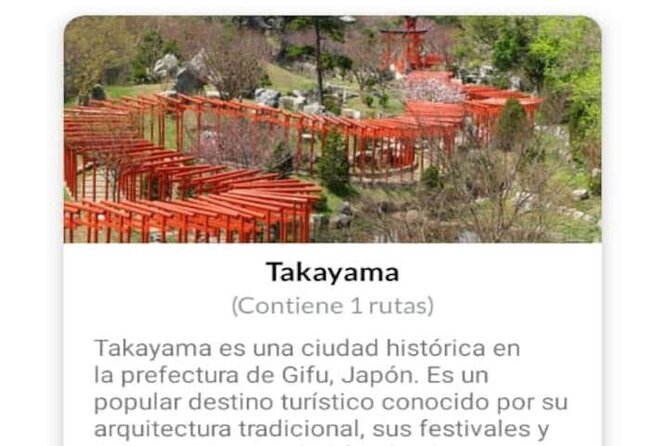
There’s also evidence from the experiences people talk about that the audio clips are short enough to be useful without dragging you down. One highlighted case was in Takayama, where short audio at each stop provided enough context, and the price felt fair because the family could skip what didn’t fit.
If you’re the type who reads every plaque and tours at museum speed, you might still feel limited. But if you want guidance that keeps your feet moving, the value is stronger.
What can go wrong: app access codes and user experience
The most serious downside isn’t the content. It’s the user experience risk.
A review called out a total failure to use the app due to lack of instructions and an access code not arriving. The lesson for you is simple: do a quick setup check before you plan a long day of walking.
If you’re traveling on a tight schedule, try to confirm your login and access details early. That way, you’re not stuck hunting for support while standing in front of a temple with no audio.
Who this works best for
This audio guide format tends to fit people who:
- Want structured routes but still want freedom to skip stops
- Enjoy walking temple areas and neighborhood streets
- Prefer short audio explanations over long text reading
- Travel with teens or mixed-energy groups who need quick, stop-by-stop context
It may be less ideal if you:
- Need flawless instructions and hate tech setup
- Don’t want to rely on geolocation working correctly on your phone
- Get stressed if an access code or app login does not go smoothly
Should you book this Japan audio guide app?
Yes, if you want a self-guided way to cover Tokyo and Kyoto with real structure, plus the option to extend into cities like Takayama, Kanazawa, and Nikko. The combination of geolocation, Google Maps links, and a customizable web panel is the main reason I’d consider it good value.
No, or at least be cautious, if you’re the kind of traveler who needs very clear instructions and can’t tolerate app access issues. Because one unhappy experience reported a total inability to use it due to access problems, you should plan a setup test early.
If you’re comfortable traveling this way, this is a practical tool for building a Japan route that feels like you’re in charge.
FAQ
How long is this experience?
It’s listed as lasting about 8 days.
How much does it cost?
The price is $87.
Is this a guided group tour?
It’s described as a private tour/activity, meaning only your group participates.
What languages are available for the audio guides?
The audio is available in Spanish, Portuguese, German, Italian, French, and English.
Are there walking routes included?
Yes. The experience includes walking routes through neighborhoods and through main temple areas.
Are there car routes included?
Yes. Several sections include routes that you can follow by car as well as on foot.
Can I customize my route?
Yes. There’s access to a web panel that lets you customize your own route.
Are the points connected to Google Maps?
Yes, the points of interest are linked to Google Maps.
Is this experience refundable?
No. It’s non-refundable and cannot be changed for any reason.
Are service animals allowed?
Yes, service animals are allowed.