REVIEW · VERONA
Verona Audioguide – TravelMate app for your smartphone
Book on GetYourGuide →Operated by MyWoWo Srl · Bookable on GetYourGuide
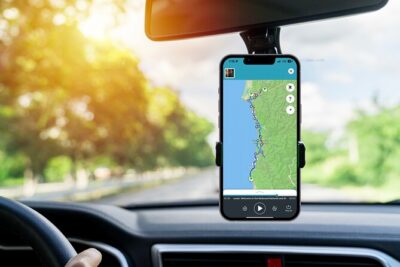
Your phone becomes your Verona guide. It’s a simple way to explore at your pace, with offline audio and no paper tickets. I like that you can replay the guide as many times as you want (it doesn’t expire after activation), and you can also read the text inside the app. The one drawback to weigh: it still depends on your smartphone battery and a decent pair of earphones.
You’re getting a professional audio set made for tourists who want history, key sights, and curiosities without joining a group. The Verona guide includes 21 audio content sections totaling 63 minutes, with choices in multiple languages, and no fixed meeting point since you start wherever you are.
In This Review
- Key things to know before you start your Verona audio
- How the TravelMate Verona Audioguide works on your smartphone
- Price and value: $9 for 1,365 days of Verona audio
- Your 63-minute plan: follow the order, or pick your own stops
- Verona introduction: get your bearings before you get lost
- Arena chapter: use audio to add meaning to what you see
- Basilica of San Zeno and Santa Anastasia: two church chapters, two different lenses
- Castelvecchio and the Cathedral: listen for the “spotting cues”
- Old Town and Oltre Adige: use audio to structure a walk
- Local cuisine chapter: turn narration into a meal plan
- Offline vs online: plan for signal and battery
- Headphones, text mode, and wheelchair-friendly use
- Quiz section: a small feature that keeps the app from feeling passive
- Who this TravelMate Verona audio guide is for
- Should you book this Verona audioguide?
- FAQ
- Do I need a meeting point for the Verona audioguide?
- How long is the Verona audioguide content?
- Can I use the audio guide offline?
- Does the audio guide expire?
- What languages are included?
- Where do I find the activation code?
Key things to know before you start your Verona audio

- 21 audio tracks totaling about 63 minutes of content
- No meeting point: download the app and begin right away
- Offline or online listening so you can plan around signal
- Replay anytime: valid for 1365 days from first activation
- Text option in the app if you want to read along
- Quiz section with short questions to keep you engaged
How the TravelMate Verona Audioguide works on your smartphone

This experience is built for autonomy. There’s no check-in window, no paper ticket hunt, and no waiting for someone else to show up. After you download TravelMate, you activate the Verona content and then use your phone like a personal guide in your pocket.
Here’s what I find practical about that setup:
- You can listen while you walk, stop, and reset your bearings as needed.
- You can switch between listening and reading, since the app allows you to view the text of the audio files.
- You don’t have to manage a group pace. You control when you pause and when you move on.
The guide content is described as professionally created by top authors and interpreted by professionals from television and radio. Translation: you’re not dealing with a random amateur voice memo. It’s meant to sound like a real commentary while you look at the city.
You can also read our reviews of more tours and experiences in Verona.


Price and value: $9 for 1,365 days of Verona audio

At $9 per person, this is inexpensive compared with the cost of most guided tours once you add a live guide and fixed timing. The bigger value piece isn’t just the price tag—it’s the reusability.
You get:
- 63 minutes of audio content (spread across 21 sections)
- valid for 1365 days from first activation
- the ability to use it online or offline
- the freedom to replay it as many times as you want
That means you’re not paying for a single day of narration. You’re buying a tool you can dip into on a second walk, on a rainy afternoon, or even on a future trip if Verona stays on your list.
The rating is 3.3 out of 5 from 7 reviews, which suggests results may vary for people who prefer live guidance or who want a very structured route. If you like planning on your own and you’re comfortable with phone-based audio, the value math usually works well.
Your 63-minute plan: follow the order, or pick your own stops
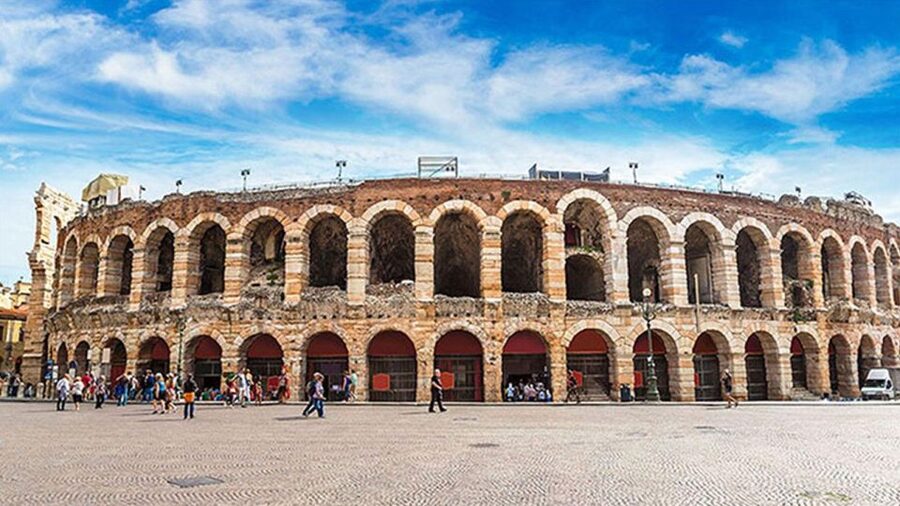
The Verona audioguide is organized into 21 audio sections that together add up to about 63 minutes. You can treat that like a “complete overview” or like a menu of chapters you choose based on your time.
The listed points of interest include:
- Verona introduction
- Arena
- Basilica of San Zeno
- Basilica of Santa Anastasia
- Castelvecchio
- Cathedral
- Old Town
- Oltre Adige
- The wonders of local cuisine
What this means for your day: you can do a compact loop (listen to the full set in sequence) or you can cherry-pick. For example, you might use the introduction to get your bearings, then jump to the churches or monuments you’re most curious about.
Two smart ways to use it:
- Listen in “chunks.” Take a track, look around for a few minutes, then move to the next one.
- Repeat the parts that match your interests. If a section hits your taste—architecture, local culture, or food—play it again before you move on.
Verona introduction: get your bearings before you get lost

Most self-guided audio fails when it assumes you already know the city. This one starts with a Verona introduction, which is exactly what you want if you’re walking without a fixed route.
I like this kind of opening because it helps you:
- understand what you’ll be seeing next,
- connect sights to broader context,
- and spot the “why” behind the stop, not just the “what.”
If you’re short on time, you can still do the introduction and just use the remaining tracks as a targeted sampler. The audio format also gives you the option to pause, rewind, or skip—handy when you’re navigating streets and traffic.
Arena chapter: use audio to add meaning to what you see
The guide includes a chapter on the Arena, which is likely the city’s most famous landmark in many visitors’ minds. Even if you already know the basics, the value of audio is in the extra context: history, points of interest, and curiosities, delivered while you’re in front of the structure.
When you’re listening at the Arena, I’d do it this way:
- Stand in a spot where you can see the main features you’re aiming to learn about.
- Listen once straight through, then replay only the section that explains what to notice.
- If you prefer reading, use the text in the app for a quick refresher before you move.
Because the guide is designed for autonomy, you’re not stuck on a single viewing angle. You can shift your position and keep the narration aligned with your sightline.





Basilica of San Zeno and Santa Anastasia: two church chapters, two different lenses

The app covers both Basilica of San Zeno and Basilica of Santa Anastasia. That matters because churches in Verona aren’t just “pretty stops.” They’re also ideal for learning through audio: the commentary can point you to what to look at, and it helps you connect the buildings to the city’s story.
Without a live guide, it can be easy to breeze past details. These church chapters are built to counter that. Expect the audio to include:
- history,
- points of interest,
- and curiosities related to each basilica.
Practical tip: give yourself enough time to do a slow walk around your chosen basilica. Put the earphones in, take in the narration while you look, then take a short break to reset before you start the next chapter. If you’re trying to squeeze too much into one hour, you’ll miss the payoff.
Castelvecchio and the Cathedral: listen for the “spotting cues”

Next up, the audioguide moves into Castelvecchio and the Cathedral. This is a good pairing because it shifts your focus from religious spaces to what you might think of as civic and historic identity—castles, old institutions, and major landmarks.
With these stops, the audio format is especially useful. You can:
- listen while you look for the elements the narrator is pointing out,
- stop the audio when you want silence for photos,
- and re-listen if a detail grabs you.
If you’re the type who likes to understand before you photograph, this is a strong way to work. You’re not stuck with random guidebook pages—you’re getting a spoken cue right next to the sight.
Old Town and Oltre Adige: use audio to structure a walk

The guide includes Old Town and Oltre Adige. Even if you’re not following a strict route, these chapters are helpful because they encourage you to treat Verona like more than a list of monuments. They also give you a way to connect neighborhoods with context.
Here’s how to make it work for you:
- When you enter an area, start the matching chapter before you wander too far.
- If you find yourself taking longer than planned, don’t panic. Just stop the audio and restart when you’re ready.
- If you’re short on time, listen first for what the chapter wants you to notice, then use the remaining minutes to explore on your own.
Oltre Adige in particular is a strong “walk-and-listen” zone. Audio helps you notice transitions in feel and focus, even when the streets look similar at a glance.
Local cuisine chapter: turn narration into a meal plan
One of the most useful parts of this guide is The wonders of local cuisine. Food chapters are different from monument chapters because they can shape what you do immediately after you finish listening.
The guide format is built for this kind of practical use: you can listen when you’re thinking about where to eat, then use what you learned to guide your next step. Even if you’re not ready to commit to a restaurant, the chapter can help you narrow the category of what to look for.
My advice: don’t treat this as a quiz show. Treat it as a starting point. If you’re planning your evening around food, listen to the cuisine section earlier in the afternoon so you still have choices later.
Offline vs online: plan for signal and battery
The TravelMate audioguide can run online or offline, which is one of the best things about smartphone audio tours. If you’re walking Verona and the streets give you weak reception, offline matters. It helps you keep moving without interruption.
To get the best results:
- Download whatever you need when you’re on stable Wi‑Fi.
- Bring a power bank if you’re doing lots of phone use.
- Use earphones to keep the audio clear and to avoid blasting sound in quiet church areas.
If you accidentally rely on online audio while you’re in spotty coverage, you may experience buffering. Offline solves that problem, and it fits the “complete autonomy” style of this tour.
Headphones, text mode, and wheelchair-friendly use
Earphones are recommended for a better listening experience. That seems obvious, but it’s worth stating: audio tours rise or fall on audio quality. Good earphones also make it easier to hear over city noise.
You can also read the text of the audio files in the app. This helps a lot if:
- you’re in a spot where listening is tough,
- you prefer reading key points,
- or you want a quick check before you move to the next stop.
The activity is listed as wheelchair accessible. The guide itself is phone-based, so you can use the content flexibly wherever you can reach. Just remember that Verona’s streets and monuments may have uneven ground, and you’ll want to plan routes that match your comfort level.
Quiz section: a small feature that keeps the app from feeling passive
Most audioguides can feel one-note: play audio, walk, forget it later. This app adds a quiz section with short questions about the city.
That’s not a gimmick. It’s a chance to:
- retain what you just learned,
- check your understanding,
- and keep your attention engaged during slower parts of a walk.
If you’re traveling with friends and you each have the app on your phone, the quiz can also spark easy conversations like what you found most interesting.
Who this TravelMate Verona audio guide is for
This is a good fit for you if:
- you like self-guided travel and want to move at your own pace,
- you’d rather learn through audio while standing in front of sights,
- you’re comfortable using your smartphone as the main tool,
- and you want something you can replay over 1365 days.
It may be less ideal if:
- you expect a real-time, live guide to answer questions on the spot,
- you hate relying on battery-heavy phone use,
- or you want a perfectly scheduled route with no flexibility.
Also, with an overall rating of 3.3/5 from 7 reviews, I’d treat this as a tool, not a guarantee of a perfect day. The best outcomes come when you’re ready to work with the app style: start anytime, listen in chunks, and build your route around your interests.
Should you book this Verona audioguide?
If you want a budget-friendly way to learn Verona with offline-ready audio, no ticket hassles, and the freedom to repeat the experience, this is an easy yes to consider. At $9, you’re paying for flexible learning that you can use across multiple walks, not just a single “one-and-done” visit.
I’d book it if you’re the kind of traveler who enjoys directing your own day and using audio as your on-the-ground notes. Skip it (or think twice) if you strongly prefer live interaction or you know your phone battery setup tends to struggle.
In short: this is a practical way to add meaning to Verona sight-seeing, with a format that fits modern travel.
FAQ
Do I need a meeting point for the Verona audioguide?
No. There is no meeting point. You download the TravelMate app, enter your activation code, and start your experience wherever you prefer.
How long is the Verona audioguide content?
The guide includes 21 audio content items totaling about 63 minutes.
Can I use the audio guide offline?
Yes. You can listen online or offline.
Does the audio guide expire?
It is valid for 1365 days from your first activation, so you can use it during that period and replay the content.
What languages are included?
The audio is available in French, Italian, German, English, Russian, Chinese, and Spanish.
Where do I find the activation code?
You can find the 10-digit activation code in the email you receive. Open Show activity details (or Show your tickets here), then use the barcode area to reveal the activation code just under the barcode. You can also access it in the GetYourGuide app via Show ticket in the App.