REVIEW · KINGMAN
Hoover Dam Self-Guided Driving Audio Tour Guide
Book on Viator →Operated by Adventures with Action · Bookable on Viator
Hoover Dam stories sound better while you drive. This self-guided audio tour is built for a smooth 2–3 hour road loop from the Kingman area, and I like the hands-free, location-triggered narration plus the fact that it keeps working offline. One thing to consider: you’ll need to download the tour content with solid signal first, or the app won’t play when you lose service.
What makes it especially useful is that it’s priced for small groups—$14.99 per car (up to 4)—so you’re not paying per person like you would on many bus-style tours. The route covers about 31+ miles with 30+ audio stories, turning a familiar day trip into a guided drive without booking a specific time slot.
You also get a lot of “real life” pacing freedom. Start when you want within the operating hours, pause for photos, and skip anything that doesn’t grab you. Just plan your phone setup ahead so the audio comes through cleanly in the car.
In This Review
- Key Highlights You’ll Actually Feel on the Road
- Hoover Dam, Self-Guided: The Best Kind of Control
- What You Get: Lifetime Audio Access and Offline Maps
- Price and Value: $14.99 Per Car Beats Per-Person Touring
- Route at a Glance: From Vegas Sign to Lake Mead and Hoover Dam
- Stop-by-Stop Highlights (and How Long to Budget)
- Stop 1: Welcome to Fabulous Las Vegas Sign
- Stop 2: Las Vegas Valley Origins
- Stop 2 (Lake Moment): Lake Mead and Water Storage
- Stop 3: Boulder City
- Stop 4: Historic Railroad Trail
- Stop 5: Clark County Wetlands Park
- Stop 6: Lake Mead — Lakeview Overlook
- Union Pacific Railroad Boulder Branch Line Museum Stop
- Stop 7: Hoover Dam (Plus the Bridge View)
- Stop 8: Gold Strike Canyon Hot Springs Trail
- How the Audio Works Without Turning Your Trip Into a Tech Project
- Timing Tips: Make the 2–3 Hours Feel Relaxed
- Who This Tour Suits Best (and Who Might Want Another Option)
- Practical FAQ You’ll Want Before You Drive
- FAQ
- How much does the Hoover Dam Self-Guided Driving Audio Tour cost?
- How long does the tour take?
- Where does the tour run?
- Is it only offered in English?
- Do I need a cellular signal for the tour to work?
- How do I start the tour?
- Will someone meet me at the starting point?
- What do I need to connect audio to my car?
- Are attraction tickets included?
- What if I can’t get the audio working?
- Can I get a refund if I cancel?
- Should You Book This Hoover Dam Audio Drive?
Key Highlights You’ll Actually Feel on the Road

- Offline maps and audio so you’re not stuck waiting for cell service to behave
- Pay per group (up to 4), which usually beats guided tours for families and friends
- Location-triggered storytelling that plays as you reach each stop
- Iconic view time at Hoover Dam, including time for a short hike to a bridge viewpoint
- Route variety, mixing big landmarks with quieter stops like a rail-trail walk and wetlands park
- Lifetime access (no expiry), so you can repeat it on future trips without paying again
Hoover Dam, Self-Guided: The Best Kind of Control
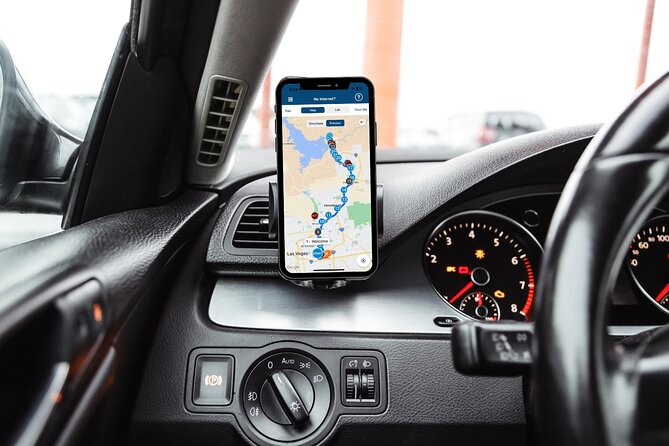
This tour is designed to remove two travel annoyances: rigid schedules and “wait while someone catches up” pacing. You drive, the app cues the next story, and you choose when to slow down for photos or step out. It feels like having a smart friend in the passenger seat, minus the opinionated detours.
It’s also a great fit for people who want context but don’t want to sit in a bus for the whole trip. You’ll get the big Hoover Dam story, plus the surrounding places that explain how the area was shaped.
The route is built around short segments—many stops are listed as about 5 minutes, with a couple of longer moments for hiking. That structure matters because Hoover Dam can be busy and people can rush. This format helps you avoid feeling like you’re sprinting between checkmarks.
What You Get: Lifetime Audio Access and Offline Maps
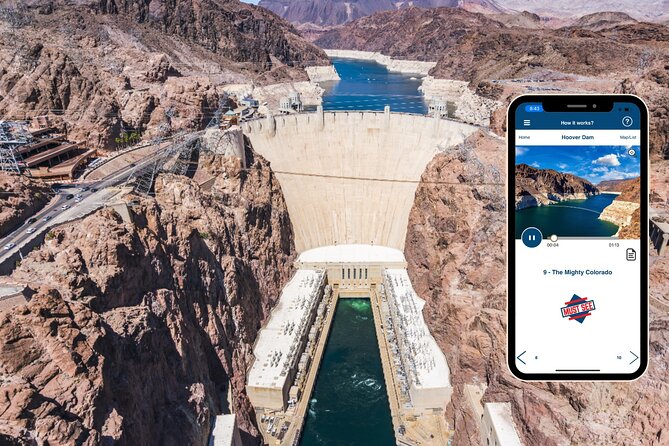
You’re not buying a timed ticket that expires. The tour provides new lifetime access with no expiry, and you can use it on any trip as many times as you want. That’s a big value boost if you live nearby or you expect to return to the Las Vegas area.
The other practical win is offline support. The app includes offline maps, and it’s built so it can work without cellular or wifi after the download. That’s essential around Hoover Dam, where coverage can be spotty and you don’t want your narration tied to bars on a phone.
Hands-free matters too. Audio stories play automatically based on your location, so you don’t have to keep tapping the screen while driving. When you do pause for walking parts, you can still use your phone to manage the playback in the app.
Price and Value: $14.99 Per Car Beats Per-Person Touring
At $14.99 per group (up to 4), this is one of those deals that makes sense even if you’re traveling solo with friends. If you’re a couple, you’re paying what some people pay for parking downtown—except you get a whole story-driven route.
If you’re used to paying per person on guided tours, the group pricing changes the math fast. For families, it can be the difference between “maybe” and “yes, let’s do it.”
Also note what you’re not paying for. This tour doesn’t list attraction passes or entry-ticket add-ons. The stops are marked as ticket-free on the tour guide plan, so you’re mostly paying for the narration and routing experience.
Route at a Glance: From Vegas Sign to Lake Mead and Hoover Dam
This drive route runs about 31+ miles and typically takes 2 to 3 hours. The tour is offered in English, and it’s designed as a loop: it starts at the tour’s starting point and ends back at that same general meeting point area.
You’ll hit a mix of viewpoints, historic context, and a couple of short hiking segments. If you like “see it, learn it, then keep moving,” the pacing fits well.
Here’s the story order you’ll follow, in plain English.
Stop-by-Stop Highlights (and How Long to Budget)
Stop 1: Welcome to Fabulous Las Vegas Sign
This opening is short but smart. It frames the Hoover Dam story by anchoring you to the Las Vegas symbol everyone recognizes, then connects it back to why the dam mattered for the city’s rise.
You’ll likely want a quick moment here to orient yourself and set the tone—then get back on the road. It’s the kind of first stop that helps even first-time visitors feel like they’re starting with context, not just driving.
Stop 2: Las Vegas Valley Origins
This segment focuses on what the area looked like before the glitz. The narration points to the early reality: hot, dry conditions and a blank spot on American maps.
It’s useful background because Hoover Dam isn’t just a structure. It’s part of the reason water and power could support a place that would otherwise struggle to thrive.
Stop 2 (Lake Moment): Lake Mead and Water Storage
One of the most dramatic numbers in the tour is right here: the lake was designed to hold up to nine trillion gallons of water. That’s a wild scale fact, and it helps you understand why Hoover Dam gets so much attention.
If you’re the kind of person who likes one “big stat” to carry with you through a visit, this stop gives you exactly that.
Stop 3: Boulder City
Boulder City gets explained through work and migration. Once the Boulder Dam project got the greenlight, unemployed laborers from around the country flocked here for the promise of jobs.
This is a good reminder that major infrastructure doesn’t appear out of nowhere. Communities formed because the project pulled people in—and the tour connects that directly to the dam’s construction era.
Stop 4: Historic Railroad Trail
This is a change of pace from road driving. The trail follows the path of old, out-of-commission train tracks, which makes it feel both historical and practical.
If you want a quick stretch without committing to a long hike, this is one of the best “balance stops” on the route.
Stop 5: Clark County Wetlands Park
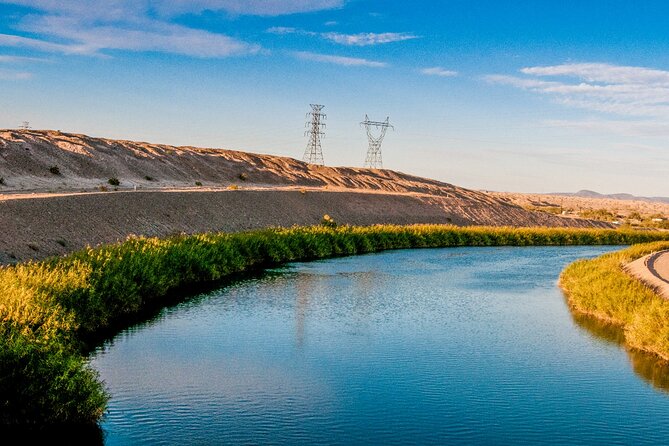
The narration highlights something you might not expect: the Las Vegas Valley’s marshlands were historically natural, but this park is almost completely human made.
It’s a neat story angle because it shows how the area has been shaped and managed over time—not just built up with dams and power lines.
Stop 6: Lake Mead — Lakeview Overlook
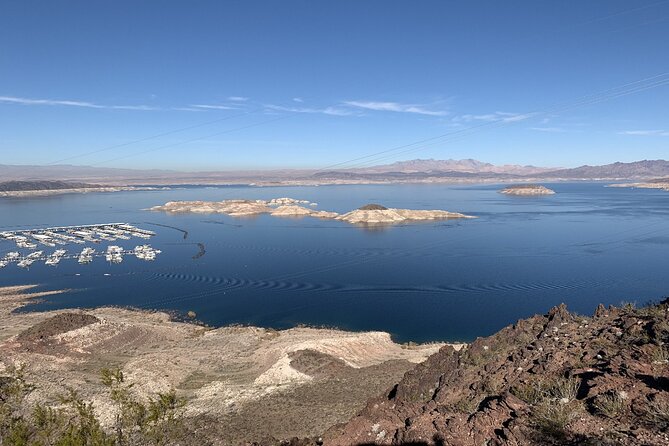
You get an overlook aimed squarely at the views of Lake Mead and the nearby Lake Mead Marina. Even if you’re not a dedicated photographer, a good overlook stop breaks the day up in a satisfying way.
This is also the sort of place where you can pause the audio briefly if you want to soak it in without talking over the moment.
Union Pacific Railroad Boulder Branch Line Museum Stop
You’ll also stop at a museum-style segment focused on the Union Pacific Railroad’s Boulder Branch Line history. It’s the tour’s “how stuff moved” chapter.
If you like learning how rail lines supported regional growth, this stop adds another layer beyond just water and electricity.
Stop 7: Hoover Dam (Plus the Bridge View)
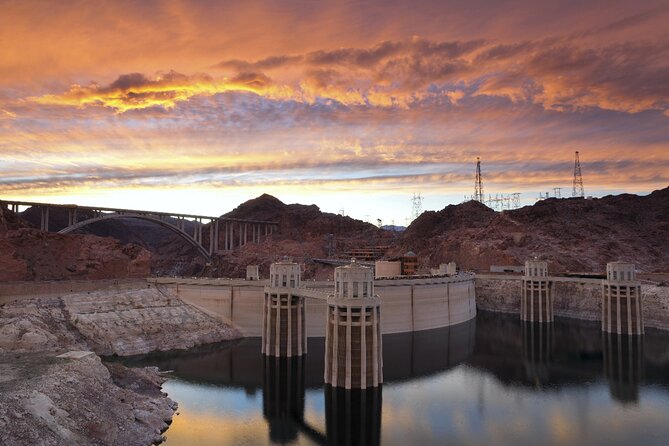
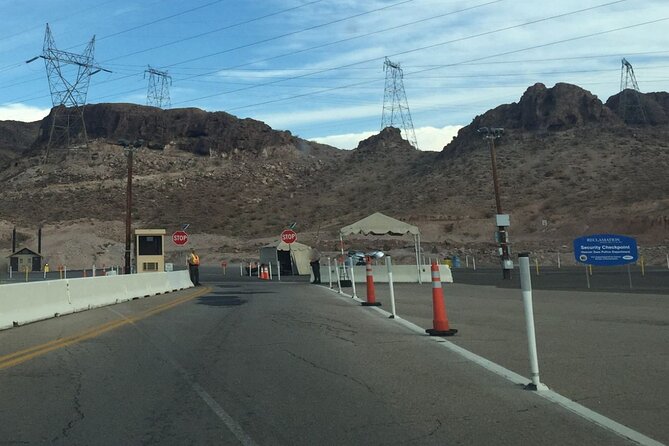
This is your big anchor stop. From here, you can hike a short trail to reach a bridge viewpoint for some of the best front-of-dam angles.
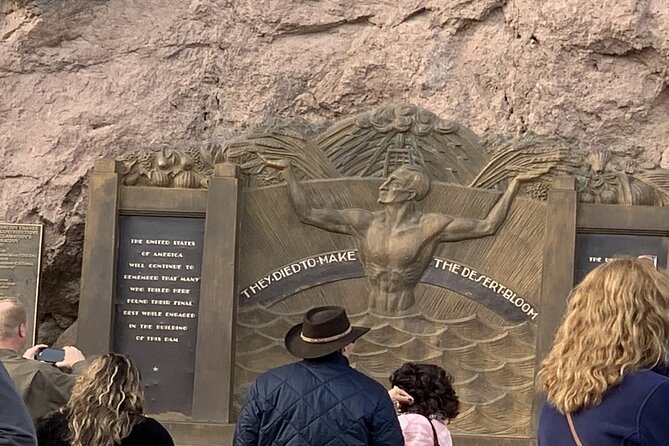
In fact, one highlight people mention is getting up in the area of the Memorial Bridge viewpoint for close, movie-like views of the dam. Even if your exact path depends on current access, the intent is clear: you’re meant to go beyond the parking-lot look and get a more dramatic angle.
The tour suggests about 20 minutes here, so plan on a brief walk and photos rather than a long sit-down.
Stop 8: Gold Strike Canyon Hot Springs Trail
This is the other “active” part. The hot springs segment is described as a hike with a bit more challenge, and it’s listed at about 20 minutes.
If you like doing one small “stretch your legs” moment on a drive day, this works nicely. If you’re trying to avoid hikes, you can treat it as optional time—just keep the overall drive pacing in mind.
How the Audio Works Without Turning Your Trip Into a Tech Project
The tour is hands-free in the sense that it plays based on your location. You download the tour into the app, then you open it onsite and start at the correct starting point.
Here’s the catch that matters for your day: you must download the tour while you’re in strong wifi/cellular. After that, it works offline. If you show up with weak signal and skip the download step, you can end up with an app that feels expensive and stubborn.
Once you’re ready, you’ll connect your phone audio to your car stereo using Bluetooth, USB, or AUX. If you’ll be walking and you want clearer audio, headphones are a smart backup plan.
Compatibility tips are also part of the deal: the tour notes compatibility with Apple CarPlay, with navigation features coming soon, and Android Auto is on the way. If your setup is finicky, do one test run before you leave the starting area.
Timing Tips: Make the 2–3 Hours Feel Relaxed
Most people think Hoover Dam means a quick photo, then back in the car. This tour changes that rhythm. Because many stops are short but frequent, it can feel like you’re doing a lot—unless you plan for small pauses.
I’d budget like this:
- Plan for about 2 to 3 hours total, with most stops running close to their short time windows
- Treat the Hoover Dam moment as your main photo and walk block at roughly 20 minutes
- Treat Gold Strike Canyon as your second active moment at about 20 minutes
Also, keep a little buffer for “bridge viewpoint” foot traffic. Dam area walkways can get busy, and it’s nicer when you’re not racing the audio.
If you want to make it even more enjoyable, pause the tour when you want quiet time for photos. The format supports pausing and resuming, so you’re not locked into a strict minute-by-minute schedule.
Who This Tour Suits Best (and Who Might Want Another Option)
This one is ideal if you want storytelling without a group. It fits:
- families with a car who prefer self-paced breaks
- couples who want context and scenic stops
- anyone who hates missing parts because they’re stuck waiting on others
It may be less ideal if you dislike phone-based planning. You need to manage the app download and start the correct version in the app onsite. It also works best when your audio setup isn’t fighting you.
If you only want a single quick Hoover Dam stop and don’t care about the surrounding places, you might feel like it’s more tour than you need. But if you like a full day-trip narrative, this tour’s stop variety is the point.
Practical FAQ You’ll Want Before You Drive
FAQ
How much does the Hoover Dam Self-Guided Driving Audio Tour cost?
It’s $14.99 per group (up to 4 people). The price is for the group/car, not per person.
How long does the tour take?
The tour takes about 2 to 3 hours (approx.).
Where does the tour run?
It’s a driving audio tour in the Hoover Dam area, listed with the location as Kingman, USA. The activity ends back at the meeting point.
Is it only offered in English?
Yes, the tour is offered in English.
Do I need a cellular signal for the tour to work?
Not after download. The tour includes offline maps and is designed to work offline after you download it while you have strong wifi/cellular onsite.
How do I start the tour?
After booking, you’ll get an email and text with setup instructions and a password. Onsite, open the Action audio tour app, select the correct tour version if needed, and start at the tour’s starting point. The audio begins automatically at the first story.
Will someone meet me at the starting point?
No. This is self-guided, and there is no one meeting you at the start.
What do I need to connect audio to my car?
You can connect your phone to your car stereo using Bluetooth, USB, or AUX. Headphones can also help for walking segments.
Are attraction tickets included?
No attraction passes or entry tickets are included. The itinerary stops are marked as admission ticket free, but you still don’t get extra tickets or reservations from the tour.
What if I can’t get the audio working?
If you face audio issues, you can contact support. The guide also emphasizes downloading the tour correctly first while you have strong signal.
Can I get a refund if I cancel?
Yes. You can cancel for a full refund if you cancel at least 24 hours before the experience’s start time. Within 24 hours, there’s no refund.
Should You Book This Hoover Dam Audio Drive?
I’d book it if you want a structured route with real context and you like stopping on your own schedule. The combination of offline access, hands-free playback, and group pricing makes it one of the more practical ways to see Hoover Dam without paying for a full guided day.
I’d be cautious if you know your phone setup is messy or you tend to ignore download steps. The tour depends on getting the content installed while you have strong signal first. If you do that part right, the rest feels easy and flexible.