REVIEW · KEY LARGO
Florida Key West Self-Guided Driving Tour (7 Mile Bridge)
Book on Viator →Operated by Drive with Action · Bookable on Viator
Seven miles of ocean road begs for audio. This Florida Keys self-guided drive turns the Overseas Highway into a moving lesson with GPS-triggered stories and a clear route that keeps your eyes on the road. The star moment is Seven Mile Bridge, plus dozens of audio stops stretched across a long, scenic stretch of the Keys.
What I really like is the lifetime access. You can use it any time within the dates of your trip and even revisit later, since there is no expiry. Second, I like the hands-free idea: the narration is designed to play on its own based on your location, and the route is supported with offline maps after download.
One drawback to plan for: this is a phone-based audio experience. If you do not download with a strong connection or you run into tracking or audio setup trouble, the timing can feel off and you might want to rely less on the in-app map.
In This Review
- Key highlights at a glance
- Seven Mile Bridge is the main event, but the drive matters too
- What you actually get for $16.99 per group
- Lifetime access with offline maps: the real convenience win
- How the self-guided route works (start, listen, pause, repeat)
- Phone setup: make your audio easy in a rental car
- The Seven Mile Bridge segment: what to expect at the waterline
- Route pacing: how to get 2 to 3 hours without rushing
- What kind of history and info you’ll hear
- Best setup for audio on your trip: Bluetooth first
- Who should book this Keys audio drive
- When this tour might feel less satisfying
- Should you book the Florida Keys self-guided tour with Seven Mile Bridge?
- FAQ
- What is the price for this Florida Keys audio driving tour?
- How long does the tour take to complete?
- Where does the tour end?
- Is the audio available in English?
- Does the tour work offline?
- What do I need to start the tour?
- What is included, and what is not included?
- What are the device requirements for the app?
- Can I get a refund if I cancel?
Key highlights at a glance
- Seven Mile Bridge focus: a straight shot of open water views plus audio context that makes it feel more than just a photo stop
- Lifetime access, no expiry: buy once and reuse it on future Keys trips
- Go hands-free with location audio: stories play as you move, so you do not need to tap constantly
- Offline maps included: you can keep driving even with spotty or no cell service
- Priced per car (up to 4): better value if you’re sharing the ride
Seven Mile Bridge is the main event, but the drive matters too
If Seven Mile Bridge is on your Keys list, this audio tour gives you a reason to slow down just a bit. Instead of treating the drive as a long transfer between Key Largo and Key West, you get narration that frames what you’re crossing and why these roads and landmarks matter.
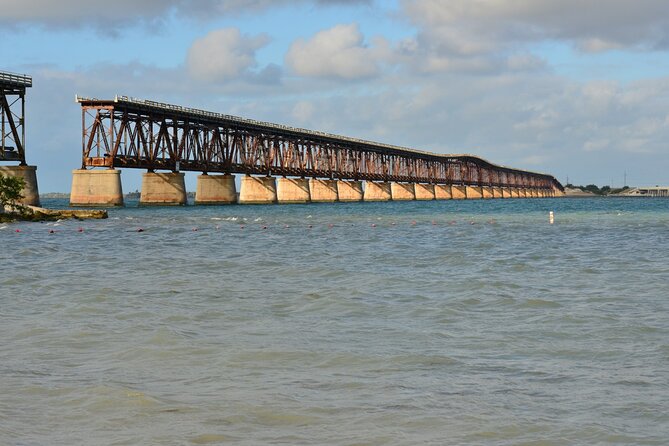
The bridge itself is exactly what it sounds like: seven straight miles of driving over the blue ocean. In plain terms, that kind of view can be easy to rush through. The tour helps by building the trip around audio cues and suggested stopping points, so the scenery becomes part of the experience rather than a backdrop.
You can also read our reviews of more tours and experiences in Key Largo.

What you actually get for $16.99 per group

The price is $16.99 per group, up to four people. That matters because Keys road trips often happen in rentals or family cars where only one device can run the audio. Paying once per car tends to beat per-person pricing for bus-style tours, especially if you have kids or friends who would rather listen than follow a guide.
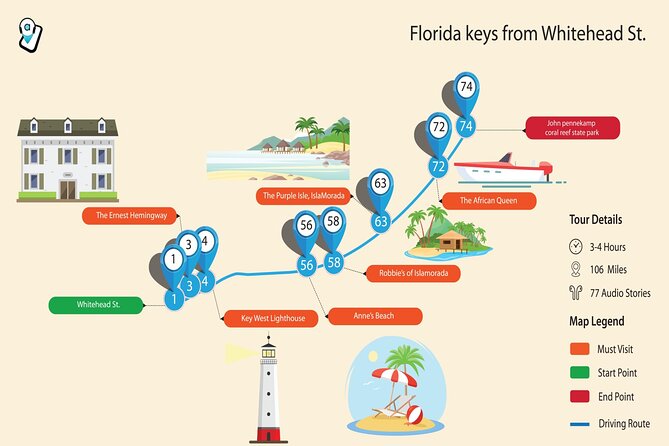
The tour time is listed at about 2 to 3 hours to complete, and it’s designed around a route that’s well over 100 miles with 70+ audio stories. That makes it less like a quick gimmick and more like a full road-trip soundtrack, with enough stops and context to keep you from zoning out halfway through.
One “value” angle that’s easy to miss: there are no attraction tickets included. So if you want to enter museums, pay for a boat, or do paid attractions, you’ll still handle those directly on your schedule.
Lifetime access with offline maps: the real convenience win

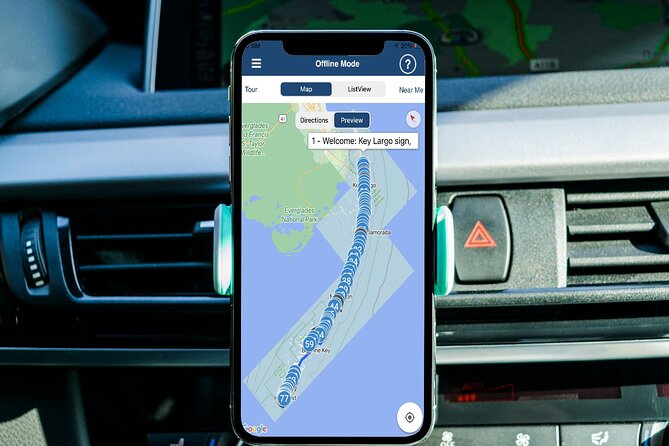
This is a self-guided driving tour, but the best part is how it’s built to work during the parts of the Keys where cell service can be unreliable. You get offline maps, and the audio is meant to play based on where you are, so you’re not constantly chasing your phone screen.
The setup is also built for reuse. The tour includes new, lifetime access with no expiry, so if your trip stretches across multiple days (or you want to do the drive again later), you’re not stuck buying a second time.
Just keep your expectations realistic: it is not a live guide calling out things in real time. It’s a fixed route with fixed stories, so your job is to follow the tour pacing and route cues closely enough to line up with the narration.
How the self-guided route works (start, listen, pause, repeat)
Here’s the core idea: no one meets you at the start. You go to the starting point, open the audio tour app, and the stories begin automatically from the first story location.
The app is location-triggered, so as you drive the narration should play when you reach each story point. You can also pause anywhere and start again later, which is a big deal if you want bathroom stops, stretch breaks, or a longer photo moment without losing your place.
Timing note: audio is designed to match the route at a normal driving pace. If you push speed or skip ahead, you can get out of sync. One small issue that can happen is the narration cutting off early for a moment, which can be annoying if you’re listening closely. The tour’s creators note that proper download with a stable connection can prevent this type of glitch.
Phone setup: make your audio easy in a rental car

The tour expects you to use your phone as the audio source. For the best experience, connect your phone to your car stereo using Bluetooth, USB, or AUX.
There’s also Apple CarPlay compatibility for audio playback, and Android Auto is listed as on the way. In practice, think of it like this: even if your car has a fancy screen, audio is the priority. You should be ready to listen through the car speakers even if the in-app map display does not look perfect on your vehicle screen.
If you want a stress-free approach, I’d plan like this:
- Download the tour while you’re on strong wifi/cellular, since it must be downloaded before it works offline
- If you have multiple devices in the car, pick one phone as the main audio device
- Avoid relying on the phone screen for navigation during key moments; keep your eyes on driving
Supported device guidance is also specific: iPhones need iOS 13 or newer, Android needs version 9 or newer, and iPads/tablets are only recommended if they have GPS and cellular connectivity.
The Seven Mile Bridge segment: what to expect at the waterline
The tour’s first stop is Seven Mile Bridge, and that’s where the trip really locks into its main theme: ocean views with the road as the frame.
Even though the bridge is just one stop in the overall route, it sets the tone. The narration is meant to help you notice things that are easy to miss when you’re just driving. If you’re planning photos, this is the moment to do it. But do it safely and legally, not at random pull-offs.
A practical tip: treat the bridge like a mini road-trip ceremony. If you have to choose between rushing for more stops and giving the bridge its moment, pick the bridge. It’s the cleanest “wow” view on the drive.
Route pacing: how to get 2 to 3 hours without rushing
The tour is designed for about 2 to 3 hours. That doesn’t mean it must feel like a nonstop sprint. The app is set up so you can pause anywhere, which is ideal in the Keys where you’ll naturally want brief breaks.
The sweet spot is to match your schedule to your audio rhythm:
- If you want a faster drive, keep stops short and use the pause button only when you need it
- If you want photos and quick walks, plan a little extra time so you do not feel rushed between story points
If you drive too quickly, the narration can get ahead or fall behind. If your goal is learning, aim for a steady pace so the audio matches what you’re seeing.
What kind of history and info you’ll hear
The audio is positioned as more than trivia. It’s intended to mix stories, unique background, and context for landmarks along the route. The highlights included in the tour’s audio library are built to make the Keys progression easier to understand—how the region shifted over time and how major transport routes shaped travel here.
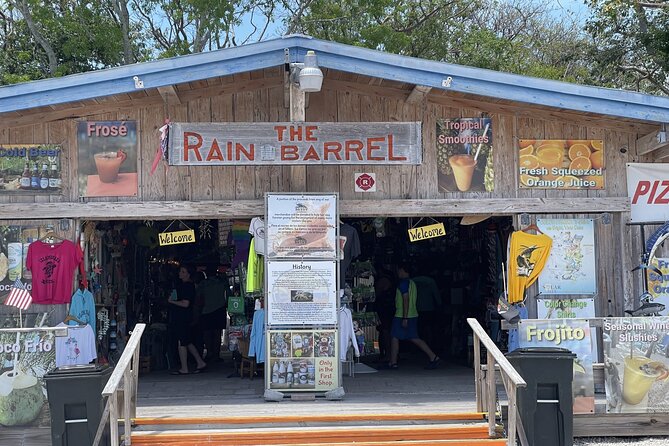
You’ll also get suggested stop ideas along the way, so it’s not just narration. It’s a guided loop for what to notice and where it might be worth pulling over for lunch, an arts-and-crafts stop, or a quick break.
If you’re the type who likes a road trip with a purpose, this style works well: you get a planned sequence without feeling trapped in a group itinerary.
Best setup for audio on your trip: Bluetooth first
Because this is a self-guided tour, your biggest “make or break” factor is how you handle audio playback. The simplest plan is Bluetooth audio from your phone into the car.
You do not need to keep the app open on screen the whole time. The location-based playback should do the work. That’s good because it reduces distraction—especially on a long drive where you’ll naturally want to look around.
One more small thing: connect your phone before you start driving if you can. If you’re fiddling with connections while moving, the audio can get unstable and you’ll end up multitasking at the worst possible time.
Who should book this Keys audio drive
This tour is a strong fit if you want:
- A flexible road trip where you can stop and start without a guide escort
- An audio companion for long driving stretches between Key Largo and Key West
- Value pricing that works well for small groups sharing one car and one device
It’s also ideal if you’re traveling with kids or teens who might otherwise stare at phones. Audio narration can turn the drive into something people actually pay attention to, especially when there are fun facts and story hooks.
If you hate phone-based navigation entirely, then this might feel like extra work. But if you’re okay using your phone for audio and you can follow a route at a calm pace, it’s a good match.
When this tour might feel less satisfying
Because it’s not a live guide, it can under-deliver if you expect constant real-time customization. The stories and stopping points are pre-set, so you’ll be following a script.
Also, if you run into app syncing issues or your download is incomplete, you may lose some of the smooth hands-free experience. In one case, the in-app map did not sync as expected with a vehicle screen while Bluetooth audio still worked. That’s why I treat the map display as optional and focus on audio playback.
Should you book the Florida Keys self-guided tour with Seven Mile Bridge?
Book it if:
- You’re driving the Keys and want a story-driven route instead of a silent slog
- You’re traveling in a group where per-car pricing is a real advantage
- You can download the tour first on strong wifi/cellular and you want to enjoy offline use
Skip it if:
- You want a hands-on guide who adapts on the fly
- You dislike any dependency on a phone app for your trip experience
- You plan to drive very fast or skip between points without matching the pacing, since audio timing depends on route order
My bottom line: for the money, this is a practical way to turn Seven Mile Bridge and the Overseas Highway into a route with meaning. If you like self-guided travel but still want your drive to feel guided, it’s an easy yes.
FAQ
What is the price for this Florida Keys audio driving tour?
It costs $16.99 per group, up to four people.
How long does the tour take to complete?
The tour takes about 2 to 3 hours to complete.
Where does the tour end?
It ends back at the meeting point.
Is the audio available in English?
Yes, it is offered in English.
Does the tour work offline?
After you download it on strong wifi/cellular, it works offline with offline maps.
What do I need to start the tour?
After booking, you’ll receive email and text instructions with a password. You download the Action’s Tour Guide App, enter the password, then open the tour app at the starting point to begin.
What is included, and what is not included?
Included are the engaging audio storytelling, offline maps, hands-free location-based playback, and an easy-to-use app experience. Not included are attraction passes, entry tickets, or reservations.
What are the device requirements for the app?
iPhones need iOS 13 or newer, and Android devices need version 9 or newer. For iPads/tablets, only models with GPS and cellular connectivity are recommended for navigation.
Can I get a refund if I cancel?
Yes. You can cancel up to 24 hours in advance for a full refund. If you cancel within 24 hours of the start time, the amount paid is not refunded.