REVIEW · CHICHEN ITZA
Chichen Itza: Self-Guided Tour with Audio Narration & Map
Book on Viator →Operated by Walk with Action · Bookable on Viator
Your phone becomes a quiet guide here.
This self-guided GPS audio tour helps you match the narration to the ruins you’re standing in, and it works offline after you download it (GPS only, no roaming needed).
I like the value: it costs $9.99, and you still get a structured route with lots of short stories instead of paying for a private guide. I also like the hands-free feel, with audio that plays automatically at each stop and a recommended path that helps you avoid wandering in circles.
One thing to plan for: you’ll do a solid walk to hit the essentials, and the GPS cue can sometimes start a touch before you reach the exact spot—so keep moving and keep your eyes up.
In This Review
- Key things I think are especially worth your time
- Why a GPS Audio Tour Works So Well at Chichén Itzá
- Price and What This Includes (and Doesn’t)
- Offline Setup: Download Now, Use GPS Later
- How the Walking Route Actually Feels on the Ground
- Stop-by-Stop: Handicraft Market and the First Stories
- The Ceremonial Core: Ball Court, Skull Rack, and Public Platforms
- The Big-Middle Overview: Chichén Itzá as Maya-Toltec Fusion
- Warrior Temple, Then the House Details People Miss
- The Observatory Revisited, Then the Last Monument Stretch
- Timing, Walking Pace, and Finding Breaks
- Who This Audio Tour Is Best For (and Who Should Skip It)
- Should You Book This Chichén Itzá Self-Guided Audio Tour?
- FAQ
- Does this tour include admission to Chichén Itzá?
- Can I use it offline at Chichén Itzá?
- About how long does the tour take?
- How does the audio start while I’m walking?
- Do I need an internet connection during the visit?
- What language is available?
- What device do I need for the best experience?
- Is this a group tour with a guide?
- What if I’m visiting late in the day?
Key things I think are especially worth your time
- Offline GPS mode after the initial download, so you don’t worry about data or spotty service.
- Hands-free audio that triggers based on your location, so you’re not constantly tapping your phone.
- A suggested route that strings the big highlights together in a logical order.
- Lots of short stories (more than 37) across the main structures, from El Castillo to Las Monjas.
- Built for pace control, letting you pause, repeat, or skip bits as you like.
Why a GPS Audio Tour Works So Well at Chichén Itzá

Chichén Itzá is the kind of place where your brain wants context fast. The architecture is dramatic, but once you’re inside the site, you’ll quickly notice how minimal the built-in explanations can feel. A location-based audio tour fixes that by giving you a story when you’re actually there, not while you’re still walking toward it.
The big win here is that you’re not locked into a group tempo. You can linger by El Castillo’s staircase geometry, step away for photos, then come back to the next cue when you’re ready. And if you want to double-check something you missed, you can replay segments without hunting down a guide.
You can also read our reviews of more tours and experiences in Chichen Itza.
Price and What This Includes (and Doesn’t)
At $9.99 per person, this is priced like a budget-friendly alternative to paying a guide. The audio portion gives you a “you have a guide” feel—just delivered through your phone and headphones—plus a route that aims to cover the site’s key areas in about 2 hours.
What you don’t get in that $9.99 is the entrance ticket. The tour explicitly does not include admission to Chichén Itzá, and some specific stops are marked as admission-ticket not included. In plain terms: you’ll still want to buy the park entry you need, then use this app to make the visit smarter and less confusing.
Offline Setup: Download Now, Use GPS Later
This tour is designed around a simple idea: download once, then roam freely. After booking, you receive an email and text with setup instructions and a password. Then you download Action’s Tour Guide App (the separate tour app by Action) while you’re on strong Wi‑Fi/cellular, because that download is what makes the offline part work later.
Once you’re at Chichén Itzá, the tour is built to run using GPS alone. That’s a big deal in rural or low-service areas where roaming can get expensive or unreliable. For the smoothest experience, the recommended devices are an iPhone on iOS 15+ or Android 9+ (and iPad/tablet with GPS).
Bring headphones and keep them in your ears during the walk. The audio is meant to start automatically as you reach each story point, so leaving one ear out makes it easier to miss a key detail.
How the Walking Route Actually Feels on the Ground
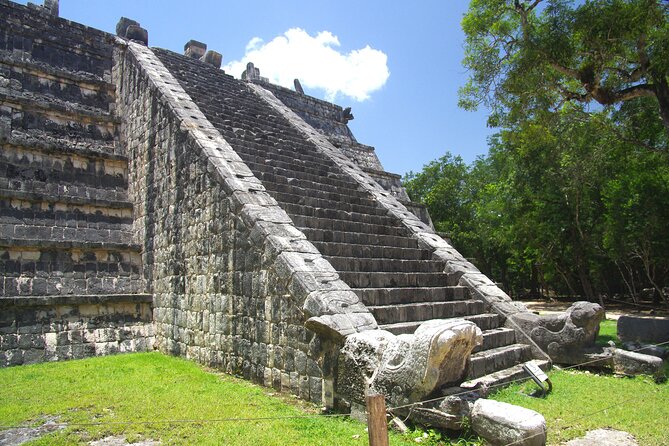
The tour is described as over 2 miles long, with an essentials route that covers the main structures in about 1–2 hours. That means this is not a sit-down museum experience. You’ll be moving between plazas and monument clusters, then you’ll likely slow down at El Castillo and the major ceremonial buildings.
Also, there’s no guide meeting you at the start. You go to the start point (97751 Chichén-Itzá, Yucatán, Mexico), open the audio app onsite, and start the correct version if there are multiple directions. Then you follow the audio cues from story to story.
One practical tip from real-world use: keep a portable charger handy. A longer ruin walk plus GPS plus headphones can eat phone battery faster than you expect, especially if you’re also taking photos.
Stop-by-Stop: Handicraft Market and the First Stories
Stop 1: Handicraft Market
The tour kicks off with a market area where you can get oriented before you start chasing pyramids. It’s short (about 5 minutes), and it works like a warm-up: the audio frames the broader Maya world here, with a sense of mystery and unanswered questions. This is also a good moment to make sure your headphones and audio are working right away.
Stop 2: Guías oficiales de la Z. A. de Chichén Itzá Tu Guía Yucatán
This stop is tied to the official guide zone label. Even if you’re not hiring a live guide, it helps anchor you in the idea that Chichén Itzá is not just “cool ruins,” it’s tied to a major Mesoamerican civilization that shaped much of the region.
Stop 3: El Castillo (Pyramid of Kukulkan)
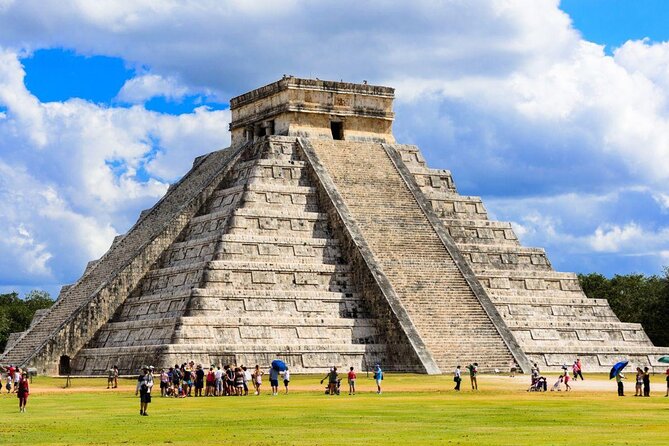
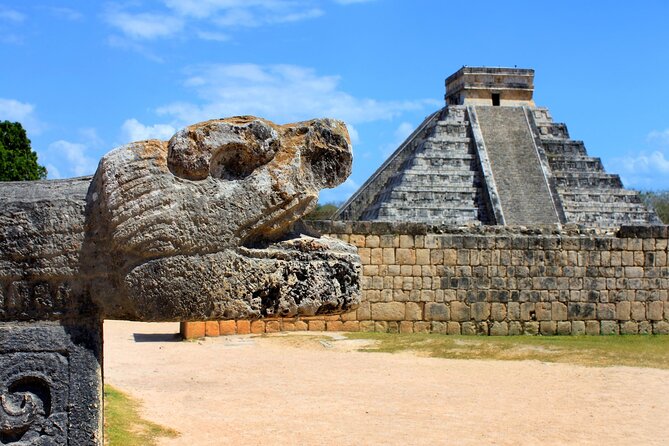
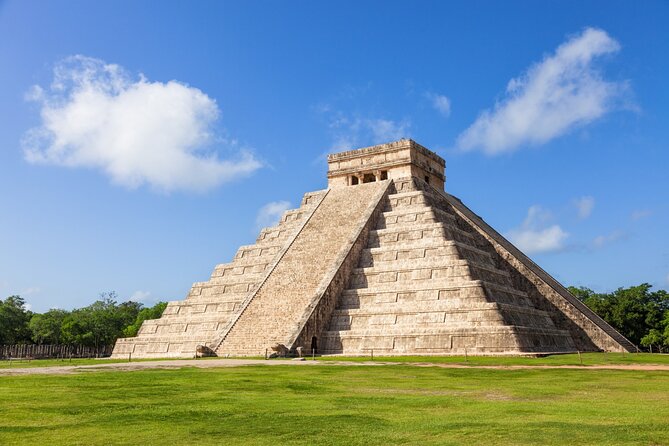
El Castillo is the star attraction. The narration connects it to the snake deity Kukulkan and explains how the building’s imposing architecture reflects Mayan civilization. Spend time here even if you’ve seen photos before. The best part of GPS audio is that you’re not just admiring the view—you’re understanding why the structure is famous.
Note on access: this stop is marked as admission-ticket not included. So treat it as a reminder to have your park entry handled before you plan to linger in the key monumental zones.
The Ceremonial Core: Ball Court, Skull Rack, and Public Platforms
Stop 4: Gran Juego de Pelota
This is the ballgame field, but the story makes clear it’s more than a sports venue. You’ll learn about sculpted reliefs along the walls and the way scenes can reveal ball players if you look closely. If you like details, this stop rewards a slow walk along the edges rather than just a quick front-facing photo.
Stop 5: Tzompantli (Skull rack)
Tzompantli is explained with a direct name: skull rack, where heads of sacrificial victims were placed. The audio describes wall imagery featuring warriors carrying human heads and also mentions skulls, snakes, and eagles across the walls. It’s heavy subject matter, but the narration keeps it tied to the monument’s meaning rather than sensationalizing it.
Accessibility/access note: this stop is again marked as admission-ticket not included, so don’t treat the tour purchase as your entry ticket.
Stop 6: Eagles & Jaguars Platform
This square platform with stairways on each side is framed as likely ceremonial space—dance, ritual, and public speeches—and not topped by a temple. The tour emphasizes that it was designed like a flat stage for public viewing. I like this kind of stop because it helps you imagine how crowds experienced the site, not just how it looks today.
Stop 7: El Caracol
Now you’re in observatory territory. El Caracol sits on a structure where the remains of an observatory would have allowed Mayans to watch the stars and interpret future predictions based on planetary movement. This stop is short, but it’s one of the best “switch the lens” moments: the site isn’t only religion and power—it’s also astronomy.
The Big-Middle Overview: Chichén Itzá as Maya-Toltec Fusion
Stop 8: Chichen Itza Yucatan
This longer stop (about an hour) provides the site-level frame: Chichén Itzá as one of the greatest centers on the Yucatán peninsula, shaped over nearly 1,000 years. The audio also explains a fusion—Maya construction techniques paired with elements from central Mexico—so you understand why the complex feels layered rather than single-era.
This is a useful moment to reset your expectations. If your brain goes in thinking Chichén Itzá is only one uniform style, this narration helps you see the “multiple peoples left their mark” idea clearly.
Warrior Temple, Then the House Details People Miss
Stop 9: Temple of the Warriors
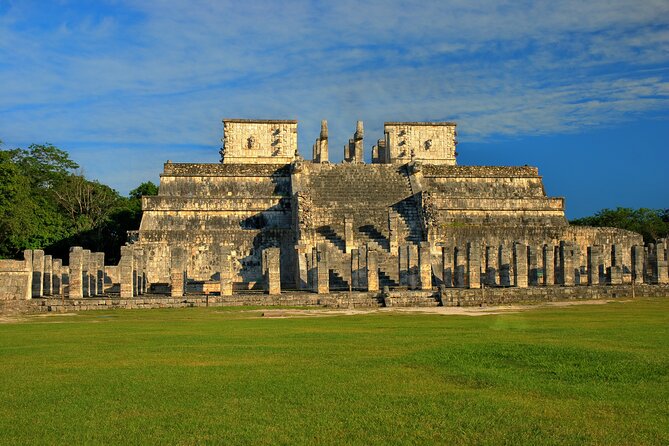
The Temple of the Warriors is described as tiered like a wedding-cake silhouette, with about 200 columns featuring carvings of Toltec warriors in different scenes. If you’re the kind of person who likes to look beyond the main pyramid face, this is a stop where you’ll have fun spotting variations in the carvings.
Stop 10: Red House (House of Little Holes)
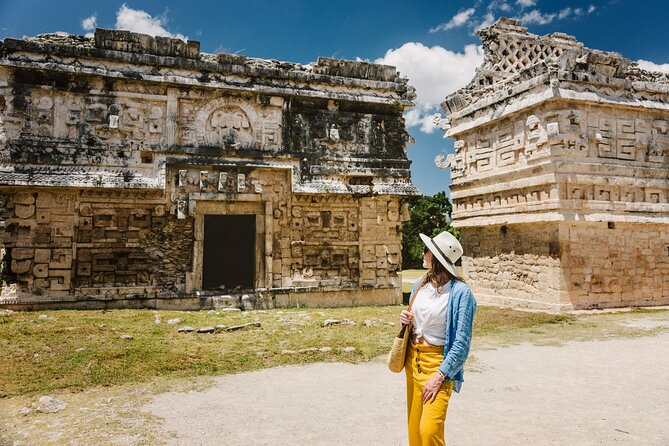
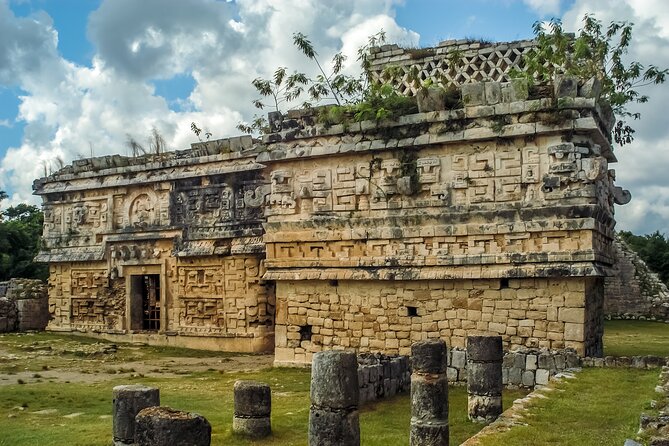
This one is fun because the name is visual. The Red House is explained as also being called the House of Little Holes due to latticework near the top that creates a “little holes” look. The audio also notes the Mayan name Chichanchob and suggests it could mean small holes. This is the kind of detail that makes you see buildings as design objects, not just relics.
Stop 11: The Ossuary
The Ossuary pyramid earns its name from human remains uncovered there. The narration points out a cavern beneath and mentions seven tombs believed to belong to Mayan high society. It’s another heavy stop, but the payoff is understanding how archaeology reshapes our picture of ancient life and burial practices.
The Observatory Revisited, Then the Last Monument Stretch
Stop 12: El Caracol (again)
El Caracol shows up again with a similar observatory framing, focusing on the cylindrical observatory remains. If the first Caracol stop makes you curious, this second cue can feel like a quick recap, helping the concept stick while you’re already in the area.
Stop 13: El Osario (Ossuary)
El Osario is identified as another name for the Ossuary, also called the High Priest’s Grave. This stop is short, but it reinforces the significance tied to bones and tomb findings.
Stop 14: Las Monjas (The Nunnery)
Las Monjas is explained as one of the largest buildings at Chichén Itzá and especially archaeologically significant because of texts inscribed into the walls. The audio mentions many of these texts reference a ruler named Kakupakal. This is one of the most “read it in your head” stops: even if you can’t see every inscription, the context helps you understand why archaeologists care.
Stop 15: La iglesia (The Church)
La iglesia is one of the most photographed buildings, and the narration focuses on its veneer decoration. The audio mentions masks of Chac decorating upper stories and also notes animal figures among the Chacs, including an armadillo, crab, snail, and tortoise. If you’ve ever thought some ruins look almost too orderly, this is your reminder that decoration wasn’t an afterthought—it was the message.
Timing, Walking Pace, and Finding Breaks
The site opening hours are listed as 8:00 AM to 5:00 PM. Planning a mid-morning or afternoon visit usually means heat and crowds, but you can reduce the crowd pressure by moving at your own pace and taking your time where the audio cues matter most.
One practical bonus: there are refreshment stalls and a sitting area in the middle of the compound. That makes this tour easier to survive with a phone in your hand and headphones on. If you get tired, pause, sit, and let the audio pick up again when you’re ready.
For navigation, follow the tour route and speed limit for the best GPS triggering. If you stray far, the audio may not line up perfectly when you return.
Who This Audio Tour Is Best For (and Who Should Skip It)
This tour is best for you if you want a structured route, lots of context, and you’d rather not pay for a private guide. It’s also a great fit if you like staying flexible: you can stop for photos, step into shade, and repeat a segment without feeling guilty about slowing someone else down.
You might want a different option if you need very deep explanations beyond short narration, or if you know your phone battery often runs low. Since the tour depends on your device, bring a charger and test your headphones before you walk into the main ruins.
Should You Book This Chichén Itzá Self-Guided Audio Tour?
Yes, if your goal is to get the most meaning out of your entry ticket without paying guide prices. For $9.99, you’re essentially buying a simple guide format: GPS-timed audio, a recommended route, and stop-by-stop context that helps you look at El Castillo, the ball court, Tzompantli, Las Monjas, and La iglesia with better understanding.
I’d book it especially if you like independence and avoiding the rush. You can move away from the crowd, then rejoin the next cue whenever you’re ready.
FAQ
Does this tour include admission to Chichén Itzá?
No. The $9.99 price is for the self-guided audio tour and map. Entrance ticket to Chichén Itzá is not included.
Can I use it offline at Chichén Itzá?
Yes, after you download the tour app. It’s designed to work offline using GPS alone, without data roaming.
About how long does the tour take?
The duration is listed as about 2 to 3 hours. The route covering the essentials is described as taking about 1 to 2 hours.
How does the audio start while I’m walking?
Open the Action’s Tour Guide app once you’re onsite. You go to the first story’s point, and then the audio cues are triggered automatically based on your location.
Do I need an internet connection during the visit?
You don’t need data roaming for the tour itself. But you must download the tour while you have strong Wi‑Fi/cellular, because that download enables offline use later.
What language is available?
The tour is offered in English.
What device do I need for the best experience?
The recommended setup is an iPhone running iOS 15 or later, an Android device version 9 or later, or an iPad/tablet with GPS and cellular connectivity for navigation.
Is this a group tour with a guide?
This is self-guided, and it’s described as a private activity for only your group. There’s no one who meets you at the start.
What if I’m visiting late in the day?
The listed opening hours are 8:00 AM to 5:00 PM. Check the site hours before you go so your timing lines up with when you can enter.
If you’d like, tell me your travel month and whether you’re visiting at opening time or later, and I’ll suggest a smart pace for the route so you don’t feel rushed.