REVIEW · YOSEMITE NATIONAL PARK
Self-Guided Audio Driving Tour in Yosemite
Book on Viator →Operated by GuideAlong (GyPSy Guide) · Bookable on Viator
Yosemite is huge, so you need a plan you can bend. This GPS-triggered self-guided audio drive helps you find the park’s best-known spots without paying for a private live guide, and you can control the pace start to finish. I love the location-based audio that plays as you move, plus the trip planners that help you stitch together a half-day, full-day, or multi-day route. One real catch: you must download the tour before reception gets spotty, or you could be stuck waiting while you’re already in the park.
You pay $19.99 per group (up to 8 people), so it’s a smart value if you’re traveling as a carload. The drive runs about 8 to 16 hours depending on which stops you pick, and it has no time limit or expiration. Think of it as your co-pilot for Yosemite Valley icons, plus the quieter switchback country like Hetch Hetchy and big tree groves.
In This Review
- Key things I’d focus on before you go
- Entering Yosemite by car with GPS-triggered narration
- Price and value: $19.99 per group, not per person
- Getting ready: download offline, then drive without stress
- Route planning that actually fits your day
- Yosemite National Park first: use the audio to get oriented fast
- Yosemite Valley icons: Bridalveil Fall, El Capitan, Glacier Point, Half Dome
- Bridalveil Fall: a short walk to a 620-foot drop
- El Capitan: 3,000-foot granite walls and world-famous climbing
- Glacier Point: the valley view plus a drop that feels unreal
- Half Dome: the silhouette you recognize, and why photos can mislead
- Hetch Hetchy Reservoir and Olmsted Point: quieter Yosemite energy
- Hetch Hetchy Reservoir: granite, hikes, spring waterfalls, and wildflowers
- Olmsted Point: a viewpoint along Tioga Pass with Half Dome in view
- Tioga Pass: high alpine scenery when the road is open
- Sequoias and history: giant trees at Tuolumne and Mariposa, plus Wawona
- Tuolumne Grove of Giant Sequoias: a one-mile downhill that rewards attention
- Wawona Covered Bridge and Pioneer Yosemite history: a break from the viewpoint circuit
- Mariposa Grove of Giant Sequoias: best collection energy
- Yosemite Falls: timing matters and the audio helps you read the seasons
- The tech check: what to do if GPS audio misbehaves
- Who this self-guided Yosemite drive is best for
- Should you book this Yosemite self-guided audio driving tour?
- FAQ
- How much does the Yosemite self-guided audio driving tour cost?
- How long is the tour?
- Does the tour have a time limit or expiration?
- Do I need internet or cell service in the park?
- Where does the tour start and end?
- What language is the audio guide available in?
- Is this a private tour?
- Are park entrance fees or National Park passes included?
- How do I access the tour after booking?
Key things I’d focus on before you go
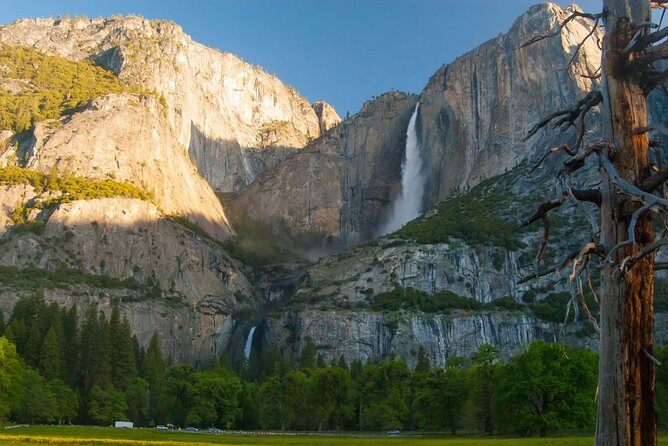
- GPS-triggered storytelling: the narration starts based on where your phone says you are, not on some rigid schedule.
- You choose the route shape: use suggested itineraries or build your own day plan.
- No expiration: buy once and keep it for future park trips with free updates.
- Offline-ready: once downloaded, it should play without cell service.
- Private-by-car experience: only your group rides along with the audio.
- Most stops are easy wins: lots of famous viewpoints pair with short walks or quick photo stops.
Entering Yosemite by car with GPS-triggered narration
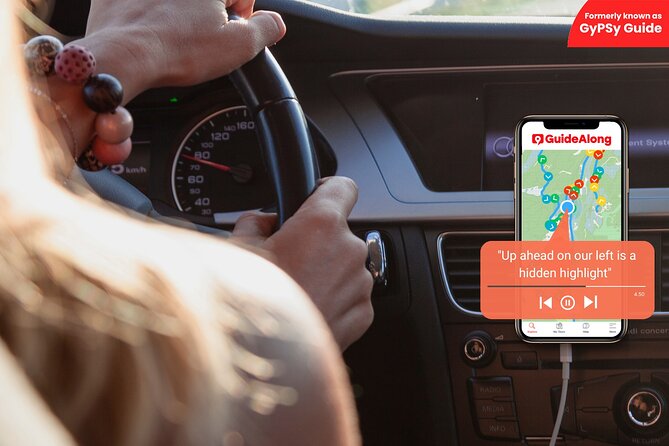
The biggest difference here is how the audio works. Instead of pressing play at random moments, the guide uses your phone’s GPS to start stories, tips, and directions when you’re near a stop on the route. You still drive on your own time, but you’re not left guessing what you’re looking at or what comes next.
That matters in Yosemite because the day can go sideways fast. One wrong turn, a slow parking search, or a spontaneous detour to a viewpoint, and a traditional tour can feel stressful. With GPS-triggered narration, the commentary is designed to match where you are, so you can keep exploring without losing the plot.
You also control the rhythm: you can stop, listen, walk a short trail, then jump back in the car. There are no hard time limits built into the experience, which is ideal if your group has mixed energy levels—one person wants photos, another wants a quick explanation of geology, and someone else just wants the next turnout.
You can also read our reviews of more tours and experiences in Yosemite National Park.
Price and value: $19.99 per group, not per person
This tour is priced at $19.99 per group up to 8 people. In plain terms, it can be cheaper than paying even a small share of what live, paid guiding often costs per person—especially if you’re traveling with family or friends and sharing one vehicle.
One practical way to think about the value:
- If you’d otherwise hire a live guide just to reduce guesswork, this gives you most of that guidance for a fraction of the cost.
- If you already know you’re going to do the big stops anyway, the audio adds the why: what you’re seeing, why it’s shaped that way, and what to notice in the moment.
Also, this is a driving tour. That means you’re paying for the “brains” that help you navigate and understand the park while you’re behind the wheel, not for a bus ride or a long walking route.
Do note what’s not included: National Park passes and entrance fees are not included. Your car will still need you to handle park entry requirements yourself, before you start listening your way through the day.
Getting ready: download offline, then drive without stress
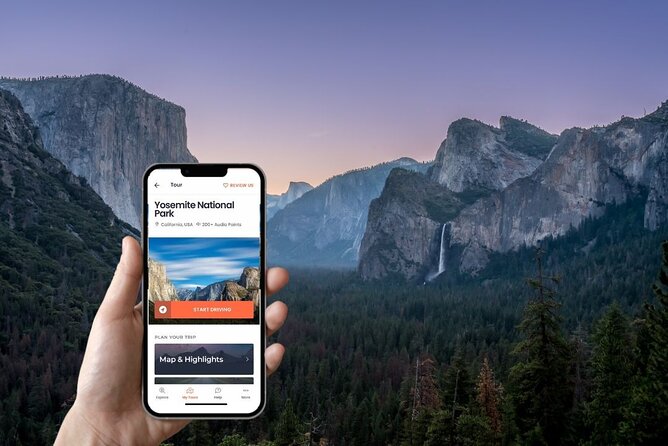
Yosemite can have weak cell reception in many areas, and the tour depends on downloading first. The setup is straightforward: after booking, you receive email/text instructions to redeem your voucher in the GuideAlong app, then download the tour in the app under My Tours.
Here’s how to make it painless:
- Download the tour over Wi-Fi or reliable cellular before you head into the deeper stretches of the park.
- Bring a USB/C car charger so your phone doesn’t run out mid-drive.
- If you want to switch to walking time, bring earbuds/headphones.
Once the tour is downloaded, you can use it offline. That’s a big deal because it turns this from a “maybe it works” app into a true on-the-ground companion.
If you try to rely on spotty signal for downloading while you’re already in Yosemite, you could lose time. Plan the tech step like you’d plan parking: early and calmly.
Route planning that actually fits your day
You can take the tour in two main ways:
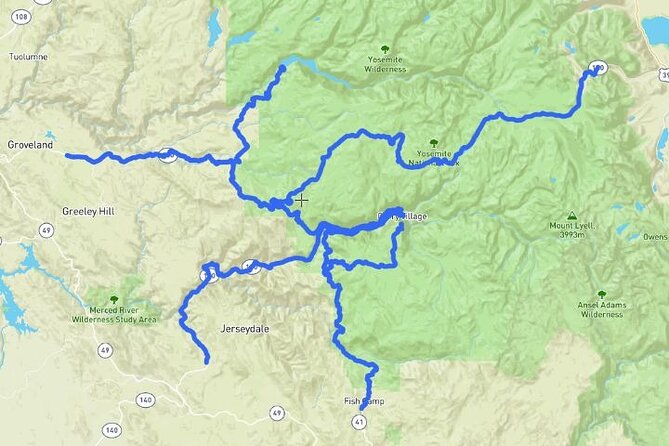
- Follow suggested itineraries for a half day, full day, or multi-day approach.
- Build your own route along the tour route using the in-app tools and planners.
I like the idea that the app shows you what’s coming up before you reach the next stop. That helps you make real-time decisions: if your group is tired, you can shorten a hike. If everyone is feeling strong, you can spend extra minutes at a viewpoint that’s delivering exactly what you hoped for.
The trip planners are available in-app, on the web, and as a PDF. That means you can preview and map your route with whatever level of effort your day allows—from quick glance to thorough pre-planning.
Yosemite National Park first: use the audio to get oriented fast
Stop 1 is the general start point inside Yosemite National Park. This is where the audio’s GPS-based approach is most helpful because it sets the tone: you learn how to think about the park as you begin driving, not after you’re already rushing from one parking spot to the next.
If you’re a first-timer, this early guidance can save you from the classic Yosemite mistake: seeing the views but missing the story of how the valley, rock walls, and seasonal water connect.
Even if you’ve been before, it helps to reframe what you’re looking at. The audio isn’t just facts—it nudges your attention to details you might otherwise skip because you’re busy staring at the scenery.
Yosemite Valley icons: Bridalveil Fall, El Capitan, Glacier Point, Half Dome
This is the classic Yosemite cluster. Expect iconic viewpoints, short walks, and that “how can it be this big” feeling that only Yosemite really delivers.
Bridalveil Fall: a short walk to a 620-foot drop
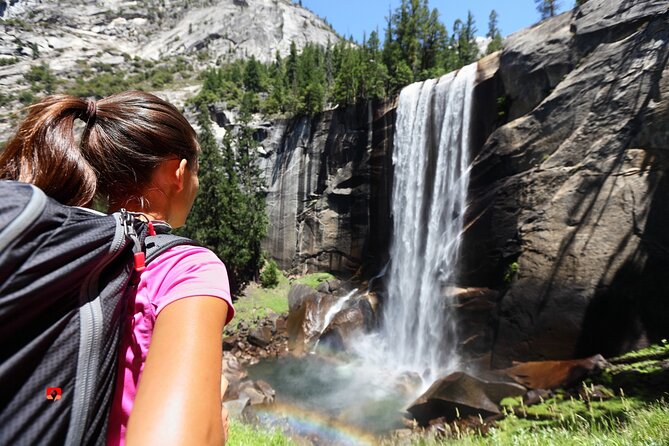
Bridalveil Fall is the kind of stop you can do even if your day is tight. You’ll take a 0.5 mile paved trail to the viewpoint, and the audio sets you up to notice what makes the fall memorable: a 620-foot drop that turns into a show when conditions are right.
Practical angle: this is a low-effort leg with high payoff. If your group is still waking up, start here and let the day build from there.
El Capitan: 3,000-foot granite walls and world-famous climbing
Next comes El Capitan, Yosemite’s giant granite wall that has inspired climbers across the world. The audio connects what you’re seeing to why it matters: those 3000-foot granite walls are not just impressive, they’re a measuring stick for climbing goals.
Even if you don’t climb, it’s worth listening here because the audio helps you understand how people talk about El Cap over decades—records, routes, and the challenge of that sheer scale.
Glacier Point: the valley view plus a drop that feels unreal
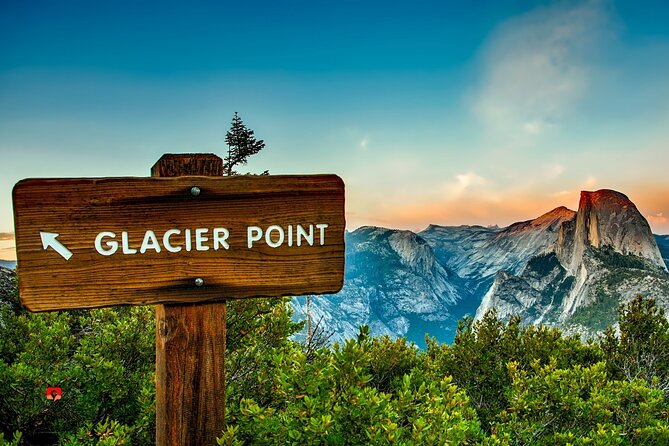
Glacier Point is one of those places where you stop, look, and immediately understand why people come back. The overlook frames Yosemite Valley, Half Dome, and Yosemite Falls, and there’s a short paved trail from the carpark.
One detail to mentally prepare for: the view down to Curry Village is about 3214 feet below. That can feel a bit unnerving for some people. If your group is sensitive to heights, I’d keep walking distance short and focus on enjoying the wide view rather than staring down.
Half Dome: the silhouette you recognize, and why photos can mislead
Half Dome is the shape most people can identify even when they can’t place the exact trailhead. The audio adds a useful correction: the famous image can be misleading because it was never whole in the way many people picture it.
It’s a small point, but it changes how you look. Instead of just seeing a symbol, you start seeing the actual rock form and the ways viewpoints create the illusion.
Hetch Hetchy Reservoir and Olmsted Point: quieter Yosemite energy
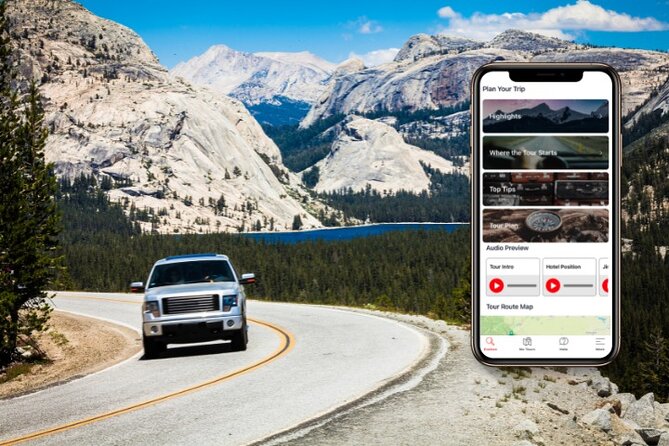
After the Valley icons, this part of the route slows down. It’s not that it’s smaller—it’s that it’s easier to breathe.
Hetch Hetchy Reservoir: granite, hikes, spring waterfalls, and wildflowers
Hetch Hetchy Valley is a solid option if you want a less crowded slice of Yosemite. The audio points you toward what to expect: granite formations, hikes, spring waterfalls, and wildflowers. The suggested time here is about 4 hours, which tells you this isn’t just a quick drive-by.
If your group likes nature that still feels wild, this is where you’ll likely linger. You can do it as a focused hike-and-listen day, or use the audio as a guide to pick the best short trails for your energy level.
Olmsted Point: a viewpoint along Tioga Pass with Half Dome in view
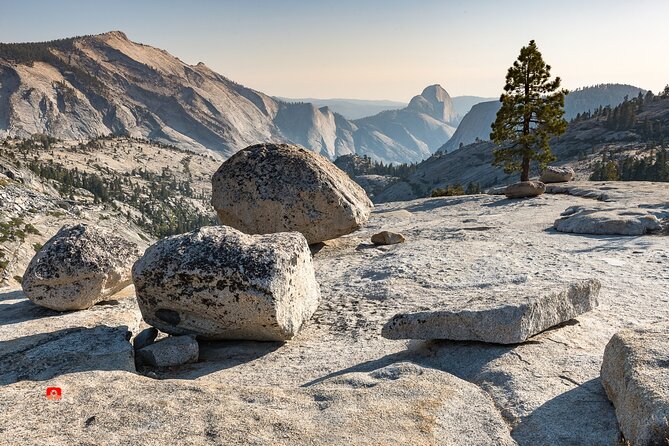
Olmsted Point is another easy win for the sightline crowd. The audio calls out a south-looking view along Tioga Pass toward Half Dome, Clouds Rest, and Tenaya Canyon.
The suggested time is around 15 minutes, so treat it as a viewpoint pause, not a big hike. It’s perfect when you want another “I get why this is famous” moment without stealing half your day.
Tioga Pass: high alpine scenery when the road is open
Tioga Pass is the route you drive when Yosemite decides to show off its alpine side. The audio describes it as a high-elevation area with a road connection from the East Entrance to Yosemite Valley, and it reminds you of the seasonal reality: it’s open only when conditions allow each season.
The suggested time is about 4 hours. That can mean a mix of scenic driving and short hikes, plus time to watch weather and light shift.
If your trip lines up with Tioga Pass being open, you’ll probably find this section gives you a different Yosemite feeling than the valley stops. Expect more open views and a sense of big altitude, with the chance to spot wildflowers when conditions are right.
Sequoias and history: giant trees at Tuolumne and Mariposa, plus Wawona
Yosemite isn’t only cliffs and waterfalls. The giant sequoias and historic areas add scale in a different way—time-scale, not height-scale.
Tuolumne Grove of Giant Sequoias: a one-mile downhill that rewards attention
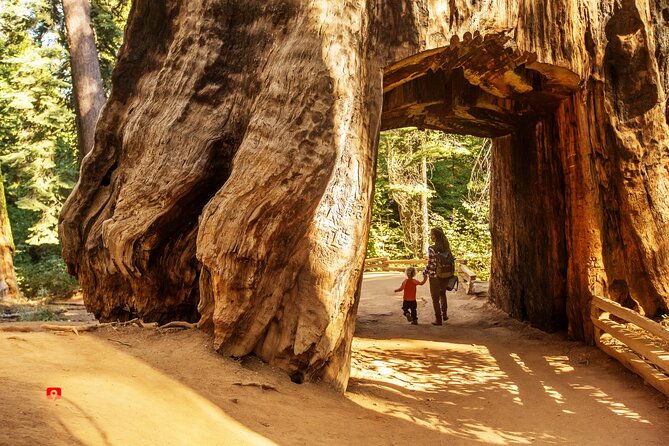
Tuolumne Grove brings you face-to-face with superb giant sequoias. The audio suggests about 2 hours, including a 1-mile downhill hike where you’ll see character trees both dead and alive, including Dead Giant.
If you want a strong “slow down” segment, this is it. The audio doesn’t just name trees; it helps you look at them as living landmarks—some surviving, some lost, all shaping the grove’s story.
Wawona Covered Bridge and Pioneer Yosemite history: a break from the viewpoint circuit
Wawona Covered Bridge is a different pace. The audio points you toward a cluster that includes the Wawona Hotel area, the Pioneer Yosemite History Center, a collection of horse carriages, and the old timber covered bridge.
Suggested time is about 2 hours. This is where I’d let your group wander a bit, since this kind of stop works best when you’re not rushing from one photo to the next.
Mariposa Grove of Giant Sequoias: best collection energy
Finally, Mariposa Grove is the stop for giant sequoias at their scale. The audio frames it as the best collection, noting that giant sequoias are among the biggest trees in the world and famous for both height and thick trunks.
The listed time is 15 minutes, which suggests a quick hit—maybe a viewpoint moment plus short walking, depending on your plan. If your group wants more, use your own judgment and spend longer.
Yosemite Falls: timing matters and the audio helps you read the seasons
Yosemite Falls is one of those images you either catch at the right moment or you feel like you missed a page in a familiar book. The audio sets expectations with seasonal behavior: in spring, snowmelt sends a thunderous amount of water down the upper, middle, and lower sections.
Suggested time is around 1 hour. That’s enough for a steady look, a short walk around viewpoints, and time to appreciate how the falls change.
Practical tip: if you’re visiting outside peak snowmelt season, the audio still helps because it frames what you’re seeing and why it may not match the biggest water-image you’ve seen in photos.
The tech check: what to do if GPS audio misbehaves
Most days, GPS-triggered audio is smooth. But Yosemite is complicated by distance, turns, tunnels of trees, and patchy connectivity. The key is preparation.
If you’re having trouble:
- Make sure the tour is fully downloaded before you start.
- Keep your phone charged with a car charger.
- If you start late or your day shifts, remember the tour does not expire, so you can come back to it later.
There are also times when the app experience feels more seamless when you’ve installed everything earlier and you’re ready to drive without fiddling. Treat setup time as part of planning, not part of the actual park day.
Who this self-guided Yosemite drive is best for
This is a good fit if you want:
- Flexibility over a rigid guided schedule.
- A practical way to see multiple classic stops in a single car day.
- A friendly narration voice that keeps you oriented while you drive.
It’s also ideal for groups where one person loves facts, another loves photos, and someone else just wants clear directions. The audio can handle the “what am I looking at” job while you focus on driving, parking, and timing.
If you want a live guide who answers questions on the spot, this won’t replace that. But for learning what you’re seeing and organizing your day efficiently, it’s a smart compromise.
Should you book this Yosemite self-guided audio driving tour?
Book it if you’re doing Yosemite by car and you want a low-stress way to connect sights with meaning. The GPS-triggered narration, the option to build your own route, and the fact it works offline after downloading make it feel useful rather than gimmicky.
Skip or reconsider if you know you won’t be able to download reliably on good Wi-Fi ahead of time. In Yosemite, tech problems can eat your daylight fast.
If you’re traveling with a group that can share the cost in one vehicle, this is the kind of add-on that can turn a “drive around and hope” day into a Yosemite day with a real plan.
FAQ
How much does the Yosemite self-guided audio driving tour cost?
It costs $19.99 per group, up to 8 people.
How long is the tour?
It takes about 8 to 16 hours, depending on which stops you choose and how long you spend at each.
Does the tour have a time limit or expiration?
No. It is a one-time purchase with no expiration and no date/time limit.
Do I need internet or cell service in the park?
No internet is required after you download the tour in advance. The tour is designed to work offline.
Where does the tour start and end?
You can start and end anywhere along the tour route. The audio plays automatically based on your GPS location.
What language is the audio guide available in?
The tour is offered in English.
Is this a private tour?
Yes. It is private, and only your group participates.
Are park entrance fees or National Park passes included?
No. National Park passes and entrance fees are not included.
How do I access the tour after booking?
After booking, you’ll receive email and text instructions. Download the GuideAlong app, redeem your voucher code in the app, then download the tour under My Tours, and start it in the app to begin listening.