REVIEW · DURANGO
Self-Guided Audio Driving Tour in Mesa Verde National Park
Book on Viator →Operated by GuideAlong (GyPSy Guide) · Bookable on Viator
Mesa Verde goes from scenic to story-filled fast. This GPS-based audio driving tour lets you roll at your pace and hear what you’re actually looking at, right when you reach each spot. I especially like the offline, no-WiFi setup, and the freedom to stitch together a half-day loop or a longer day without babysitting a group.
The biggest heads-up: several of the famous cliff dwellings still require separate timed ranger-style tickets, so your day can get smoother if you plan which stops are worth the extra entry steps.
In This Review
- Key things that make this audio drive worth your time
- How GPS audio turns Mesa Verde into a real route, not a random drive
- Price and value: $19.99 per group, plus park entry for your car
- The main logistics that make or break your day: download, battery, and headphones
- Building your own Mesa Verde route: half-day, full-day, or multi-day
- Mesa Verde highlights you can hit with the audio car loop
- Mesa Verde National Park stop: start wherever you’re ready
- Chapin Mesa Archaeological Museum: the best culture primer before ruins
- Spruce Tree House (from the museum area): best preserved, but inside is off-limits
- Montezuma Valley Overlook Trail: a fast viewpoint with long-distance meaning
- Park Point Overlook Trail: the 360-degree “no explanation needed” stop
- The cliff-dwelling reality check: which stops need tickets and which don’t
- Balcony House: adventurous access, and you’ll need ranger-guided tickets for inside
- Cliff Palace: the big-name stop with timed, ranger-assisted entry
- Step House: close-up potential without extra ranger tickets
- Sun Temple: a more “regular building” vibe
- What I’d pack and plan for (so you don’t lose time)
- Should you book this GuideAlong Mesa Verde driving tour?
- FAQ
- What language is the Mesa Verde audio driving tour offered in?
- How long does the tour take?
- Does the tour require internet or WiFi while you drive?
- Is the Mesa Verde park admission included in the $19.99 price?
- What stops require tickets, and what doesn’t?
- Can I start and end the tour wherever I want?
- How many people can ride under one group purchase?
- What if I run into app or audio problems?
Key things that make this audio drive worth your time
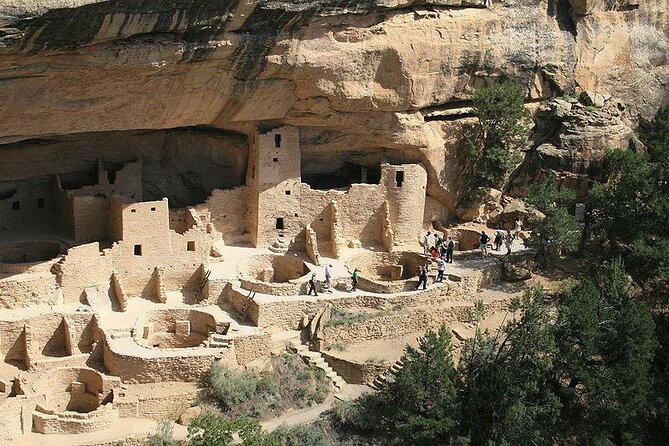
- Works offline after you download, so you can keep going even when cell service is spotty.
- Autoplays by location, which means the narration tends to match what you’re viewing from the road or overlook.
- One purchase covers your whole vehicle group (up to 8), which is good value if you’re traveling with family or friends.
- You choose the pace, with suggested routes plus trip planners for quick half-, full-, or multi-day options.
- Hands-on cliff-dwelling context, from big-picture archaeology to practical tips before you park and walk.
How GPS audio turns Mesa Verde into a real route, not a random drive
Mesa Verde is big on viewpoints and cliff edges, and it’s easy to feel like you’re just chasing pull-offs. This format helps because the commentary is location-triggered. When you turn down the road toward a major stop, you don’t have to guess which narration to start. The phone listens to its GPS chip and starts the right segment when you’re in range.
That matters for two reasons. First, Mesa Verde’s most important features are often hard to interpret from a distance. Hearing what you’re seeing—plus the timing, function, and why it’s positioned where it is—makes the ruins feel less like scenery and more like places people built with intention. Second, it keeps you from wasting time. You’ll spend less effort trying to match guidebooks to parking areas.
For audio, the delivery style also matters. The narration is described as easy to use, fun to listen to, and often timed well with the drive, including geography, geology, and practical stop-order suggestions.
You can also read our reviews of more tours and experiences in Durango.

Price and value: $19.99 per group, plus park entry for your car

The tour cost is $19.99 per group (up to 8 people in your vehicle). That’s the price for the GuideAlong audio experience, not for Mesa Verde admission.
You still need to budget for park entry. The provided info lists a National Park price for car and bicycle of $20 in winter and $30 in summer (2025). Think of it like this: the audio tour is cheap enough that it won’t feel like a second ticket, but the park itself is still a real cost.
Where the value really shows: if you’re splitting between two, three, or four people, the per-person cost drops fast. And if you don’t have time to squeeze in ranger tours at every stop, the audio helps you get meaning from the viewpoints you can access without paying extra.
The main logistics that make or break your day: download, battery, and headphones
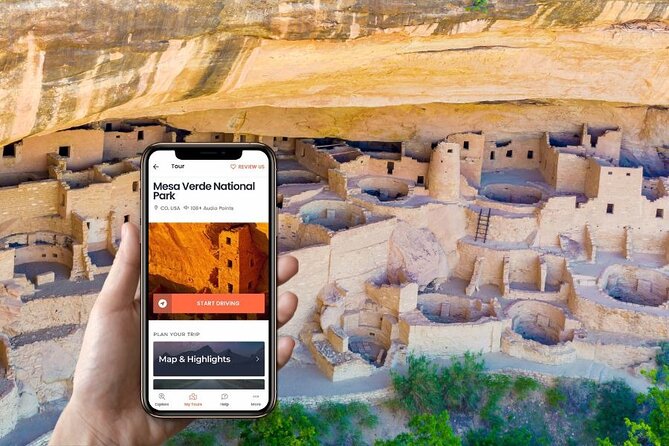
This is a private, self-guided setup using the GuideAlong app (provider: GuideAlong / GyPSy Guide). After booking, you receive email/text instructions with a link labeled Download Audio Tour. You sign in with your Apple or Google account and redeem a voucher code before the trip.
Two practical points you should treat as non-negotiable:
- Download the tour beforehand over WiFi or cellular data. The tour is designed to work offline, but you still need the download step done in advance.
- Bring a charger (a USB car charger works best) so your phone doesn’t die halfway through your Mesa Verde day. Audio + GPS are battery eaters.
Also, plan to start and stop wherever you want along the tour route(s). The app includes a preview so you can see start locations, routes, and planners.
If you want your day to go smoothly, I’d do a quick test at home: open the app, confirm your tour appears under My Tours, and check the sound. That’s the simplest way to avoid the kind of setup frustration that can happen if a phone doesn’t recognize your sign-in on the first try.
Building your own Mesa Verde route: half-day, full-day, or multi-day
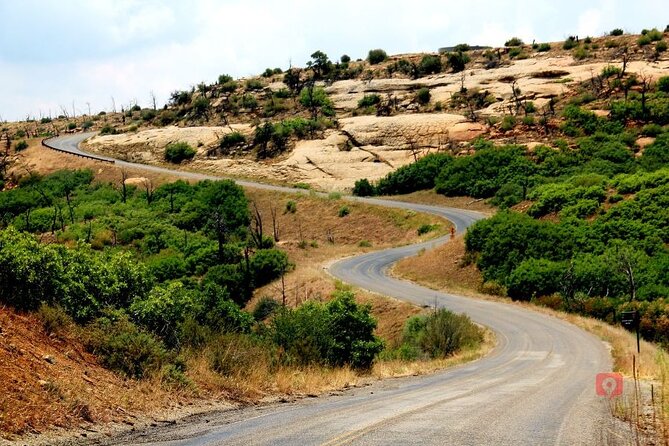
One of the best things about this experience is flexibility. You can treat it like a “greatest hits” loop or build a longer itinerary. The app includes trip planners in-app, web, and PDF formats, with suggestions for half-, full-, and multi-day plans.
In real terms, Mesa Verde rewards timing. Some stops are quick overlooks; others involve short walks, longer hikes, and (for certain cliff dwellings) timed entry and ranger supervision. With self-guided audio, you can keep momentum by doing the quick stops first on a tighter schedule, then spending your energy where you care most.
A good strategy is to mix:
- 20-minute payoff stops (overlooks),
- 1-hour museum or monument time blocks, and
- ticketed cliff dwelling visits when you want the ranger context and indoor viewing.
If you’re visiting in hot weather, this format also helps. You can keep the car as your base, use the stops you want, and hop back in between viewpoints instead of waiting in lines.
Mesa Verde highlights you can hit with the audio car loop
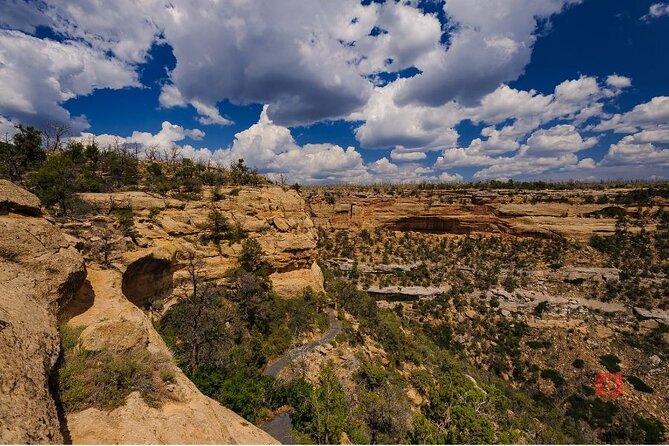
Here’s how the major stops work on the ground, including what’s worth your time and what to watch for.
Mesa Verde National Park stop: start wherever you’re ready
The tour’s first big stop is Mesa Verde National Park. Because the audio is location-based, you can start around the park and let the commentary guide you as you move. If you’re doing a shorter visit, this is a great way to avoid feeling like you missed the “real” beginning.
Chapin Mesa Archaeological Museum: the best culture primer before ruins
If you only do one “learn first” stop, this is it. The Chapin Mesa Archaeological Museum has a strong collection and exhibitions that go beyond just staring at cliff dwellings. Even if you’re mainly there for the views, museum time helps you recognize what you’re looking at later—so the ruins don’t feel random.
This stop is listed as about 1 hour, and the admission ticket is not included in the audio tour price.
Spruce Tree House (from the museum area): best preserved, but inside is off-limits
Spruce Tree House is considered one of the best-preserved cliff dwellings. It’s also conveniently accessed from the same area as the museum and park services, so you can pair it with the museum without extra driving.
One caution: the information you have says it’s not possible to visit inside due to rock falls and destabilization going forward. That doesn’t make it pointless, though. You can still enjoy and photograph it from the viewpoint behind the museum.
If you’re feeling energetic, there are also two popular hiking trails leaving from this location:
- Petroglyph Point Trail (about 2 hours)
- Spruce Canyon Trail (about 2 hours)
Your audio may help with context as you head into these walks, but the hikes themselves aren’t included as tickets—they’re just strong add-ons if you want more time on your feet.
Montezuma Valley Overlook Trail: a fast viewpoint with long-distance meaning
This is a quick stop (about 20 minutes). The name Montezuma Valley is described as factually incorrect, but the view is still impressive. On a clear day, it’s framed as a landscape you can see as far as 100 miles away.
What makes this overlook especially valuable is how it connects locations in the valley below to other pueblo sites. In other words: it’s not just a pretty view. The narration helps you understand why you’re looking at a distribution of places, not a single monument.
It’s listed as free (admission ticket free).
Park Point Overlook Trail: the 360-degree “no explanation needed” stop
If you like big views, this is your easiest win. Park Point Overlook offers 360 degrees from the highest, easily accessible point. The clear-day tip is that you can see into each of the Four Corners states, plus geological features such as Shiprock.
This is also about 20 minutes, and it’s marked as free. If you only have time for one overlook besides the short ones, I’d prioritize this.
The cliff-dwelling reality check: which stops need tickets and which don’t
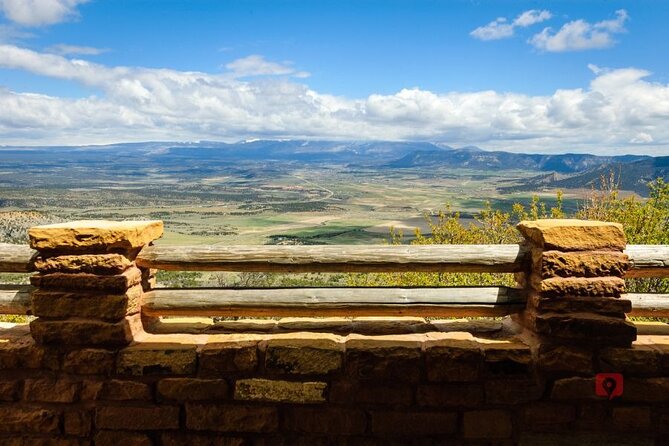
Mesa Verde’s most famous sites often mix two kinds of access: you can see a lot from roads and viewpoints, but the best in-depth experience can require timed entry and ranger involvement.
Balcony House: adventurous access, and you’ll need ranger-guided tickets for inside
Balcony House is one of the more adventurous cliff dwelling tours because it involves climbing multiple ladders and even squeezing through tight passageways. You can also get the best non-tour view from the Soda Creek Overlook Trail, located on the Cliff Palace Loop Road.
To see inside Balcony House, you must have a ticket for the Ranger-guided tour. The audio driving experience can set context, but you shouldn’t plan on replacing a guided ticket if you want the full interior view.
Cliff Palace: the big-name stop with timed, ranger-assisted entry
Cliff Palace is Mesa Verde’s most famous cliff dwelling. The details shared here are striking: it’s described as the largest cliff dwelling in North America with 151 rooms and 23 kivas. It was first re-found by rancher Richard Wetherill after receiving tips from a local Ute member.
Getting into Cliff Palace requires a pre-purchased ticket, and the visit is described as Ranger-assisted. Your timed visit is supervised by a ranger who provides information, while you’re allowed some self-exploration. Expect this stop to be a centerpiece of your day, not a quick pull-off.
Step House: close-up potential without extra ranger tickets
Step House is described as the best opportunity in Mesa Verde to get up close and personal with a cliff dwelling without needing a ranger-led tour ticket. It also doesn’t require tickets to see.
The bonus is how you arrive: Step House is at the end of the drive along Wetherill Mesa Road, and the drive itself includes outstanding views. The on-site visit is short (about 30 minutes), but you’ll likely want extra time for photos along the drive.
Sun Temple: a more “regular building” vibe
Sun Temple is one of the last mesa-top pueblos built. Unlike the cliff alcove dwellings, it’s described as being built on the land, almost like a conventional building. The stop is around 30 minutes, and it’s marked as admission ticket not included—meaning you can visit without the same ticket structure as the major interior cliff dwellings.
What I’d pack and plan for (so you don’t lose time)
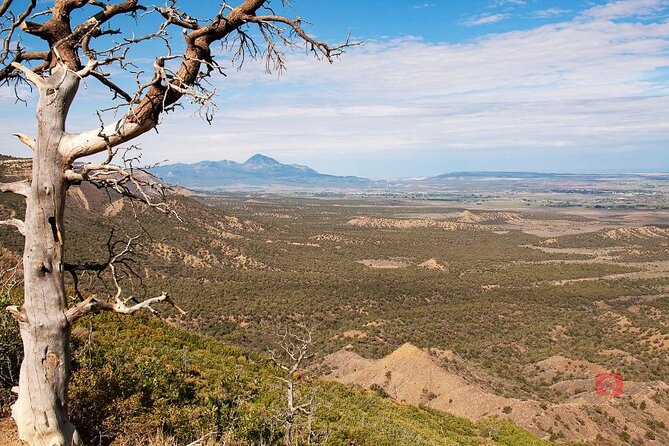
Mesa Verde is a place where a “simple drive” can still turn into walking, stairs, and uneven ground. The practical advice built into the experience (and reinforced by common planning tips) boils down to:
- Charge your phone and keep it connected in the car.
- Download the tour before you arrive.
- Carry water and be ready for stairs and short walks even if you’re mostly driving.
- Plan your order based on time. The audio includes suggestions for which sites to see first when you’re short on time, and that can help you avoid spending the day at viewpoints that don’t match your interests.
A small tech note: offline audio is a big advantage, but the app setup still requires proper sign-in and a successful download. If you’re the type who hates messing with apps, give yourself time before you head out.
Should you book this GuideAlong Mesa Verde driving tour?
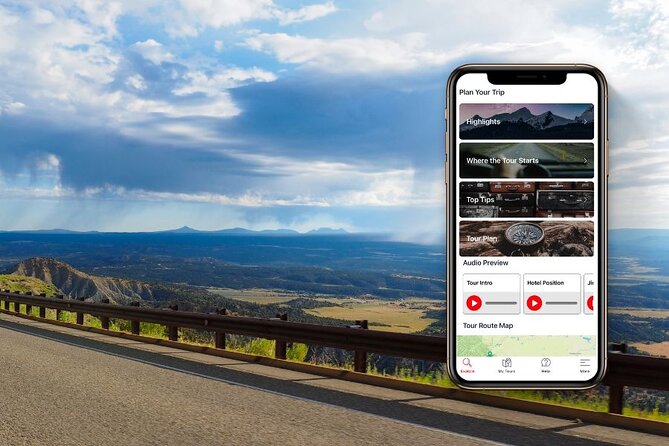
Yes—if you want Mesa Verde to feel like a guided story without the time pressure of a full tour schedule. I’d book it if:
- You’re traveling with mixed interests (someone wants ruins, someone else wants geology and viewpoints).
- You want flexibility for weather, energy levels, or a tight itinerary.
- You’re okay paying Mesa Verde park entry and possibly booking ranger-style tours for one or two major cliff dwellings, while letting the audio handle the rest.
I wouldn’t rely on it as your only plan if:
- You’re counting on seeing every major interior dwelling and you don’t have ticket access for the ranger-assisted stops.
- You hate app-based setup and would struggle to sign in, download, and run offline audio smoothly.
If you do one thing to make this booking pay off: decide ahead of time which ticketed cliff dwelling(s) you’re willing to add. Then use the audio drive to connect the dots at the viewpoints and museum stops around them.
FAQ
What language is the Mesa Verde audio driving tour offered in?
The tour is offered in English.
How long does the tour take?
The duration is flexible, listed as about 4 to 12 hours depending on how you pace yourself and which stops you include.
Does the tour require internet or WiFi while you drive?
No. The tour is designed to work without WiFi after you download it in advance. Some areas may have limited network service, so downloading beforehand is key.
Is the Mesa Verde park admission included in the $19.99 price?
No. The $19.99 is for the audio tour. Mesa Verde park entry fees are separate, listed as $20 in winter and $30 in summer for car and bicycle (2025).
What stops require tickets, and what doesn’t?
Cliff Palace requires a pre-purchased ticket and is ranger-assisted with timed supervision. Balcony House also requires a ranger-guided tour ticket to see inside. Chapin Mesa Archaeological Museum requires admission tickets. Stops like Montezuma Valley Overlook, Park Point Overlook, Step House, and Sun Temple are listed as admission ticket free or admission ticket not included.
Can I start and end the tour wherever I want?
Yes. The commentary is location-based, and you can start and end anywhere along the route(s). The app lets you preview start locations and the tour route.
How many people can ride under one group purchase?
The price is per group for up to 8 people in the vehicle.
What if I run into app or audio problems?
You receive support options including toll-free phone, chat, and email, and the guide can be managed through the GuideAlong app. Planning to download and sign in ahead of time can reduce the chance of issues once you’re in the park.