REVIEW · NOOSA AND SUNSHINE COAST
Amazing Scavenger Hunt: Caloundra On The Coast
Book on Viator →Operated by Let's Roam · Bookable on Viator
Caloundra turns into a puzzle playground. This self-guided hunt in Queensland pairs coastal landmarks with an app that gives you clues, photo tasks, and roles for your group. I love how the Let’s Roam app drives the experience with maps, riddles, and leaderboards, and I love that everyone gets a job (Braniac, Photographer, or Mapper). One thing to consider: if you want lots of item-finding or guided hype, this can feel more like a structured walk with sightseeing stops than a fast-moving, clue-only challenge.
The format is simple: you download the app, pick your start time, and follow the route at your own pace. Expect a mix of beach air, public spaces, and photo moments around Kings Beach, Bulcock Beach, and local landmarks like the lighthouses and the Queensland Air Museum.
If you’re traveling with a mixed group (kids, adults, or people who don’t want a long sit-down tour), the “everyone has a role” setup is the big win. Just know your success will depend on how quickly your group can work with the app and stay engaged while you walk between stops.
In This Review
- Key Things To Know Before You Go
- A Self-Guided Caloundra Hunt You Can Start When You Want
- Price, Duration, and What You’re Actually Paying For
- Your Starting Point: Kings Beach and the 1 Spender Ln Link-Up
- How the Let’s Roam App Runs the Game
- Stop-by-Stop: Lighthouses, Street Fair Energy, and War-Time Displays
- Bulcock Beach: Where the Route Pays Off
- Queensland Air Museum and the Caloundra Art Stops
- What This Works Best For (and When It Might Not)
- Photos, Roles, and Making the Hunt Feel Like a Win
- Practical Tips That Make or Break Your Experience
- Should You Book This Caloundra On The Coast Scavenger Hunt?
- FAQ
- Where does the hunt start and end?
- How long does the scavenger hunt take?
- Can I choose my own start time?
- Do I need a phone for the tour?
- Is there a tour guide included?
- What role options do players get?
- Are attraction fees or food included?
- Is it suitable for families and children?
- Is the tour refundable if I cancel?
- What kind of support is available during the hunt?
Key Things To Know Before You Go
- Self-led start times: you choose when to begin, and you end back at the meeting point
- Team roles: every player gets a role (Braniac, Photographer, or Mapper) plus a photo challenge
- App-only navigation: maps, riddles, and tasks live inside the Let’s Roam system
- Coast + culture stops: lighthouses, Bulcock Beach, Caloundra RSL display, and the Queensland Air Museum
- Photo challenges drive the pace: you’ll earn part of the fun by shooting and following the prompts
A Self-Guided Caloundra Hunt You Can Start When You Want
This is not a guided tour with a person talking the whole time. It’s a self-led scavenger hunt, so you’re in charge of the flow. The benefit is flexibility: you can start any time within the day’s window and pause if your group needs a snack, a bathroom break, or just time to soak up the coastline.
I like that it still feels structured. The app isn’t just directions; it’s also where the clues and tasks come from. That means you’re not wandering aimlessly like you would on a typical “let’s see what we find” walk.
The flip side is also clear: you need a charged phone to run the show. If your battery dies mid-hunt, you’ll feel it. Bring a power bank if you’re even slightly worried.
You can also read our reviews of more tours and experiences in Noosa and Sunshine Coast.

Price, Duration, and What You’re Actually Paying For

You pay $12.31 per person, and the hunt is listed at about 2 hours. That price is low enough that it can work well as a low-cost activity for families or a quick team-building option—especially if you split the group into roles and make the photo tasks a real competition.
But here’s the practical value question: you’re not paying for a guide, transport, or attraction tickets. What you are paying for is the hunt structure—maps, riddles, roles, and digital photo copies. So you’ll get the best value when your group enjoys interactive walking and doesn’t need a staff member to keep energy high.
If you’re expecting a classic scavenger hunt where you race to find hidden items at every turn, you might be disappointed by how much the experience relies on sightseeing stops and app prompts. In other words: it’s not just the clues—it’s also the route.
Your Starting Point: Kings Beach and the 1 Spender Ln Link-Up
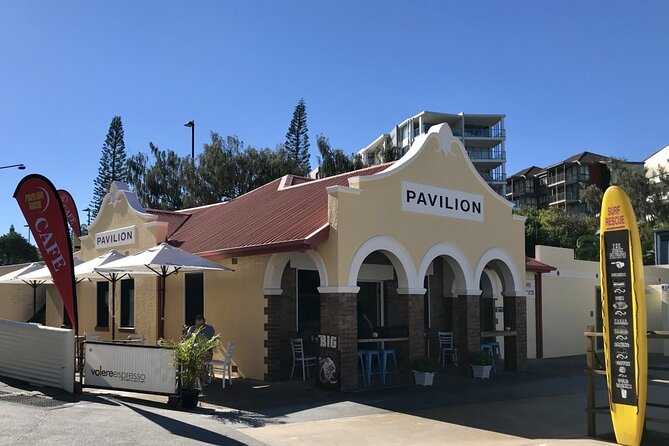
The hunt starts at 1 Spender Ln, Kings Beach QLD 4551, and it finishes back at the same meeting point. That round-trip setup is helpful. You’re not stuck figuring out a complicated end point, and it makes planning easy if you’re combining the hunt with other plans around Caloundra and the Sunshine Coast.
The tour operates with a broad daily window (from early morning to late evening). That matters because Caloundra weather can swing fast—bright, warm, and sunny one minute, then a bit cooler or breezier. Having the choice to start earlier or later helps you match the pace to your group’s comfort.
You’re also near public transportation, so this can work if you don’t want to park or arrange private transport. Still, the hunt requires moderate physical fitness. It’s a walk, and you should wear comfortable shoes you can move in confidently.
How the Let’s Roam App Runs the Game
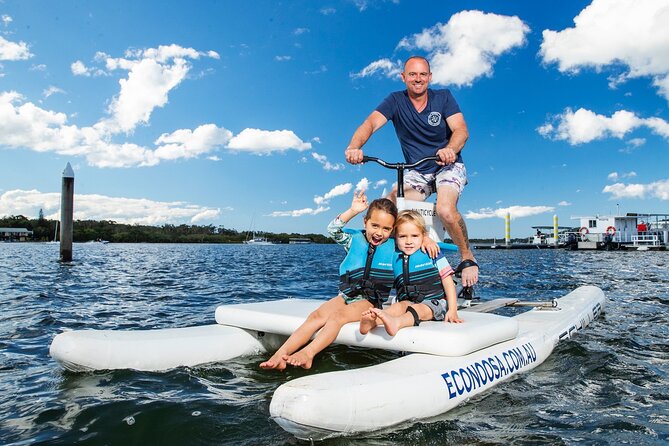
This experience lives in the app. You’ll use it for maps, riddles, and photo challenges, plus leaderboards. You’ll also get digital copies of your photos at the end, so you can keep the best shots without sorting through everything afterward.
One of the smartest parts is the team structure. Each participant has a role, which keeps the group from splitting into bored pairs and wandering separately. The roles also connect to the tasks:
- Braniac (word/puzzle focus)
- Photographer (photo prompts)
- Mapper (navigation and route help)
If your group has teens who want something “game-like,” the puzzle role typically gives them something to do beyond just walking and watching. If you’re traveling with parents and kids, the Photographer role makes it easier for everyone to participate without forcing anyone to lead every step.
Stop-by-Stop: Lighthouses, Street Fair Energy, and War-Time Displays

Stop 1: Caloundra Lighthouses
This is where you get the coastal payoff right away. Lighthouses are great scavenger-hunt anchors because they’re iconic, easy to find, and full of photo angles. You’ll be taking in the sights while the app begins feeding you clues and tasks.
Practical tip: this is the stop where you want your group to slow down, read the prompts carefully, and get a clean photo set. If you rush, you’ll spend the rest of the hunt “catching up” instead of enjoying the challenge.
Stop 2: Caloundra Street Fair
This is one of the social-energy stops. Even if the street isn’t packed like a festival day, the point is that it breaks up the coastal walking with a more town-centered vibe. The app uses this kind of stop to shift the game from views to problem-solving.
Potential drawback: public-town areas can be noisier and busier than beachfront sections, so if your group gets overwhelmed easily, keep an eye on pacing and regroup often.
Stop 3: Caloundra RSL Military Display
This stop adds a more reflective angle. A military display gives you a chance to slow down, read, and take in local commemoration. For groups that like a story behind what they’re seeing, this can be a highlight.
Here’s the real value: it’s not just a photo stop. Even without a guide, the app prompts can help you notice details you’d skip if you were walking through quickly.
Bulcock Beach: Where the Route Pays Off
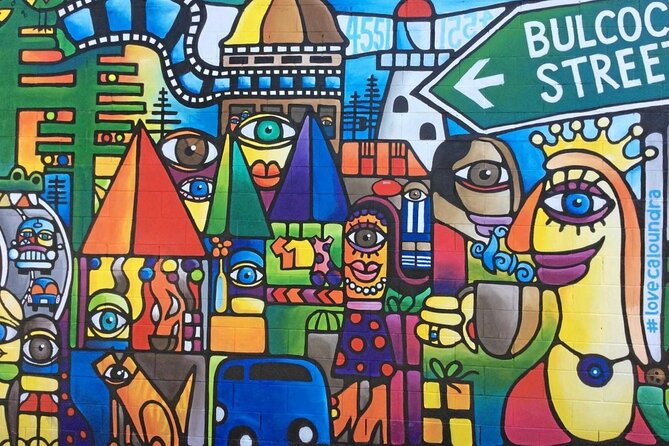
Stop 4: Bulcock Beach
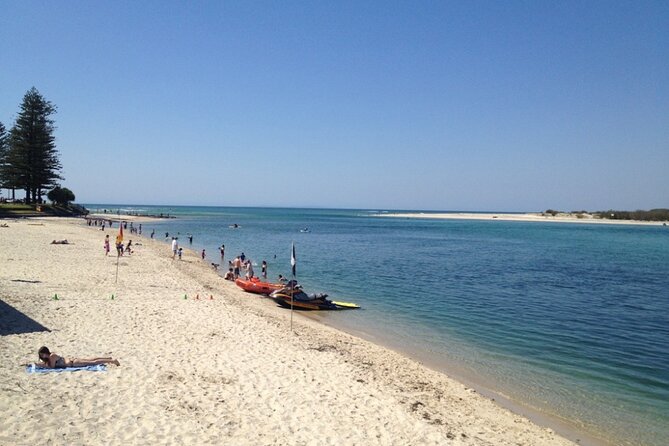
This is the classic Sunshine Coast moment. You’re at the beach, you can take photos, and the walking route feels like it’s earning its keep. It’s also a natural place to reset: water breaks, sunscreen re-application, and regrouping all fit here.
If you’re traveling with kids, this is where the “we’re going to the next spot” energy usually stays high. Beach stops make the whole hunt feel like an outing, not a chore.
One caution: beach areas can be sunny and windy. If the forecast looks harsh, start earlier in the day and don’t rely on luck for shade.
Queensland Air Museum and the Caloundra Art Stops
Stop 5: Queensland Air Museum
A museum stop changes the tone of the hunt. It shifts you away from pure outdoor sightseeing and into a more structured setting. For groups that like aviation or prefer indoor breaks, this can prevent the hunt from turning into only sun-and-foot.
Even if you don’t spend long inside, the app still keeps you moving through the area with tasks and clue prompts.
Stop 6: Caloundra Regional Gallery
This is your art and creativity stop. The overview also calls out photo moments like the Dingle Avenue Mural, which fits the same theme of public art and local visuals. Pairing a gallery with street art-style photo prompts is a smart way to finish with something memorable.
If your group likes photos but feels awkward asking strangers or hunting for “perfect angles,” the gallery/mural setup helps. You’re in a place built for looking and photographing, and the app prompts give you direction.
What This Works Best For (and When It Might Not)
I think this is a strong fit for:
- Families who want a game-like way to see Caloundra without paying for a full guided day
- Hen and stag groups who want something active but not complicated
- Friends who enjoy walking and turning the day into a friendly competition
- Work teams looking for simple team-building that doesn’t require transport logistics
You’ll enjoy it most if you:
- Like puzzles, even if they’re not super deep
- Are comfortable navigating with your phone
- Want a route with built-in moments instead of wandering freely
It may not be the best fit if:
- You expect a classic scavenger hunt where you physically find items at multiple stops
- Your group hates walking between points
- You’re relying on a guide to keep everyone focused
The “self-guided, no guide” approach is freeing for some groups and frustrating for others. If your group needs constant direction, consider that before you book.
Photos, Roles, and Making the Hunt Feel Like a Win
The experience uses photo challenges tied to your role, which is a huge reason it works. A typical walk tour often has a problem: one person takes photos, others wait, and the energy dips. Here, the Photographer role changes that. It gives someone responsibility and gives the rest of the group a reason to look up, look around, and try again.
The Mapper role can also be a lifesaver. Even if you’re using the app, someone still has to read, confirm you’re headed the right way, and keep the group together.
Afterward, you receive digital copies of your adventure hunt photos. That’s practical. You don’t have to hope you got one good shot out of ten by accident.
Practical Tips That Make or Break Your Experience
These are the kinds of small moves that decide whether this feels fun or frustrating:
- Start with a fully charged smartphone. The tour uses your device for maps and tasks.
- Bring a power bank if your battery isn’t reliable.
- Wear comfortable shoes. This is an active walking route, even if it’s not described as extreme.
- Check the weather and dress for it. Caloundra can be hot and bright, and the app doesn’t stop the hunt if conditions shift.
- Give each person a chance to do their role. Otherwise, the roles turn into decoration instead of momentum.
Also, keep your expectations aligned with the format. If you think you’re buying a high-energy, item-hunting scavenger race, you might feel like something’s missing. If you think of it as a structured, app-guided walk that mixes landmarks, puzzles, and photos, it clicks.
Should You Book This Caloundra On The Coast Scavenger Hunt?
I’d book it if you want a low-cost, self-led way to see Caloundra and keep the day playful. The team role system, the photo challenges, and the fact it runs off your phone make it easy to turn sightseeing into an actual activity.
Skip it or rethink it if your main goal is a traditional scavenger hunt where you hunt for specific hidden objects at every stop. This route leans toward sightseeing with app prompts, plus walking time between points like the lighthouses, Bulcock Beach, the Air Museum, and the gallery area.
If you’re flexible, have decent walking stamina, and you like using a phone to solve puzzles while you move through town, this is a fun way to spend a couple hours on the Sunshine Coast without adding complexity or extra costs.
FAQ
Where does the hunt start and end?
It starts at 1 Spender Ln, Kings Beach QLD 4551, and it ends back at the same meeting point.
How long does the scavenger hunt take?
The experience is listed at about 2 hours (approximately).
Can I choose my own start time?
Yes. It’s self-guided, so you can start at any time and at your own pace within the opening hours.
Do I need a phone for the tour?
Yes. You use the Let’s Roam app for maps, photo challenges, and riddles, so you should have a fully charged smartphone.
Is there a tour guide included?
No. This is self-guided, so there is no tour guide provided.
What role options do players get?
Each participant has a role and can be assigned options like Braniac, Photographer, or Mapper, tied to tasks and photo challenges.
Are attraction fees or food included?
No. Attraction fees are not included, and food and drinks are not included.
Is it suitable for families and children?
The experience states no minimum age. It also notes moderate physical fitness, so it’s best for kids who can comfortably walk.
Is the tour refundable if I cancel?
No. It is non-refundable and can’t be changed for any reason.
What kind of support is available during the hunt?
You can reach the provider by phone, email, or chat support.