REVIEW · VERONA
Verona Scavenger Hunt and Highlights Self Guided Audio Tour
Book on Viator →Operated by World City Trail · Bookable on Viator
Verona rewards the curious, not the hurried. This self-guided scavenger hunt turns a classic highlights walk into an easy puzzle route with GPS audio and riddles you solve while you stroll. You can start any time of day, and you’re not stuck to a group schedule.
I like the flexibility most. You can pause for breaks, reorder stops, or skip anything that doesn’t fit your mood, then resume right where you left off. And since the activity is designed for outdoor areas, you can keep moving without planning around extra entry lines or fees.
The main drawback is also the trade-off: it’s phone-based and internet-dependent. If your mobile signal is spotty or your app disconnects, you’ll feel it fast, because there’s no live guide walking along with you.
In This Review
- Key highlights worth knowing
- Verona by puzzle: how the 2-hour highlights loop really works
- The part you need to plan for
- Price and value: what $10.71 buys you in Verona
- Your app start: logging in, navigation, and the best way to begin
- How to avoid app headaches
- Headphones or speaker?
- Arena di Verona to Castelvecchio: starting with power and momentum
- What to watch for here
- Porta Borsari and Piazza dei Signori: medieval streets with story logic
- A practical tip for this section
- Santa Anastasia and the river crossings: where the walk turns scenic
- Casa di Giulietta and the Duomo area: the center gets personal
- Timing tips: how to pace it without losing the fun
- Support and troubleshooting: what happens if your phone fails
- Who this scavenger hunt is best for (and who should pass)
- Should you book this Verona Scavenger Hunt and Highlights Audio Tour?
- FAQ
- How long is the Verona scavenger hunt and highlights tour?
- Where do I start, and where do I finish?
- Is this tour self-guided or does someone meet me?
- What do I need to use the app?
- What languages are available?
- Do I need internet at each stop?
- Are entrance fees included or required?
- Is there live support if I get stuck?
- What happens if weather or illness prevents the walk?
Key highlights worth knowing
- Start anytime (24/7) from Arena di Verona with a route that fits your timing
- GPS + audio navigation guide you stop to stop while you solve riddles
- Outdoor-only design means no extra entrance fees for the activity
- Flexible pacing with no time limit and app access lasting a full year
- Text and audio stories at key stops, including Piazza dei Signori
- 24/7 chat support if the app or route glitches
Verona by puzzle: how the 2-hour highlights loop really works
This is a self-guided experience built around a walk of about 3.6 km (often around 44 minutes of walking time), but your overall activity usually runs closer to 2 to 2.5 hours. That extra time is not fluff. It’s there for solving riddles, listening to the audio bits, and taking a moment to actually look at what you’re standing in front of.
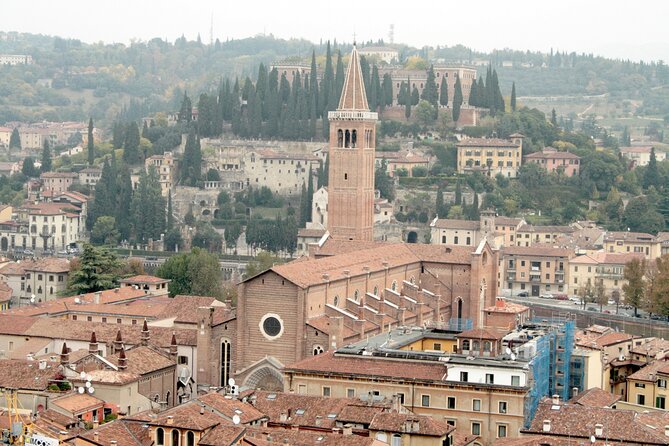
You’ll start at Arena di Verona, at P.za Bra, 1. The route includes some major Verona landmarks and viewpoints, and it’s designed so you can feel the city’s layers: Roman-era Verona energy first, then medieval streets and churches, then the river crossings and the historic center where the stories get more personal.
Because it’s customizable, you don’t have to force the route into a rigid plan. Want to move quickly and hit the big photos? Fine. Want to slow down near the Duomo or spend extra time reading the exterior details by Castelvecchio? You can.
You can also read our reviews of more tours and experiences in Verona.


The part you need to plan for
Even though you’re not on a timed schedule, you still need a sensible smartphone setup:
- a fully charged phone
- active mobile data
- no VPN and avoid city Wi‑Fi (it can mess with the app)
This tour works best when your phone stays connected and the screen stays on long enough for you to follow the next step.
Price and value: what $10.71 buys you in Verona
At $10.71 per person, you’re paying for a bundle of things that are usually more expensive when done separately: a walkable route, audio storytelling, and a puzzle layer that keeps you engaged while you move between sights.
Here’s why that matters. Guided walking tours in big Italian cities can cost a lot, and they move at someone else’s pace. This version gives you the “tour feel” without the group pressure. You also skip the usual headache of deciding what to do next, because the app handles the navigation.
And since the activity is outdoor-only, the price is mostly about your time and phone use, not about entrance tickets. The puzzles are tied to what you can see outside, so you’re not paying extra just to make the route work.
Your app start: logging in, navigation, and the best way to begin
To begin, download the World City Trail app and log in with your 10-digit booking reference. When you’re in, select Create to start the scavenger hunt.
You can start any time (the listing shows hours as 12:00 AM–11:30 PM). That’s handy because Verona’s center changes a lot by time of day—morning is calmer, while later hours bring more street life around the famous photo spots.
How to avoid app headaches
This tour is simple—until your connection fails. The instructions are clear:
- Use mobile data
- Disable any VPN
- avoid city Wi‑Fi
I recommend doing a quick test before you begin: open the app while standing near your starting point, confirm it’s showing your route, and only then start walking. That small step can save you from the frustrating moment of stopping every few blocks.



Headphones or speaker?
You can use your phone’s speaker, but headphones are allowed if you want cleaner audio while you’re walking. Either way, the goal is the same: you’ll hear the stories and tips as you reach the right stops.
Arena di Verona to Castelvecchio: starting with power and momentum
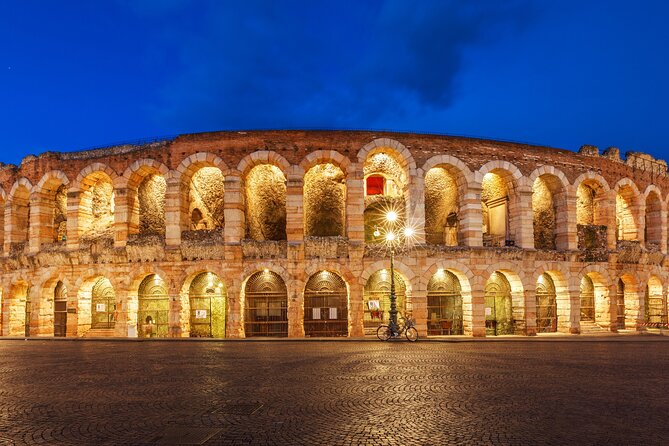
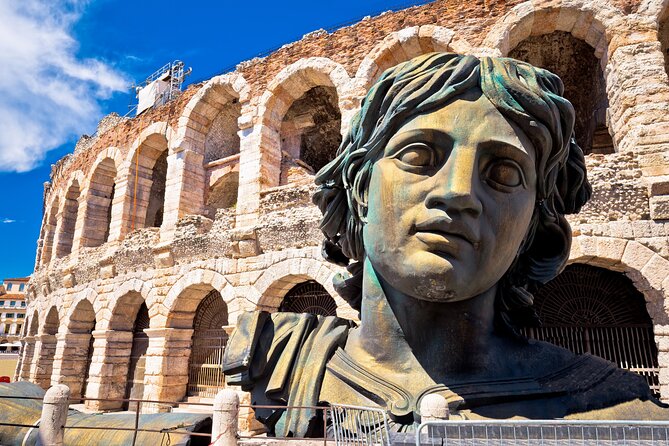
Stop 1: Arena di Verona
Most people come to Verona for the Arena area at least once, even if they don’t catch a performance. Starting here is smart because it gives you a dramatic first anchor point. You begin in a place that feels grand and Roman, and it sets the tone for the rest of the route.
As you begin solving the first set of prompts, pay attention to what’s around you—not just the big landmark. The scavenger format is built for noticing textures, angles, and nearby details that you might skip on a straight sightseeing walk.
Stop 2: Museo di Castelvecchio
Castelvecchio is where the vibe shifts. Even if you don’t plan to enter museums, the Castelvecchio area is excellent for walking views, bridges nearby, and the sense of fortified Verona. This is also the first moment where the puzzles start to feel more like guided observation than trivia.
Stop 8: Museo di Castelvecchio (again)
Yes, it’s listed twice. Practically, that means the route brings you back to the Castelvecchio zone later, likely to adjust your flow and give you flexibility. If you pause at Castelvecchio the first time, you’re not penalized—your app route supports breaks and resuming where you stopped.
What to watch for here
If you’re photos-first, this section can turn into a longer stop than you planned. That’s not bad, but it’s worth knowing so you don’t end up rushing the later bridges and church exteriors.
Porta Borsari and Piazza dei Signori: medieval streets with story logic
Stop 3: Porta Borsari (World Heritage Site)
This is one of those Verona locations that makes you stop automatically. A heritage gate is more than a postcard. You’ll feel the city’s old structure when you stand near it, and it’s a strong spot for a puzzle because the clues can reference what’s right in front of you.
Stop 4: Piazza dei Signori
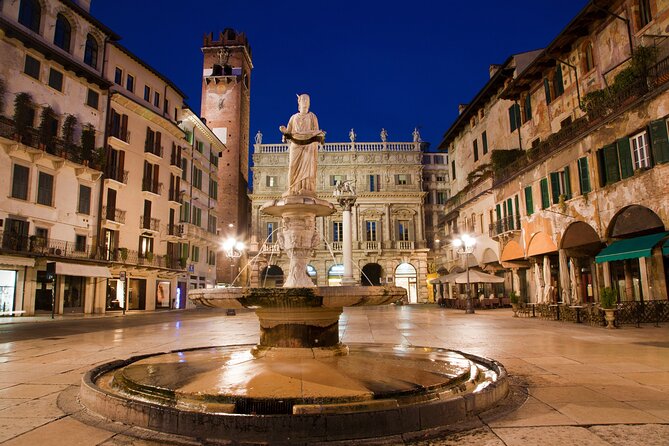
This is where the tour leans into storytelling. The app includes stories and tips here through text or audio. Piazza dei Signori also acts like a crossroads in your walk, so it’s a good checkpoint to reset your focus and decide whether you want to move on quickly or slow down.
A practical tip for this section
If you pause here, do it intentionally. Try one quick audio segment, solve the riddle step, then move. This keeps the route feeling like a flow rather than a stop-start grind.
Santa Anastasia and the river crossings: where the walk turns scenic
Stop 5: Basilica di Santa Anastasia
This basilica sits in that sweet spot where architecture becomes an outdoor experience. You don’t need to enter to appreciate what you see from the street—facade details, the scale of the building, and the way the surrounding streets frame it.
Since the tour is outdoor-only for puzzle purposes, you can treat this stop as a structured look: listen to the audio or read the prompt, then scan for the clue the app is asking you to notice.
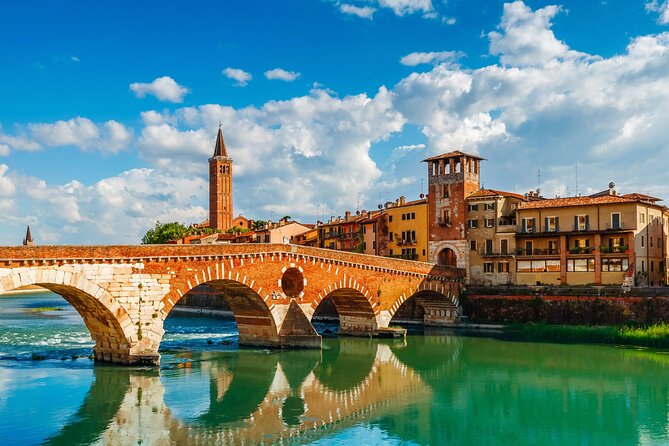
Stop 6: Ponte Pietra
Now you’re shifting toward the river. Ponte Pietra is where Verona starts feeling open and airy compared with the dense city center blocks. It’s a great moment in the route to get photos and reset your walking rhythm.
Riddle-based navigation works well near bridges because there are fewer street turns than in a maze of side streets. You can keep your phone out, follow direction prompts, and still enjoy the scenery.
Stop 7: Ponte della Vittoria
Another river crossing keeps you moving through varied viewpoints. If you’re the type who likes seeing the city from multiple angles, this is your section. The walk here tends to feel less like “museum sightseeing” and more like actual city movement, which is exactly what makes this kind of self-guided format enjoyable.
Casa di Giulietta and the Duomo area: the center gets personal
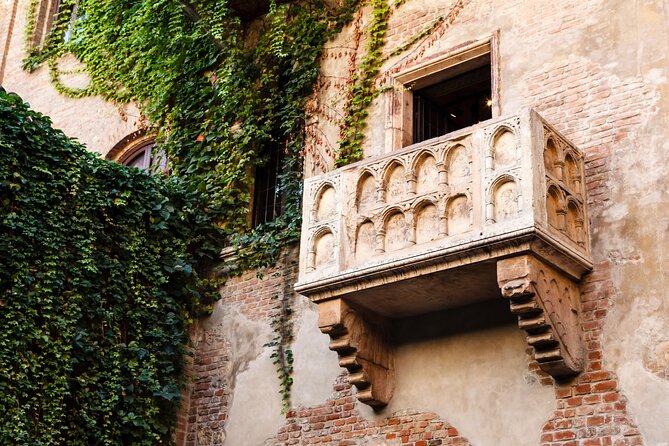
Stop 9: Casa di Giulietta
This is one of the city’s most recognizable stops, and it can get crowded depending on the time of day. The puzzle approach helps in a good way: you’re not just standing in line-of-sight photo mode. You’re looking for clues, noticing details around the exterior, and using the app’s audio/text guidance to give your visit a structure.
I’d treat this stop as flexible. If the area is packed when you arrive, use that time to listen to your audio segment and solve the prompt, then keep moving when you’re done rather than getting stuck in a slow shuffle.
Stop 10: Duomo di Verona – Cattedrale di Santa Maria Matricolare
The Duomo area adds a different energy. This is a scale shift and often the moment where your walk starts to feel like a complete Verona day: Roman roots up front, medieval layers in the middle, and then a major cathedral scene in the heart of it all.
Even if your plan is only the outdoor viewing, the audio guidance can help you focus on what you’re seeing now rather than what you remember from guidebooks.
Stop 11: Scaligero Bridge
The Scaligero Bridge is a fitting closer. It ties the later part of the route back into the city’s historic identity. Bridges also work well as a finishing feeling because they let you look back at what you already walked and forward at where you might explore next on your own.
Timing tips: how to pace it without losing the fun
Even though the tour is listed at about 2 hours, plan for real life. Rain, crowd slowdowns, and longer audio moments can add time.
Here’s my pacing advice:
- Give yourself 2 to 2.5 hours if you want the riddles plus photo time.
- If you’re short on time, you can still make it work because you can skip stops and reorder your route.
- If you get stuck on a riddle, take a quick break and look at the surroundings instead of fighting the screen. The prompts are built for observation, not trick questions.
The app also lets you pause and resume. That’s a big deal if you want to grab a coffee, duck into shade, or wait out a busy stretch.
Support and troubleshooting: what happens if your phone fails
There’s 24/7 live support via chat at worldcitytrail.com/chat, and there’s no phone support. If something goes wrong—route issues, login problems, app disconnects—this is your recovery option.
Also, there’s a practical weather/health policy: if bad weather or illness stops you, you can do the tour another day. The policy also mentions the possibility of changing the tour to a different city, which can be a lifesaver if Verona weather turns mean or your plans change.
If you’re traveling with a group, note there’s group discount mentioned in the tour details. The exact discount math isn’t specified here, but it’s worth checking if you’re booking with friends or family.
Who this scavenger hunt is best for (and who should pass)
I think this works especially well for:
- first-time visitors who want Verona highlights without getting pinned to a guide’s timing
- people who like a little game layer while sightseeing
- travelers who don’t want extra entrance fees and prefer a walkable, outdoor-focused plan
- anyone who’s comfortable using a smartphone for navigation
It might be less ideal if:
- you hate relying on your phone while walking
- your mobile connection is unreliable in the places you’ll be
- you want a full guided interpretation with no self-navigation
Should you book this Verona Scavenger Hunt and Highlights Audio Tour?
Book it if you want a low-cost, flexible Verona route that keeps you moving and thinking. For $10.71, you’re essentially buying a structured walk with GPS audio, plus the fun of solving riddles at stops like Arena di Verona, Porta Borsari, Piazza dei Signori, and the Duomo area. The outdoor-only design is a real value point because you won’t need to plan for entrance tickets to make the activity work.
Skip it if you know you’ll be fighting your phone, or if you prefer a traditional guided format with a person answering questions on the spot. In that case, you might get more satisfaction from a classic walking tour.
If you’re the kind of traveler who likes to set your own pace, grab a snack when you feel like it, and still cover the key landmarks without extra fuss, this is a solid way to see Verona.
FAQ
How long is the Verona scavenger hunt and highlights tour?
It takes about 2 hours, though the full activity can run around 2.5 hours depending on your pace, visits, and breaks.
Where do I start, and where do I finish?
You start at Arena di Verona, P.za Bra, 1, 37121 Verona VR, Italy. The activity is designed around that meeting point, and the listing indicates it ends back at the meeting point, while the app also allows choosing where to end.
Is this tour self-guided or does someone meet me?
It is 100% self-guided. No one will be waiting for you, and you can start anytime 24/7.
What do I need to use the app?
You need a fully charged smartphone and an active mobile data connection. You should disable any VPN and avoid city Wi‑Fi because it can cause app problems.
What languages are available?
The audio and content are available in six languages: EN, DE, FR, NL, IT, ES.
Do I need internet at each stop?
Yes. The experience is described as outdoor-only and requires internet to work.
Are entrance fees included or required?
Entrance fees are not needed for this activity because the puzzles relate to outdoor areas of the attractions.
Is there live support if I get stuck?
Yes. You can get 24/7 live support through worldcitytrail.com/chat. Phone support is not available.
What happens if weather or illness prevents the walk?
If bad weather or illness prevents you from going, you can do the tour another day, and the policy mentions you can contact support to switch to a different city tour.