REVIEW · NEW SOUTH WALES
The Virtual Solar System Highlights: A Self-Guided Driving Tour
Book on Viator →Operated by VoiceMap Audio Tours · Bookable on Viator
A space drive in New South Wales is surprisingly practical. This self-guided route from Coonabarabran Visitor Centre to Siding Spring Observatory uses the VoiceMap app to line up huge 3D planet billboards and commentary along the Virtual Solar System Drive.
I love the value here: it’s only $6.99 per group (up to 15), and you get lifetime access to the audio. I also love that the narration isn’t generic—producer Marnie Ogg (Dark Sky Traveller) and special guest Fred Watson, Astronomer-in-Charge of Australia’s biggest telescope for 20 years, give it real weight.
One thing to consider: the tour relies on phone directions, and a couple of people have struggled with confusing instructions on where to stop and turn, so you’ll want your map open and your phone set up before you start.
In This Review
- Key highlights before you hit the road
- Why this Coonabarabran-to-observatory drive works so well
- The VoiceMap setup: smooth when it’s ready, stressful when it isn’t
- From the Visitor Centre to the first billboard: get your bearings early
- The planet billboards: why stopping matters more than just driving through
- A note on which planets you’ll catch
- The narration: Marnie Ogg and Fred Watson give it real credibility
- Siding Spring Observatory: finishing at the real place
- Price and value: $6.99 per group is the real bargain here
- Duration and how to pace it for your day
- Potential sticking points: directions, app quirks, and how to avoid them
- Who this tour is best for
- Should you book the Virtual Solar System Highlights driving tour?
- FAQ
- How do I start the tour after booking?
- Do I need mobile data to use the tour?
- How long does the driving tour take?
- What does the tour include and what do I need to bring?
- How much is it and who can join your group?
- Is the tour refundable or changeable?
Key highlights before you hit the road
- Self-paced timing: do it in about an hour, or linger at planet billboards and viewpoints
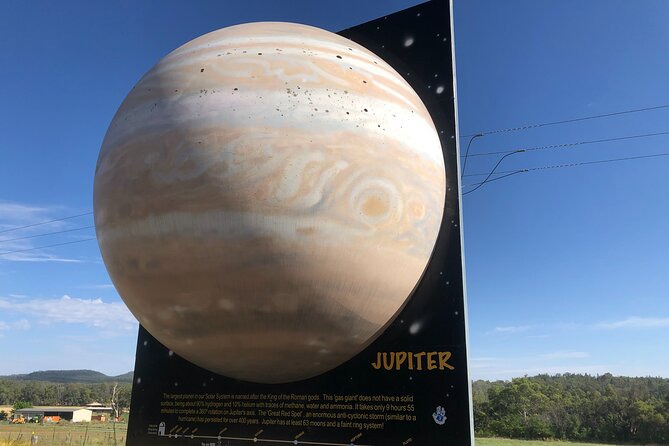
- Six planet models: you’ll see 6 of the 9 three-dimensional planet displays along the drive
- VoiceMap offline support: audio, maps, and geodata are available without mobile data
- Real voices in the audio: Marnie Ogg and Fred Watson bring credibility to the narration
- Short drive break for families: it’s an easy way to break up a longer road trip with stops and selfies
Why this Coonabarabran-to-observatory drive works so well

Coonabarabran bills itself as the Astronomy Capital of Australia, and this tour is a fun way to experience that theme without needing special tickets or a guided group schedule. You point your car at the Virtual Solar System Drive, then let the audio tell the story as the landscape and giant planet billboards roll past.
The timing is realistic too. It’s listed as about 1 to 2 hours, but you’re not trapped in a rigid itinerary. If you’re taking photos, reading the panels at a few stops, or traveling with kids, you can slow down without feeling like you’re falling behind.
And because it’s self-guided, you control the start and finish. That matters when you’re trying to fit something into a road trip day, not just squeeze in an activity before dinner.
The VoiceMap setup: smooth when it’s ready, stressful when it isn’t
The whole tour runs through the VoiceMap app, and the process is straightforward if you do it calmly before you’re on the move. After you book, you receive a ticket with a unique code under Before You Go. Then you install VoiceMap on your phone, enter that code, and you’re ready to start.
Once you’re at the Coonabarabran Visitor Centre starting point, you tap start. The app then delivers turn-by-turn GPS playback and audio at the right moments. One big plus is that it’s designed to work with offline access, including audio, maps, and geodata—useful in the countryside where signal can be patchy.
Bring a couple practical things: your smartphone and headphones aren’t included. Also, if you’ve ever had to tweak settings inside an app, you’ll probably want to check your phone permissions early. There’s nothing worse than realizing you need to change settings while you’re already driving.
From the Visitor Centre to the first billboard: get your bearings early
The tour starts outside the Coonabarabran Visitors Centre on the Newell Hwy. When you begin, the audio sets expectations and explains how the VoiceMap app works, so you’re not guessing what to do next.
This is also where I think the tour is most sensitive to setup. On a driving route with multiple stops, even a small misunderstanding—like continuing when you should have pulled in—can push you way past the first featured billboard.
Here’s the simple way to reduce stress: open your map app before you start and keep it available. Even if VoiceMap is giving instructions, a second screen helps you avoid the kind of detour that turns an astronomy afternoon into a missed turn.
The planet billboards: why stopping matters more than just driving through
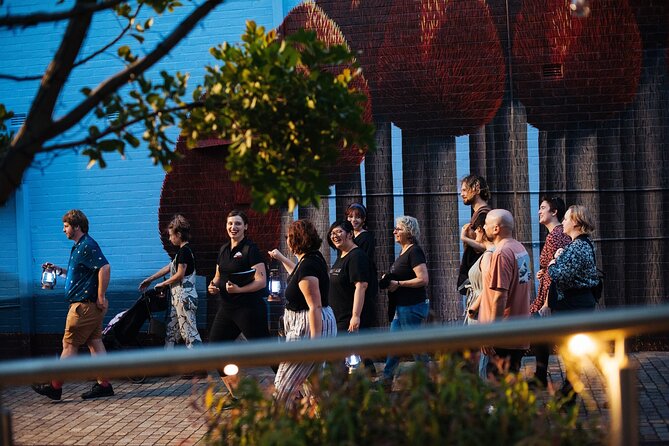
The main visual hook is the huge set of three-dimensional planet models displayed along the Virtual Solar System Drive. The highlights version focuses on 6 of the 9 planet models, so you’ll get variety without being forced to do everything.
At each planet billboard, the tour encourages you to pause. That’s where the audio context starts to make sense. You’re not just seeing a big planet sign—you’re hearing the explanation that gives scale to what you’re looking at, which is the whole point of the “solar system at human speed” concept.
The drive also works as a family-friendly rhythm. One parent-style takeaway I like: there’s built-in motivation to stop for quick photos and read the information, which makes it feel like more than just listening to audio in the car. If you have a young one, these bright planet models are a natural way to turn a long road into something you can actually talk about.
A note on which planets you’ll catch
You should expect that some planet displays may be missed depending on how you follow the route and how much you linger. For example, the tour includes a featured planet display called Saturn, and Uranus is one people sometimes don’t end up doing. So if Uranus is on your must-see list, don’t treat this like a drive-by. Slow down, verify you’ve reached the right billboard, and take the stop.
The narration: Marnie Ogg and Fred Watson give it real credibility

The audio isn’t just text-to-speech facts. It’s presented by voices tied to real astronomy outreach. You’ll hear from Marnie Ogg, producer and director of Dark Sky Traveller, plus special guest Fred Watson.
Fred Watson’s background matters for the tone. He’s described as the Astronomer-in-Charge of Australia’s biggest telescope for 20 years, which brings an authority that you can feel in the pacing. Instead of turning space into a list of trivia, the commentary pushes toward the bigger idea: the distances, the scale, and why the solar system feels weirdly huge when you actually try to picture it.
That’s why the tour can feel “educational” without being dry. It gives you a mental model you can carry beyond the billboards, especially if you’re already curious about astronomy or dark skies in Australia.
Siding Spring Observatory: finishing at the real place

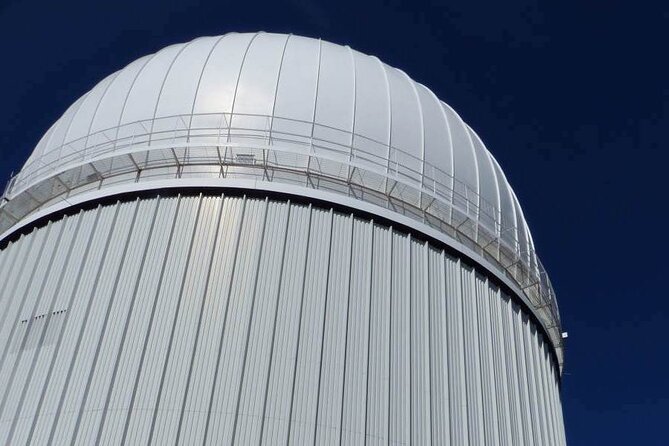
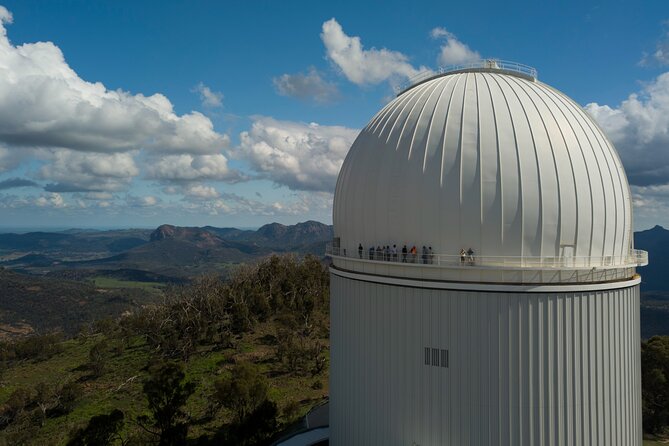
The tour ends at Siding Spring Observatory on Observatory Rd. That’s a good feeling payoff: your route doesn’t stop at roadside novelty. It pulls you toward an actual astronomy site.
One practical advantage is that this is only the drive portion. The data notes that there’s another audio tour you can purchase that takes you around the Observatory itself. So you can treat this highlights drive as act one, then decide on the spot whether you want to continue on foot.
Even if you don’t buy the additional audio, finishing at the observatory lets you plan your next step with more confidence. You’re already in the right place, and you’re not doing a long backtrack just to feel like you reached the theme’s destination.
Price and value: $6.99 per group is the real bargain here
At $6.99 per group (up to 15), this isn’t priced like an attraction that depends on ticketing or timed entry. It’s priced like a tool you use for a set period, then keep for the long run.
The biggest value multiplier is access. You get lifetime access to the tour in English, plus unlimited use before and after your booking date. That means if your schedule gets messy—weather, car trouble, or a late start—you’re not stuck with a single narrow window.
You also get offline access baked into the experience: audio, maps, and geodata. That reduces the risk of being stranded by poor signal, and it means you can plan confidently even on a data-limited travel day.
Main cost consideration: you still need your own essentials. A smartphone and headphones aren’t included. Also, food and drink aren’t included, so plan a quick snack stop somewhere else if you’re turning this into a longer outing.
Duration and how to pace it for your day
Even though the tour is listed at 1 to 2 hours, how long it takes depends on how you treat the stops. If you aim for “drive, pause, read briefly,” you’ll likely stay close to the shorter end.
If you’re the type who wants photos at each billboard, read everything, or you’re traveling with kids who keep asking questions, you’ll likely stretch it toward the longer end. The good news: there’s no penalty for taking that time. The whole point is self-guided pacing.
A smart tip is to decide your pace before you start. Pick a target like 60–75 minutes for a quick hit, or 90–120 minutes if you want to actually treat the billboards like mini viewpoints.
Potential sticking points: directions, app quirks, and how to avoid them
A couple issues come up often with self-guided driving tours, and this one has its own specific risk points.
1) Verbal directions can miss the nuance. One person described confusion about where to stop at the Saturn billboard and when to turn back toward Coonabarabran. If you only follow spoken guidance and it doesn’t match what you’re seeing, you can overshoot the stop.
Fix: keep a map open and verify you’re at the stop before you continue.
2) App setup can be fiddly if settings aren’t right. Another person found the app tricky to get going and had to go deep into settings. They also reported the app suggesting they were lost while following the route line.
Fix: test VoiceMap in your driveway or at the visitor centre parking before you start driving the route. Make sure location services and permissions are enabled, and download the offline content ahead of time if the app prompts you.
3) Headphones and phone power are on you. Since headphones and smartphone aren’t included, don’t arrive with a dead battery and expect magic. If your phone battery is shaky, bring a car charger.
Who this tour is best for
This is a great fit if you want a space-themed activity that doesn’t lock you into a tour group or a museum ticket line. It’s also ideal as a road trip breather—an astronomy stop you can do in a couple hours, with the option to linger.
Families tend to like it for simple reasons: planet billboards are visible from the car, and the stops give kids a reason to get out briefly, look around, and take selfies. It’s also a solid option for anyone who enjoys travel that mixes scenery with something slightly out of the ordinary.
If you dislike phone-based navigation, or you hate depending on GPS, this may be less your style. The experience can still work, but you’ll want to be the kind of traveler who can handle a settings check and a backup map.
Should you book the Virtual Solar System Highlights driving tour?
If you want a low-cost, self-paced astronomy experience in the Coonabarabran area, I’d book it. The price per group is unusually friendly, and the fact that you get lifetime access plus use around your booking date makes it easy to fit into real travel chaos.
I’d be cautious only if you know you struggle with app-based turn-by-turn driving directions. In that case, bring a charged phone, keep a second map open, and take a minute at the start to make sure VoiceMap is behaving correctly.
Overall, this is the kind of activity that turns a “just passing through” road moment into a story you can remember. You’ll come away with a stronger sense of scale, and you’ll have the satisfaction of ending at Siding Spring Observatory, not just a roadside billboard route.
FAQ
How do I start the tour after booking?
You’ll receive a ticket with instructions and a unique code under Before You Go. Install the VoiceMap app, enter your code, then use the app to show directions to the start point. When you’re in the right place, tap start.
Do I need mobile data to use the tour?
No. The tour includes offline access to audio, maps, and geodata, and VoiceMap can work offline.
How long does the driving tour take?
It’s listed as approximately 1 to 2 hours. You can also take more time and linger at stops because you control when you start and finish.
What does the tour include and what do I need to bring?
Included items are lifetime access to the tour, the VoiceMap app, and offline access. Not included are tickets or entrance fees to en route attractions, a smartphone and headphones, and food and drink.
How much is it and who can join your group?
It costs $6.99 per group, for up to 15 people.
Is the tour refundable or changeable?
No. It is non-refundable and cannot be changed for any reason.