REVIEW · ESTES PARK
Self-Guided Audio Driving Tour in Rocky Mountain National Park
Book on Viator →Operated by GuideAlong (GyPSy Guide) · Bookable on Viator
Foggy peaks, clear directions, and zero schedule stress. This self-guided Rocky Mountain National Park driving tour uses your phone’s GPS to play audio stories, tips, and turn-by-turn guidance as you pass each spot. I really like the location-based timing, because it keeps the drive from feeling like homework. I also like that you can start, stop, and resume whenever you want, even across separate days.
The one catch: the audio tour price is for the guide, not for park entry. You’ll still need to plan for timed-entry permits (seasonal) and any park access fees separately, and a few seasonal road or trail closures may not be called out in the narration.
In This Review
- Key things I’d bet on
- A GPS Audio Tour That Lets You Skip Rigid Schedules
- Price and Value: What $19.99 per Group Really Buys
- Getting Your Phone Ready: Download, Offline Audio, and Car Sound
- Trail Ridge Road and Estes Park: the Scenic Drive Start
- Stop 1: Rocky Mountain National Park (Trail Ridge Road focus)
- Stop 2: Estes Park (a 1-hour reset)
- Bear Lake to Many Parks Curve: quick nature hits that don’t steal your whole day
- Stop 3: Bear Lake (about a 30-minute loop)
- Stop 4: Many Parks Curve Overlook (around 20 minutes)
- Tundra Communities and Sprague Lake: altitude, rock formations, and calm water
- Stop 5: Tundra Communities Trail and Mushroom Rocks (about 1 mile, ~1 hour)
- Stop 6: Sprague Lake (about 30 minutes)
- Old Fall River Road and the Alpine Visitor Center at 12,000 feet
- The Old Fall River Road option: slow, one-way, and unpaved
- Stop 9: Alpine Visitor Center (plus Huffers Hill)
- Chrysalis at the Stanley Hotel and Holzwarth’s Pioneer Site
- Stop 7: Chrysalis at the Stanley Hotel (about 30 minutes)
- Stop 8: Holzwarth Historical Site (about 30 minutes)
- Who This Self-Drive Audio Tour Fits Best
- Should You Book This Rocky Mountain National Park Audio Drive?
- FAQ
- Do I need internet or cell service during the drive?
- How much does the audio tour cost?
- How long does the tour take?
- Is the tour audio available in English?
- What is included in the tour?
- What’s not included in the tour price?
- Where does the tour start and where does it end?
- Do I need to reserve a permit for Rocky Mountain National Park?
- How do I access the tour after booking?
- Can I start and stop the tour whenever I want?
- Final recommendation: book it with one smart checklist
Key things I’d bet on
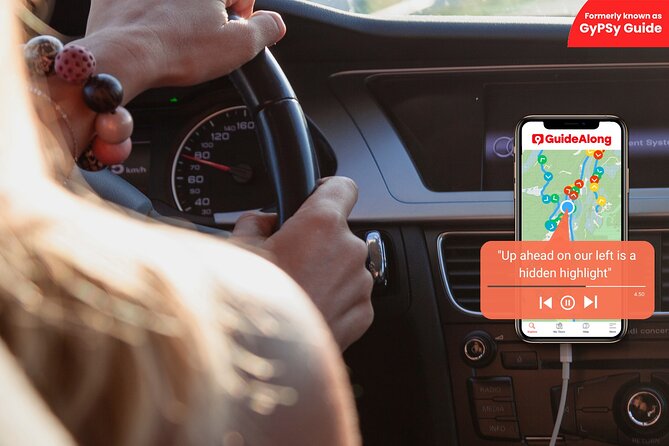
- GPS-triggered commentary plays as you drive, so you don’t have to babysit a map.
- Offline listening after you download means you can keep going even with weak or zero signal.
- Cost-effective group value: one purchase covers everyone in your vehicle (up to 8).
- Real breathing room to stop for overlooks, short walks, wildlife, or just to catch your breath.
- Strong story mix: history, wildlife tips, and practical pull-off guidance without feeling like a lecture.
A GPS Audio Tour That Lets You Skip Rigid Schedules
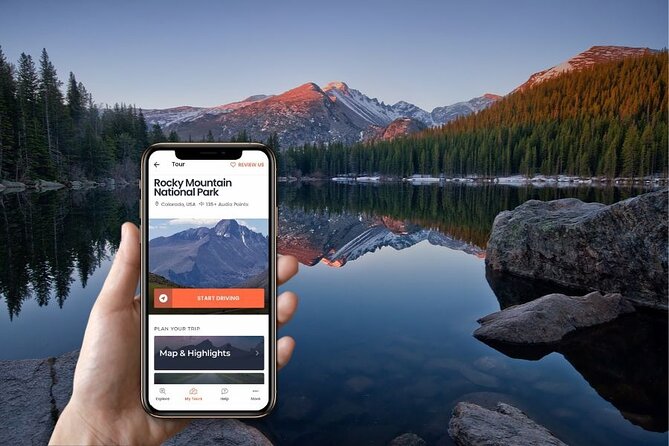
Rocky Mountain National Park works best when you can adapt. Weather changes fast. Sun hits one overlook while clouds park on another. Parking fills. Elks do what elk do. This tour matches that reality by letting the audio “follow” your vehicle—no escort bus, no fixed tour-time window, and no pressure to keep moving when you spot something worth slowing down for.
Because it’s self-guided, you can build a route that fits your day: a fast loop through the major viewpoints, a mid-day focus on a few hikes, or a full-on scenic grind with stops spaced out by how you feel at that altitude. The app also supports suggested trip planners if you want a scaffold for your timing, but the main win is control.
One more practical perk: you’re in your own vehicle, so comfort stays high—heater on when the wind bites, blankets if it’s chilly, and you choose when you’re done. In a park where conditions change quickly, that matters.
Price and Value: What $19.99 per Group Really Buys
The price is listed as $19.99 per group (up to 8 people). That’s important: you’re not paying per person for the audio. If you’re traveling with family or a small group, that turns the cost into something you can justify fast—especially because the tour includes 135 audio points plus ongoing updates, with no expiry on your purchase.
Also, you’re buying time-savings. In places like Rocky Mountain National Park, you’d otherwise spend mental energy figuring out what you’re looking at, which pull-offs are worth stopping for, and why certain areas feel so different. This guide is built to answer those questions while you’re already driving and scanning the views.
What it doesn’t include is the park side of the equation: timed-entry fees/reservations (when required) and national park passes are not part of the tour price. So the true cost for a smooth day includes both the audio tour and your park access plan.
Getting Your Phone Ready: Download, Offline Audio, and Car Sound
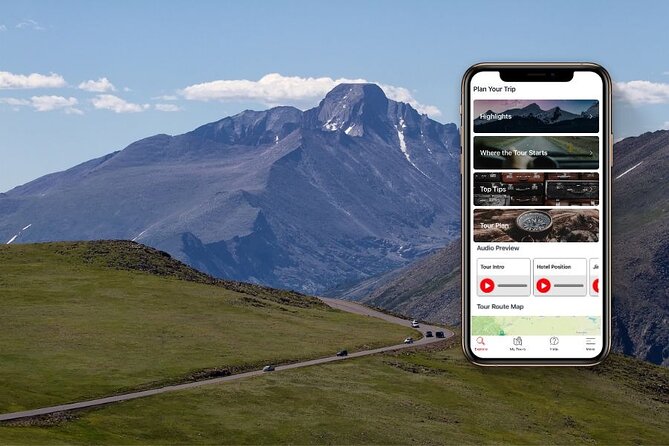
Plan for one rule: download the tour before you need it. The app is designed to work offline once downloaded, so you don’t need cell service in the park. That’s great news in Rocky Mountain country, where signal can be spotty or nonexistent.
Here’s the workflow that will keep things stress-free:
- Book the tour, then redeem your voucher code in the GuideAlong app using your Apple or Google account.
- Download the tour under My Tours while you have Wi-Fi or cellular service.
- Start the audio in the app when you’re ready to roll.
- Use your car’s Bluetooth or the phone speaker—whatever you prefer.
Bring a USB/C car charger. A phone at high brightness plus navigation plus GPS can drain faster than you expect. In several real-world experiences, people mentioned the audio playing cleanly through their car system and still syncing accurately even with limited service, which is exactly what you want for a long day.
Also, this tour is flexible on timing: you can start and end anywhere along the tour route, not only at a single fixed “meeting point.”
Trail Ridge Road and Estes Park: the Scenic Drive Start
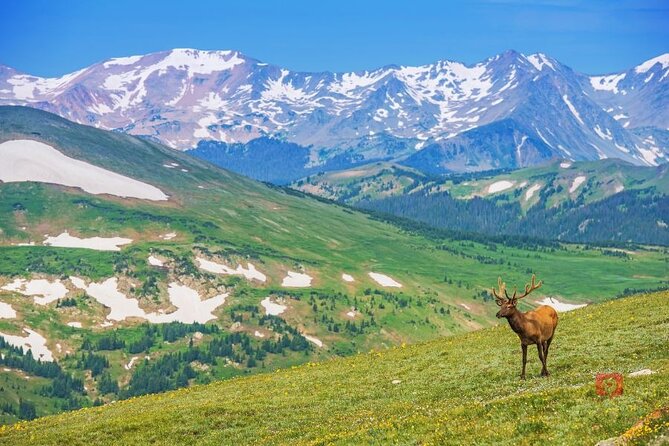
Most days in Rocky Mountain National Park begin with the big question: which drive first? This tour nudges you toward the park’s standout highway experience—Trail Ridge Road—and then layers in story and context so those pull-offs feel meaningful, not random.
Stop 1: Rocky Mountain National Park (Trail Ridge Road focus)
Trail Ridge Road is the main event: a scenic climb above the treeline, topping out over 12,000 feet. You’ll find scenic overlooks along the way and huge mountain views from an elevated vantage you can’t get any other way. The audio is designed to play stories based on where you are, so as you approach viewpoints and key points on the route, you’ll get context right when it’s useful.
Stop 2: Estes Park (a 1-hour reset)
Estes Park is the friendly gateway town. It keeps a smaller-town feel while being the launchpad for the park. This stop is built for a breather: quick browsing, grabbing something sweet, checking local galleries, or hitting the summertime Farmers Market when it’s running.
If you’re the type who likes to time your day around food and morale, this is a smart pause. It also helps you warm up mentally before you go higher.
Bear Lake to Many Parks Curve: quick nature hits that don’t steal your whole day
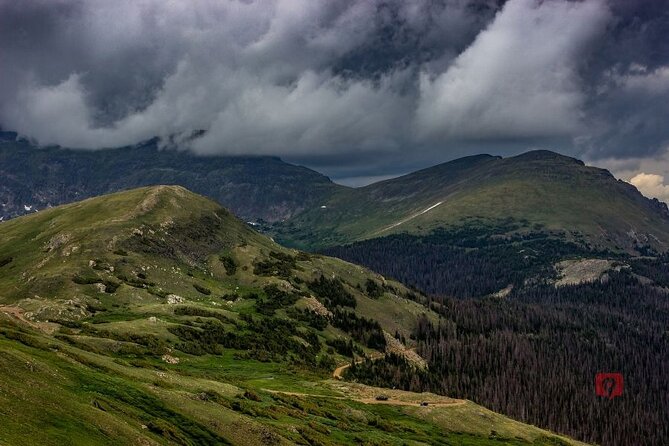
This stretch is made for people who want great payoff without committing to a huge hike.
Stop 3: Bear Lake (about a 30-minute loop)
Bear Lake is a starting point for many popular hikes, but you can keep it simple: take the relatively easy stroll around the lake. It’s a classic way to get mountain views in multiple directions without a long time commitment.
Wildlife watching is part of the deal here. As you drive toward Bear Lake, keep an eye out for elk in particular—especially because this area is known for that kind of activity.
Stop 4: Many Parks Curve Overlook (around 20 minutes)
Many Parks Curve is one of the best turnouts in the park. You pull into the carpark, then walk the curved boardwalk for views that include Longs Peak—over 14,000 feet.
The audio ties the scenery to geology: the terrain you’re seeing at this height is tied to glaciers that bulldozed their way through long ago. That turns a quick stop into a “now I get it” moment.
Tundra Communities and Sprague Lake: altitude, rock formations, and calm water
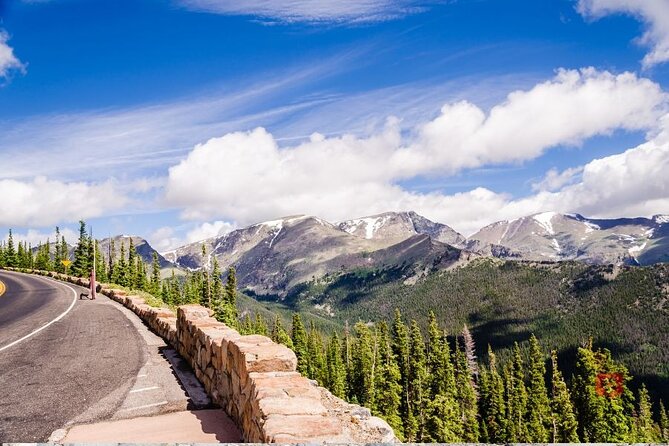
This part of the drive shifts your attention upward—more exposure, more alpine conditions, and a more “different planet” feel than the lower valleys.
Stop 5: Tundra Communities Trail and Mushroom Rocks (about 1 mile, ~1 hour)
From the Tundra Communities Trailhead, you hike roughly a mile to reach unique rock formations called Mushroom Rocks. At 12,000+ feet, you may want short rests, especially if you’re not used to altitude.
The audio experience here is aimed at making the hike feel less random. You might notice marmots basking on flat rocks, and you may hear pikas with their warning calls—tiny details that help you feel present in the place rather than just passing through it.
Stop 6: Sprague Lake (about 30 minutes)
Sprague Lake is along the Bear Lake Road, and it offers an easy loop—about 0.8 miles, mostly flat. Boardwalks and bridges help manage terrain while keeping the walking manageable.
This stop is also a good time window game. Late afternoon is mentioned as a moment when moose might show up, so if you’re planning your day, keep some flexibility here.
Old Fall River Road and the Alpine Visitor Center at 12,000 feet
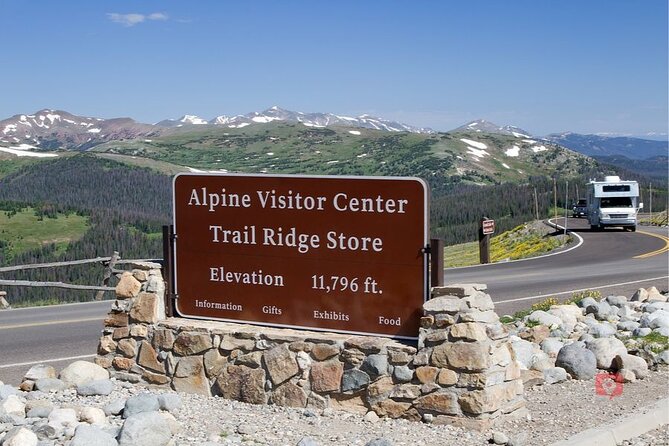
If you only do one “logic-defying” road in Rocky Mountain National Park, this is it: the Alpine Visitor Center area reached from steep, high-alpine roads.
The Old Fall River Road option: slow, one-way, and unpaved
Before Trail Ridge Road existed, the park used what’s now known as Old Fall River Road. It’s unpaved but well maintained, and it’s about 11+ miles that climbs to the Alpine Visitor Center at over 11,500 feet. It’s a one-way uphill drive, so plan it like a journey, not a quick connector road.
You’ll likely feel this more than Trail Ridge Road because the pace is slower and the route feels more “old park” than “fast scenic highway.”
Stop 9: Alpine Visitor Center (plus Huffers Hill)
You can drive on paved roads to 12,000 feet, and the picture windows inside the Alpine Visitor Center are an oasis when the wind is pushing or the temperature drops.
If you want a short-but-satisfying hike, the audio points you toward the Alpine Ridge Trail (also known as Huffers Hill). It’s about 0.7 miles and rises another 147 feet, with 360-degree views when conditions cooperate.
This is also where your phone’s GPS-based audio shines. As you stand at viewpoint windows and then walk the trail, the guide can keep nudging you toward what matters next.
Chrysalis at the Stanley Hotel and Holzwarth’s Pioneer Site
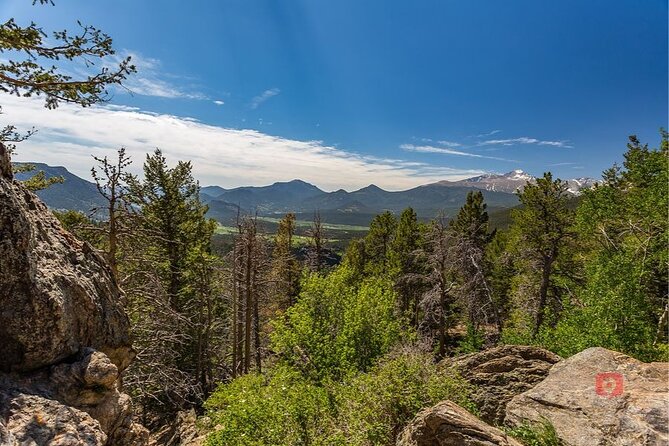
Not every great part of Rocky Mountain National Park is “in the park.” These stops add human stories that make the region feel lived-in.
Stop 7: Chrysalis at the Stanley Hotel (about 30 minutes)
The Stanley Hotel area is famous for its inspiration as the Overlook Hotel setting in Stephen King’s novel The Shining. If you like film or literary pop culture, this is an easy stop to tack onto a park day.
Motoring fans also have a draw here: a Stanley Steamer is on display. The audio also gives the backstory about FO Stanley, who built the hotel and wanted it to bring first-class travelers to the area.
Stop 8: Holzwarth Historical Site (about 30 minutes)
This stop is about grit and reinvention. The Holzwarth story includes German immigrant roots, a tough start in a brewery that shut down during Prohibition, and then relocating with a wife and young children to the Kawuneeche Valley.
If you’re the kind of traveler who enjoys understanding where the region’s people came from, this is a memorable counterbalance to all the high-altitude nature you’ve been processing all day. Seeing the scale of those life changes helps you appreciate how hard it was to build a future here.
Who This Self-Drive Audio Tour Fits Best
I’d recommend this tour if you want:
- A lower-effort way to learn while you drive (instead of stopping to read signage).
- Flexibility—you set the pace, not a group schedule.
- A car-friendly experience with offline audio and GPS syncing.
- A mix of scenery + short walks + story stops rather than only one long hike.
It may be less ideal if you:
- Want fully guaranteed access to every road and trail regardless of seasonal closures. Rocky Mountain conditions change. The audio is helpful, but it can’t replace checking current park status.
- Haven’t planned for timed-entry permits when required. The tour itself won’t solve park access rules for you.
Should You Book This Rocky Mountain National Park Audio Drive?
Book it if you want a smart, low-stress way to turn a long scenic drive into a day with meaning—without paying per person for a guided group. The combination of GPS-triggered stories, offline capability, and stop-and-start freedom is exactly what makes this kind of park day work.
Skip or pause your decision if you haven’t sorted out park entry and timed-entry requirements. Once you have that handled, the audio tour becomes a good value add—especially for couples and small groups who can share one purchase and keep their own pace.
FAQ
Do I need internet or cell service during the drive?
No. Once you download the tour in the GuideAlong app, it’s designed to work offline, so you don’t need cell service while you’re in the park.
How much does the audio tour cost?
It’s priced at $19.99 per group, up to 8 people.
How long does the tour take?
It’s listed as 8 to 16 hours, depending on how many stops you make and how long you spend at each one.
Is the tour audio available in English?
Yes, it’s offered in English.
What is included in the tour?
You get the GuideAlong (GyPSy Guide) audio tour with GPS location-based stories and directions, plus suggested trip planners (in-app, web, and PDF), and free updates.
What’s not included in the tour price?
Timed entry fees and reservations are not included, and you also need your own national park passes.
Where does the tour start and where does it end?
The tour can start in Estes Park and end in Grand Lake, but the audio plays based on your location so you can start and end anywhere along the tour route.
Do I need to reserve a permit for Rocky Mountain National Park?
The additional info states you must reserve a permit in advance to visit the park from May 23 to mid October, 2025.
How do I access the tour after booking?
You receive an email and text with instructions to download the audio tour. You’ll use a link to sign in with your preferred Apple or Google account and redeem your voucher code ahead of time.
Can I start and stop the tour whenever I want?
Yes. You can control the pace: start, stop, and resume the tour any time, even on a different day.
Final recommendation: book it with one smart checklist
If you line up your park entry plans first, download the tour over Wi-Fi before you drive, and keep your phone charged for long hours, this audio drive is an easy win. It’s built for exactly the kind of day Rocky Mountain National Park demands: flexible, scenic, and full of small moments you’d otherwise miss.