REVIEW · BRYCE CANYON NATIONAL PARK
Bryce Canyon National Park Self-Guided Driving Audio Tour
Book on Viator →Operated by Travel with Action · Bookable on Viator
Hoodoos get way more interesting with audio. For $16.99 per group (up to four), I like the offline, location-triggered narration and the fact that you get lifetime access with no expiry. The main drawback to watch for is the app setup: you’ll want to download everything before you lose strong signal, because a small start-point glitch can slow you down.
This is a private, self-guided drive through Bryce Canyon National Park with no other groups joining you. The route is long—over 60 miles—with more than 30 audio stories, and it’s paced for about 1 to 2 hours, depending on how often you stop for photos.
What you’ll hear is not just “look over there.” The narration ties the views to the big why: the geology behind hoodoos, the namesake of Ebenezer Bryce, stories from the Paiute people, and even the science of glaciation and erosion. If you’re the type who likes your sightseeing with context, this helps you understand what you’re seeing.
In This Review
- Key things I’d zero in on before you go
- A self-drive route that turns Bryce into a moving story
- Price and value: $16.99 per carload, not per person
- Offline, hands-free, and ready for your car stereo
- The route size and timing: over 60 miles, 30+ stops, 1–2 hours (plus photos)
- Stop-by-stop: what each Bryce viewpoint adds to the drive
- Bryce Canyon Visitor Center: namesake and first peoples
- Fairyland Point: a fast look at the full hoodoo show
- Sunrise Point: one of Bryce’s most famous views
- Bryce Amphitheater: the semicircle feeling
- Sunset Point: hoodoo science and erosion over time
- Inspiration Point: Paiute mythologies and the meaning people gave the rocks
- Bryce Point: iconic sunrise vibes and pioneer hardship
- Paria View: glacier leftovers (about 12,000 years ago)
- Swamp Canyon Overlook: Butch Cassidy, fact vs. fiction
- Farview Point: clean air and bristlecone pines
- Natural Bridge: arches, but in a Bryce kind of way
- Agua Canyon: hoodoo nicknames and wildlife survival
- Ponderosa Canyon (Ponderosa Point): junipers stretching out
- Black Birch Canyon: night-sky tips for amateur astronomy
- Rainbow Point: the farthest big views and the Grand Staircase link
- Red Canyon: roadside arches created by humans (1914)
- Why the stories work: hoodoos, people, and time scales that finally click
- Common tech hiccups to plan for (so your day stays smooth)
- Should you book this Bryce Canyon self-guided audio tour?
- FAQ
- What does the $16.99 price include, and how many people can use it?
- Does this audio tour expire after I buy it?
- Will it work without cellular or Wi‑Fi?
- How long should I plan for this driving audio tour?
- Where do I start and where does the tour end?
- Is the Bryce Canyon park entry fee included?
- What’s the cancellation policy for a full refund?
Key things I’d zero in on before you go
- Lifetime access means you can repeat the drive on future trips, not just once.
- Offline playback with GPS prompts keeps you moving even when cell service disappears.
- Private format: it’s just your car and your pace.
- A long route with 30+ stories turns “quick viewpoints” into a connected drive.
- Stop-and-go flexibility helps you pause for photos and short breaks without losing the flow.
A self-drive route that turns Bryce into a moving story
Bryce Canyon is a park where the best moments happen when you’re stopped—then stopped again—then stopped one more time. This audio tour fits that reality because it was built for a driving loop with lots of short overlooks, plus detours for key viewpoints.
The hands-free part matters. Audio stories play based on where you are, so you’re not stuck fiddling with your phone every time you park. And because it’s private, you’re not negotiating timing with strangers.
The other win: it’s not just geology. You’ll get naming history (including Ebenezer Bryce), human stories (Paiute traditions and Mormon settlement history), and a few fun side tracks like the Butch Cassidy connection. That mix keeps the drive from feeling like a list of scenic stops.
Price and value: $16.99 per carload, not per person

The cost is $16.99 per group (up to 4), which is unusually fair for a national park audio product. For couples, it’s a bargain. For families or friends in the same car, it’s even better because you’re buying once for the vehicle.
The “lifetime access” piece adds real value too. If you’re the type who likes to return to places when the light changes—or you want to revisit with kids or other friends—you can reuse what you paid for.
One practical note: the tour price covers the audio experience, but the Bryce Canyon park pass is not included. So budget for that entry fee separately.
Offline, hands-free, and ready for your car stereo
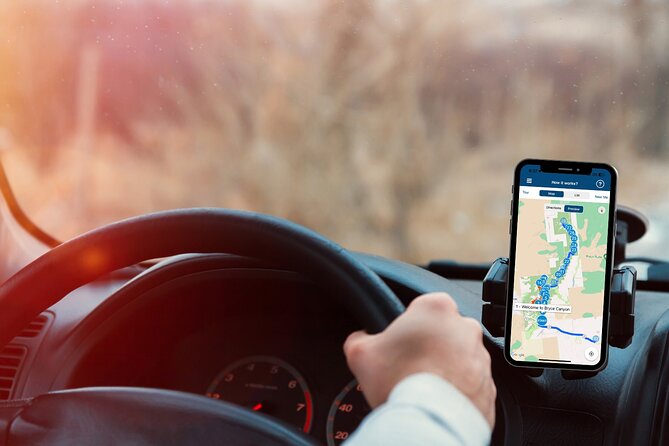
This tour is designed to work without cellular or Wi‑Fi after you download the app content. That’s crucial at Bryce, where reception can be spotty inside the canyon.
Here’s what you should do to set yourself up for success:
- Download the Action’s Tour Guide App and the tour content while you’re on strong Wi‑Fi/cellular.
- Use the password sent by email/text right in the app when prompted.
- On-site, open the audio tour app and start at the correct beginning point so the GPS-triggered stories line up.
For playback, you can connect your phone to your car via Bluetooth, USB, or AUX. If you’ll hop out for short walks at overlooks, headphones can also help you keep the audio clear.
The route size and timing: over 60 miles, 30+ stops, 1–2 hours (plus photos)
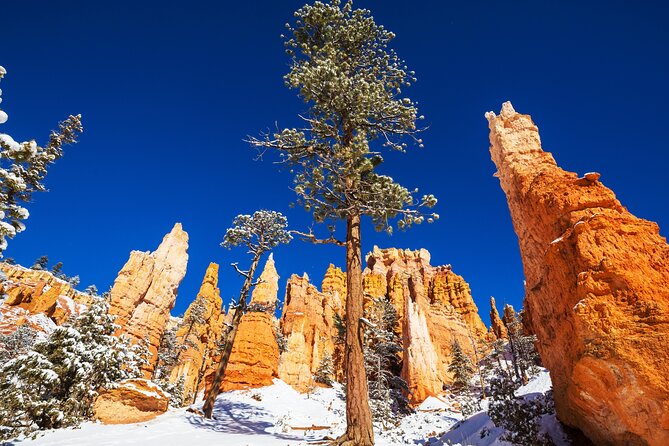
The tour runs about 1 to 2 hours, but that’s the “you keep moving” estimate. Because the stop times listed are often 5 minutes, it’s smart to plan for extra time anyway—Bryce is the kind of place where you’ll want one more angle.
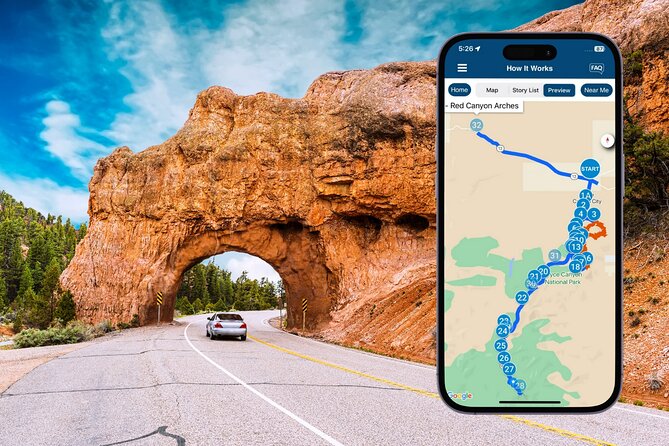
You’ll start at MRCV+X76, Bryce Canyon City, UT, and the tour’s drive continues toward Rainbow Point. The itinerary includes Rainbow and Yovimpa viewpoints near the end, plus an additional stop called Red Canyon Arches, so follow the audio cues in your app if your route variant extends past Rainbow Point.
Tip for timing: treat this as your “anchor drive.” Then use the best overlooks as jump-off points for your own short hikes or photo stops. Many people use the tour on their arrival day to decide where to walk the next morning.
Stop-by-stop: what each Bryce viewpoint adds to the drive
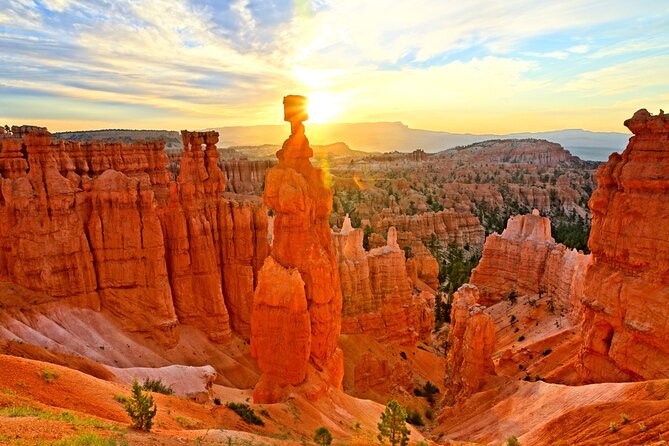
Below is what you’ll experience at each stop, plus the practical “don’t get surprised by this” notes.
Bryce Canyon Visitor Center: namesake and first peoples
You kick off right by the Visitor Center area, with the story behind Bryce’s namesake and the original Paiute people who lived on this land. You’ll also get the core geology framework: Bryce Canyon’s horseshoe-shaped amphitheaters carved from the Paunsaugunt Plateau, and how erosion turns limestone (Claron Formation) into hoodoos, windows, fins, and spires.
This first segment is a good warm-up because it teaches you the “language” of what you’re about to see. The practical drawback is that it sets you up for a long drive—so don’t start the tour if you’re only planning a quick half-hour.
Fairyland Point: a fast look at the full hoodoo show
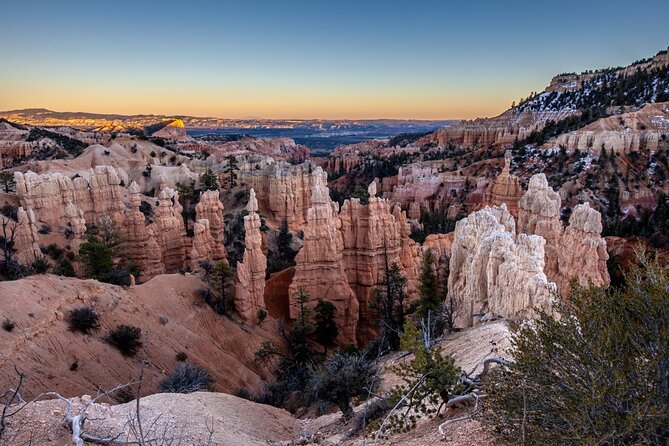
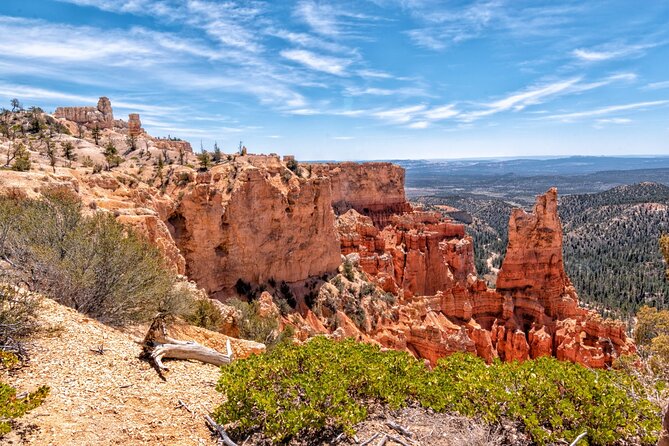
Fairyland Point is your early big “wow” moment. It’s a sneak peek at the sweeping views, sheer cliffs, and that signature Bryce hoodoo look that makes this park famous.
Because the stop is brief, have your camera ready and your parking mind-set set to jump in and out quickly. If you’re the slow-photo type, you’ll likely want to linger on your own after the audio finishes that segment.
Sunrise Point: one of Bryce’s most famous views
At Sunrise Point, the tour focuses on the way Bryce’s formations spread out before you and how trails connect you to the scene. This is a great stop if you want the park to feel “open” and expansive instead of just canyon walls close in.
Practical note: even if the audio slot is short, this viewpoint is popular for a reason. Give yourself a little buffer so you don’t feel rushed while taking in the amphitheater.
Bryce Amphitheater: the semicircle feeling
You’ll continue around the Bryce Amphitheater, described as a giant semicircle that drops far below your feet. The narration helps you understand why this particular shape matters to how erosion carved everything.
This is one of those spots where the scale hits you hardest. The “consideration” is simple: if you’re afraid of heights, use extra care at the pullouts and stick to safe viewing areas.
Sunset Point: hoodoo science and erosion over time
Sunset Point is paired with explanation: how hoodoos form and what makes them different from other rock features. You’ll also get a time-scale perspective so the shapes start to feel like the result of repeated processes—not magic.
Expect another quick stop. That’s useful, but it also means the narration gives you key ideas rather than a long lesson, so take a moment after the audio if you want to stare longer.
Inspiration Point: Paiute mythologies and the meaning people gave the rocks
Inspiration Point shifts from physics to culture. The stories here focus on the Paiute people and their mythologies—different answers for why this terrain looks the way it does.
This stop is valuable because it gives you permission to view Bryce as more than a science project. The practical drawback: if you prefer only geology, you might wish the audio stayed more strictly technical here.
Bryce Point: iconic sunrise vibes and pioneer hardship
At Bryce Point, you get one of the best views of the full amphitheater. The audio calls out how sunrise light hits the hoodoos—orange light, deep shadows, and a dramatic shift across the recesses.
This stop also brings in Mormon settlers’ history and the reality of trying to live here in a harsh climate. Consideration: sunrise is the theme, but daylight drive conditions vary—so if you miss early light, you’ll still get the view, just not the full “set alight” effect.
Paria View: glacier leftovers (about 12,000 years ago)
Paria View brings in the Ice Age angle. The narration explains that as temperatures rose roughly 12,000 years ago, the ice age ended, and melted glaciers sent water down into the canyon system.
This is a good stop if you want Bryce’s story to feel connected to bigger regional changes. Practical note: it’s another viewpoint segment, so don’t expect long interpretive trails—plan for a roadside pause.
Swamp Canyon Overlook: Butch Cassidy, fact vs. fiction
This is where the drive gets more playful. The audio mentions Butch Cassidy and brings up how stories can blur between fact and fiction.
If you enjoy western lore, this detour-style stop helps break up the geology flow without turning the drive into a distraction. The drawback is that it’s still an overlook—so if you’re hoping for a deep narrative, it stays brief by design.
Farview Point: clean air and bristlecone pines
At Farview Point, the narration points out both elevation and something more practical: clean air. It also highlights bristlecone pines as some of the oldest trees on Earth.
This stop is worth it if you care about ecology, not just rock. Practical consideration: in hot months, standing still for views can feel slow—bring water and be ready for it to feel longer than the listed audio time.
Natural Bridge: arches, but in a Bryce kind of way
Natural Bridge is another roadside feature stop, focused on arches and unusual formations that build on what you’ve already learned about Bryce’s rock shapes.
Because this is another short stop, you may want to step out and do a quick scan in multiple directions to catch the arch angles. If you’re expecting a long hike to reach it, this part may feel too quick.
Agua Canyon: hoodoo nicknames and wildlife survival
Agua Canyon focuses on two standout hoodoos nicknamed The Hunter and Rabbit, plus wildlife and survival strategies in a climate with scorching summers and deep freezing winters.
This stop adds personality to the park. The practical drawback is that the narration includes wildlife themes, but your ability to spot animals depends on timing and luck—so use this segment for understanding, not guaranteed sightings.
Ponderosa Canyon (Ponderosa Point): junipers stretching out
This stop centers on iconic junipers and the way they spread across the distance. It’s a shift from rock intensity to plant forms and scale.
If you like noticing details—branches, shapes, how the vegetation marks the terrain—this segment pays off. It’s also a gentle pause before the more “astronomy and far-out views” part of the route.
Black Birch Canyon: night-sky tips for amateur astronomy
Black Birch Canyon introduces a night-sky angle and opportunities for amateur astronomy. Even on a daytime drive, this helps you connect Bryce to why people come here after dark.
Practical consideration: the tour is framed as a drive experience, and your daylight comfort matters. If you want to act on the astronomy tips, plan your timing carefully so you’re not trying to do star work when it’s still too bright.
Rainbow Point: the farthest big views and the Grand Staircase link
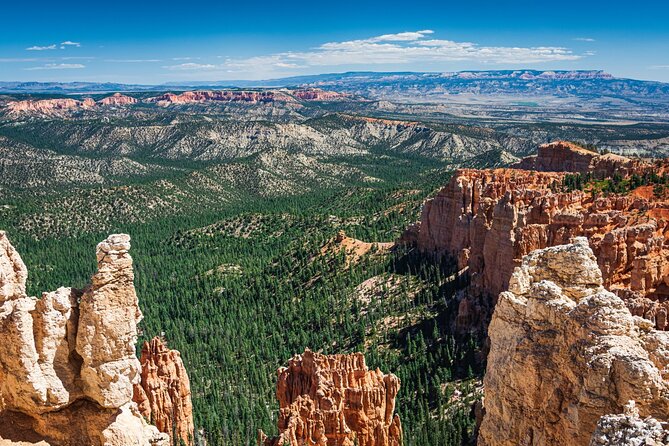
Rainbow Point and Yovimpa are the farthest overlooks inside the park. The audio emphasizes that from here you can see nearly everything—hoodoos, the basin, and sheer cliffs—and that you’re on top of the Grand Staircase, a geologic structure stepping down all the way to the Grand Canyon in Arizona.
This is a strong closer because it turns isolated viewpoints into one big system. The drawback is that the stop can feel like “the end,” so mentally prepare for the drive continuing afterward if your route includes the final Red Canyon stop.
Red Canyon: roadside arches created by humans (1914)
Near the end, the tour includes Red Canyon Arches, which are natural-looking but explained as human-made. Workers tunneled through solid rock in 1914 to make room for the road, and since then the arches have become a sort of gateway into Bryce’s view.
This final stop is a nice twist: the park isn’t only about erosion, it’s also about how people shaped access. Consideration: if you’re tired by the last miles, it’s easy to miss the arch detail—slow down, park safely, and look for the tunnel-and-road story in the rock.
Why the stories work: hoodoos, people, and time scales that finally click
The biggest value here is how the narration connects different kinds of knowledge. Geology explains why hoodoos exist. Cultural stories give context for how people interpreted the same terrain. And the historical threads (Ebenezer Bryce, Mormon settlers, Paiute mythologies) help you place the park in human time, not just natural time.
Even the “science bits” feel practical because they tell you what to notice at each stop. You’re not just staring at a pretty rock shape—you’re learning what part of the formation makes it a hoodoo and how erosion is doing the heavy lifting.
And because the audio continues across so many viewpoints, your understanding builds as you drive. That matters, because Bryce’s best lesson is cumulative: every new amphitheater view adds another piece to the pattern.
Common tech hiccups to plan for (so your day stays smooth)
This is the part you should take seriously, because audio tours rise or fall on setup.
I’d plan like this:
- Download first on strong Wi‑Fi or cellular. If you try to start on-site without the download, you can waste time.
- Start at the correct point so GPS-triggered stories follow the route.
- If the app won’t behave, restart and try again rather than giving up—some users report that reinstalling fixes a first-run problem.
One more practical thing: some people want to close out the day. If your app keeps running after you think you’re done, clearing recent apps can help stop background playback.
Finally, if parts of the park are closed due to road updates, the narration may still reference some segments. Check current park conditions before you set your expectations for the day.
Should you book this Bryce Canyon self-guided audio tour?
Yes—if you want a smart, low-cost way to understand Bryce while you drive, and you like going at your own pace. It’s especially good value for a carload of up to four, and the offline setup means you’re not dependent on signal.
Skip it if you’re looking for a fully live guiding experience with longer explanations on demand. The narration is excellent for orienting you and connecting the dots, but it won’t replace a person who can answer your specific questions on the spot.
If your goal is “see the major overlooks, learn what they mean, and move on to hikes with more confidence,” this audio drive is a strong match.
FAQ
What does the $16.99 price include, and how many people can use it?
It’s priced at $16.99 per group for up to 4 people. You pay for the audio tour for your group/car, not per person.
Does this audio tour expire after I buy it?
No. The tour is described as having new, lifetime access with no expiry, so you can use it any time on any trip.
Will it work without cellular or Wi‑Fi?
Yes. The app is designed to work offline after you download it while you have strong Wi‑Fi/cellular.
How long should I plan for this driving audio tour?
The duration is listed as about 1 to 2 hours, though you may spend more time if you stop for photos and breaks.
Where do I start and where does the tour end?
The start point is listed as MRCV+X76, Bryce Canyon City, UT, USA. The end point is listed as Rainbow Point, Utah, USA.
Is the Bryce Canyon park entry fee included?
No. A park entry fee is required to visit Bryce Canyon National Park and it is not included in the tour.
What’s the cancellation policy for a full refund?
Free cancellation is offered up to 24 hours in advance for a full refund. If you cancel less than 24 hours before, the amount paid is not refunded.