REVIEW · SOUTH DAKOTA
Badlands National Park Self-Guided Driving Audio Tour
Book on Viator →Operated by Travel with Action · Bookable on Viator
Badlands gets smarter when your car talks back. This self-guided driving audio tour adds location-based narration as you move, so your “just driving” turns into an easy, educational loop of viewpoints, trails, and wildlife spots on your own schedule. You start when you want, pause for photos, and keep going without waiting on a group.
My favorite part is how the tour is built for freedom: hands-free audio plays on its own as you reach each stop, and you can stop and restart whenever you like. I also like the practical side—offline maps and offline listening mean you can keep going even when cell service disappears. One thing to plan for: you’ll need to download the tour on strong Wi‑Fi/cellular before you start, and you still must buy your Badlands park entrance pass separately.
In This Review
- Key takeaways before you drive
- What you’re actually getting on this Badlands driving tour
- Price and value: $16.99 per group up to 4
- Timing: how to fit 1–2 hours into a full Badlands day
- Download once, then rely on offline audio in the park
- Setup in your car: hands-free audio and stereo options
- Stop-by-stop: Hay Butte Overlook and Badlands Wilderness Overlook
- Roberts Prairie Dog Town and Ancient Hunters Overlook
- Yellow Mounds, Big Badlands, and reading time in the rocks
- Homestead Overlook and Prairie Wind Overlook: people and ecosystems
- White River Valley and Castle moments
- Fossil Exhibit Trail and Ben Reifel Visitor Center
- Steep short walks: Saddle Pass, Cliff Shelf, Notch, and Door
- Castle Trail: the long finish if you want more out of your last stop
- How to make the audio work smoothly (and what to do if it glitches)
- Who should book this Badlands audio drive?
- Should you book it? My decision checklist
- FAQ
- How long does the Badlands self-guided driving audio tour take?
- How much does it cost?
- Do I need a park entrance pass?
- Is the tour available in English only?
- Can I use the audio without cell service?
- When can I start the audio tour?
- How do I access the tour on-site?
- Do I need someone to meet me at the start?
- Can I pause and start again during the tour?
- Can I play the audio through my car’s stereo?
- What if the tour audio doesn’t start or cuts out?
- Can I get a refund if I cancel?
Key takeaways before you drive
- Location-triggered stories so you’re not fumbling with buttons at every turnout
- Offline maps and audio so the Badlands can stay quiet while your phone stays useful
- Per-group pricing (up to 4 in your car) that can beat the cost of bus-style tours
- 32+ stops over about 34 miles with a realistic 1–2 hour completion time
- Short trail options for stretch breaks, from boardwalks to a steep climb
What you’re actually getting on this Badlands driving tour

You’re not buying a headset-and-bus guided trip. You’re buying a self-guided drive with an audio narrator that cues itself by GPS location. That means you can slow down for wildlife, linger at a pull-off, or skip something if your legs are tired.
The route is designed as a loop through the park’s most talked-about areas, with over 32 audio stories spread across about 34 miles. Most people can finish in 1–2 hours, but the nice twist is you control that timing. If you want a longer photo break at a viewpoint, you just do it.
And the “lifetime access” part matters more than it sounds. This is one of those purchases you might use again later, even on a return trip when you want a different pace or you’ve forgotten which stop was which.
Price and value: $16.99 per group up to 4
The price is $16.99 per group (up to 4), meaning it’s effectively per car, not per person. That matters in a national park where a guided option often charges by head. If you’re traveling as a couple, family, or small group, this can be one of the cheaper ways to add real context to the drive.
Still, keep one cost straight in your mind: Badlands park passes are required and not included. The standard entrance pass is valid for 7 consecutive days per vehicle, so you’re planning for that entry fee either way.
Where the tour can feel especially good value is in the content. A drive through Badlands can be jaw-dropping, but a narrator turns “wow” into “I get it.” You learn what you’re looking at—rocks, fossils, prairie ecology, and even how people used the area long ago—without you doing extra reading at every stop.
Also worth noting: it’s offered in English, and it’s been booked about 11 days in advance on average. That usually indicates people are timing their park days and downloading before they go.
Timing: how to fit 1–2 hours into a full Badlands day
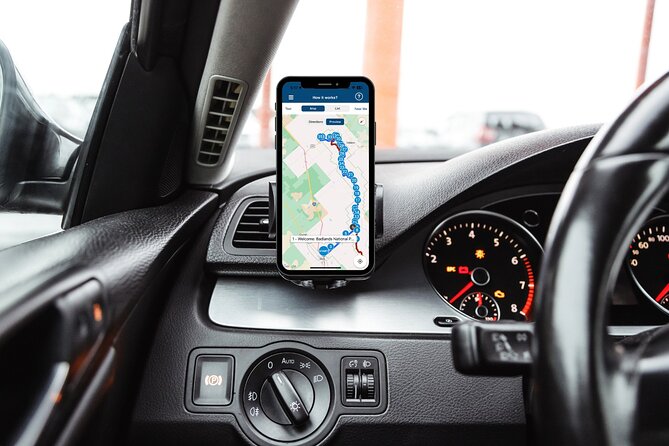
Your audio tour is available Monday–Sunday, 8:00 AM to 5:00 PM (with the stated operating window running from 01/20/2023 to 03/06/2027). That’s plenty of room to pair it with other Badlands plans—viewpoints, a visitor center stop, and at least one short trail.
Because the audio runs while you drive and you can pause for breaks, you have two workable strategies:
- If you’re short on time, treat it like a “highlights with context” loop and keep most trail time brief.
- If you have more time, pause at the steeper or longer trail stops and swap “drive-fast” for “enjoy-the-terrain.”
One practical tip: the instructions say to stick to the tour route & speed limit for the best experience. Location-triggered audio can get confused if you wander off the intended path for long stretches.
Download once, then rely on offline audio in the park
This is a technology-dependent tour, but the setup is straightforward if you do it the right way. After booking, you receive an email and text with setup instructions and a password. You then download the separate Action’s Tour Guide App.
Here’s the key point: the instructions say you must download the tour while in strong Wi‑Fi/cellular. After that, it should work offline. In other words, Badlands can swallow your signal, and the audio still continues.
The recommended devices listed are:
- iPhone on iOS 15+
- Android on version 9+
- iPad/tablet with GPS and cellular connectivity
Before you leave the parking area, make sure your phone is willing to use location services, and that you’re ready to keep the app open long enough to download the content properly. If you don’t, you risk exactly the kind of frustration nobody wants during a trip built around views.
Setup in your car: hands-free audio and stereo options
You can connect your phone to your car’s audio system using Bluetooth, USB, or AUX. That’s a big deal because it lets you hear the narrator while still focusing on the road.
The info also says audio playback is compatible with Apple CarPlay (and it notes navigation features are coming soon). A good practical move is to test audio at the starting point—before you drive away—so you’re not troubleshooting while the views are walking past your windshield.
If you’re also stepping out for trail sections, the app works best when you can hear clearly. The guidance suggests headphones for walking tours, which usually helps if wind or foot movement makes car audio harder to catch.
Finally, there’s no guide waiting at the start. It’s a self-guided experience: you get to the starting point, open the app, and let the first story begin automatically when you’re at the right spot.
Stop-by-stop: Hay Butte Overlook and Badlands Wilderness Overlook
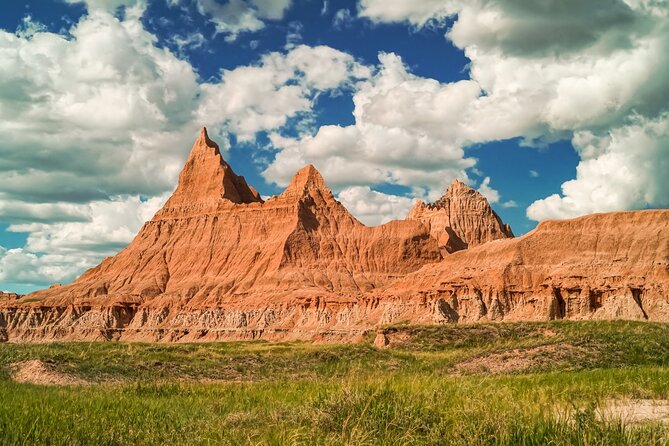
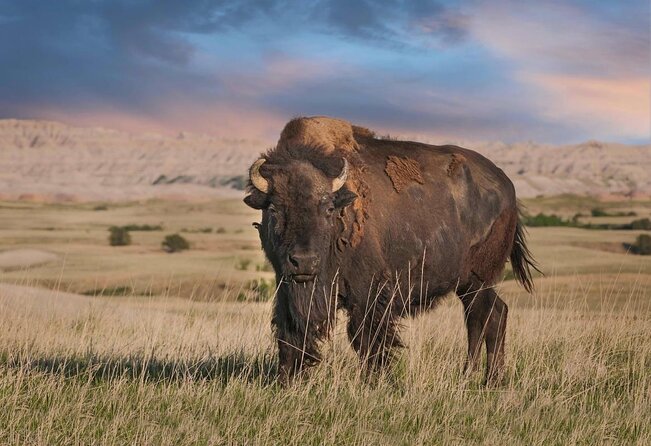
Stop 1: Hay Butte Overlook is where the tour kicks off with big, open Badlands views facing prairie meadows. It’s a good first stop because you immediately get context: you’re not just seeing dramatic rock, you’re seeing how Badlands and prairie mix together. It also notes you may spot wildlife like bison and pronghorn. There’s a short hike from the Badlands Loop Road area, so you can turn the viewpoint into a quick stretch without committing to a long walk.
Stop 2: Badlands Wilderness Overlook shifts the feel toward rugged formations and deep canyons. This stop is about noticing what makes the wilderness area “wilderness” in the first place—sharp terrain, dramatic rock shapes, and the sense of space. The tour description emphasizes wildlife opportunities here too, including bison, bighorn sheep, and pronghorn. If you like photography, this is one of those spots where the light can change the color of the rocks fast.
A small drawback to keep in mind: overlooks mean short stops, but wildlife spotting still depends on conditions. Plan to look, but don’t expect guarantees.
Roberts Prairie Dog Town and Ancient Hunters Overlook
Stop 3: Roberts Prairie Dog Town is a fun, different kind of wildlife moment. Instead of “maybe you’ll see an animal,” this focuses on black-tailed prairie dogs and their noticeable behavior. Prairie dogs are burrowing rodents from the Great Plains, and the tour description calls out their distinctive “bark” behavior. You’re essentially learning how they live while you watch the colony work.
This is also a great stop if you’re traveling with kids or anyone who wants something less steep than a trail. You can stay near the viewpoint and still get a “lesson in motion.”
Stop 4: Ancient Hunters Overlook takes you from modern wildlife to human history. It’s named for ancient tribes who hunted in the Badlands. The story includes details about bison bones and arrowheads, and it suggests the area likely served as a butchering and preparation field. Even if you’ve seen Old West history before, the angle here feels grounded in what the land physically preserves.
For some people, this stop may be the one that changes how they see the park: you’re not only looking at scenery—you’re looking at evidence.
Yellow Mounds, Big Badlands, and reading time in the rocks
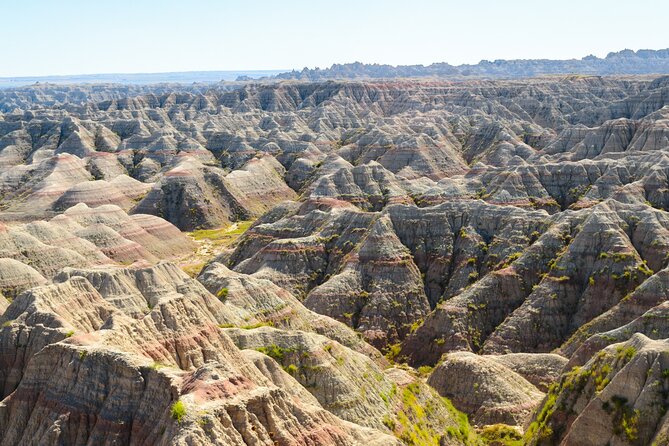
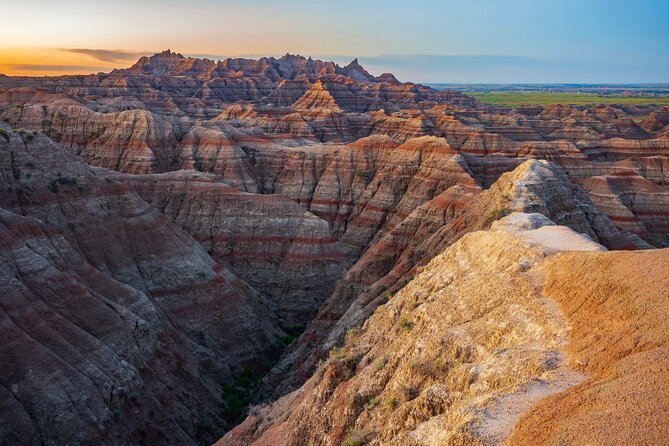
Stop 5: Yellow Mounds Overlook is all about layered geology. The tour explains that iron oxide in the rock layers is what makes the mounds look yellow. Erosion and weathering do the rest, revealing the layers like pages in a book.
This is where the driving audio shines. Without guidance, Yellow Mounds can just look like “cool color.” With narration, you understand the “why,” and the photos turn from pretty to meaningful.
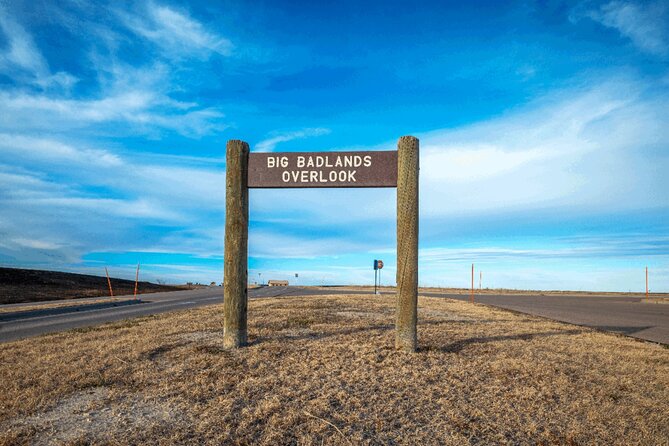
Stop 6: Big Badlands Overlook connects you to deep time through paleosols—ancient soil layers. The tour description notes that what you’re seeing is part of the Pierre Shale formation, and it was once the bottom of a warm, shallow sea. That kind of explanation is exactly what makes Badlands science click.
One consideration: geology stories reward attention. If you’re in full “music and vibes” mode, you may want to turn the volume up a bit at these stops so you catch the key points.
Homestead Overlook and Prairie Wind Overlook: people and ecosystems
Stop 7: Homestead Overlook brings in a story about the American West and settlement. It references Lincoln and the Homestead Act—the idea that the West had resources needed by the country and that many Americans were reluctant to live there. The description adds that West Coast Native communities were wary of settlers in an unexplored region.
It’s a heavier topic than the wildlife stops, but it fits the Badlands because the park is more than rocks. It’s a place where different cultures connected to the same land, sometimes in conflicting ways.
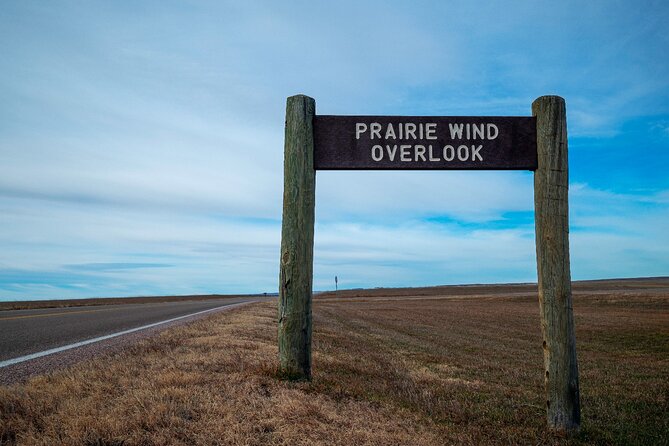
Stop 8: Prairie Wind Overlook offers a palate cleanser: this time the focus is less on Badlands rock and more on gentle prairie. The tour highlights how the park includes different ecosystems. If you’ve only seen Badlands as “spiky rock,” this stop helps correct that mental picture.
White River Valley and Castle moments
Stop 9: White River Valley Overlook is a “zoom out” view. The tour points out The Castle as a magnificent formation you may spot from here, noting it will be the largest formations you see from this overlook. Beyond The Castle, you get a sense of the valley extending far, and the tour connects that valley to the White River shaping it over long time.
This stop is a reminder that Badlands is about systems: water, erosion, and time working together.
Fossil Exhibit Trail and Ben Reifel Visitor Center
Stop 10: Fossil Exhibit Trail is where learning gets hands-on. The trail includes interactive exhibits focused on fossil heritage, and it’s described as wheelchair-accessible. You’ll get a chance to learn about extinct animals like a rhinoceros and a three-toed horse, plus their environments.
This stop is valuable because it turns the abstract idea of fossils into something you can walk through in minutes. It’s also a good fit if your group is split—some people can linger, others can keep moving.
Stop 12: Ben Reifel Visitor Center (with a quick break built in) gives you a more classic visitor center pause. The description includes a picnic area and usual amenities, plus a Fossil Preparation Lab that shows what paleontologists do after fossils are discovered.
One extra context that’s worth knowing: Ben Reifel is noted as Lakota, raised on the Rosebud Reservation, and the first Plains Indian to serve in the US Congress. He was also a Harvard University graduate. Even if you don’t catch all of that from the audio, the visitor center is a strong place to connect the land to real people.
Steep short walks: Saddle Pass, Cliff Shelf, Notch, and Door
The tour includes several trail stops. Most are short, but a couple are steep enough that you’ll want to plan based on your group.
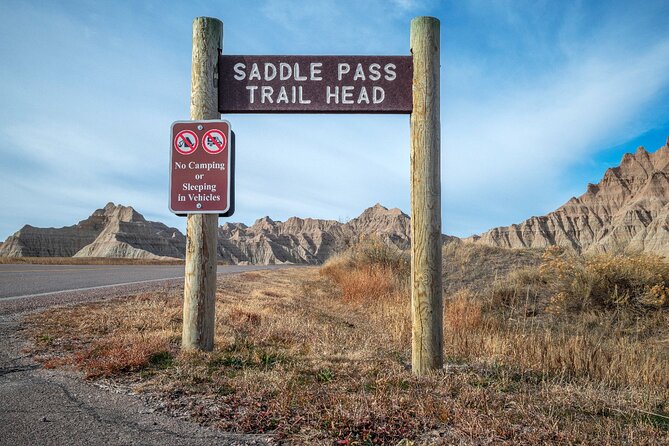
Stop 11: Saddle Pass Trail is only 0.7 miles, but it’s described as one of the steepest in the park with over 200 feet of elevation gain. The tour also says that if it has rained recently, you should steer clear of this one. That’s practical advice. Wet steep trails in Badlands can feel extra slippery.
Stop 13: Cliff Shelf Nature Trail is a half-mile loop and highlights one of the best views in the park. The key twist is that the trail also passes through a juniper forest, which counters the idea that the Badlands are only barren rock. This stop is a great option when you want a rewarding view without a huge time commitment.
Stop 14: Notch Trail brings intermediate terrain. It’s 1.5 miles of rough ground, includes a rope ladder, and aims for a tremendous vista of the White River Valley. If your group loves a challenge and you’re comfortable with uneven terrain, this is a highlight. If you’re not, you can still enjoy the rest of the driving stops and keep this one optional.
Stop 15: Door Trail is a totally different pace. It’s a quarter-mile fully accessible boardwalk—a stroll, not a scramble. It leads to The Door, a break in the Badlands Wall with views beyond. If you want an easy camera stop that still feels dramatic, this is it.
Castle Trail: the long finish if you want more out of your last stop
Stop 16: Castle Trail is the “choose your adventure” finale. It’s listed as 5.4 miles and described as the park’s longest-maintained trail, weaving through prairie, Badlands peaks, and many unique formations.
This trail is best for you if you want the most variety in one outing and you’re willing to earn it with time on foot. It’s also a useful choice for people who prefer walking a longer loop rather than bouncing from overlook to overlook.
The drawback is simple: it’s longer than everything else on the tour. So if your group is mix-and-match on fitness, decide up front who wants the full Castle Trail and who will enjoy the nearby stops with less hiking.
How to make the audio work smoothly (and what to do if it glitches)
This tour is designed to be easy: audio stories play based on your location, and the app is meant to let you start and pause freely. You’ll also have offline maps, which helps when you’re stuck without signal.
Still, a few practical notes will save you stress:
- The instructions emphasize staying on the tour route and within the speed limit.
- If audio cuts out or doesn’t pick up, the guidance given for tech issues is to relaunch the app and continue—the system is described as remembering where you left off.
- If you’re taking photos with your phone, it can interfere with audio depending on your settings and how the app is behaving. The best approach is to keep your phone setup stable: audio playing, location access on, and volume where you can clearly hear the narrator.
One more pro tip: because there’s no staff member meeting you at the start, do a quick check of your app permissions and audio output while you’re still parked. Then let the story begin.
Who should book this Badlands audio drive?
This is a strong match for you if:
- You want a self-paced Badlands day with a real narrator, not just signage
- You like learning while you drive but hate reading every placard
- You’re traveling with a group of up to four and want to keep costs down
- You want offline functionality so the Badlands doesn’t break your plans
It may not be the best fit if:
- You dread app setup or you know you’ll be short on time to download before entering the park
- You want someone to physically guide you at the start (this one is self-guided)
- Your group is unwilling to do any short hikes, since the route includes trail stops of varying steepness
A good way to think about it: this tour gives you structure without stealing your freedom.
Should you book it? My decision checklist
Book this Badlands Self-Guided Driving Audio Tour if you want value per car, clear storytelling, and an easy way to turn a driving day into something that teaches you what you’re seeing. The offline maps, location-triggered audio, and lifetime access are practical wins, especially if you’ll return or you like replaying good park days.
Skip it (or at least be cautious) if you’re not willing to manage phone setup. Since you must download on strong Wi‑Fi/cellular and you need the separate park entrance pass, this works best when you treat it like part of your planning.
If you’re the type who loves viewpoints plus a little science and history, this is one of those purchases that can make Badlands feel like it’s been explained to you in plain language, right as you need it.
FAQ
How long does the Badlands self-guided driving audio tour take?
The tour is listed at about 1 to 2 hours to complete.
How much does it cost?
It costs $16.99 per group (up to 4 people).
Do I need a park entrance pass?
Yes. A standard entrance pass is required for Badlands National Park, and it is not included with the tour.
Is the tour available in English only?
Yes, it’s offered in English.
Can I use the audio without cell service?
Yes. The tour includes offline maps, and it’s designed to work offline after download.
When can I start the audio tour?
The hours shown are 8:00 AM to 5:00 PM, Monday through Sunday, within the listed operating window.
How do I access the tour on-site?
After booking, you’ll get an email and text with setup instructions and a password. You then download the Action’s Tour Guide App, enter the password, and open the app onsite to begin the first story at the starting point.
Do I need someone to meet me at the start?
No. It’s self-guided, and no one meets you at the start. The audio begins automatically when you’re at the first story location.
Can I pause and start again during the tour?
Yes. The tour is designed so you can start anytime and pause anywhere, then resume later.
Can I play the audio through my car’s stereo?
Yes. You can connect via Bluetooth, USB, or AUX, and the setup information says audio playback is compatible with Apple CarPlay.
What if the tour audio doesn’t start or cuts out?
The guidance is to contact support if you have audio issues, and to relaunch the app and continue since it’s described as remembering where you left off. Also make sure you downloaded the tour in strong Wi‑Fi before entering the park.
Can I get a refund if I cancel?
There is free cancellation, and you can cancel up to 24 hours in advance for a full refund.